

Znote
Znote (independent developer) · Coding · Productivity
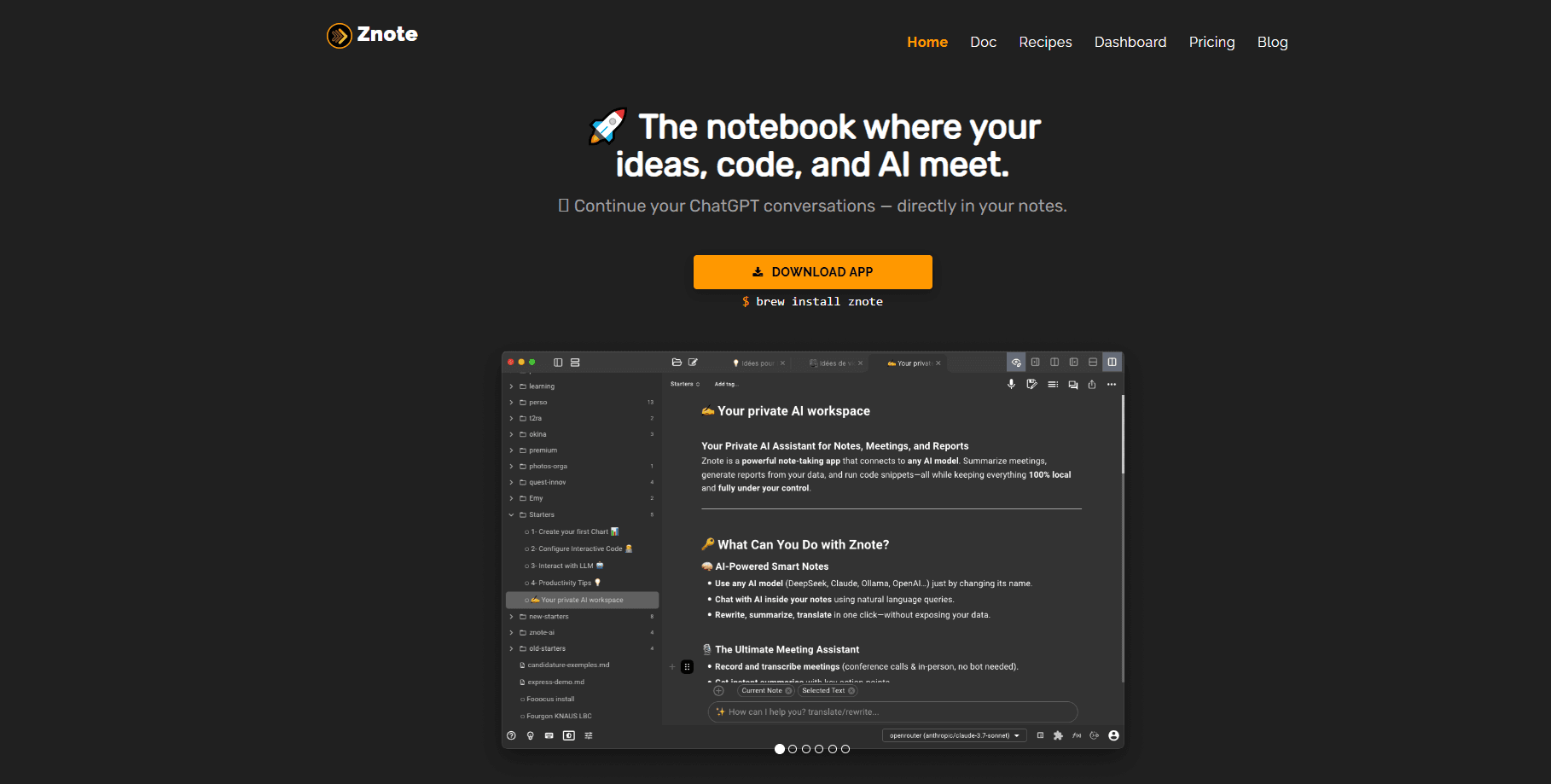
Znote is a local-first Markdown note app that runs code blocks inside your notes, opens Obsidian vaults as they are, and adds an AI assistant you connect with your own key.
About Znote
What Is Znote
Znote is a Markdown note-taking app for developers, product owners and indie makers, built by one independent developer. It looks like a calm writing tool at first. The difference shows up when a fenced code block stops being decoration and starts running: you press play, and a query, an API call or a chart lands in the note below the code.
Everything stays in plain files. Your notes live in a vault folder on your own disk, so there is no database to export from and no account to create. Point Znote at a folder and the folder tree becomes your organization. It also opens an existing Obsidian vault untouched, which means you can try it without moving a single note.
Two limits are worth knowing before you commit. The AI assistant needs a key you provide, whether that's OpenAI, OpenRouter or a fully local model through Ollama, so there is nothing to log into but also nothing hosted for you. And the app is desktop only, so there is no phone version to fall back on.
Getting Started
- Download Znote for macOS, Windows or Linux from the official site and open it
- Let it create a starter vault, or point it at any folder or Obsidian vault you already have
- Enable code running on a note, then press play in a JavaScript, Node.js or shell block to run it
- Open the AI overlay with Cmd or Ctrl plus H and connect your key in Settings for OpenAI, OpenRouter or Ollama
- Save a note once its output is written in, and push the vault to git if you want version history
Product Information
A quick look at Znote's pricing, supported platforms, and performance.
Best for
The users, tasks, and scenarios where this tool fits best.
Users
- Developers
- Product owners and tech leads
- Obsidian users
- Indie makers
Tasks
- Running code in a note
- Asking your own notes
- Turning a rough idea into a spec
- Versioning a vault with git
- Keeping credentials out of commits
Scenarios
- You finish a standup and want a brief
- A CSV export needs cleaning
- A brainstorm is still messy
- Your notes hold passwords
- You already use Obsidian
Key features
Run Code Inside the Note
Any fenced block can execute in place. Znote handles browser JavaScript, Node.js, bash and PowerShell, so a note can query a database, call an API or parse a file, then render the result as a chart or a table. Output is saved into the Markdown itself, which means the note reads the same in any editor. Change a value, press play again, and the note updates without a separate notebook app.
Local-First Markdown Files
Your notes are ordinary .md files in a folder you choose. There is no proprietary store, so you can open, sync, version or grep them with whatever you already use, from git to iCloud to a plain text search. The folder tree is your structure, and a note's filename is its title. If you stop using Znote tomorrow, the vault is still there and still readable.
Obsidian Vault Support
Znote opens an Obsidian vault as it is, keeping wikilinks, embeds, transclusion, callouts, attachments and your settings. A companion plugin adds an Open in Znote option and a run button inside Obsidian, so you can execute a block there and see the output saved back into the note. Nothing is rewritten behind your back, and the two apps can run on the same vault side by side.
AI Assistant on Your Own Key
The AI overlay, summoned with Cmd or Ctrl plus H, sits on any note. You type @ to hand it a note or a template as context and / to pick a prompt like brainstorm, rewrite or specify, and the answer lands inline rather than in a separate chat window. Each prompt is itself a Markdown file you can edit, so you can add commands of your own. Because you bring the key, a local Ollama setup keeps everything on your machine.
Real Tools Through MCP
Znote speaks MCP, the open standard for connecting AI to real tools. Write a tools line in an AI block and the model can query, search and create through servers you declare, whether that's GitHub, Postgres, Slack or your filesystem. The config format matches Claude Desktop and the servers run as local processes, so the connection stays on your machine. It turns a note from a place that answers into a place that acts.
Git and Encrypted Secrets
A vault is git-compatible and never required, so you can drive pull, commit and push from the sidebar and see which notes changed locally and on the remote. Passwords can live in an encrypted sidecar beside the note, using standard sops and age, so the note itself is safe to commit and share. Znote also refuses to push a note that still carries a secret in the clear.
Pros and cons
Pros
- Runs JavaScript, Node.js, bash and PowerShell in the note, with results saved as plain Markdown
- Keeps everything in local .md files, so there is no lock-in and any Markdown tool can read the vault
- Opens an Obsidian vault as it is, with wikilinks, embeds and a companion plugin that runs blocks from inside Obsidian
- The AI runs on your own OpenAI, OpenRouter or Ollama key, so you pay your provider at cost or nothing at all locally
- Connects to real services like GitHub, Postgres and Slack through MCP servers that run on your machine
- Ships Plotly, Danfo.js, Mermaid and ApexCharts out of the box, so charts and diagrams work without extra setup
Cons
- There is no phone or tablet app, so you cannot run code or use the AI from your mobile device
- The AI features need a key you provide, which means an extra setup step before anything AI-related works
- There is no built-in sync service, so keeping devices in step is your job through git, iCloud or another folder tool
- Because you run your own key and MCP servers, first-time setup assumes you are comfortable in settings
Frequently asked questions
Znote is a local-first Markdown note app that combines a clean editor, an executable notebook and an AI assistant, all working on plain files on your machine. You write notes, run code blocks in place and ask an AI that reads your own files, without moving anything to the cloud.
Related content
Explore related tools, skills, and articles for Znote.
Znote Alternatives

Udon
Udon · Coding · ProductivityUdon turns an Apple Silicon Mac into a home server you run from a browser, with container controls, file shares, and an optional AI sysadmin.

offstage
offstage cloud · Coding · Productivityoffstage gives AI coding agents and CI jobs a real Mac: a fresh macOS account on Apple silicon, driven over an API and billed by the second.

BotBus
Chengdu Tuyang Tusen Technology Co., Ltd. · Coding · ProductivityBotBus lets you control AI coding agents from your phone and watch: approve commands, start tasks and read results while the code stays on your desktop.