

Zoc.ai
Zoc.ai · Leaning
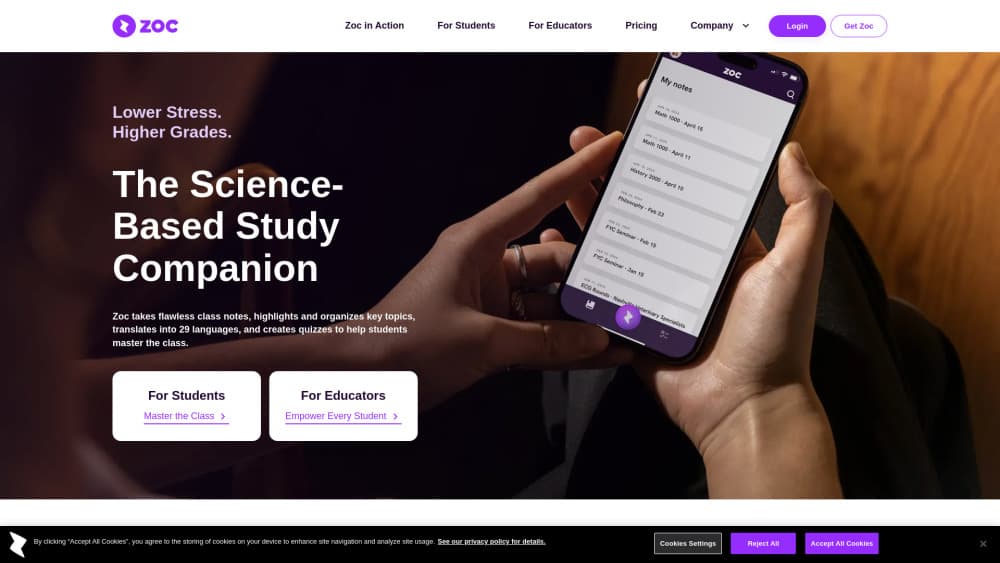
Zoc.ai is an AI note-taking app for students that records lectures, transcribes them, and turns them into summaries, notes, and quizzes.
About Zoc.ai
What Is Zoc.ai
Zoc.ai is a study companion built for students who want better notes without the frantic scribbling. It records your class, produces a full transcript, then organizes that transcript into readable summaries and a list of key topics you can review later. If you've been hunting for a lecture transcription app that does more than dump raw text into a file, this is the pitch: capture the class, then hand you something you can actually study from.
The app leans on established teaching methods rather than raw AI output. Quizzes in the Tutor module follow Bloom's taxonomy, the same framework teachers use to build exam questions. That structure is why the tool feels less like a chatbot and more like a study partner that knows what to ask you. Among the crowded field of AI study app for students options, that grounding in real pedagogy is what separates it from a generic note tool.
The catch is scope. Zoc.ai is locked to learning tasks. Its AI can't write your essay or draft a paper, and the company says it never trains on your lecture content. If you want a general writing assistant that can brainstorm, draft, and polish anything you throw at it, this tool isn't the one.
Getting Started
- Create an account on the Zoc.ai website or download the iOS app.
- Start a recording before class begins and let Zoc capture the lecture.
- Add the class and review the transcript, summary, and key topics it generates.
- Open the Tutor module to quiz yourself on the material.
- Translate notes or transcripts into any of 29 languages if English isn't your first.
Product Information
A quick look at Zoc.ai's pricing, supported platforms, and performance.
Best for
The users, tasks, and scenarios where this tool fits best.
Users
- Students juggling lectures and a part-time job
- Non-native English speakers
- Learners who struggle with note-taking
- Student-athletes who miss class
Tasks
- Turning a one-hour lecture into a reviewable summary
- Self-testing before an exam
- Sharing notes with a study group
Scenarios
- Back-to-back lecture days when you can't take notes fast enough.
- Reviewing a class taught in a language you're still learning.
- Catching up on a session you missed because of travel or illness.
Key features
Automatic Lecture Transcription
Zoc records your class and converts the audio into a full written transcript, so you end up with a searchable record of everything said even when the professor moves fast. That matters later, when you need to check a specific point you half-remember. No manual typing, no missed sentences. For anyone who's ever tried to follow a fast talker while writing, a dedicated lecture transcription app earns its keep fast.
AI Summaries and Key Topics
Once a lecture is transcribed, Zoc pulls out a summary and a list of key topics. This is the part that saves real time: instead of rereading a wall of text, you scan the outline and jump to what you need. It works well for dense subjects where you can't tell what matters until later. Why does that matter? Because most students waste hours re-listening to a recording just to find one definition.
Quiz Generator for Self-Testing
The Tutor module builds quizzes from your class content, structured around Bloom's taxonomy, which means the questions climb from simple recall all the way up to deeper application skills. That progression matches how a real exam tests you, rather than firing off random trivia. You can quiz yourself repeatedly until the material sticks.
Translation Into 29 Languages
Transcripts, notes, and quizzes all translate into 29 languages. For international students, this turns a tough lecture into readable study material without a separate translation app. It's a genuine differentiator for anyone studying in a second language, and the language translation runs across the whole app rather than just one module.
Google Drive Export
You can export notes to Google Drive and edit them there. If your study routine already lives in Docs, this keeps everything in one place instead of forcing you into yet another silo. Plenty of study notes app tools trap your work inside their own walls, so this openness is welcome.
Built-In Ethical Guardrails
Zoc's AI is embedded in the app and can't be used to write papers or generate outside content. The company says it doesn't train on lecture data, and the approach earned a Webby Honoree nod in the Responsible AI category.
Pros and cons
Pros
- Transcribes lectures and turns them into summaries without manual work.
- Quiz generation follows a proven teaching framework, not random questions.
- Translation covers 29 languages, useful for non-native speakers.
- Notes export to Google Drive for easy editing.
- AI can't be used to write papers, so it keeps you on the right side of academic honesty rules.
Cons
- No free plan. The only option is $14.99 a month or $99.99 a year, which is steep for occasional users.
- There's no Android app, so Android users are limited to the web version.
- No public API, so you can't wire Zoc into your own study tools or scripts.
- The AI is intentionally restricted, which frustrates students who want a broader writing assistant.
Frequently asked questions
It records your class, writes a transcript, and generates a summary, outline, and quizzes from that material. Think of it as a note-taker that also helps you review.
Related content
Explore related tools, skills, and articles for Zoc.ai.
Zoc.ai Alternatives

HireKey
HireKey · Voice & Language · Productivity · LeaningHireKey is an AI job search copilot built by a former tech recruiter. It checks role fit, tailors resumes, runs interview practice and tracks every application.

Lune
Retrograde Labs · Productivity · LeaningLune is a research search engine for scientific AI agents. It runs as an MCP server that lets Claude, ChatGPT and Cursor search peer-reviewed computer science papers and cite them.
Coddy
Coddy · Coding · LeaningCoddy is a gamified platform to learn to code through short interactive lessons in 20+ languages, with a browser editor, an AI tutor and free certificates.