

1440.io
1440 Inc. · Marketing · Business
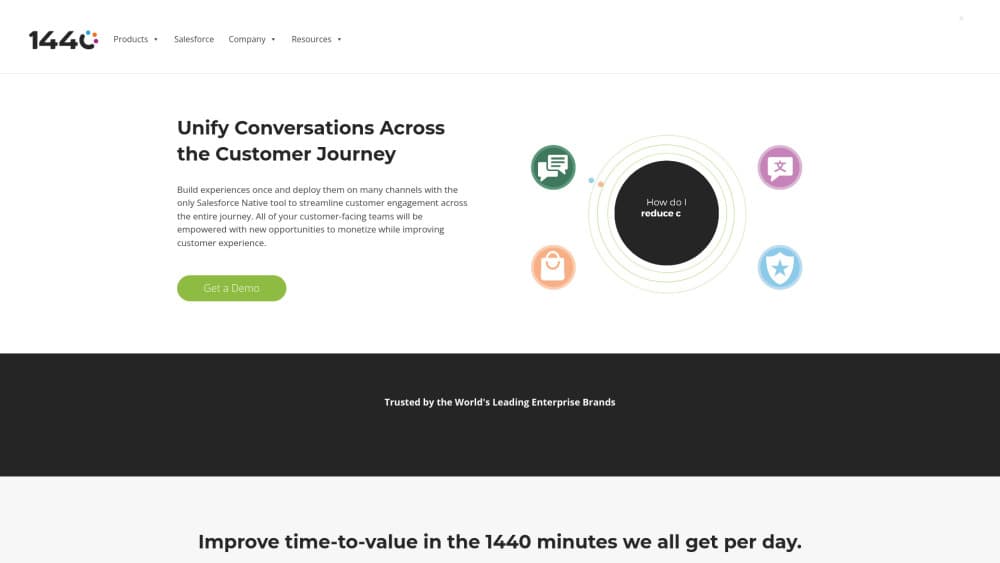
1440.io is a Salesforce-native suite for social messaging, AI translation, review management, and commerce support. Four Studios plug into Service Cloud so agents work in one console.
About 1440.io
What Is 1440.io
1440.io is an omnichannel engagement suite built inside Salesforce. Instead of adding a second inbox, it adds Instagram, TikTok, WhatsApp, and RCS conversations, live translation, customer reviews, and order questions to the Service Cloud console your agents already have open.
The company behind it has a long Salesforce history. It started in 2009 as Cloud Conversion, building inventory and shipping tools for multichannel sellers, and the three businesses merged in 2020 as 1440 Inc. The name comes from the 1,440 minutes in a day, which is the pitch in one line: give teams back the minutes spent copying review text into spreadsheets or switching tabs to answer a DM.
The main limit is the platform itself. Every Studio is a managed Salesforce package, so the product only makes sense if your service or marketing team already runs on Service Cloud. There is no standalone web app to fall back on, and no free plan; entry pricing starts near $350 per month for the translation product.
Getting Started
- Confirm your Salesforce edition and install the 1440 package from AppExchange into a sandbox first.
- Connect the channels you already own, since Messaging Studio uses a bring your own channel model for Instagram, TikTok, WhatsApp, and Google RCS accounts.
- Set translation languages and word volume, then map which objects and fields get translated.
- Configure routing, permissions, and approval rules for review responses, then train agents on the unified console.
- Run a pilot queue for two weeks and compare response time, self-resolution rate, and conversion before you widen access.
Product Information
A quick look at 1440.io's pricing, supported platforms, and performance.
Best for
The users, tasks, and scenarios where this tool fits best.
Users
- Salesforce service teams fielding heavy DM volume
- Ecommerce and retail brands
- Global support organizations
- Marketing and social teams
Tasks
- Answering Instagram and TikTok messages inside Salesforce, including comments that would otherwise sit unseen under a post.
- Translating a case or email thread in place, then reviewing the machine output before it goes back to the customer.
- Consolidating review responses for multiple storefronts and routing negative ones to a manager for approval.
- Handling order status and shipping questions in the same thread where the customer asked, using Commerce Studio to pull fulfillment context.
Scenarios
- Product drops driven by creators
- Multi-brand or multi-location operations
- Peak season support
Key features
Salesforce-Native Messaging Hub
Messaging Studio is the Salesforce messaging hub for social channels. It routes Instagram, TikTok, WhatsApp, and Google RCS messages into Omni-Channel, logs each one against the contact and the case, and reports on it like any other service interaction. Because the channel account stays yours, retention and consent rules do not change hands.
AI Agents Ahead of Live Reps
Einstein and 1440's own agents qualify leads, book appointments, and answer routine questions before a person joins. The practical effect is fewer one-line tickets reaching your queue. Handoff keeps the conversation history, so the customer does not repeat themselves when a rep takes over.
Real-Time Translation Across 100+ Languages
Translation Studio works as a Salesforce translation app for standard and custom objects, HTML, chat, email templates, knowledge articles, and picklist values. It blends machine translation with human review, which is how it keeps cost down on bulk content while still letting you check anything customer facing. Nothing gets copied into a third-party portal, so the text stays inside your Salesforce security model.
Review and Q&A Management in One Queue
For review management for Salesforce, Reputation Studio connects to roughly twenty sources, including Google Business Profile, Apple App Store, Google Play, Trustpilot, Yelp, Tripadvisor, Amazon, Bazaarvoice, and Reddit. Sentiment and intent scoring come from AI models trained on large review sets, and you can build routing and approval rules per channel.
Conversational Commerce in the Thread
Commerce Studio brings inventory, shipping, and post-purchase questions into Salesforce, and agents can recommend products or send a buy link inside the message. Asynchronous messaging lets a rep follow up days later without opening a new thread, which matters for carts that stall after a first question.
Mobile Console for Agents
The 1440 mobile app puts Salesforce Messaging and Omni-Channel conversations on iOS and Android. Store staff and field teams can answer from the floor, and the app syncs to the same records, so a reply sent from a phone shows up in the desktop console.
Reporting Tied to Revenue
Every message is attributed to a channel, campaign, and contact, so service and marketing read the same numbers. Teams can track agent response time, percentage of questions answered without escalation, and conversion from message to order.
Pros and cons
Pros
- Native build means no middleware, no separate login, and customer data stays under Salesforce sharing rules.
- Four Studios share one data model, so translation, reviews, and messaging report on the same records.
- Bring your own channel keeps brand accounts, followers, and consent under your control.
- Published starting prices, with translation plans listed by monthly word volume instead of a custom quote.
Cons
- It only works with Salesforce. Teams on HubSpot, Zendesk, or a homegrown stack have no path to use it.
- Entry pricing around $350 per month puts it out of reach for small support teams, and there is no free plan or published trial.
- Setup assumes Salesforce admin skills. Channel connection, routing, and approval chains all need configuration before agents see value.
- API access is not documented publicly, so custom integrations depend on talking to sales first.
Frequently asked questions
It adds messaging, translation, review management, and order conversations to Salesforce. Each capability ships as a Studio, and you can buy one or several depending on which channel problem hurts most.
Related content
Explore related tools, skills, and articles for 1440.io.
1440.io Alternatives

Tractionwave
TractionWave · Image · MarketingTractionWave is an AI attention heatmap tool for static ads. Upload a PNG or JPG and it returns predicted attention, ranked hotspots, and fixes before you spend budget.

OpenSEO - AI Visibility
EveryApp · Coding · Marketing · BusinessOpenSEO is an open source SEO platform for keyword research, backlinks, rank tracking, site audits, and AI visibility, with usage-based pricing and MCP access for AI agents.

Plugins Radar
Plugins Radar · Marketing · BusinessPlugins Radar tracks where your ChatGPT plugin ranks in directory and in-chat search, which competitors outrank it and what changed, with hourly checks on 9,885 listings.