

2short AI
2short.ai · Video · Marketing
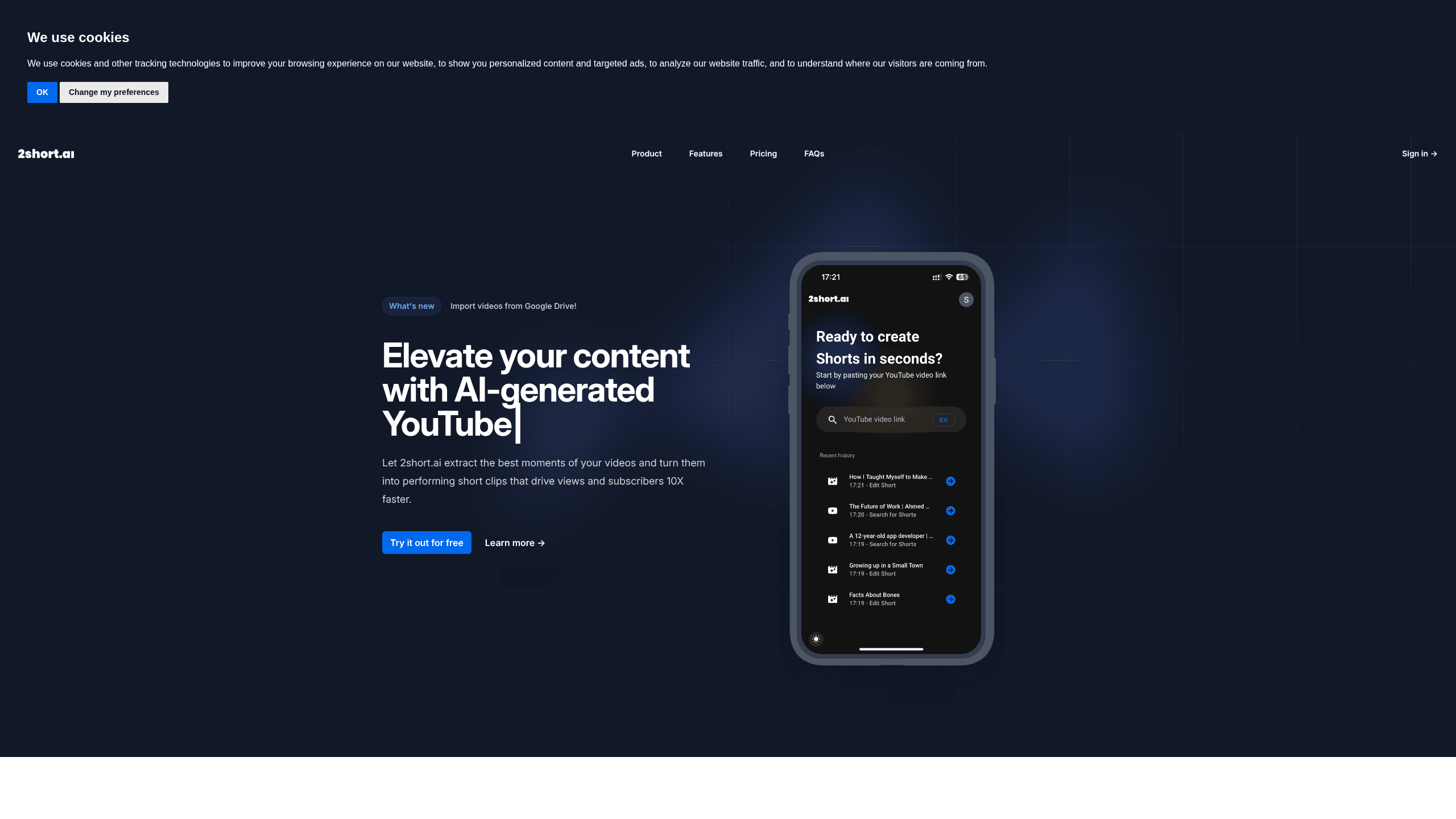
2short AI is a web tool that turns long YouTube videos into short clips built for Shorts, TikTok and Reels. Paste a video link, let the AI find the most engaging moments, add animated subtitles, and export vertical clips without opening a full editor. It suits creators who already publish long videos and want extra reach without extra editing hours.
About 2short AI
What Is 2short AI
2short AI is an AI YouTube Shorts generator and video repurposing tool for YouTube creators. It watches your long videos, decides which spoken moments are worth cutting, and hands you ready-to-post clips. One upload becomes several shorts that pull new viewers back to the full video.
The tool leans on captions to work, reading the spoken words to judge what's interesting, so a video without any captions won't get processed the way you'd hope. YouTube auto-generates captions for most uploads, which covers a lot of cases, but a clip-worthy video with no speech at all is outside its range.
Pricing is where it gets easy to read. Every plan gives you the same features. The only thing that changes is how many hours of video the AI can analyze each month, so you're picking a volume, not a feature set.
But is that a good deal? It depends on how much you upload. A weekly podcast eats analysis hours quickly, while a channel that posts once a month may never touch the cap.
Getting Started
- Sign up free at 2short.ai and connect your Google account.
- Copy the link of a long YouTube video (or import one from Google Drive).
- Paste the link into the 2short app and let the AI scan for the best moments.
- Review the suggested clips, adjust subtitles, crop or reframe as needed.
- Export your chosen clips in vertical, square or horizontal format and post them.
Product Information
A quick look at 2short AI's pricing, supported platforms, and performance.
Best for
The users, tasks, and scenarios where this tool fits best.
Users
- YouTube creators with a back catalog
- Podcasters and interviewers
- Small social teams
- Coaches and course sellers
Tasks
- Turning a long video to shorts in one sitting
- Adding auto subtitles
- Reframing speakers for vertical video
- Repurposing webinars and reviews
Scenarios
- Building a Shorts pipeline from an existing YouTube library
- Testing short-form without buying editing software
- Running a lean two-platform routine
Key features
AI moment selection
The tool reads your video's captions and picks the segments most likely to hold attention. You get suggestions rather than a blank timeline, which saves the slow part of editing. It works best on videos where people actually talk. No talk, no clips. That rule shapes everything else about the tool.
Center-stage facial tracking
When a clip has one active speaker, the AI keeps that face centered as the framing follows the shot, which matters for vertical video where a wide long-form frame would otherwise leave the subject off to one side.
One-click animated subtitles
Auto subtitles are generated and animated in a single step. Since most people watch shorts with the sound off, captions carry a lot of the weight. Skipping a manual pass here saves real time.
Unlimited high-quality exports
Paid plans remove watermarks and export at up to 1080p. Pro and Premium lift the fast server-side export cap entirely, so you aren't rationing clips on a busy week.
Versatile aspect ratios
Vertical, square and horizontal output are all supported, so you can post the same clip to Shorts, TikTok, Reels or a square feed slot without re-editing it from scratch every time.
Manual editing tools
Automatic face tracking won't always get the crop right. Cropping and editing controls let you fix framing by hand, which keeps you from rerunning a whole clip because of one awkward frame. Handy when two people share the screen.
Brand presets
You can add logos and overlays to exported clips through saved presets. For anyone posting across several accounts, that keeps branding consistent without rebuilding it each time.
Pros and cons
Pros
- Same features on every plan, so you're only choosing analysis hours.
- Free Starter plan with 30 minutes of monthly analysis lets you test the workflow.
- Caption-based moment picking removes the tedious first pass of editing.
- Vertical reframing with face tracking cuts the manual crop work.
- Google Drive and public URL imports fit creators who store footage outside YouTube.
Cons
- Videos without captions can't be processed, so silent footage is off the table.
- AI analysis hours are the real limit, and a long weekly podcast can burn through them fast.
- Automatic cropping still needs manual fixes on multi-speaker clips.
- No public API means you can't wire the tool into an existing automation stack.
Frequently asked questions
It takes a long YouTube video and produces short vertical clips from the most engaging spoken moments. You review the suggestions, tweak the subtitles or framing, and export.
Related content
Explore related tools, skills, and articles for 2short AI.
2short AI Alternatives

Vadu AI
Vadu AI · Image · VideoVadu AI is a web-based AI video generator that turns written prompts or still images into short clips, and it can also generate images on its own. You type what you want, pick a model and style, and the platform renders the result in minutes. A free plan covers light testing, while paid tiers run from $9 to $77.40 per month based on how many credits you burn.

Mykaraoke Video
MyKaraoke Video · VideoMykaraoke Video is an online karaoke video maker and lyric video maker that turns any song into a finished, lyrics-synced video right in your browser. It handles the slow part for you. The AI pulls vocals out of the mix and locks the lyrics to the beat, then lets you customize background, fonts, and colors before exporting in 1080p MP4. If you make lyric videos for social media, party nights, or music promotion, it skips the software installs and manual timing work entirely. Want a karaoke video generator that doesn't eat your whole evening? That's the pitch here.

Finalframe
Finalframe · VideoFinalframe is a set of free, browser-based tools for grabbing exact frames out of a video clip. Its best-known feature, the Final Frame Extractor, lets you extract the last frame of any video so you can use it as the starting image for AI video tools like Luma Dream Machine, Runway, or Kling. Want to keep a clip going? That last frame is your starting point. The tool runs locally in your browser, needs no sign-up, and costs nothing. A separate paid AI video-generation app from the same team is currently offline while it's rebuilt.