

Finalframe
Finalframe · Video
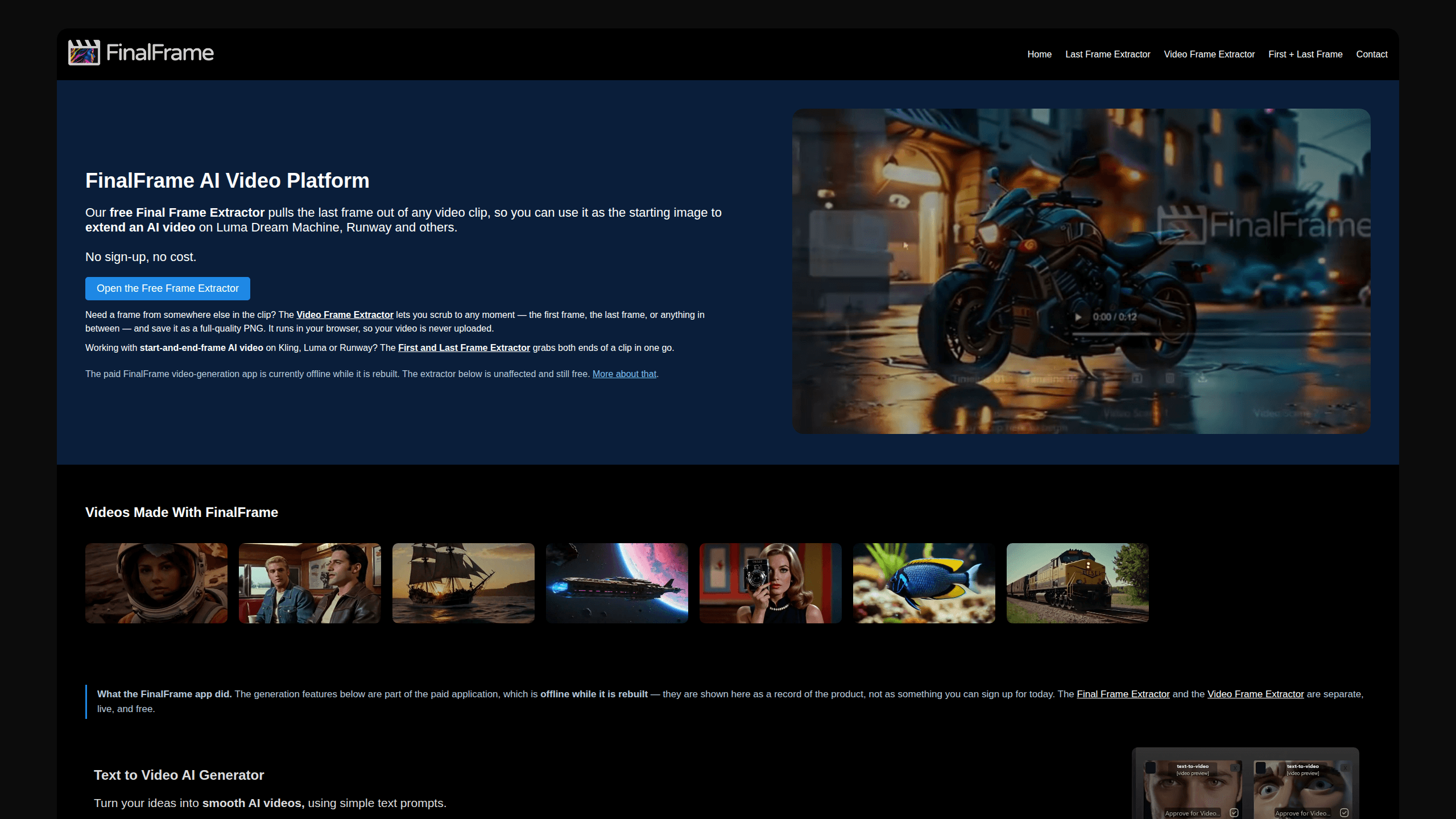
Finalframe is a set of free, browser-based tools for grabbing exact frames out of a video clip. Its best-known feature, the Final Frame Extractor, lets you extract the last frame of any video so you can use it as the starting image for AI video tools like Luma Dream Machine, Runway, or Kling. Want to keep a clip going? That last frame is your starting point. The tool runs locally in your browser, needs no sign-up, and costs nothing. A separate paid AI video-generation app from the same team is currently offline while it's rebuilt.
About Finalframe
What Is Finalframe
Finalframe started as an AI video-generation app: text-to-video, image-to-video, lipsync, and automatic sound, all in one place. That paid app is offline right now while the team rebuilds it. What remains live are the frame extraction tools, and they've turned out to be the part people actually keep coming back for.
The core idea is simple. AI video generators that extend a clip, like Luma Dream Machine or Runway, need a starting frame. If you want to continue an existing video, that starting frame is the clip's last frame. Finalframe's last frame extractor hands you that frame as a clean, full-quality PNG in a couple of clicks, no account, no upload for most formats.
The main limit is format support. It relies on your browser's WebCodecs decoder, so if your browser can't read the file (HEVC on some Windows or Firefox setups is the usual culprit), Finalframe offers to process it on its servers instead and deletes it within 60 minutes. That fallback uploads your file. Anything beyond frames, meaning the actual video generation, is behind the offline paid app for now.
Getting Started
- Open finalframe.ai and pick the tool you need: the Final Frame Extractor, the Video Frame Extractor, or the First + Last Frame Extractor.
- Choose a video file from your device. Nothing is uploaded for supported formats, since the browser decodes the clip locally.
- If you want a frame other than the last one, use the Video Frame Extractor and scrub to any moment in the timeline.
- Save the frame you want as a full-quality PNG, then drop it into your AI video tool as the starting image.
Product Information
A quick look at Finalframe's pricing, supported platforms, and performance.
Best for
The users, tasks, and scenarios where this tool fits best.
Users
- AI video creators
- Editors on a deadline
Tasks
- Extracting the last frame to continue a clip
- Grabbing the first and last frame together
- Saving any frame as a still
Scenarios
- Chaining AI video clips
- Making thumbnails or reference stills
- Working on sensitive footage
Key features
Final Frame Extractor
This is the headline tool. It reads your clip and returns the final frames as full-quality PNG images, so you can take that last frame and use it as the starting image to extend a video on Luma Dream Machine, Runway, and other AI tools. There's no sign-up, no account, and no cost. Most browsers decode the file locally, which means the video doesn't get uploaded anywhere.
Video Frame Extractor
Not every frame you want is the last one. The Video Frame Extractor lets you scrub to any moment in the clip, the first frame, the last frame, or anything in between, and save it as a lossless PNG at the video's native resolution. It handles MP4, MOV, WebM, M4V, and more. No watermark. And it runs entirely in the browser.
First and Last Frame Extractor
For start-and-end-frame AI video workflows, this tool grabs both ends of a clip in one pass and shows them side by side. You save either one or both as PNGs. It exists because tools like Kling, Luma, and Runway increasingly let you set both the opening and closing frame, and pulling those two images is otherwise fiddly.
Local Browser Processing
The tools use your browser's built-in decoder rather than an upload-and-wait server, so for supported formats your video never leaves your device. That's faster than waiting on a round trip. It also keeps private footage private. If your browser can't read the format, Finalframe asks first and processes it on its server, then deletes it within 60 minutes.
Reliable Last-Frame Capture
Most browser tools seek to the duration minus a fraction of a second and screenshot whatever the video element happens to show, which can be a black or stale frame, especially on clips with sparse keyframes. Finalframe asks the demuxer for the true final sample in presentation order instead, so you get the real last frame rather than a miss.
Paid AI Video Generation App (Offline)
The original paid app turned text and images into video with styles like 3D, anime, and realistic film, added lipsync and text-to-speech, and could auto-add sound to footage. It's offline while it's rebuilt, and Finalframe is upfront that these features aren't something you can sign up for today. The extractor tools are separate, live, and free.
Pros and cons
Pros
- Free with no sign-up, no email, and no watermark on any of the extractor tools
- Runs in the browser, so supported formats are decoded locally and never uploaded
- Captures the true last frame instead of the black or stale frame other tools often return
- Covers three related jobs: last frame, any frame, and first plus last frame together
- Handles common formats like MP4, MOV, WebM, and M4V
Cons
- The video-generation features that made up the original product are offline while it's rebuilt, so you can't use them today
- Uncommon formats like HEVC on some Windows or Firefox setups fall back to server processing, which does upload your file (deleted within 60 minutes)
- There's no API, so the tools are meant for hands-on use rather than automated pipelines
Frequently asked questions
It's a set of free browser tools for pulling exact frames out of a video clip. The best known is the Final Frame Extractor, which grabs the last frame so you can use it as the starting image for AI video tools.
Related content
Explore related tools, skills, and articles for Finalframe.
Finalframe Alternatives

Vadu AI
Vadu AI · Image · VideoVadu AI is a web-based AI video generator that turns written prompts or still images into short clips, and it can also generate images on its own. You type what you want, pick a model and style, and the platform renders the result in minutes. A free plan covers light testing, while paid tiers run from $9 to $77.40 per month based on how many credits you burn.

Mykaraoke Video
MyKaraoke Video · VideoMykaraoke Video is an online karaoke video maker and lyric video maker that turns any song into a finished, lyrics-synced video right in your browser. It handles the slow part for you. The AI pulls vocals out of the mix and locks the lyrics to the beat, then lets you customize background, fonts, and colors before exporting in 1080p MP4. If you make lyric videos for social media, party nights, or music promotion, it skips the software installs and manual timing work entirely. Want a karaoke video generator that doesn't eat your whole evening? That's the pitch here.
Musicful
Musicful AI · Voice & Language · VideoMusicful is an AI music generator and AI music video maker that turns text to music in minutes. Give it a text prompt, a set of lyrics, or a hummed melody and it returns a finished track with vocals and instruments. It also doubles as an AI song generator, produces music videos from the songs you create, and offers an AI cover tool plus a developer API. The platform runs in a web browser and through an Android app, so you can start a song on desktop and pick it up on your phone.