

30characters
30characters · Marketing
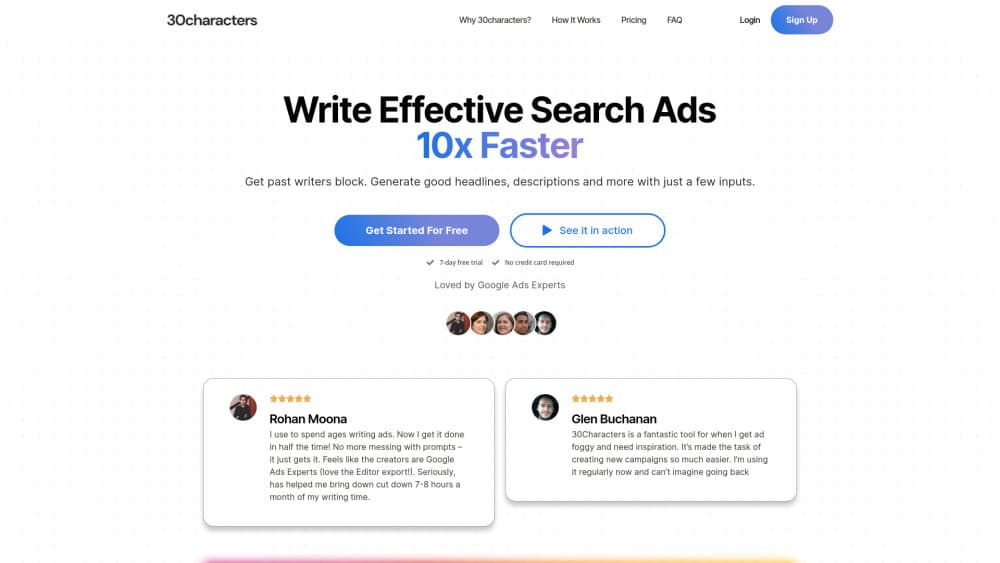
30characters is an AI Google Ads generator that turns a client website into campaigns, headlines, and descriptions, then exports the whole build to Google Ads Editor.
About 30characters
What Is 30characters
30characters is a Google Ads copy generator and campaign builder made for people who manage paid search for a living. Freelancers, agencies, and in-house teams point it at a landing page, and it writes headlines, descriptions, sitelinks, and callouts that fit Google's character limits. The name is a nod to the 30 character cap on search ad headlines.
The tool goes past copy. It builds keyword lists, campaign structure, and ad groups from a preset, so an account can go from a URL to an editable build in minutes. Teams that already treat it as their PPC copywriting tool tend to stop opening a blank doc for every new ad group. It syncs with Google Ads as an approved API partner, and it starts in read-only mode until you confirm a write.
The catch is scope. Everything here assumes you already know Google Ads. There's no guided setup for a first campaign, no landing page builder, and no help with the parts of paid search that happen outside the account, such as creative for display or social.
Getting Started
- Create an account at 30chars.com and connect a Google Ads account. Access starts read-only.
- Pick a preset such as multi-location, product, competitor, or problem and solution.
- Paste the client's website or landing page URL, then choose a playbook if you have one.
- Review the generated keywords, structure, and search ad copy, then export to Google Ads Editor or sync directly.
Product Information
A quick look at 30characters's pricing, supported platforms, and performance.
Best for
The users, tasks, and scenarios where this tool fits best.
Users
- PPC freelancers
- Small agencies
- In-house marketers at multi-location brands
- Marketers who write ads in several languages
Tasks
- Launching a new account from scratch
- Refreshing tired ad copy
- Finding wasted spend
- Catching budget problems early
Scenarios
- Onboarding a new client in a week
- Running the same offer across 12 cities
- Cleaning up an inherited account
- Handing work to a junior buyer
Key features
Campaign Builder From a Landing Page
Paste a URL and 30characters reads the page, then proposes keywords, ad groups, campaign structure, and ad copy. The result lands in an editable view rather than a finished export, so you can cut a keyword or rewrite a headline before anything touches the account. For a new build, this is the difference between an afternoon of spreadsheet work and a 15 minute review.
Playbooks That Keep Accounts Consistent
A playbook stores your language rules, keyword strategy, and campaign defaults. Set it once and every new build inherits those choices, which is the part agencies usually handle with a shared doc that nobody reads. Playbooks also help when several buyers work on the same client, because the output sounds like one team wrote it.
Copy That Respects Character Limits
The generator was trained on search ads from large advertisers, and it treats the 30 character headline and 90 character description limits as hard stops rather than suggestions. You can regenerate a single line without rewriting the prompt, and the editor lets you tweak lines in place. Fewer rejected assets means fewer round trips with a client.
Negative Keyword Audits and Monitoring
Connect an account and the tool scans search term reports for terms that waste money, then suggests exclusions you can apply in a few clicks. You choose which campaigns to monitor and how often it scans. On a mature account this catches the odd broad match term that quietly eats a few hundred dollars a month.
Budget Pacing Alerts
Pacing alerts track spend against the targets you set and check a few times a day. If a campaign runs hot or stalls, you get a warning instead of finding out at the end of the month. It's a monitoring layer, not a bidding tool, so you still make the actual budget changes in Google Ads.
Export to Google Ads Editor or Direct Sync
Finished builds export to Google Ads Editor in a format that imports cleanly, or sync straight into the account. Direct writes only happen after you confirm them, and the connection starts read-only. For agencies that already live in Editor, the export path fits the workflow instead of replacing it.
Pros and cons
Pros
- The Google Ads Editor export lands in a usable state, so you skip the usual column cleanup.
- Playbooks keep copy and keyword rules consistent across accounts and team members.
- Character limits are handled at generation time, which cuts rejected headlines.
- Negative keyword monitoring runs on a schedule, so wasted spend shows up before the invoice does.
- Pricing starts at $29 per month billed yearly, low enough for a solo freelancer to test.
Cons
- There's no permanent free tier, only a free trial, so you can't run a live client account for free indefinitely.
- The Pro plan caps you at 10 ad accounts and 3 users, which gets tight for a mid-sized agency.
- Google Ads knowledge is assumed throughout. A beginner won't find guidance on budgets, bidding, or conversion tracking.
- It covers Google Ads only, so teams running Meta or Microsoft campaigns need a second tool.
Frequently asked questions
It builds Google Ads campaigns from a website URL. That means keyword research, campaign and ad group structure, plus headlines, descriptions, sitelinks, and callouts that fit Google's character limits. You review the output and export it to Google Ads Editor or sync it into the account.
Related content
Explore related tools, skills, and articles for 30characters.
30characters Alternatives

Tractionwave
TractionWave · Image · MarketingTractionWave is an AI attention heatmap tool for static ads. Upload a PNG or JPG and it returns predicted attention, ranked hotspots, and fixes before you spend budget.

OpenSEO - AI Visibility
EveryApp · Coding · Marketing · BusinessOpenSEO is an open source SEO platform for keyword research, backlinks, rank tracking, site audits, and AI visibility, with usage-based pricing and MCP access for AI agents.

Plugins Radar
Plugins Radar · Marketing · BusinessPlugins Radar tracks where your ChatGPT plugin ranks in directory and in-chat search, which competitors outrank it and what changed, with hourly checks on 9,885 listings.