

3D AI Studio
3D AI Studio · Image
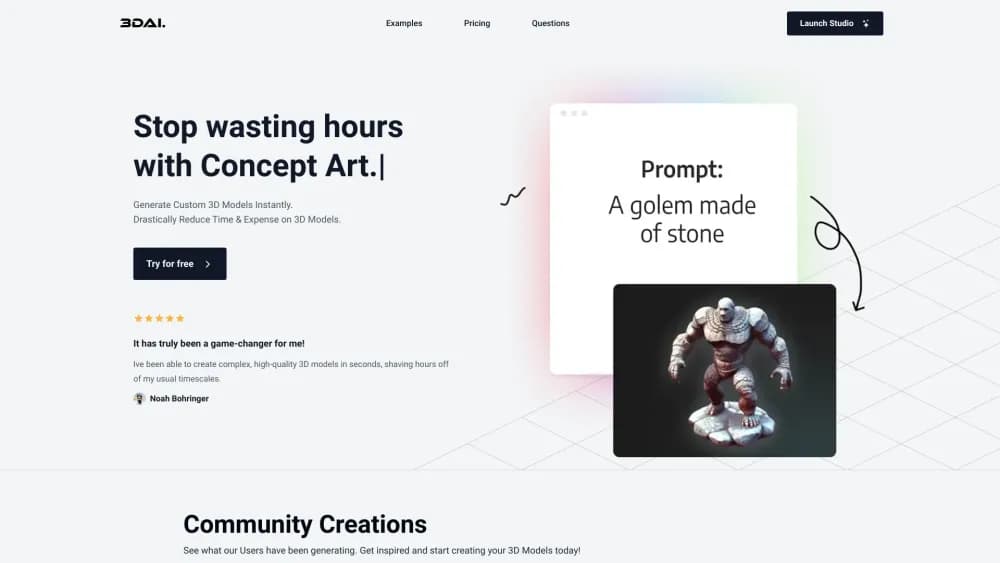
3D AI Studio is a browser-based AI 3D model generator that turns text prompts or images into textured models, then adds texturing, rigging, retopology, and export tools in one workspace.
About 3D AI Studio
What Is 3D AI Studio
3D AI Studio is a web app that makes 3D models without a modeling program. You type a description or drop in a photo, pick one of the 15 or so generation engines behind the site, and get a textured mesh back in about a minute. The engine list matters here: Prism, Meshy, Tripo, Rodin, and Hunyuan all sit under the same roof, so you can compare them per job instead of paying for each vendor separately.
The problem it solves is the gap between an idea and a usable file. Concept art, a stray photo, or a half-formed prop used to mean hours in Blender before anyone could look at it in 3D. On this platform you get a rough asset fast, then refine it with the built-in texture, retopology, and repair tools rather than starting over.
The limits are worth knowing up front. Everything runs in the cloud, so a model's quality depends on whichever engine and settings you pick, and the free allowance is small. Anyone who needs CAD-grade precision or a parametric model for manufacturing will hit a wall, because this produces meshes, not engineering parts.
Getting Started
- Create a free account on the 3D AI Studio site. No credit card is needed, and new accounts start with free credits.
- Choose Text to 3D if you only have a description, or Image to 3D if you have a photo, sketch, or concept render. Multi-view mode takes two to four angles.
- Pick an engine and adjust texture and geometry settings. Fast engines such as Prism Turbo finish in under 90 seconds, while the highest-quality passes take 2 to 4 minutes.
- Inspect the result in the browser viewer, then run texture refinement, retopology, or mesh repair if the shape needs work.
- Download in GLB, OBJ, FBX, STL, USDZ, BLEND, DAE, or 3MF and open it in Blender, Unity, Unreal Engine, or a slicer.
Product Information
A quick look at 3D AI Studio's pricing, supported platforms, and performance.
Best for
The users, tasks, and scenarios where this tool fits best.
Users
- Game developers
- 3D printing hobbyists
- Product and e-commerce teams
- Beginners with no modeling background
Tasks
- Prompt to model
- Photo to model
- Texture and material work
- Preparing game assets
- Character setup
Scenarios
- A jam team building a scene over a weekend
- A print shop quoting custom jobs
- An online store moving toward AR
Key features
Text to 3D Generation
Describe the object and the platform builds it. You name the material and a few defining details, then pick an engine from a lineup that spans Prism, Meshy, Hunyuan, and Rodin. The fastest engines return a draft in about 60 seconds, and the slower high-quality passes trade time for finer texture and geometry.
Image to 3D and Multi-View Input
Upload a JPG, PNG, or WebP and get a textured model back. Multi-view mode takes two to four photos from different angles, which the reconstruction uses to build the sides a single picture can't see. That makes it far more reliable for real products and character turnarounds than a lone photo.
Multiple Engines in One Workspace
Every major 3D generation model sits behind one login and one credit balance. You switch engines per generation instead of maintaining subscriptions at three or four separate vendors, which also decides how 3D AI Studio pricing works out in practice: only one bill, one credit pool, no stacking renewals. A comparison tool runs the same prompt or image across several engines at once, so you can see which one handles your style before spending much.
AI Texturing and PBR Maps
Generated models arrive with material maps, and the stronger engines output full PBR sets. Texture AI can restyle an existing model from a prompt or a reference image, and PBR map generation runs without extra credits on any plan. For game work, that removes a separate substance-painting step for rough assets.
Retopology, Remeshing, and Mesh Repair
Raw AI meshes tend to be dense and messy. The remesh tool converts them to cleaner quad topology, LOD generation produces lighter versions for distance rendering, and mesh repair closes holes so a model becomes watertight. This is the difference between a file that looks good in a viewer and one that survives a game engine or a slicer.
Export Formats for Every Pipeline
3D model export formats decide where a file can go next, and this platform covers the common ones. Models download as GLB, OBJ, FBX, STL, USDZ, BLEND, DAE, or 3MF. GLB and USDZ cover web and AR, FBX goes into Unity and Unreal, STL and 3MF go to 3D printers, and BLEND skips the import step in Blender. No conversion detour is needed for the common cases.
Rigging, Animation, and the Blender Bridge
Generated characters can be rigged and animated inside the workspace, which covers simple NPCs and props that only need a walk cycle or an idle loop. For anything more involved, a one-click bridge hands the model to Blender so you can finish it in a tool you already know.
Image Studio in the Same Account
Image Studio generates and edits reference images on the same credits. Flat sketches can be rendered into shaded, 3D-style pictures first, and those convert into models far better than a line drawing does. The whole art direction loop stays in one tab.
Pros and cons
Pros
- More than a dozen generation engines sit under one account, so you can match the model to each job instead of committing to one vendor.
- Export formats cover games, web, AR, and printing, which means the same asset moves between pipelines without conversion work on your side.
- Retopology, LOD, mesh repair, and texture refinement live next to the generator, cutting the cleanup that usually follows an AI mesh.
- Commercial rights over generated assets are included on every plan, including the free one.
- Free accounts get 100 credits a month with no card on file, which is enough to judge output quality before paying.
Cons
- Quality swings a lot between engines and settings, so the first result often isn't the one you keep, and trial generations burn credits.
- The free allowance covers roughly three to four generations a month, which runs out fast once you start comparing engines.
- Output is mesh-based, so precise dimensions, engineering tolerances, and parametric edits for manufacturing aren't in scope.
- The 3D viewer is heavy on mobile browsers and can crash on older phones, which pushes real work onto a desktop.
Frequently asked questions
3D AI Studio generates 3D models from text prompts or images, then handles texturing, retopology, rigging, and export in the same place. It's aimed at game assets, 3D printing files, product viewers, and concept work that needs a usable mesh fast.
Related content
Explore related tools, skills, and articles for 3D AI Studio.
3D AI Studio Alternatives

Tractionwave
TractionWave · Image · MarketingTractionWave is an AI attention heatmap tool for static ads. Upload a PNG or JPG and it returns predicted attention, ranked hotspots, and fixes before you spend budget.

Imejis.io
Imejis.io · Image · MarketingImejis.io is an AI design studio for agents and marketing teams. Describe an image in plain words, and it writes the copy, builds the layout, reflows it to every size, then exports a finished file.

Layoutr
Van Dijk Ontwikkeling · Image · China AILayoutr is a browser floor plan tool that scales your own plan, places furniture at true size, shows the room in 3D and renders it with AI.