
ActFlux
ActFlux · Productivity
ActFlux is an AI meeting assistant that records or imports your calls, then pulls out the action items, decisions, and open questions you'd otherwise forget. It pairs meeting transcription from Deepgram with Google Gemini extraction, so a one-hour discussion turns into a tidy task list you can assign, prioritize, and sync to Google Calendar or Zoom. Action item tracking is the whole point here. If your team ends meetings unsure who agreed to do what, this tool is built for exactly that problem.
About ActFlux
What Is ActFlux
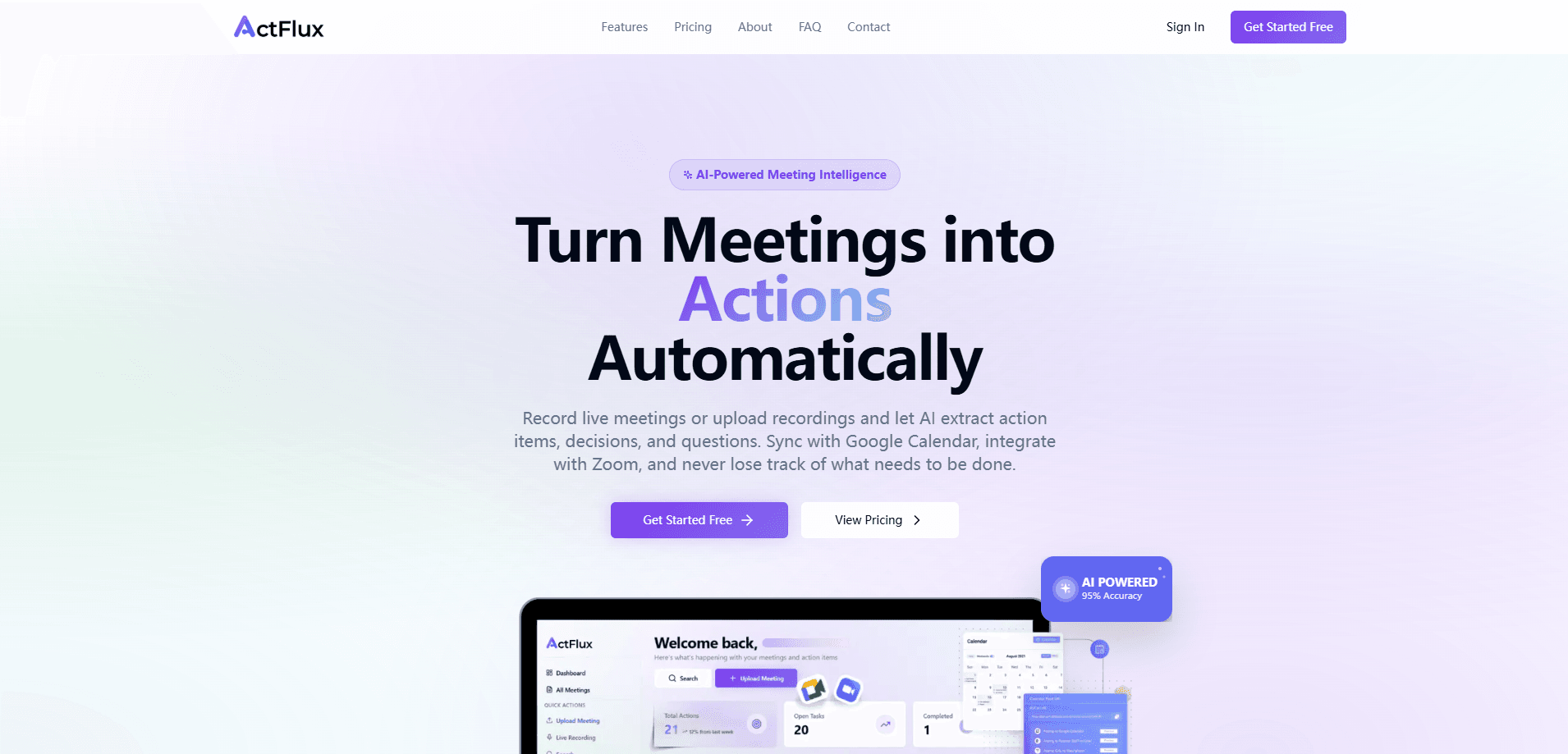
ActFlux is a meeting intelligence platform. You record a live meeting or upload a recording, and it produces a transcript, then runs AI extraction over that transcript to find the things that actually matter: tasks someone owns, decisions the group settled on, and questions left hanging.
The pitch is simple. Most teams don't lose information because nobody took notes. They lose it because the notes wander off, or because nobody wrote down who owns what. ActFlux keeps that trail in one board, so a decision made on Tuesday is still findable the following month.
There are limits worth knowing. The integrations that matter most are Google Calendar and Zoom; Slack is still marked coming soon, and Notion, Jira, and ClickUp aren't live yet. So if your workflow lives entirely inside some other tool, you'll be doing more manual moving around than you'd like. That's a real friction point.
Getting Started
- Create an account on the ActFlux site and pick the free tier if you just want to test it.
- Connect Google Calendar, or link Zoom if you want recordings imported automatically.
- Record a live session or upload an existing audio/video file; transcription runs on its own.
- Review the extracted action items, then assign owners, set priorities, and add due dates.
- Sync the tasks to your calendar so deadlines show up where you already work.
Product Information
A quick look at ActFlux's pricing, supported platforms, and performance.
Best for
The users, tasks, and scenarios where this tool fits best.
Users
- Project managers
- Small remote teams
- Consultants and freelancers who sit in many client calls
Tasks
- Turning a recorded standup into a checklist
- Recovering decisions from a long planning meeting
- Tracking open questions raised in a review
Scenarios
- Back-to-back meeting days
- Handovers when a teammate goes on leave
- Client kickoff calls
Key features
Meeting transcription with speaker identification
ActFlux runs recordings through Deepgram, which labels who said what. It handles live capture or uploaded audio and video files, and the vendor claims 95%+ accuracy. Speaker labels matter more than they sound. An extracted task is far more useful when you can tell which participant actually committed to it.
AI extraction of action items, decisions, and questions
Google Gemini reads the transcript and separates three things: tasks that need doing, decisions the group made, and questions left unanswered. Think of it as automated AI meeting notes. That three-way split is the product's real edge. A generic transcript makes you reread everything. This hands you the output directly.
Kanban board for action item tracking
Extracted items land on a drag-and-drop Kanban board. You assign each task to a teammate, set a priority, and attach a due date, then move cards as work progresses. Nothing exotic. It's a familiar pattern, which means your team won't need a tutorial or a training session to start using it on day one.
Google Calendar sync
Tasks push to Google Calendar, and ActFlux adds Google Meet links automatically. Deadlines then live in the calendar you already check, rather than in an app someone has to remember to open.
Zoom integration
Connecting Zoom lets ActFlux import recordings straight from the platform, so you skip the manual download-and-upload step. You can also spin up a meeting from inside the app. Why does that matter? Because the recording never leaves the tool, and the transcript lands in the same board as everything else.
Team collaboration
Ownership is explicit. You can see who's responsible for which item and where each one stands, which is the part most note-taking apps leave vague.
Pros and cons
Pros
- Splits output into action items, decisions, and questions instead of dumping a wall of transcript.
- Google Calendar sync includes automatic Meet links, so deadlines don't get stranded in a separate tool.
- Zoom recording import removes the manual upload step for teams already on Zoom.
- Kanban board with priorities and due dates fits how most teams already track work.
- Free tier covers 5 meetings a month, enough to judge whether it fits before paying.
Cons
- Slack integration is still listed as coming soon, and Notion, Jira, and ClickUp aren't available yet, so users of those tools will move data by hand.
- It's web-only. There's no mobile or desktop app, so recording on the go means opening a browser.
- Your meeting audio is processed by external AI providers (Deepgram and Google Gemini), which may matter if your calls cover sensitive material.
Frequently asked questions
It records or imports meetings, transcribes them with speaker labels, and then uses AI to pull out action items, decisions, and open questions. You get a task board instead of a raw transcript.
Related content
Explore related tools, skills, and articles for ActFlux.
ActFlux Alternatives

Swms
Swms AI · Writing · Productivity · BusinessSwms is an AI safety compliance tool that turns a plain description of a job into ready-to-use safety documents. Describe your project, trade, and known hazards, and it writes a safe work method statement, job hazard analysis, safe work procedure, RAMS, or safety data sheet in seconds. It also ships with Oscar, a chat assistant that answers workplace safety questions in any language. Teams in construction, mining, transport, and warehousing use it to cut the paperwork that usually eats into a workday.

Wordly AI Translation
Wordly · Voice & Language · ProductivityWordly AI Translation is a real-time AI translation and captioning platform built for meetings, conferences, and events. It delivers live translation, captions, transcripts, and summaries in more than 60 languages, and attendees join by scanning a QR code or opening a link instead of using dedicated headsets. The platform works with Zoom, Microsoft Teams, Google Meet, and Webex, and it's designed for organizations that want multilingual access without hiring human interpreters for every session. Simple as that.

Rows
Rows (Superhuman) · Productivity · BusinessRows is an AI spreadsheet and data analysis tool that imports live data from more than 50 sources, then lets you work with it using plain language instead of SQL queries or nested formulas. You can pull numbers out of PDFs, connect ad platforms, databases, and bank accounts, and ask the AI to build reports, merge datasets, or set up models that recalculate themselves. It runs in the browser, works like a spreadsheet, and now sits under the Superhuman umbrella.