

AdsTurbo
PalFish · Video · Marketing
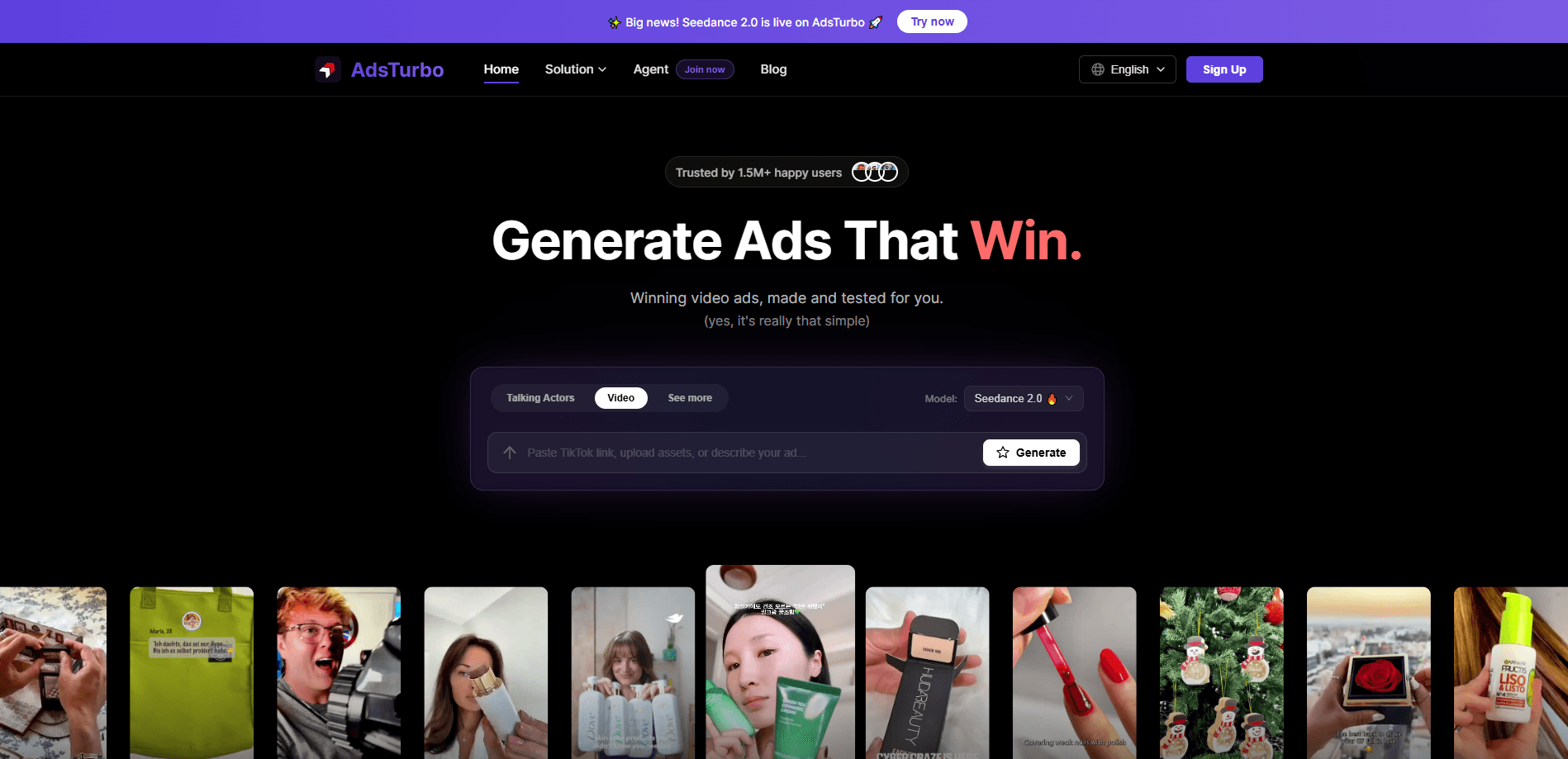
AdsTurbo is an AI video ad generator built for ecommerce brands and performance marketers, and it doubles as a UGC ad maker for teams with no filming setup. You paste a product URL or upload a reference video, and it produces short, platform-ready ad creatives in minutes instead of days. The platform leans on a library of AI actors, template-driven ecommerce video ads and a feature it calls ad cloning, which breaks a reference video into shots and pacing so you can spin up dozens of variants for A/B testing.
About AdsTurbo
What Is AdsTurbo
AdsTurbo is a browser-based AI ad creative tool that automates the slowest part of paid social: making enough video variations to find a winner. Feed it a product page, an image or a script, and it assembles UGC-style clips for TikTok, Meta and YouTube, complete with an AI actor speaking your lines.
PalFish, an education-tech firm, built it for its own ad workflow first before opening the tool up to outside marketers. Launch came in March 2026, with a Product Hunt debut on March 20 that landed Product of the Day runner-up.
The main restriction to understand up front is cost structure. AdsTurbo runs on credits tied to video length. The heavier features burn them fast. A 30-second AI lip-sync clip, for example, costs far more than a plain promo cut. If you plan to output volume, budget the credits before you commit.
Getting Started
- Create an AdsTurbo account, then pick a plan, from the $31/mo Creator tier up to custom enterprise pricing.
- Start a project and add your source: paste a product landing-page URL, upload product images, or drop in a reference video for ad cloning.
- Choose a creative route, such as a product demo, digital actor voiceover or a cloned variant of your reference, and set the target length.
- Pick an AI actor and language from the library, then let the generator build the first cut.
- Review the result, generate extra variants for testing, and export HD files without watermarks for your ad account.
Product Information
A quick look at AdsTurbo's pricing, supported platforms, and performance.
Best for
The users, tasks, and scenarios where this tool fits best.
Users
- Ecommerce store owners who need fresh ad material every week but have no filming setup or editing skills at all
- DTC growth teams running constant A/B tests
- Small agencies juggling several client accounts
Tasks
- Turning a product landing page into a short promo video
- Recreating a winning competitor-style ad
- Localizing one creative into several languages
Scenarios
- Weekly creative refresh for a TikTok Shop campaign
- Testing a new hook before spending on production
- Launching in a foreign market on a small budget
Key features
Ad Cloning
This is the feature AdsTurbo leads with. Upload a reference video and the system breaks down its shot structure, pacing, framing and information density, then rebuilds a variant that keeps those traits while swapping in your product. It's the fastest way to ride a format that's already working. No need to copy someone else's footage outright.
URL-to-Video
Paste a product link and AdsTurbo scrapes the page for details, then generates promotional clips and UGC-style cuts from whatever product information it can pull off that page automatically. No script required. For a marketer with a stocked store but no video team, this removes the blank-page problem entirely. The output is a starting point you can refine, not a finished campaign.
AI Actors in 35+ Languages
The platform ships with a library of synthetic presenters, and you can generate an AI actor video in more than 35 languages. Voiceovers and captions come along with it. AI lip-sync keeps mouth movement matched to the spoken audio, which matters for anything you'd actually run in a non-English market. The actors cover a range of on-camera styles, from calm product explainers to high-energy promo reads.
Script Variation and Bulk Generation
Instead of one clip per idea, AdsTurbo generates multiple scripts and calls to action around the same product, then exports them in batches. That's the point of the whole tool: give a testing budget something to test. So how many variants do you actually get? It depends on your credits. Teams running Meta or TikTok auctions know the winner usually isn't the first creative, so volume wins.
Product and App Ad Templates
Prebuilt templates cover common ad formats like product promos, app promos, unboxing POVs and fashion try-ons. Each one gives you a proven structure, so you're adjusting content rather than inventing layout. It's a meaningful shortcut for sellers who know the format but not the editing.
Digital Actor and Character Swap
Beyond the standard actors, you can generate a custom digital actor or swap the performer in an existing clip through the character-swap feature. The company states that face-replacement features stay restricted unless you have clear authorization or use its own licensable assets. So this isn't a free-for-all editing tool.
Commercial Usage Rights
Paid plans include full commercial usage rights and HD exports with no watermark, which is the baseline you need before anything goes live on an ad account. Skipping that step costs brands real money. You're still responsible for holding the rights to whatever reference material you feed in.
Pros and cons
Pros
- Ad cloning plus script variation produces real testing volume, not a single polished clip.
- URL-to-video collapses the first draft to minutes for sellers with no production team.
- 35+ languages with lip-sync make cross-border campaigns practical without hiring local talent or rebuilding each creative from scratch.
- Credits roll over, so a quiet month doesn't wipe out what you paid for.
- Clear commercial rights and watermark-free HD on paid tiers.
Cons
- Credit costs scale with video length, and premium features like lip-sync and Veo 3.1 output can drain a plan quickly.
- Output still needs a human pass for brand voice, since the generated scripts usually read as generic.
- Deep customization is gated behind the top tier, where API access and custom workflows live.
Frequently asked questions
It generates short video ads from a product URL, an image or a reference video. Think of it as a production shortcut for paid social creative, not a full editing suite.
Related content
Explore related tools, skills, and articles for AdsTurbo.
AdsTurbo Alternatives

ngram 2.0
ngram · Video · Marketingngram 2.0 is an AI video generator for teams. It turns a prompt, a screen recording, or a product URL into a narrated explainer, product demo, or AI avatar video, and every scene stays editable.

OpenScreen 2
OpenScreen (open-source project) · Video · ProductivityOpenScreen 2 is a free, open-source screen recorder and demo video editor for Windows, macOS, and Linux, with automatic zooms, styled frames, local captions, and agent edits.

Skreno
Skreno · Video · ProductivitySkreno is a browser screen recorder that captures a tab, a window or your whole display, then attaches AI transcripts, summaries and console logs to one share link.