

Adventure Box
Adventure Box Technology AB · Image
Adventure Box is a platform that combines a browser-based voxel game creation universe with hands-on activity boxes. You can build 3D worlds out of blocks, share them, and play what others made, while the subscription boxes bring crafts and puzzles that keep kids busy away from a screen. It's aimed at families who want creative play that doesn't depend on a phone or tablet.
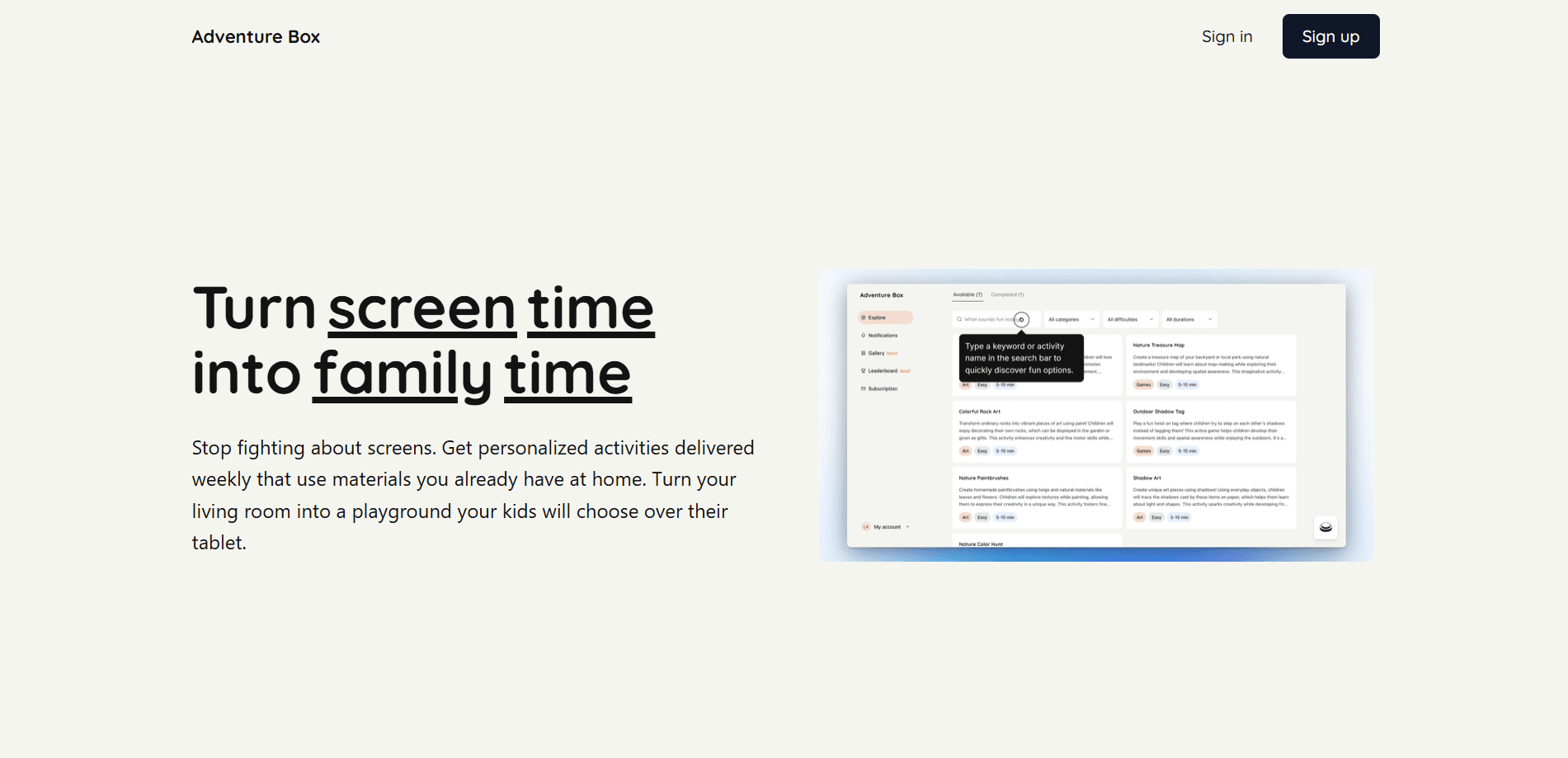
About Adventure Box
What Is Adventure Box
Adventure Box is a game creation platform and a line of activity boxes for kids under one name. The digital half is a voxel game creator that runs in a web browser, so you build blocky 3D worlds and levels without installing anything. The box side ships a themed kit to your door each month, packed with crafts and screen-free activities meant to be done off-screen.
So what does a typical week look like? You build one evening. The box sits on the shelf for a slow Sunday.
The idea is to make creative play approachable. Most game makers ask you to learn a level editor or write code. Adventure Box leans on simple block placement, which kids and non-technical adults can pick up fast. A browser-based game maker you can open on a school laptop lowers the barrier more than any feature list does.
The biggest limit is that this is a niche product with a small community, so the games you find are modest compared to big-name sandbox titles where player-made worlds number in the millions and the sheer volume of choice is part of the appeal. The boxes are also a physical subscription, which means shipping and a per-month cost rather than a one-time download, and that shapes who it suits: families who want a recurring rhythm of family game making rather than a single app they open and forget.
Getting Started
- Open the Adventure Box website in a browser and create a free account.
- Pick a template world or start from an empty plot.
- Place blocks to shape terrain, then add objects and simple rules for your level.
- Test your world in the play view, then save and publish it so others can try it.
- For the box side, pick a plan, choose a theme, and wait for your first kit to arrive.
Product Information
A quick look at Adventure Box's pricing, supported platforms, and performance.
Best for
The users, tasks, and scenarios where this tool fits best.
Users
- Parents of kids aged 6 to 12
- Teachers and after-school clubs
- Hobbyist world builders
Tasks
- Making a first 3D game
- Keeping kids busy offline
- Sharing a world with friends
Scenarios
- A weekend family project where everyone adds a piece to one world, which is the simplest route into family game making.
- A classroom warm-up where students build a scene tied to a lesson, using the browser-based game maker on a shared computer.
- A quiet evening when you want hands-on play rather than another video.
Key features
Browser-Based Voxel Builder
The core of the game side is a block building game editor that runs in a web browser. You stack voxels to form hills, houses, and obstacles, then walk through the result in a play view. No download and no launcher, which matters on school and library machines. That's the whole trick.
Share and Explore Worlds
Once you publish a world, other players can open it and walk around, which turns a private build into something a friend can step into from a single link. You can also browse what the community has posted and remix ideas into your own plot. It's a small library, but it means your build isn't stuck on your own machine.
Simple Logic for Levels
You don't need to write code to make a level do something. Basic triggers let you set goals, traps, and checkpoints through menus instead of scripts. No scripting. No engine setup. That keeps the barrier low for kids and adults who've never touched a game engine.
Themed Activity Boxes
The subscription side of this 3D world builder delivers a themed kit each cycle, built around crafts, puzzles, and guided challenges. Each box is designed to be opened and used the same day, with the goal being hands-on, screen-free time for the family. No screens. No charging cables.
Screen-Free Family Time
The whole point of the boxes is to pull attention away from devices. Activities are built to run with a parent or sibling nearby, so the value is the shared hour, not a solo game session, and for a lot of families that hour is the part that actually sticks long after the crafts are done and the box has been recycled. Simple goal, real payoff.
Low Setup Cost
Both halves start cheap. The builder is free to try in a browser, and the box plans sit in the low monthly range. Test it first. You can check whether the idea fits your family before committing to a longer plan.
Pros and cons
Pros
- Runs in a browser, so no install and no launcher to manage.
- The block builder is easy enough for kids to make something in one sitting.
- Activity boxes give a concrete alternative to extra screen time.
- Entry cost is low on both the game and box sides.
Cons
- The game community is small, so the number of worlds to explore is limited compared to larger sandbox games where thousands of user-made levels are a single search away.
- The box is a physical subscription, which means shipping time and an ongoing monthly cost.
- As of this writing, Adventure Box has no Google Play app, so it's browser-only for the game side.
- No public API means you can't hook the builder into your own tools.
Frequently asked questions
It's used for two things: building and sharing voxel worlds in a web browser, and getting themed activity kits for kids. One side is digital game making, the other is hands-on crafts. Simple split. Both halves keep kids creating.
Related content
Explore related tools, skills, and articles for Adventure Box.
Adventure Box Alternatives

X Ray Interpreter
X-ray Interpreter · ImageX Ray Interpreter is a web-based AI radiology tool that turns X-rays, CT scans, MRI, ultrasound, and PET images into plain-language reports. You upload a scan, get a preliminary X-ray interpretation in moments, then ask follow-up questions if something needs explaining. It works as a second opinion and a learning aid, not as a medical diagnosis.

Aieasypic
AIEasyPic · ImageAIEasyPic is an AI image generator that turns plain text prompts into finished artwork in seconds. You can also train custom models on your own photos, swap faces in existing images, and create short video clips from text, all from a browser. It suits casual creators who want quick visuals and hobbyists who want to build a personal model without touching any code.

Chargen
Chargen · ImageChargen is an AI character generator and worldbuilding toolkit built for Dungeons & Dragons and other tabletop RPGs. It turns a one-line idea into a painted character portrait, spins up NPCs, monsters, maps and encounters from the same session, and keeps every creature's details close at hand. The tabletop RPG art side runs on a credit system called Gold, while the text generators stay free for everyone.