

Aera Browser
Aera · Coding
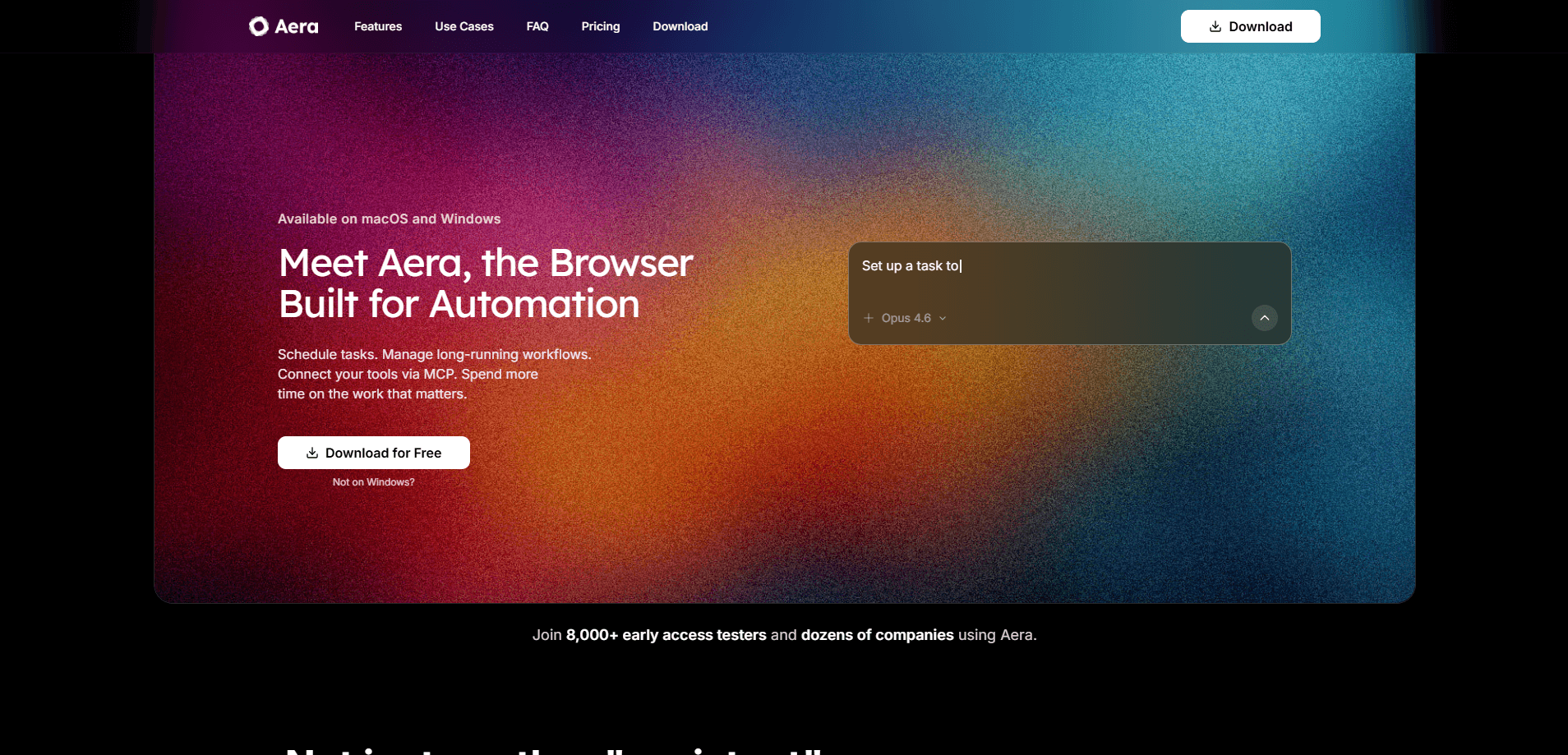
Aera Browser is an AI-powered automation browser that turns your daily web browsing into a programmable workspace. You tell it what needs doing, and a built-in Manager sets up a workspace, pulls together the right tools and carries out the repetitive work on sites you already use. It runs on Chromium and works with your saved logins. It can also keep long tasks moving on a schedule.
About Aera Browser
What Is Aera Browser
Aera Browser is a Chromium-based browser built around an AI manager that runs your web work. Instead of opening fifty tabs and clicking through the same forms every week, you describe the goal and let the manager plan the steps, organize a team of agents, and work through the pages for you. It sits between a browser and an AI project manager. Your workspaces, files and context stay on your device.
The product targets people who spend their day inside web apps: marketers publishing on a schedule, researchers collecting sources, small teams that want routine tasks handled without hiring. The core promise is simple. You stop being the glue between disconnected sites.
The catch is that paid access does most of the heavy lifting. The free plan is really a chat-and-browse mode with your own model endpoint, and anything involving workspaces, scheduling or advanced tools needs a subscription. There's also a hardware and model dependency. Local performance depends on the machine you run it on.
Getting Started
- Download Aera Browser for your system from the official site and install it.
- Create an account and sign in, since the agent won't run without one.
- Open Settings to connect a model endpoint, or pick a frontier model on a paid plan.
- Describe a goal in the chat, such as a launch, a research topic or a recurring report.
- Review the workspace your Manager builds, then let it run and check the updates it sends back.
Product Information
A quick look at Aera Browser's pricing, supported platforms, and performance.
Best for
The users, tasks, and scenarios where this tool fits best.
Users
- Solo founders and small teams
- Marketers running content calendars
- Researchers and analysts
- Privacy-conscious users
Tasks
- Recurring web chores
- Multi-step workflows across sites
- Launch coordination
Scenarios
- Running a launch for a small brand
- Managing a packed personal week
- Getting a stalled idea shipped
Key features
AI Manager and Workspaces
Every project gets its own workspace with a dedicated Manager, a team of agents, files and context. You start with a conversation, answer a few questions, and the Manager turns your goal into work. Separate projects stay separate, each with its own thread and history. A client project won't bleed into your personal one.
Browser Automation on Chromium
Aera is built on Chromium, so it feels like the browser you already use. It supports Chrome extensions and imports your bookmarks, history and saved passwords. The difference is what happens underneath. Agents can read pages, update records and carry out the next step across your existing tools, whether through connectors or by working the site directly. In short, it's an AI agent browser you steer with plain language.
Aera Keychain
The Keychain fills your saved logins into websites without ever showing the password to an agent. That means your Manager can reach the work behind a sign-in without you handing over credentials. It's a small feature with a big payoff. Logging in is where a lot of automation stalls.
Local-First Storage
Workspaces, files, chats and context are stored on your device. Aera-selected inference providers don't use your requests for training. Requests still reach the provider you pick, and if you connect your own model endpoint, that provider's policies apply instead. For people uneasy about shipping their work to a random cloud, this is the headline. Not a small point.
Scheduled and Recurring Work
Some tasks need one result, some need attention every day. The Manager can arrange schedules, coordinate follow-ups and bring you reports as work progresses, with recurring tasks and run history kept in the workspace. Set it once and it keeps going. That's what separates it from a single-shot chatbot.
Connectors, Skills and MCP
There are 300+ connectors in the marketplace, plus reusable skills you can install or package yourself. Developers can also give tools like Cursor and Claude Code access to Aera's browser capabilities through MCP. It grows with what you're willing to wire up. Think of connectors as a way to stitch scattered web steps into real automated workflows. Wire it once, reuse it often.
Pros and cons
Pros
- Turns repeatable web work into scheduled tasks instead of manual clicking.
- Keeps workspaces and files on your device rather than in a remote account.
- Works with Chrome extensions. It imports your existing browser data too.
- Keychain reaches sites behind a login without exposing passwords to agents.
- 300+ connectors and MCP support give it room to fit different workflows.
Cons
- The Free plan is limited to chat and browsing with your own model endpoint.
- Workspaces, scheduling and advanced tools all require a paid subscription.
- Local model performance depends on your hardware and the model you choose.
- Hosted use still sends inference requests to the provider you select.
Frequently asked questions
It's for handing repetitive or multi-step web work to an AI manager. You describe a goal, and it organizes a workspace, a team and a plan, then carries the work out in the sites and accounts you already use.
Related content
Explore related tools, skills, and articles for Aera Browser.
Aera Browser Alternatives
Forefront
Forefront · CodingForefront is a web platform for building with open-source AI. It lets you fine-tune leading open-source language models on your own data, evaluate how they perform, and run them through an API or export them to host yourself. Developers who want the convenience of a closed-source platform but insist on owning their models and data are the target audience here.

Startkit
StartKit.AI · CodingStartkit is a boilerplate for building AI SaaS and AI wrapper products. Think of it as an AI startup boilerplate with the boring parts already wired up: authentication, Stripe and Lemon Squeezy payments, usage limits, transactional email, and an AI API starter that talks to OpenAI, Anthropic, Groq, or Llama. You clone the repo, set your price, and start on the part of your product that people actually pay for. It's Next.js under React and Tailwind, so most of the boilerplate code already feels familiar.
Testim
Tricentis · CodingTestim is an AI-powered test automation platform for building and running end-to-end tests across web, mobile, and Salesforce applications. It leans on machine learning to keep tests stable when an interface changes, so teams spend less time fixing broken selectors. Not bad for an automated testing tool you can start using today. You create tests by recording actions in a browser, then optionally add JavaScript when you need more control. It's a solid pick for busy QA teams.