

Agentkube
Agentkube · Coding
Agentkube is an AI-powered Kubernetes IDE for developers and DevOps teams. It connects to your clusters, investigates problems in plain language, and suggests fixes from one desktop app.
About Agentkube
What Is Agentkube
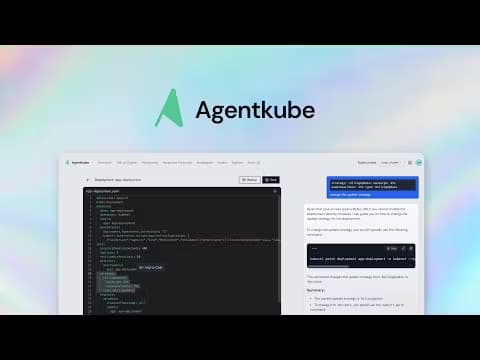
Agentkube is a desktop application that puts an AI agent next to your Kubernetes clusters. Instead of jumping between kubectl, dashboards, and log tools, you open one window and describe what's wrong. The agent reads cluster state, checks logs, and returns a diagnosis with the commands to fix it. It covers Kubernetes management from a single interface and leans on AI cluster troubleshooting rather than raw command recall.
The product targets the everyday gap that trips people up: Kubernetes is powerful, but remembering which resource is failing and why eats hours. Agentkube automates the investigation part and keeps you in control of the execution part. It also positions itself as a modern take on tools like Lens, Headlamp, and k9s.
The biggest limit is that Agentkube is a local desktop app rather than a hosted platform. It runs on macOS, Windows, and Linux, and the maker says your kubeconfig, workloads, and logs stay on your machine. Available AI features depend on the model providers you connect, and some capabilities (provisioning, observability) were still marked coming soon at launch.
Getting Started
- Download the installer for your platform from the official site, or run
brew install --cask agentkubeon macOS. - Launch the app and point it at your kubeconfig so it can reach your clusters.
- Connect an LLM provider with your own API key, or run a local model through Ollama or vLLM.
- Ask a question in the Side Chat, or open an Investigation when something looks wrong.
- Review the agent's proposed tool calls and approve or reject each one before it runs.
Product Information
A quick look at Agentkube's pricing, supported platforms, and performance.
Best for
The users, tasks, and scenarios where this tool fits best.
Users
- Developers new to Kubernetes
- DevOps and SRE engineers
- Security-focused teams
Tasks
- Root cause analysis on a broken deployment
- Container image vulnerability checks
- CPU and memory right-sizing
- Writing and reviewing manifests
Scenarios
- A production incident at 2 a.m.
- Onboarding onto a messy inherited cluster
- Air-gapped or privacy-first teams
Key features
Natural Language Cluster Chat
The Side Chat turns plain questions into cluster actions. You type what you want to know or change, and the agent figures out which kubectl calls and tools to use. Inline Chat pulls context from the editor or log viewer so follow-up questions keep the surrounding detail.
Deep Investigation and Root Cause Analysis
A multi-agent orchestration system investigates cluster issues on its own. It analyzes resource states, correlates logs, and reports a Kubernetes root cause analysis you can act on. You get a structured explanation instead of scrolling through raw events.
Resource Canvas and Attack Path Analysis
An interactive map shows how Kubernetes resources connect, including dependencies, traffic flows, and potential attack paths. It's the fast way to see why a service can't reach a database, or which route an attacker might take.
Human in the Loop Control
Before the agent runs a tool call, you see it and choose to approve or reject. This matters on production clusters, where an unsupervised command can do real damage. Recon Mode goes further and locks access to read-only.
Bring Your Own Key and Local Models
Agentkube supports more than 20 LLM providers, including OpenAI, Anthropic, Google Gemini, Mistral, and Cohere. If you'd rather not send data out, you can run models locally with Ollama or vLLM for air-gapped setups.
Log, Metric, and Query Builders
The Log Viewer ships with a LogQL query builder, and the PromQL builder runs Prometheus queries straight from the spotlight interface. AI-powered log and event analyzers flag anomalies in seconds instead of after a manual grep.
Security and Image Scanning
Built-in Grype integration works as a container vulnerability scanner right from the resource panel, and Trivy support extends the coverage. Cluster linting catches misconfigurations and stale resources before they cause trouble.
MCP Marketplace and Extensions
A one-click MCP marketplace installs plugins inside the IDE without manual setup. You can connect GitHub, databases, Slack, or Kubernetes APIs to give the agent more tools, and integrations like ArgoCD tie into your existing flow.
Pros and cons
Pros
- Free plan covers unlimited cluster connections, so you can test it on real clusters before paying.
- Human in the Loop and Recon Mode make production use safer than an unsupervised AI shell.
- Local LLM support via Ollama and vLLM suits privacy-first and air-gapped teams.
- Bundles investigation, monitoring, scanning, and an editor in one desktop app.
Cons
- No public API, so there's no way to embed Agentkube's agent into your own pipelines.
- Investigation and prompt limits on the Free and Developer plans run out fast on busy clusters.
- Linux builds are AMD64-focused, and the Windows installer is unsigned, which triggers a security warning.
- Some features like provisioning and observability were still listed as coming soon, so you can't fully plan around them yet.
Frequently asked questions
Agentkube is an AI-powered Kubernetes IDE. You use it to inspect clusters, diagnose failures, scan container images, and edit manifests from one desktop window instead of several command-line tools.
Related content
Explore related tools, skills, and articles for Agentkube.
Agentkube Alternatives
Forefront
Forefront · CodingForefront is a web platform for building with open-source AI. It lets you fine-tune leading open-source language models on your own data, evaluate how they perform, and run them through an API or export them to host yourself. Developers who want the convenience of a closed-source platform but insist on owning their models and data are the target audience here.

Startkit
StartKit.AI · CodingStartkit is a boilerplate for building AI SaaS and AI wrapper products. Think of it as an AI startup boilerplate with the boring parts already wired up: authentication, Stripe and Lemon Squeezy payments, usage limits, transactional email, and an AI API starter that talks to OpenAI, Anthropic, Groq, or Llama. You clone the repo, set your price, and start on the part of your product that people actually pay for. It's Next.js under React and Tailwind, so most of the boilerplate code already feels familiar.
Testim
Tricentis · CodingTestim is an AI-powered test automation platform for building and running end-to-end tests across web, mobile, and Salesforce applications. It leans on machine learning to keep tests stable when an interface changes, so teams spend less time fixing broken selectors. Not bad for an automated testing tool you can start using today. You create tests by recording actions in a browser, then optionally add JavaScript when you need more control. It's a solid pick for busy QA teams.