

agents-cli
Google · Coding
agents-cli is a command-line tool from Google that teaches your existing coding assistant how to build AI agents end to end. Instead of learning every Google Cloud service by hand, you install the CLI plus a set of skills, then ask your coding agent to scaffold, run, evaluate, deploy, and publish ADK-based agents. It works with Antigravity CLI, Claude Code, Codex, and any other coding agent you already use.
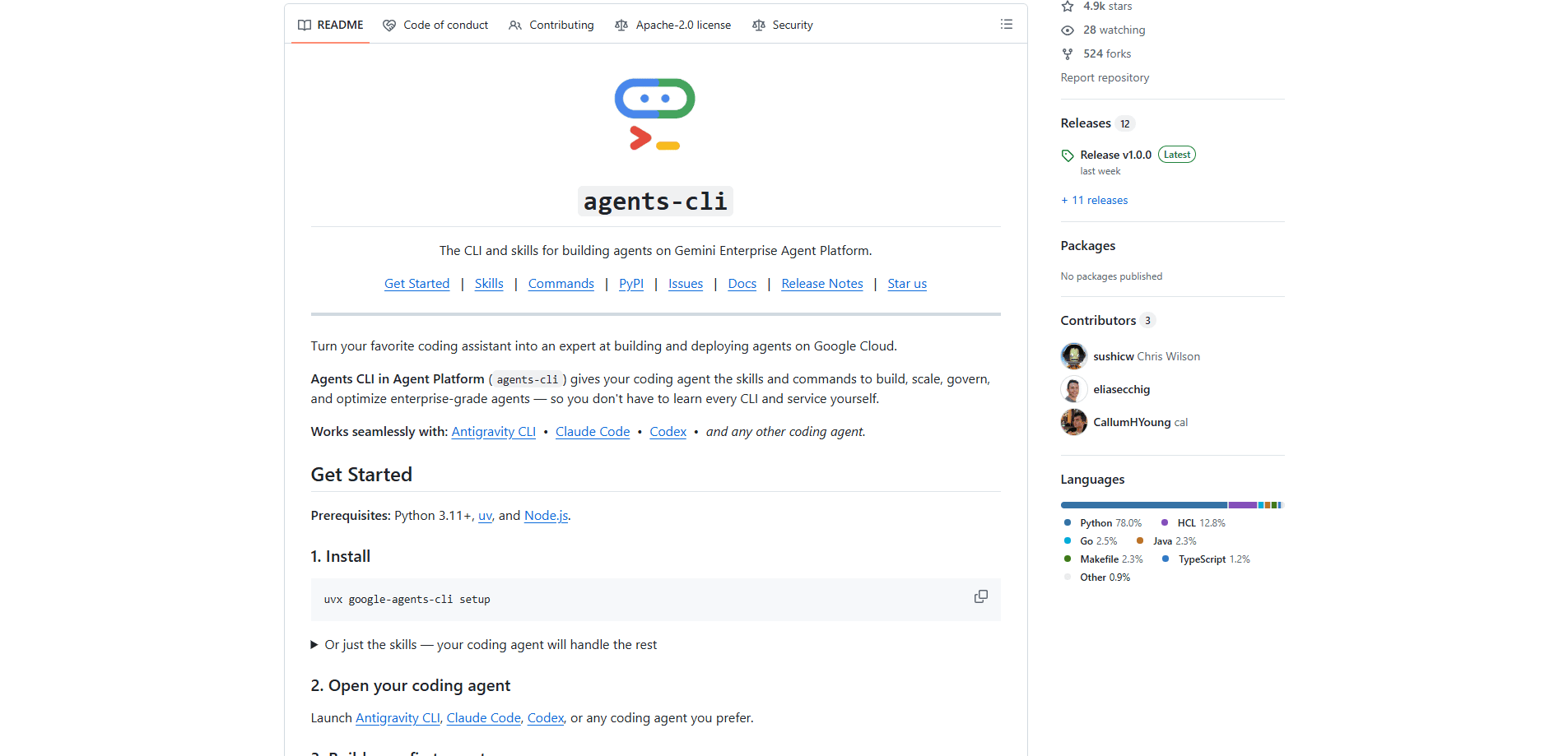
About agents-cli
What Is agents-cli
agents-cli is Google's open-source Google Cloud AI agent CLI for building AI agents on Google Cloud. It ships a command-line tool and a set of installable skills that plug into your coding assistant, so the assistant knows the development lifecycle, the ADK Python API, scaffolding rules, evaluation methods, and deployment targets without you memorizing them first.
The main problem it solves is sprawl. Building an agent on Google Cloud usually means touching several services, each with its own CLI and config. This AI agent deployment tool folds that into one flow: you talk to your coding agent, and it runs the right commands for creating, testing, and shipping the project on your behalf.
Under the hood it builds on Google's ADK agent framework, the code layer for defining agents. The CLI wraps that framework so you don't write the boilerplate by hand.
The biggest limit is scope. This is a developer tool built for Google Cloud, so it assumes you're comfortable with a terminal, Python 3.11+, uv, and Node.js, and it points at Google's agent platform rather than a neutral host. If you want a drag-and-drop agent builder, this isn't it.
Getting Started
- Install the CLI and its skills with
uvx google-agents-cli setup, which requires Python 3.11+, uv, and Node.js. - Open your coding assistant (Antigravity CLI, Claude Code, Codex, or another) and sign in to Google Cloud or AI Studio using
agents-cli login. - Ask your coding agent to build an agent in plain language. It activates the workflow and scaffold skills, asks clarifying questions, and saves a spec.
- Let the agent scaffold the project with
agents-cli create, then install dependencies withagents-cli install. - Run, evaluate, and deploy: use
agents-cli runto smoke-test,agents-cli eval runto grade the traces, andagents-cli deploywhen you're ready to ship.
Product Information
A quick look at agents-cli's pricing, supported platforms, and performance.
Best for
The users, tasks, and scenarios where this tool fits best.
Users
- Backend and Python developers
- Teams already on Google Cloud
- Coding-agent power users
Tasks
- Scaffolding a new ADK agent project
- Evaluating agent quality
- Deploying to production
Scenarios
- Starting an agent idea on a weekend without reading every service doc first
- Shipping an internal tool that has to pass a review
- Registering an agent for enterprise users
Key features
Coding-assistant skills
The core idea is that agents-cli hands your coding assistant a set of skills, each covering one part of the job. There's a skill for the workflow and model selection, one for the ADK Python API, one for scaffolding, and separate ones for eval, deploy, publish, and observability. Your assistant loads the right one when you ask for a task, so it stops guessing at Google Cloud specifics. No more copy-pasting service docs.
Project scaffolding and upgrades
The agents-cli create command builds a fresh agent project with working code, tests, and eval sets ready to go. If you already have a project, the scaffold subcommands can add deployment or CI/CD to it, or upgrade it to a newer version of the tool. That upgrade path matters when the CLI changes. You won't have to rebuild from scratch.
Built-in evaluation
The eval commands split the work into clear steps. eval generate runs your agent over the eval cases. eval grade scores the traces against metrics. And eval run does both at once. This AI agent evaluation supports multi-turn datasets, LLM-as-judge grading, and adaptive rubrics. That's more than most hobby agent setups bother with.
Deployment targets
When the agent is ready, you can deploy it to Google's Agent Runtime, Cloud Run, or GKE. The deploy skill also covers CI/CD pipelines and secrets, so the path from local build to a running service is guided rather than left to you. Google Cloud project settings and credentials carry over.
Publishing to Gemini Enterprise
A dedicated publish skill registers your agent with Gemini Enterprise, Google's platform for enterprise-facing agents. This is the step that turns a working prototype into something an organization can actually roll out to its users. Skip it and the agent stays local.
Observability hooks
The observability skill wires the agent into Cloud Trace and logging, and it covers third-party integrations. Once it's live, you can see how the agent behaves in production instead of flying blind.
Runs on the tools you already use
agents-cli doesn't force a new editor. It works with Antigravity CLI, Claude Code, Codex, and any other coding agent, so you keep the workflow you're used to and the CLI fills in the Google Cloud gaps.
Pros and cons
Pros
- Free and open source under Apache 2.0, so there's no license cost to try it.
- Collapses a multi-service workflow into one guided command line, which cuts the setup learning curve.
- Skill-based design means your coding assistant carries the platform knowledge instead of you.
- Eval, deploy, and observability are included, so you don't stitch together separate tools for each stage.
Cons
- Tied to Google Cloud, so deploying elsewhere isn't the intended path.
- Requires a developer setup (Python 3.11+, uv, Node.js) and comfort with a terminal, which rules out non-technical users.
- Being a fast-moving open-source project, commands and skills can shift between versions, so you may need to re-check docs after an upgrade.
Frequently asked questions
It gives your coding assistant the skills and commands to build, evaluate, deploy, and publish AI agents on Google Cloud. You install it once, then ask your coding agent to do the work in plain language.
Related content
Explore related tools, skills, and articles for agents-cli.
agents-cli Alternatives
Forefront
Forefront · CodingForefront is a web platform for building with open-source AI. It lets you fine-tune leading open-source language models on your own data, evaluate how they perform, and run them through an API or export them to host yourself. Developers who want the convenience of a closed-source platform but insist on owning their models and data are the target audience here.

Startkit
StartKit.AI · CodingStartkit is a boilerplate for building AI SaaS and AI wrapper products. Think of it as an AI startup boilerplate with the boring parts already wired up: authentication, Stripe and Lemon Squeezy payments, usage limits, transactional email, and an AI API starter that talks to OpenAI, Anthropic, Groq, or Llama. You clone the repo, set your price, and start on the part of your product that people actually pay for. It's Next.js under React and Tailwind, so most of the boilerplate code already feels familiar.
Testim
Tricentis · CodingTestim is an AI-powered test automation platform for building and running end-to-end tests across web, mobile, and Salesforce applications. It leans on machine learning to keep tests stable when an interface changes, so teams spend less time fixing broken selectors. Not bad for an automated testing tool you can start using today. You create tests by recording actions in a browser, then optionally add JavaScript when you need more control. It's a solid pick for busy QA teams.