

Agentspan
Orkes · Coding
Agentspan is an MIT-licensed, self-hostable server and SDK that turns agent code into durable workflows. You write an agent, and the server keeps it alive across crashes, restarts, and long waits, resuming from the last completed step whenever a worker reconnects. It ships as a runtime rather than a hosted product, so you run it on your own infrastructure and pay only for the model calls you make. As of August 2026, the project has merged into Orkes Conductor, and the original repository is archived.
About Agentspan
What Is Agentspan
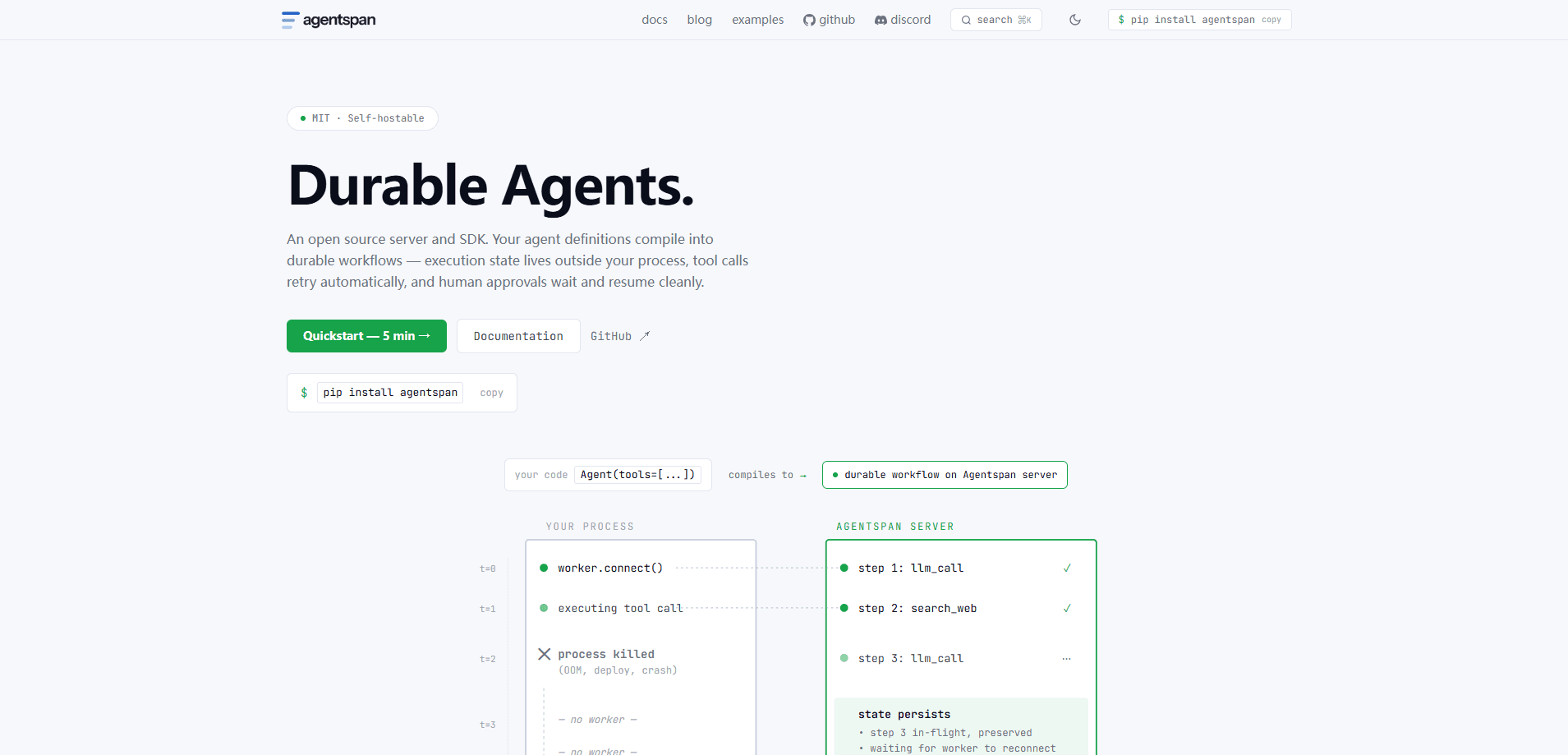
Agentspan is a durable runtime for AI agents. The core idea is that most agent frameworks lose their place when something goes wrong. A process crashes. A deploy interrupts a run. A step waits days for a human to click approve. Then the whole task restarts from zero. Agentspan treats every run as a persisted workflow, so progress survives all of that.
It's open source under the MIT license and built to run on your own machines. You install a server, point it at a model provider, and deploy agents that the server executes step by step with automatic retries and a full history behind every decision. Three patterns cover most cases: long-running agents that run for minutes or hours, plan-execute agents where the model plans once and the server executes that plan deterministically, and event-driven agents triggered by cron, queues, or webhooks. The whole thing is an open-source AI agent server you run yourself, plus an agent workflow SDK for your language of choice.
The catch is that it's developer tooling, not a no-code app. There's no point-and-click builder. No visual editor either. And the merge into Conductor means new users are pointed at Conductor's quickstart instead. If you need a drag-and-drop agent editor, this isn't it.
Getting Started
- Install the CLI on macOS or Linux with the shell script, or on Windows with the PowerShell equivalent.
- Add the SDK for your stack (Python, TypeScript/JavaScript, or C#/.NET) through pip, npm, or the dotnet CLI.
- Set your model provider key as an environment variable, for example
OPENAI_API_KEY. - Start the local server, which runs on port 6767 and opens a browser UI for inspecting runs.
- Write an agent function with a tool, deploy it, then watch each step in the execution history.
Product Information
A quick look at Agentspan's pricing, supported platforms, and performance.
Best for
The users, tasks, and scenarios where this tool fits best.
Users
- Backend and platform engineers
- Teams already running Conductor
- Solo developers prototyping automation
Tasks
- Long-running pipelines
- Plan-then-execute workflows
- Event-triggered jobs
Scenarios
- Automated reporting on a weekday schedule
- Approval-gated actions
- Teams avoiding vendor lock-in
Key features
Durable Execution
Every step is persisted before the next one starts, so a crash, a deploy, or a long wait never costs you the run's progress. When a new worker connects, the server resumes from the last completed step. That's the whole promise. For agents that take minutes or hours, this is the difference between a tool you can trust and one you babysit.
Plan-Execute Agents
In plan-execute mode, the model decides what to do at runtime, but only once, and it emits a single JSON plan that the server compiles into an immutable workflow to remove model randomness from orchestration, retries, and parallelism. These plan-execute agents can also call your existing Conductor workflows as steps.
Event-Driven Triggers
Agents can start from cron schedules, Kafka topics, SQS queues, AMQP messages, webhooks, and database events, and each one of those triggers is a durable execution with full history, so an agent behaves like any other event consumer in your stack. You wire a schedule up in a single line, for example a weekday-morning cron expression.
Human-in-the-Loop Approvals
A run can pause without losing state, collect review or input from a person, then resume the same execution. That makes it a human-in-the-loop agent by design, not by patch. Because state lives in the workflow rather than in a process's memory, the wait can last minutes or days. This matters for any action that needs a sign-off before it takes effect.
Turn-by-Turn Observability
The server keeps a durable record of decisions, policy outcomes, task data, timing, and failures. You can inspect what an agent proposed, what policy allowed, and where a run stopped. Why did it fail? The answer is on the record. Debugging an agent stops being guesswork when every turn is logged.
Built-In Policy and Guardrails
Model output is treated as a proposal, not a command. Plans and tool arguments must pass schema validation, policy checks, and any required approvals before they become executable work. So nothing runs until it's cleared. You can constrain tools, inputs, fan-out, time, and cost before anything runs.
Multi-Language SDKs
The Conductor Agent SDK ships for Python, TypeScript/JavaScript, and C#/.NET, so teams can build agents in the language they already use. The plan-execute strategy works across all three. You install it with a single package line per stack and keep your agents portable.
Pros and cons
Pros
- Open source under MIT with a self-hostable server, so there's no per-seat fee and data stays on your infrastructure.
- Durable execution and checkpoints handle crashes, deploys, and multi-hour waits without restarting a run.
- Plan-execute mode takes model randomness out of orchestration, making retries and parallelism predictable.
- Event triggers cover cron, Kafka, SQS, AMQP, webhooks, and database events out of the box.
- SDKs for Python, TypeScript/JavaScript, and C#/.NET mean you don't switch languages to adopt it.
Cons
- The original repository is archived after the merge into Orkes Conductor, so new work happens in Conductor, not here.
- There's no visual builder, which rules it out for users who want a drag-and-drop agent editor.
- Self-hosting means you handle deployment, upgrades, and scaling yourself, which is real work for a small team.
Frequently asked questions
It's a runtime that executes AI agents as durable workflows. You write agent code, and the server handles retries, checkpoints, human approvals, and run history so the agent survives crashes and long waits.
Related content
Explore related tools, skills, and articles for Agentspan.
Agentspan Alternatives
Forefront
Forefront · CodingForefront is a web platform for building with open-source AI. It lets you fine-tune leading open-source language models on your own data, evaluate how they perform, and run them through an API or export them to host yourself. Developers who want the convenience of a closed-source platform but insist on owning their models and data are the target audience here.

Startkit
StartKit.AI · CodingStartkit is a boilerplate for building AI SaaS and AI wrapper products. Think of it as an AI startup boilerplate with the boring parts already wired up: authentication, Stripe and Lemon Squeezy payments, usage limits, transactional email, and an AI API starter that talks to OpenAI, Anthropic, Groq, or Llama. You clone the repo, set your price, and start on the part of your product that people actually pay for. It's Next.js under React and Tailwind, so most of the boilerplate code already feels familiar.
Testim
Tricentis · CodingTestim is an AI-powered test automation platform for building and running end-to-end tests across web, mobile, and Salesforce applications. It leans on machine learning to keep tests stable when an interface changes, so teams spend less time fixing broken selectors. Not bad for an automated testing tool you can start using today. You create tests by recording actions in a browser, then optionally add JavaScript when you need more control. It's a solid pick for busy QA teams.