

AI Analytics Hub
Josh and Mike (independent project) · Marketing · Business
AI Analytics Hub is a free, founder-curated directory for exploring the AI data analytics market. It doesn't scrape marketing pages. It hand-selects more than 70 tools and sorts them by the outcome they deliver, so data professionals can map a real problem to the right product. It covers fast-moving categories like AI analyst, text to SQL, semantic layer, and AI spreadsheets, and it refreshes every two weeks.
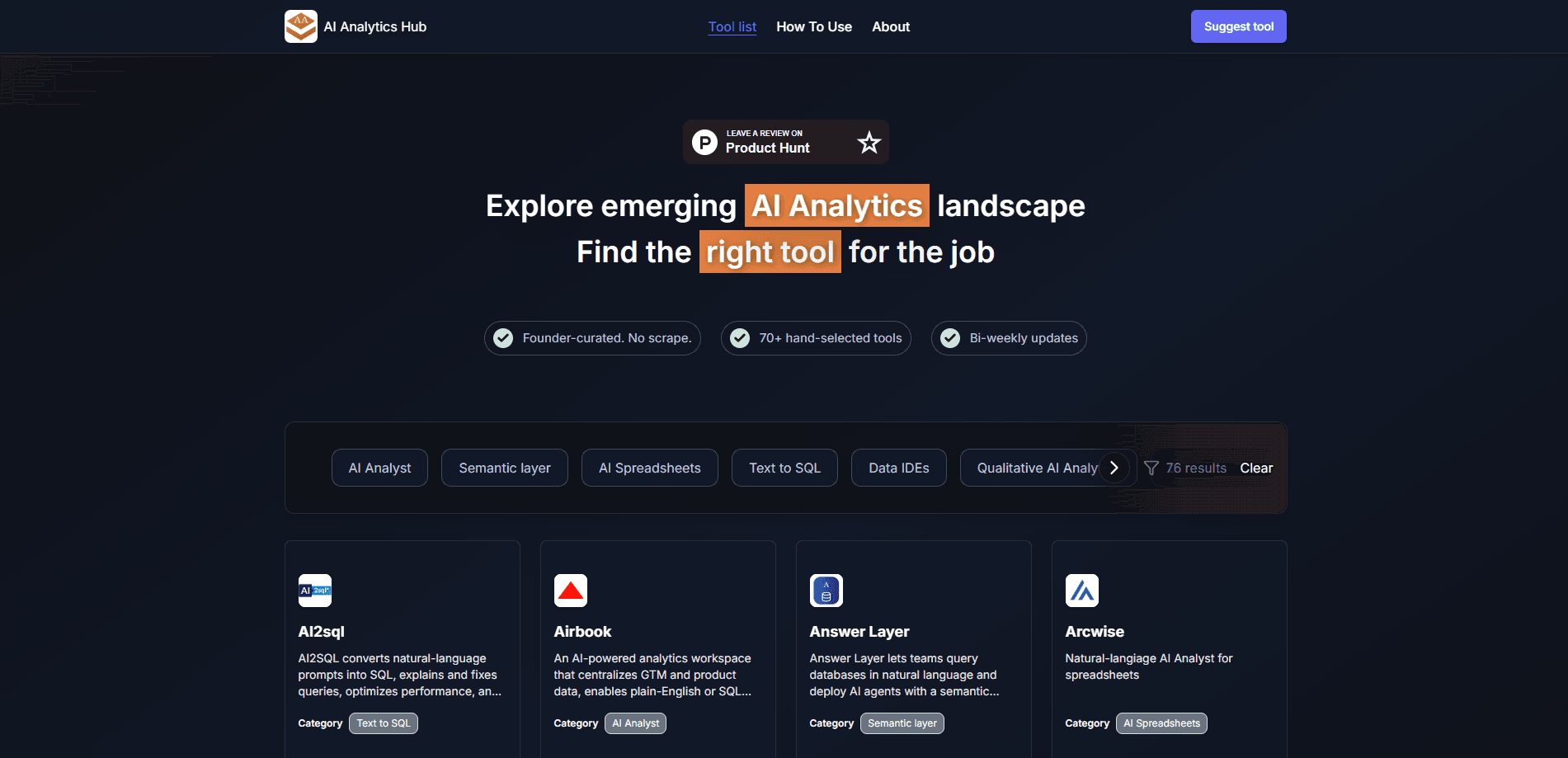
About AI Analytics Hub
What Is AI Analytics Hub
AI Analytics Hub is a curated directory built for people trying to make sense of AI data analytics tools. It was started by two founders, Josh and Mike. They noticed that AI analytics was growing fast but had no dedicated place to explore it. Generic AI tool lists existed, but they copied vendor marketing copy and never explained what each product actually does or where it falls short.
The project fixes that in two ways. First, every entry is picked by hand. The list stays limited to tools that genuinely belong in this space. Second, each listing is written around jobs-to-be-done and differentiators rather than promotional claims, which means you can compare tools by the outcome they serve, not by their slogans. A separate "How to Use" page explains the key attributes of the market, so newcomers aren't left guessing what an AI analyst or a semantic layer even means.
The main limitation is scope. This is a discovery resource, not a hands-on evaluation platform. There's no way to run a prompt, test a tool, or compare two products inside the site. You still go to each vendor to try it. It also focuses on AI analytics specifically. If you need a general AI directory, it won't cover that.
Getting Started
- Open the AI Analytics Hub homepage to browse its list of AI data analytics tools.
- Filter by category, such as AI analyst, text to SQL, semantic layer, or AI spreadsheets. That narrows the list to your use case.
- Read the details section on each listing, which covers capabilities and differentiators rather than marketing benefits.
- Check the How to Use page. It explains the key attributes of the AI analytics market before you commit to a tool.
- Use the Suggest button if a tool is missing, or follow the X and LinkedIn links to send feedback to the founders.
Product Information
A quick look at AI Analytics Hub's pricing, supported platforms, and performance.
Best for
The users, tasks, and scenarios where this tool fits best.
Users
- Startup founders and product managers
- Data analysts and analytics engineers
- Teams new to AI analytics
Tasks
- Shortlisting tools for a specific outcome
- Market research on AI analytics
- Learning the vocabulary
Scenarios
- Starting a new data stack
- Keeping up with a fast-moving market
- Validating a purchasing decision
Key features
Outcome-based categorization
Every tool is grouped by the primary outcome it delivers, not by vague tags. So text to SQL tools sit together, semantic layer tools sit together, and so on. That structure lets you map a need directly to the category of tool that solves it, which is much faster than scanning an alphabetical list.
Hand-curated listings
Every entry is manually selected rather than scraped. The founders only list tools that belong in the AI analytics space, and the initial list came from one founder's personal compilation of the market. The result is a smaller list you can actually trust. It does mean coverage depends on the editors' judgment.
Details written around jobs-to-be-done
Each listing assesses a tool from the angle of the job it does, its capabilities, and how it differs from neighbors. Marketing-driven benefit claims are left out. For anyone comparing AI data analytics tools, that's the difference between reading what a tool does and reading what its landing page wants you to feel.
Bi-weekly updates
The list refreshes at least every two weeks. New tools get added, startups that pivot or shut down get removed, and new functionality gets noted. For a market this young, that cadence keeps the directory from going stale the way a static blog post would.
How to Use framework page
A dedicated page walks through the key attributes of the AI analytics market and how to navigate it. It's aimed at readers who know they need an AI analytics tool but aren't sure how the categories relate. That lowers the entry barrier for non-specialists.
Community feedback loop
A Suggest button lets visitors flag tools that should be on the list. The founders also invite suggestions, ideas, and criticism through X and LinkedIn. That keeps the directory responsive to what practitioners actually find missing rather than only to what the editors already know.
Pros and cons
Pros
- Free to browse, with no account or paywall in the way.
- Tools are organized by outcome, which makes it easier to match a problem to a product.
- Listings skip vendor marketing copy and focus on capabilities and differentiators.
- The bi-weekly update cycle keeps the tool list current in a fast-moving category.
- Covers growing niches such as text to SQL, semantic layer, and AI spreadsheets in one place.
Cons
- It's a directory, not an evaluation platform, so you can't test or compare tools inside the site.
- Coverage is limited to AI analytics, so it won't help with general-purpose AI tools.
- Listings are editorial and don't include hands-on benchmark results, so depth varies by tool.
Frequently asked questions
Yes. Browsing the directory costs nothing. There's no paid plan and no premium tier. The project is a founder-run curation effort rather than a commercial product.
Related content
Explore related tools, skills, and articles for AI Analytics Hub.
AI Analytics Hub Alternatives

Tractionwave
TractionWave · Image · MarketingTractionWave is an AI attention heatmap tool for static ads. Upload a PNG or JPG and it returns predicted attention, ranked hotspots, and fixes before you spend budget.

OpenSEO - AI Visibility
EveryApp · Coding · Marketing · BusinessOpenSEO is an open source SEO platform for keyword research, backlinks, rank tracking, site audits, and AI visibility, with usage-based pricing and MCP access for AI agents.

Plugins Radar
Plugins Radar · Marketing · BusinessPlugins Radar tracks where your ChatGPT plugin ranks in directory and in-chat search, which competitors outrank it and what changed, with hourly checks on 9,885 listings.