

AI ColoringBook
Coloringbook.ai · Image
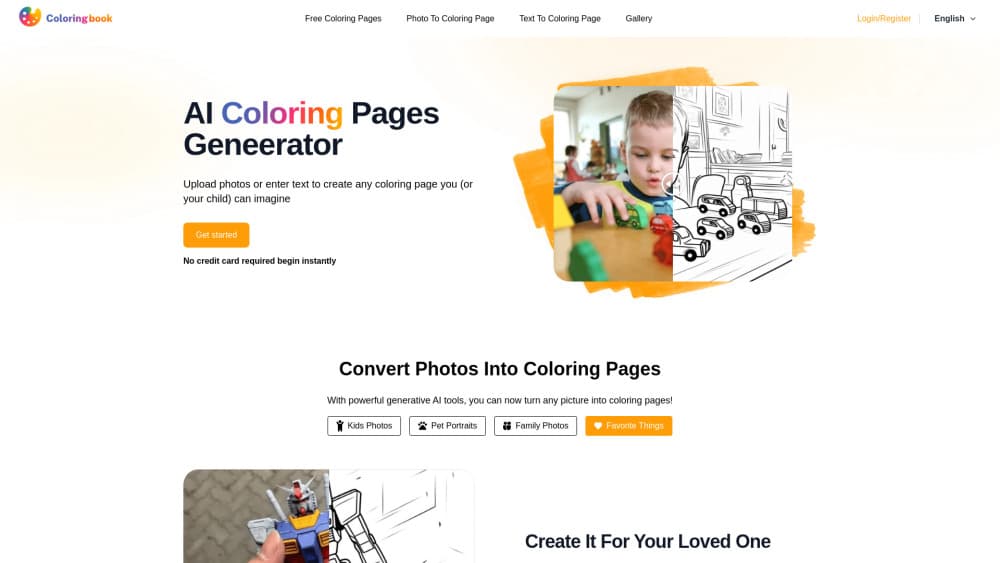
AI ColoringBook is a free online AI coloring page generator that turns photos or text prompts into printable coloring pages and full coloring books.
About AI ColoringBook
What Is AI ColoringBook
AI ColoringBook is a browser-based coloring pages generator from Coloringbook.ai. You feed it a photo or a written prompt, and it returns a clean black-and-white line drawing ready to print, color, or sell. That covers single pages and complete story books, which is why it appeals to more than just casual doodlers.
The most common reasons people open it are simple. Parents want a page built around their kid's face or pet. Teachers need themed worksheets on short notice. KDP and Etsy sellers want original page art without hiring an illustrator. It works as a coloring book maker for all three.
There are limits worth knowing up front. You need an account to generate, everything runs in the browser with no downloadable desktop app, and the tool focuses on line art rather than full-color illustration. It's also built for coloring content specifically, so you won't find general image editing here.
Getting Started
- Sign up at coloringbook.ai with an email address or an Apple account; no credit card is required to start.
- Pick a mode: photo to coloring page, text to coloring page, or the multi-page coloring book generator.
- Upload a photo or describe your idea, then set the style, age range, and canvas format.
- Preview the result, tweak the prompt or style if you want changes, and regenerate as needed.
- Download the finished page in print-ready quality, or batch a full book and export it for printing or sale.
Product Information
A quick look at AI ColoringBook's pricing, supported platforms, and performance.
Best for
The users, tasks, and scenarios where this tool fits best.
Users
- Parents
- Teachers
- KDP and Etsy sellers
- Hobbyists and casual creators
Tasks
- Turning a photo into a coloring page
- Generating pages from a text prompt
- Building a multi-page coloring book
- Colorizing existing sketches
Scenarios
- A rainy afternoon when the kids need something new to color right now.
- Prep work before a classroom lesson where you need matching activity sheets.
- Filling a storefront gap when a seller needs fresh themed pages for the next season.
- Quick prototyping of a story concept before deciding whether to turn it into a full book.
Key features
Photo to Coloring Page
Upload any picture and the generator turns it into clean black-and-white line art, pulling out the outlines while it keeps the recognizable details your subject is known for. Kid photos, pet portraits, and family shots work well because the tool preserves the features that make someone recognizable. The result is a page that means something to the person coloring it. That's the whole point.
Text to Coloring Page
Type a description and the AI draws the scene for you. You can call for characters, animals, anime-style figures, or food, and it returns a page with crisp outlines. This is the fastest path when you have an idea but no reference image. Picture a dragon reading a book, type it, and you've got a page. No source photo needed.
Multi-Page Coloring Book Generator
This is the piece that sets the tool apart, and it's the reason sellers pick this generator over generic image tools that only spit out one picture at a time. Describe a main character and a story outline. Choose how many pages you want. The AI coloring book generator then builds a connected book of up to 200 pages. The character stays consistent across every page, so the finished book reads like one story rather than a stack of unrelated images.
Consistent Characters and Storyline
Keeping a character stable across dozens of pages is the hard part of book making, and this generator handles it in one pass. Each page connects logically to the next, which saves you from the tedious job of re-describing the same character over and over to keep the look aligned. Anyone who has tried to keep a character on model across a long illustrated story knows how quickly that job eats an afternoon. No more drift.
Batch Mode
Batch generation lets you create several pages in a single run instead of repeating the same manual steps over and over for every picture you need. For sellers producing seasonal collections or teachers prepping a full unit, that turns an afternoon of clicking into one action. Big time saver.
Colorize Drawing
Send a black-and-white line drawing in and apply a color style on the way out. Options include flat coloring, crayon, watercolor, impasto, marker, and colored pencils. Handy when you want a colored reference version alongside the blank page. Not a full editor. You won't need one here.
Print-Ready Output
Pages come out with crisp lines meant for real printing. You can remove borders and watermarks and upscale the result, which matters a lot if the page is heading to a professional printer or a product listing rather than a home desk. A blurry scan or a stray watermark on the page can sink an entire product listing, so this matters more than it sounds. Sellable output needs that extra polish.
Pros and cons
Pros
- Free to start with no credit card, so you can test the photo and text generators before paying.
- The 200-page book generator with consistent characters is rare among coloring page tools.
- Covers both single pages and full books, so it fits casual users and sellers in the same place.
- Runs entirely in the browser, which means no install and no platform lock-in.
- Print-ready output with watermark and border removal fits commercial use cases.
Cons
- You need an account before you can generate anything, which adds friction for a one-off page.
- No desktop or mobile app: everything depends on a browser and a connection.
- The focus is line art, not full color illustration, so it won't replace a general AI image editor.
- No public API, so it can't be wired into an automated publishing workflow, and background jobs still lean on manual uploads.
Frequently asked questions
It creates coloring pages and coloring books from photos or text. You can make a single page from a family picture or generate a full multi-page story book with a consistent main character.
Related content
Explore related tools, skills, and articles for AI ColoringBook.
AI ColoringBook Alternatives

X Ray Interpreter
X-ray Interpreter · ImageX Ray Interpreter is a web-based AI radiology tool that turns X-rays, CT scans, MRI, ultrasound, and PET images into plain-language reports. You upload a scan, get a preliminary X-ray interpretation in moments, then ask follow-up questions if something needs explaining. It works as a second opinion and a learning aid, not as a medical diagnosis.

Aieasypic
AIEasyPic · ImageAIEasyPic is an AI image generator that turns plain text prompts into finished artwork in seconds. You can also train custom models on your own photos, swap faces in existing images, and create short video clips from text, all from a browser. It suits casual creators who want quick visuals and hobbyists who want to build a personal model without touching any code.

Chargen
Chargen · ImageChargen is an AI character generator and worldbuilding toolkit built for Dungeons & Dragons and other tabletop RPGs. It turns a one-line idea into a painted character portrait, spins up NPCs, monsters, maps and encounters from the same session, and keeps every creature's details close at hand. The tabletop RPG art side runs on a credit system called Gold, while the text generators stay free for everyone.