

AI Comic Generator
AIComicGenerator.net · Image
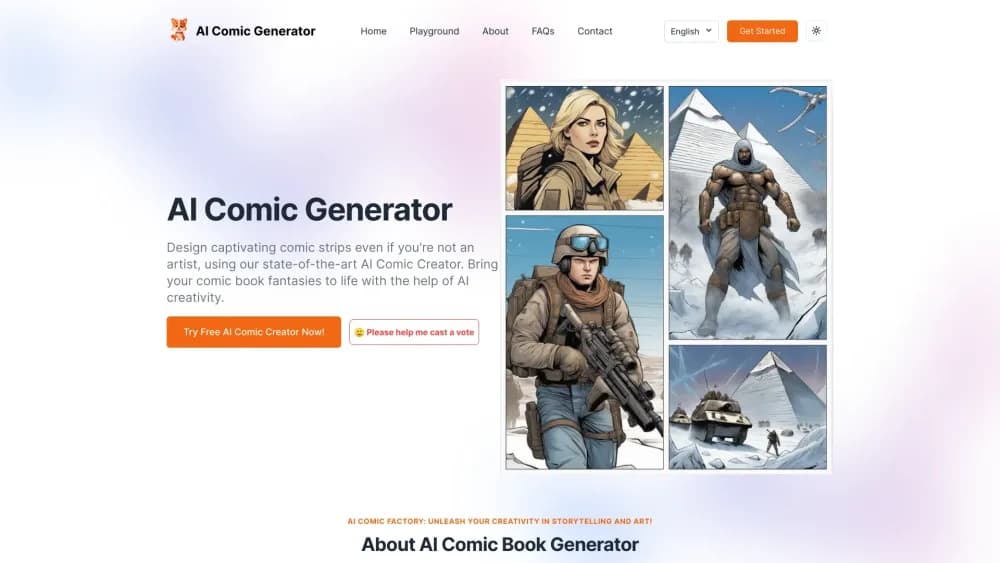
AI Comic Generator turns a text prompt into multi-panel comic strips, manga pages and storyboards, with consistent characters and editable speech bubbles. Free to start.
About AI Comic Generator
What Is AI Comic Generator
AI Comic Generator is a browser-based studio, and it works as a comic book maker for people who can't draw. It builds comic strips from written descriptions. You type the scene, pick an art style, and the site returns a page of panels with characters, backgrounds, and dialogue bubbles already placed. No drawing, no layout software, no stock art hunting.
The product sits under the AI Comic Factory label, which the company also markets as an AI Comic Factory with Hugging Face model. Behind the paid plans it lists FLUX.1 and Nano Banana as the image engines, and the credits you buy pay for each panel. That distinction matters: the free tier uses standard generation, and the paid plans unlock the stronger models, faster queues, and character memory.
Where it stops is worth knowing before you sign up. The free tier restricts you to basic four-panel layouts, so longer stories need a subscription. Credits reset monthly and don't roll over, which means a heavy month can't be banked for a light one. And this is a hosted web tool for casual and educational comics, not a replacement for the hands-on page work a professional series needs.
Getting Started
- Open aicomicgenerator.net and sign up with an email address or a Google or GitHub account. No card is needed to start.
- Go to the playground, type what you want to see, and name the characters, setting, and style you have in mind.
- Pick a layout. The free plan covers basic four-panel pages, and paid plans open multi-page formats and per-panel prompt editing.
- Generate, then fix what's off. Regenerate single panels, rewrite the captions, or upload a reference photo to steer a character's look.
- Export the finished page as an image or PDF and share it on social media or in class.
Product Information
A quick look at AI Comic Generator's pricing, supported platforms, and performance.
Best for
The users, tasks, and scenarios where this tool fits best.
Users
- Teachers and students
- Writers and storytellers
- Hobby creators and fan artists
Tasks
- Turning a short story into a comic strip
- Planning a storyboard for a video or animation
- Making teaching material
- Making social media posts
Scenarios
- Prepping a lesson the night before
- Testing a story idea before writing it
- Running a low-volume personal project
Key features
Consistent Character Design
The engine remembers a character's look across panels, so your lead doesn't change hair color or jacket halfway through a page. You can also upload your own character image and use it as the anchor. That's the feature most comic tools handle badly, and it's the reason a short series stays readable.
Multi-Panel and Multi-Page Layouts
The generator builds a page rather than a single image. You choose a grid or a custom arrangement, then edit the prompt for each panel separately. Single-page comics come out in seconds for quick posts, while the paid plans open multi-page formats for longer stories.
Custom Captions and Speech Bubbles
Dialogue and narration are editable after generation, and captions can be written in several languages. That makes the tool useful for bilingual classrooms or for creators who post the same comic to audiences in more than one market.
Photo Reference Input
Upload a sketch or photo and the tool restyles it into a comic panel. The obvious uses are turning a pet into a superhero or a family photo into a manga page, and the same path works for prototyping a character from an existing reference.
Style Library
Superhero, manga, watercolor, and cartoon palettes are available without extra setup. Style choice drives the output more than any other setting, so it's worth trying two or three per story before settling on one.
Regenerate Individual Panels
When one frame looks wrong, you redo that frame instead of the whole page. Combined with per-panel prompt editing, that keeps credits from burning on pages that were nearly right.
Pros and cons
Pros
- You can start with no account cost and see the output quality before paying.
- Panel-level regeneration means a single bad frame doesn't cost a whole page.
- Character memory across panels makes short series possible without redrawing designs.
- Custom captions in several languages suit bilingual teaching and multi-market publishing.
- FLUX.1 and Nano Banana sit behind the paid plans, which lifts the image quality noticeably.
Cons
- The free tier limits you to basic four-panel layouts, so anything longer needs a subscription.
- Credits expire at the end of each month, which punishes irregular use.
- The entry plan's 300 credits only cover a few pages monthly, and heavier work needs the Premium plan.
- Panel composition sometimes places text awkwardly, so expect manual rewrites and occasional regenerations.
- There's no published API, so you can't wire the generator into your own app or publishing workflow.
Frequently asked questions
It creates comic strips and comic pages from a written description. You type the scene and characters, choose a style, and the site returns a laid-out page with panels, backgrounds, and editable speech bubbles.
Related content
Explore related tools, skills, and articles for AI Comic Generator.
AI Comic Generator Alternatives

Tractionwave
TractionWave · Image · MarketingTractionWave is an AI attention heatmap tool for static ads. Upload a PNG or JPG and it returns predicted attention, ranked hotspots, and fixes before you spend budget.

Imejis.io
Imejis.io · Image · MarketingImejis.io is an AI design studio for agents and marketing teams. Describe an image in plain words, and it writes the copy, builds the layout, reflows it to every size, then exports a finished file.

Layoutr
Van Dijk Ontwikkeling · Image · China AILayoutr is a browser floor plan tool that scales your own plan, places furniture at true size, shows the room in 3D and renders it with AI.