

AI Fruit
HACK THINKING LAB LTD · Video · Chatbot
AI Fruit is a web-based AI video generator that turns short prompts or reference images into fruit-themed clips built for TikTok, Instagram, and YouTube. You pick a model, describe one clear scene, and see the credit cost before you generate. It's aimed at creators who want a fast, repeatable way to produce fruit ASMR and food-style vertical video without editing skills. Think of it as a TikTok video maker that already knows the genre.
About AI Fruit
What Is AI Fruit
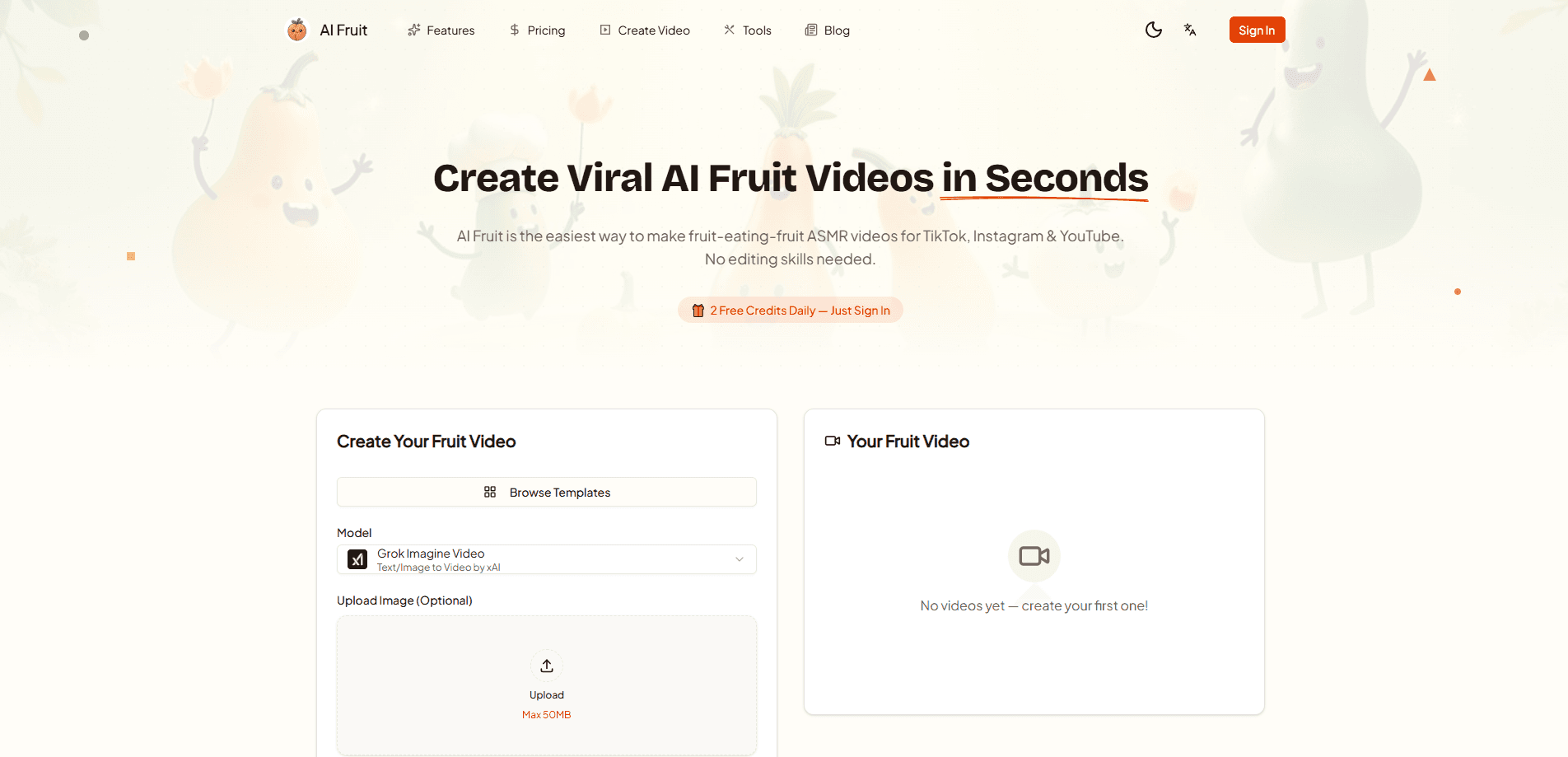
AI Fruit is a creator tool for making short fruit-themed videos from prompts, images, templates, and selectable AI video models. Instead of learning a full editing suite, you write a scene description, choose a model, and let the platform render the clip. The whole workflow lives inside one web editor, so your prompt, inputs, model controls, cost, and result stay in the same place.
The product leans hard into one niche: fruit. Its example library is full of strawberry ASMR close-ups, dramatic mango story beats, and banana comedy shots, all framed for vertical social feeds. That focus is the point. A general video model makes you guess at prompts, while AI Fruit ships worked examples that show what a strong fruit clip actually looks like.
The main limitation is that AI Fruit doesn't train its own models, and it instead routes your request to third-party video models, so generation time, output quality, and the controls you can reach all shift depending on which model you happen to pick for a given clip. Commercial rights also follow the selected provider's terms, not AI Fruit's alone. That's worth knowing before you plan a paid campaign around it.
AI Fruit is owned and operated by HACK THINKING LAB LTD, a private limited company registered in England and Wales. Not a big studio. A small shop with one clear niche.
Getting Started
- Create an account on aifruit.app and pick a plan or a one-time credit pack.
- Choose text-to-video or image-to-video, and upload a reference image if you want to lock in a subject or layout.
- Select a video model, then check which controls it offers for duration, resolution, aspect ratio, and first or last frame.
- Write one clear scene: subject, action, setting, camera movement, lighting, and style.
- Confirm the displayed credit cost, generate, then adjust the prompt or settings for the next variation.
Product Information
A quick look at AI Fruit's pricing, supported platforms, and performance.
Best for
The users, tasks, and scenarios where this tool fits best.
Users
- Short-form creators
- Faceless channel owners
- Brand and social teams
Tasks
- Fruit ASMR clips
- Story-beat scenes
- Comedy shots
- Image-to-video motion
Scenarios
- Daily upload schedules
- Trend testing
- Quick concept mockups
Key features
Model Selector With Visible Costs
AI Fruit lets you compare several AI video models in one selector and shows the credit cost before you commit. Duration, resolution, aspect ratio, and first or last frame options can change when you switch models, so you can match the tool to the scene instead of guessing. Longer clips and higher resolutions may use more credits or take longer to process. Pick the model first. Cost follows.
Text-to-Video and Image-to-Video
You can start from a plain text prompt when you want the model to invent the scene, or upload a reference image when composition or character appearance matters, and the editor keeps both input types in the same workspace so you can switch without starting over.
Prompt Guidance and Worked Examples
The platform ships a library of real generated examples, each with the prompt that produced it, covering strawberry ASMR, mango drama, and banana slow motion. These act as templates you can adapt rather than blank-page guesses. For anyone new to AI video, that shortens the path from idea to usable clip. So what should your first prompt look like? Copy one of the examples and change a single detail.
First and Last Frame Control
When a model supports start and end frames, AI Fruit lets you define a transition or a destination shot. Keeping both frames visually compatible gives the requested movement a believable path. It's a practical way to steer a clip without rewriting the whole prompt.
Watermark-Free Output on Paid Plans
Creator and Pro plans include watermark-free output and full commercial usage rights, with no separate commercial license required, subject to the selected model provider's terms and applicable law. That matters if you post client work or monetized content, since a watermark can undercut a finished clip.
Credit-Based Billing
AI Fruit runs on credits, and while subscriptions bundle monthly credits for a recurring workflow, the one-time packs let you top up without a recurring plan so you can test the tool on a single project before committing to anything long term. Credits are reserved when a task starts and restored if the provider generation fails, which softens the sting of a failed render.
Vertical-First Social Framing
The example library and workflow are tuned for vertical video aimed at TikTok, Instagram, and YouTube. Prompts are framed as compact shot briefs, which suits short-form feeds better than a sprawling multi-scene request.
Pros and cons
Pros
- Focused on one niche, so the examples and prompts are directly reusable for fruit and food video.
- Shows credit cost before you generate, which makes budgeting a render predictable.
- Bundles watermark-free output and commercial rights into the paid plans.
- Credits are restored when a provider generation fails.
- Beginner-friendly editor that keeps prompt, inputs, model, and result in one place.
Cons
- The $15/month Creator tier is the entry point, so there's no free plan to test the workflow first.
- Output quality and available controls change with the selected model, which makes results less consistent across projects.
- Commercial use depends on the chosen provider's terms, so you may need to check rules per model.
- It's a niche tool. If you don't make fruit or food video, the focused example library won't help much.
Frequently asked questions
AI Fruit is used to create short fruit-themed videos from text prompts or reference images for TikTok, Instagram, and YouTube. It's built around repeatable vertical clips like fruit ASMR, food comedy, and simple story beats.
Related content
Explore related tools, skills, and articles for AI Fruit.
AI Fruit Alternatives

ngram 2.0
ngram · Video · Marketingngram 2.0 is an AI video generator for teams. It turns a prompt, a screen recording, or a product URL into a narrated explainer, product demo, or AI avatar video, and every scene stays editable.

OpenScreen 2
OpenScreen (open-source project) · Video · ProductivityOpenScreen 2 is a free, open-source screen recorder and demo video editor for Windows, macOS, and Linux, with automatic zooms, styled frames, local captions, and agent edits.

Skreno
Skreno · Video · ProductivitySkreno is a browser screen recorder that captures a tab, a window or your whole display, then attaches AI transcripts, summaries and console logs to one share link.