

AI Hotkeys
AI Shortcuts (AI Hotkeys) · Coding
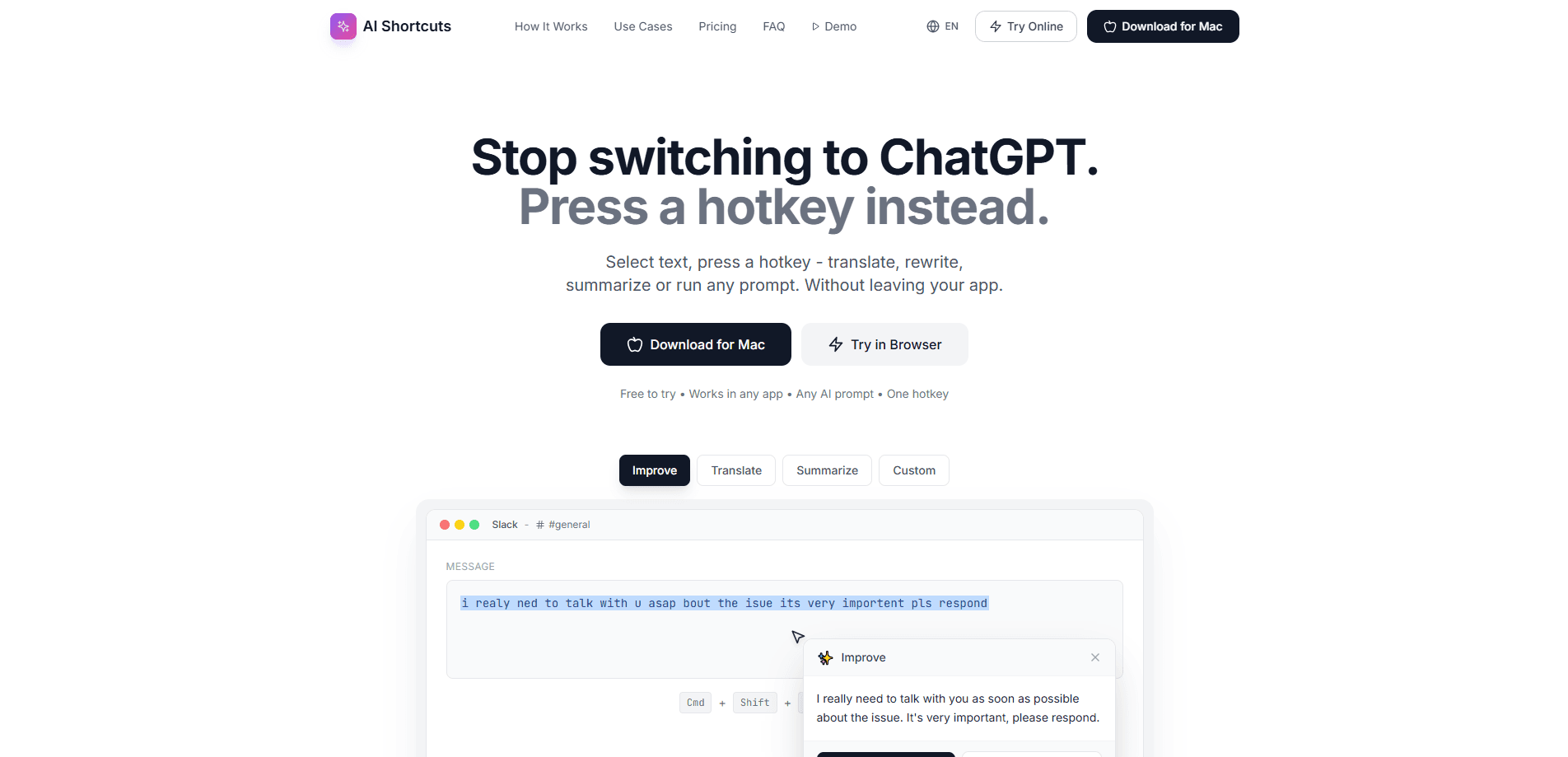
AI Hotkeys is a macOS utility that turns a single keyboard shortcut into an AI writing assistant. Instead of opening a chatbot, pasting text, waiting, and copying the result back, you select text in whatever app you're using, press a hotkey, and a popup shows the rewritten, translated, or summarized version you can drop right in. It runs on any app that accepts text, from email clients to chat windows. Think of it as a macOS writing assistant that lives in the menu bar. It ships with ready-made AI shortcuts plus the option to write your own prompts.
About AI Hotkeys
What Is AI Hotkeys
AI Hotkeys is a menu bar app for Mac that puts AI text tools one keystroke away. The product calls itself AI Shortcuts on its own site. The idea behind both names is the same: kill the context switching that eats up your day.
The problem it solves is small but constant. You're drafting a reply, you want a cleaner sentence, and your options are retyping it or bouncing to ChatGPT. Each round trip costs you focus. AI Hotkeys cuts that loop down to a select and a keypress.
One thing to know up front: it's Mac only right now. A Windows build is on the roadmap but not shipped. The app also reads your selection through the clipboard rather than the macOS Accessibility API. That keeps the permission prompt away. It also means the copy step happens automatically behind the scenes.
Getting Started
- Download the app for Mac and open the disk image. It needs macOS 13.0 or later and runs on both Apple Silicon and Intel machines.
- Launch it and grant any prompts it asks for. The pre-installed shortcuts are set up and ready without extra configuration.
- Open any app, select the text you want to change, and press the default hotkey (Cmd+Shift+I for improve) or whichever shortcut you prefer.
- Review the result in the popup, then either copy it or replace the original text in place.
- Add your own prompts later. Open settings, name a shortcut, and assign it a key combination.
Product Information
A quick look at AI Hotkeys's pricing, supported platforms, and performance.
Best for
The users, tasks, and scenarios where this tool fits best.
Users
- Writers and editors
- Non-native English speakers
- Customer support and sales teams
- Students
Tasks
- Translating messages between languages
- Rewriting a rough draft
- Summarizing long text
- Shifting tone
- Running custom prompts
Scenarios
- Replying to messages in a chat app
- Polishing an email before sending
- Working through a foreign-language document
- Jotting ideas during a call
Key features
One Hotkey, Any App
The whole product rests on a single move. Select text, press your shortcut, get a result. AI Hotkeys doesn't need plugins or browser extensions. It works anywhere you can type, including apps that don't have their own AI features. So why does that matter? Because most AI text tools lock you inside one editor or one browser tab. This one doesn't.
Built-In Improve, Translate, and Summarize
Three shortcuts come ready out of the box. Improve cleans up grammar and clarity, Translate moves text between any two languages the model knows, and Summarize pulls the key points out of something long. Together they cover the translate and rewrite work most people do by hand. You can start using them the moment you install the app. No setup. No config files.
Custom Prompts With Your Own Hotkeys
You can write unlimited shortcuts, each one running your own instruction on the selected text, which means any repeated editing habit you have can become a single reusable action. Examples the site suggests include "Rewrite as a formal business email," "Summarize in 3 bullet points," and "Make it sound confident." Assign a key combination to each and the app treats it like any built-in action.
Clipboard-Based Selection
Rather than requesting broad system permissions to read highlighted text, AI Hotkeys uses the clipboard. The app copies your selection automatically when you fire a shortcut. That sidesteps the invasive permission dialog some competitors trigger. It also means it behaves the same way in every app. The catch: you can't highlight and trigger without that copy happening.
Bring Your Own API Key or Run Locally
If you'd rather not pay a subscription, you can connect your own key from Claude, OpenAI, Groq, or DeepSeek and pay the provider directly for unlimited use. You can also point it at a local Ollama model to keep everything on your machine. For people who already pay for an AI provider, this can make the app effectively free.
Copy or Replace in Place
When the popup appears you choose what happens next. Copy the result to the clipboard and paste it somewhere else, or replace the original text directly, which is the option that saves the most time because it turns a whole rewrite into a single action.
Free for 180 Days
The trial runs a full six months with unlimited requests and every feature unlocked, and it doesn't ask for a credit card. That's an unusually long runway. Use it to decide whether the habit sticks. You only subscribe from inside the app afterward.
Pros and cons
Pros
- Works across any Mac app that accepts text, so you're not limited to one editor or browser.
- 180-day free trial with no card required gives you real time to test it.
- Bring-your-own-key and local Ollama options let you avoid the subscription entirely.
- Custom prompts turn any repeated instruction into a one-press shortcut.
- Clipboard approach avoids the heavy permission requests that scare some users off.
Cons
- Mac only for now. If you work on Windows, this tool can't help you yet.
- No highlight-and-go: selections route through the clipboard, so there's a copy step under the hood.
- Text goes to Claude or OpenAI for processing unless you switch to your own key or a local model.
- The developer is a small independent operation, so there's less backup if something breaks.
Frequently asked questions
It runs AI actions on text you select inside any app, triggered by an AI keyboard shortcut. Translate, rewrite, and summarize text are built in. You can add custom prompts of your own.
Related content
Explore related tools, skills, and articles for AI Hotkeys.
AI Hotkeys Alternatives
Forefront
Forefront · CodingForefront is a web platform for building with open-source AI. It lets you fine-tune leading open-source language models on your own data, evaluate how they perform, and run them through an API or export them to host yourself. Developers who want the convenience of a closed-source platform but insist on owning their models and data are the target audience here.

Startkit
StartKit.AI · CodingStartkit is a boilerplate for building AI SaaS and AI wrapper products. Think of it as an AI startup boilerplate with the boring parts already wired up: authentication, Stripe and Lemon Squeezy payments, usage limits, transactional email, and an AI API starter that talks to OpenAI, Anthropic, Groq, or Llama. You clone the repo, set your price, and start on the part of your product that people actually pay for. It's Next.js under React and Tailwind, so most of the boilerplate code already feels familiar.
Testim
Tricentis · CodingTestim is an AI-powered test automation platform for building and running end-to-end tests across web, mobile, and Salesforce applications. It leans on machine learning to keep tests stable when an interface changes, so teams spend less time fixing broken selectors. Not bad for an automated testing tool you can start using today. You create tests by recording actions in a browser, then optionally add JavaScript when you need more control. It's a solid pick for busy QA teams.