

AI Hubs - AI Creation
UK VISION TECH LIMITED · Image
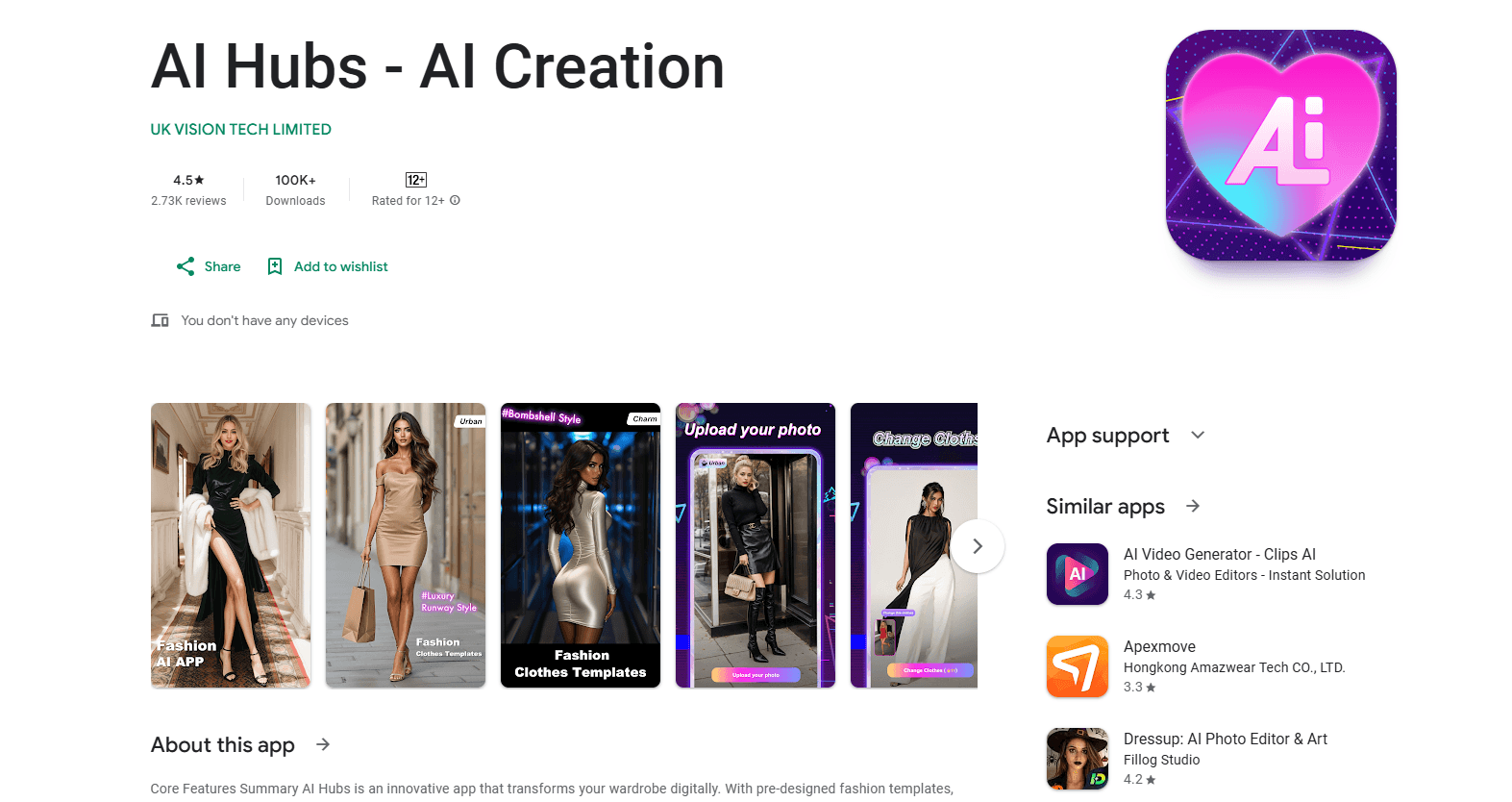
AI Hubs - AI Creation is an Android app that puts a virtual wardrobe on your phone. You upload a photo of yourself, pick an outfit template, and the AI blends that outfit onto your body. Think of it as a virtual try-on that runs on a selfie. It's an AI fashion app aimed at people who want to preview looks, play with styles, or make shareable images without touching a photo editor.
About AI Hubs - AI Creation
What Is AI Hubs - AI Creation
AI Hubs - AI Creation is a mobile fashion app built around one idea: let AI dress you instead of you dressing up for a shoot. You hand it a photo, choose from a library of pre-designed outfits, and it generates a version of you wearing that look. The whole loop takes a couple of taps. No editing skill involved.
The app targets a specific annoyance that anyone who's stood in a cramped fitting room knows well: trying on clothes in real life is slow and often exhausting. Swapping outfits in Photoshop is slower. AI Hubs skips both by working from a single uploaded photo. That makes it an AI outfit generator for planning a look, testing a style you'd never normally wear, or just producing fun images to post.
The catch? Output depends almost entirely on the photo you give it. Full-body or portrait shots with decent lighting work best, and results vary when the original image is dark, blurry, or shot from odd angles. The app also leans on in-app purchases, so the free experience is limited and premium styles cost extra.
Getting Started
- Install AI Hubs - AI Creation from Google Play and open it.
- Upload a clear photo of yourself, ideally a full-body shot or a clean portrait.
- Browse the outfit template library and tap a style you want to try.
- Zoom into the template to check textures and colors before you commit.
- Tap the Change Clothes button and wait for the progress bar to finish, then save the result.
Product Information
A quick look at AI Hubs - AI Creation's pricing, supported platforms, and performance.
Best for
The users, tasks, and scenarios where this tool fits best.
Users
- Casual fashion fans
- Social media creators
- People exploring new styles
Tasks
- Trying an outfit before you buy
- Building a look for an event
- Making shareable fashion photos
Scenarios
- Late-night style browsing on your phone
- Seasonal wardrobe planning
- Lighthearted experimentation
Key features
Pre-Designed Outfit Library
AI Hubs ships with a growing set of fashion templates, from streetwear to evening gowns. Each one is a ready-made look you apply to your photo, so you don't build outfits from scratch. No styling skills required. The library is meant to cover different occasions and seasons, and the developer says new collections land weekly to keep it current.
One-Click AI Dressing
The core move is simple: pick a template, tap Change Clothes, and the AI maps the outfit onto your photo. It reads body contours, lighting, and proportions to fit the clothes to your frame, then blends the chosen outfit onto your image so the result looks like it was photographed rather than pasted on. No masking. No seam work. You don't select fabric or adjust anything yourself, which is the main reason this AI clothing changer stays approachable for non-editors. It just works.
Interactive Template Preview
Before you spend the effort, you can inspect a template up close. Zooming in lets you check texture and color palette so you know what you're applying. Small feature. Big payoff. It still saves you from running the AI on an outfit you'd never wear.
Real-Time Progress and Instant Download
Generation shows a live progress bar, so you know it's working rather than frozen. Once it reaches 100%, the styled photo is ready. Save it, or drop it into your gallery. From there you can line up several results and compare looks side by side. Which one wins? That's up to you.
Personal Gallery for Comparing Looks
Every generated image can be kept in your in-app gallery. That turns the app into a running sketchbook of your own styles. Handy when you're deciding between two outfits or tracking how a look changes from photo to photo.
Pros and cons
Pros
- Runs entirely on Android, so the whole workflow lives on your phone with no desktop step.
- No editing background needed: upload, pick a template, and let the AI do the blending.
- The template preview step lets you vet textures and colors before generating.
- Gallery keeps your generated looks in one place for side-by-side comparison.
- A free plan lets you test the core idea before you pay.
Cons
- Output quality tracks the input photo closely, so dark, blurry, or oddly angled shots produce weaker results.
- Premium templates sit behind in-app purchases ranging from $2.98 to $139.99, which adds up if you try many looks.
- There's no public API, so you can't automate it or plug it into another tool.
- The store listing doesn't spell out exactly what the free plan includes, which makes it hard to budget up front.
- No iOS build yet. If you're on an iPhone, you're out of luck.
Frequently asked questions
It takes a photo you upload and uses AI to replace your clothes with a pre-designed outfit you pick from its template library. The result is an image of you wearing that look, generated in a few taps. In short, it's an AI style app for your phone.
Related content
Explore related tools, skills, and articles for AI Hubs - AI Creation.
AI Hubs - AI Creation Alternatives

X Ray Interpreter
X-ray Interpreter · ImageX Ray Interpreter is a web-based AI radiology tool that turns X-rays, CT scans, MRI, ultrasound, and PET images into plain-language reports. You upload a scan, get a preliminary X-ray interpretation in moments, then ask follow-up questions if something needs explaining. It works as a second opinion and a learning aid, not as a medical diagnosis.

Aieasypic
AIEasyPic · ImageAIEasyPic is an AI image generator that turns plain text prompts into finished artwork in seconds. You can also train custom models on your own photos, swap faces in existing images, and create short video clips from text, all from a browser. It suits casual creators who want quick visuals and hobbyists who want to build a personal model without touching any code.

Chargen
Chargen · ImageChargen is an AI character generator and worldbuilding toolkit built for Dungeons & Dragons and other tabletop RPGs. It turns a one-line idea into a painted character portrait, spins up NPCs, monsters, maps and encounters from the same session, and keeps every creature's details close at hand. The tabletop RPG art side runs on a credit system called Gold, while the text generators stay free for everyone.