

Boom AI: AI Video Generator
NineG · Video
Boom AI: AI Video Generator is a mobile app from NineG that turns a single photo or a short text prompt into short hug, kiss, walking and action videos you can post in seconds.
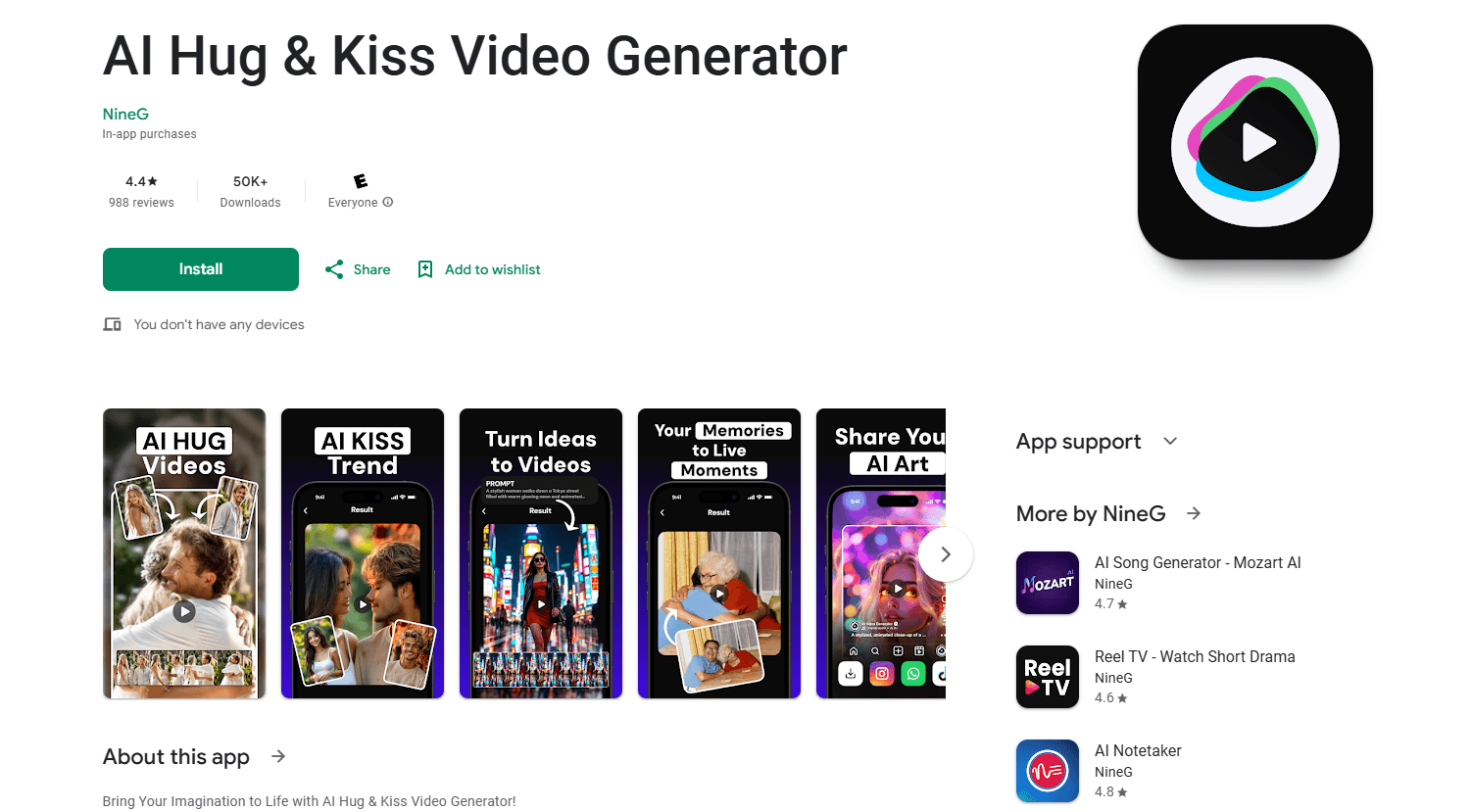
About Boom AI: AI Video Generator
What Is Boom AI: AI Video Generator
Boom AI is a mobile app that animates still photos with AI, and it works as a stripped-down AI video maker in your pocket. It's built around one repeating loop: pick a moment, add motion, export a clip. You upload a portrait, a couple photo, a pet shot or a product image, choose a template for the feeling you want, and the app renders a short video you can drop into stories, reels and chats. NineG, the studio behind it, ships it on both Google Play and the App Store.
The app sits in the same lane as the AI hug and AI kiss trend that flooded social feeds, where people animate two photos into a warm embrace or a kiss. Boom AI covers that format plus walking scenes, dance clips, soft portraits and cinematic effects, and it also takes a text prompt when you'd rather describe a scene than supply a photo. Processing runs on the company's servers, so the phone does the uploading, not the heavy rendering.
A few limits matter before you pay. Output is short and template-led rather than a full editing suite, so it won't replace a proper video editor. The good stuff sits behind a subscription, and the free tier is thin. Photo quality drives the result, too. Blurry or side-on faces give weak motion.
Getting Started
- Install Boom AI from Google Play or the App Store and open it
- Pick a template, from AI hug and kiss scenes to walking, dance and action clips
- Upload one photo, or type a short prompt if you want a text-to-video scene
- Let the app render the clip on its servers, then export and share it to your social apps
Product Information
A quick look at Boom AI: AI Video Generator's pricing, supported platforms, and performance.
Best for
The users, tasks, and scenarios where this tool fits best.
Users
- Social media creators
- Couples and friends
- Pet owners
- Casual AI hobbyists
Tasks
- Photo to video
- Hug and kiss animation
- Text to video
- Style remix
- Social-ready export
Scenarios
- An anniversary is coming up
- A pet photo is too good to leave still
- A creator needs a quick trend clip
- A text idea needs a visual fast
Key features
AI Hug and Kiss Videos
This is the format Boom AI is built around. You upload two photos and the app animates them into an embrace or a kiss with natural head movement and expression. The company's site frames it as making a still photo feel warm and close. It's the fastest path in the app if you already have the two faces you want to put together.
Photo to Video Animation
Beyond hugs and kisses, the app animates a single photo into walking scenes, dance clips, action shots and soft portraits. You start with any clear image, apply a template and the AI adds the motion layer. The result is a short, loop-friendly clip rather than a long sequence, which suits the feeds it's meant for.
Text to Video
When you don't have the right photo, Boom AI takes a prompt instead. You describe the scene in words and the app generates a visual clip from it. It won't match a dedicated cinematic text-to-video model on realism, but it's enough for a shareable scene and it keeps you inside one app.
Ready-Made Template Library
The app leads with templates rather than a blank timeline. There are formats for hugs, kisses, walks, dances, reveals and cinematic effects, and the company adds more over time. For someone who wants a result in minutes and has no editing background, picking a template is the whole workflow.
Simple Three-Step Flow
Boom AI is deliberately narrow. You choose a moment, pick the motion, and export the clip. There's no timeline, no keyframes and no layer stack to learn. That simplicity is the point: the app trades deep control for speed, and it's aimed at people making quick phone-sized videos.
Fast Server-Side Rendering
Rendering happens on the company's servers, so a mid-range phone can still produce clips. The workflow is upload, wait for the render, then download. Turnaround depends on load and template, and the app is built to keep the wait short enough for casual use.
Pros and cons
Pros
- Turns a single photo or a short prompt into a shareable clip with no editing skills
- Covers the popular hug and kiss formats plus walking, dance and action scenes in one app
- Template-led flow means most users finish a video in minutes
- Renders on the company's servers, so it doesn't lean on a powerful phone
- Available on both Android and iOS
Cons
- Output is short and template-led, so it won't replace a full video editor
- Core features sit behind a subscription with a thin free tier
- Result quality depends on the input photo, and blurry or side-on faces animate poorly
- No public API, so it can't be wired into an automated pipeline
Frequently asked questions
It's a mobile app from NineG that uses AI to animate photos into short videos. The most popular formats are hug and kiss scenes, and it also does walking clips, dances, action shots and text-to-video generation.
Related content
Explore related tools, skills, and articles for Boom AI: AI Video Generator.
Boom AI: AI Video Generator Alternatives

ngram 2.0
ngram · Video · Marketingngram 2.0 is an AI video generator for teams. It turns a prompt, a screen recording, or a product URL into a narrated explainer, product demo, or AI avatar video, and every scene stays editable.

OpenScreen 2
OpenScreen (open-source project) · Video · ProductivityOpenScreen 2 is a free, open-source screen recorder and demo video editor for Windows, macOS, and Linux, with automatic zooms, styled frames, local captions, and agent edits.

Skreno
Skreno · Video · ProductivitySkreno is a browser screen recorder that captures a tab, a window or your whole display, then attaches AI transcripts, summaries and console logs to one share link.