

AI Interview Copilot
Dmitrii Gusev · Coding · Business
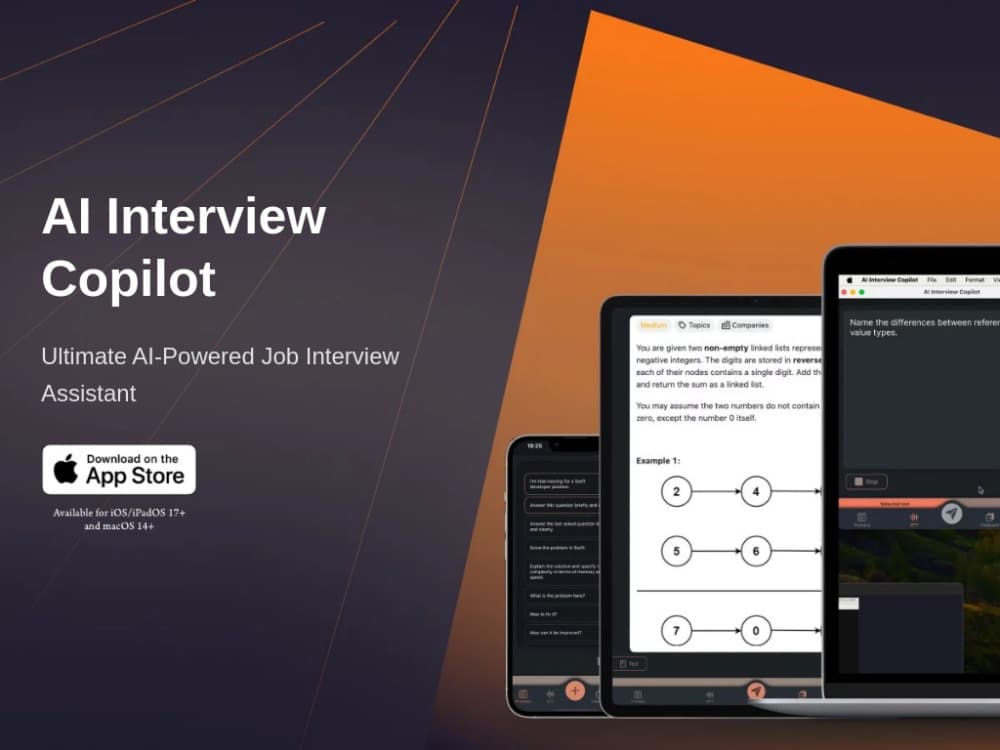
AI Interview Copilot is an iPhone, iPad, and Mac app that transcribes interview questions, reads your screenshots, and drafts answers you can speak while the call is still running.
About AI Interview Copilot
What Is AI Interview Copilot
AI Interview Copilot is an AI interview assistant that works as a second screen during job interviews. The app listens through your device microphone, turns the interviewer's question into text, and sends it to a language model along with any screenshot you paste in. What comes back is a short answer you can read or have read aloud.
The pitch is narrow and useful: you freeze for ten seconds in a system design round, and the app hands you a structure before the silence gets awkward. It works on the iPhone or iPad sitting next to your laptop, which matters when the interview happens in Zoom, Teams, or Google Meet and you do not want to install anything on the work machine.
The limits are just as concrete. Each voice capture runs up to five minutes, so long rounds need several taps. The Mac version is the iPad app running on Apple silicon, and Apple's store page marks it as not verified for macOS. Everything runs through a subscription, and the app ships no public API.
Getting Started
- Download AI Interview Copilot from the App Store and open it on the device you'll keep beside your computer.
- Pick a model from the in-app list and write one or two prompts for the role you're targeting, such as "answer as a senior backend engineer, three sentences."
- Before the call starts, test the microphone and paste a sample screenshot so you know how the answer panel looks.
- During the interview, tap once to start transcription or copy a question to the clipboard, then read the answer or switch on Voice Mode and listen to it.
Product Information
A quick look at AI Interview Copilot's pricing, supported platforms, and performance.
Best for
The users, tasks, and scenarios where this tool fits best.
Users
- Software engineers in technical rounds
- Career switchers facing behavioral interviews
- Students and new grads on a tight budget
Tasks
- Transcribing a question you didn't quite hear
- Working through a coding problem out loud
- Structuring system design answers
- Rehearsing answers before the call
Scenarios
- A remote final round on a work laptop you can't install software on
- A screen-share coding test
- An on-site interview with a ten-minute wait
Key features
Live Voice Transcription
The app listens to the interviewer and turns speech into text while the call runs. Each capture covers up to five minutes, which is enough for a question or a short exchange. It handles 57 languages, so an interview in Spanish or Mandarin doesn't force you to translate in your head. Background transcription keeps going when the app isn't the window on screen.
Screenshot and Image Analysis
Copy a coding prompt, a diagram, or a chunk of code, and paste it into the app. The model reads the image and answers against it, which is the difference between "explain binary search" and "fix this broken binary search." On Apple devices the clipboard carries across iPhone, iPad, and Mac, so you can grab something on your laptop and drop it on the phone.
Model Switching
You choose which model answers. The current build lists GPT-5.6 Terra, GPT-5.6 Sol, Claude Opus 5, and DeepSeek V4, and you can move between them mid-session. That's handy when one model explains recursion well and another is better at keeping a behavioral answer short.
Voice Mode
Voice Mode reads answers aloud, so you can keep your eyes on the interviewer instead of a screen. Autoplay queues answers back to back, the sentence being read is highlighted, and you can pause, rewind, or replay any answer. Answers get shortened for listening, and you can swap between the built-in mic and a headset without dropping the session.
Custom Prompts
You write the instructions once, before the interview, then send them with a tap. A prompt like "answer as a data engineer, name one tradeoff, keep it under 60 words" changes the shape of every reply. Prompts can be saved per role, which is the part that separates this from a plain chatbot window.
Free Response Allowance
The app is free to download and includes a set number of free responses before the subscription gate. That's enough to test whether the transcription is accurate with your accent and your meeting audio. I'd run two or three real questions through it before paying for a week.
Pros and cons
Pros
- Runs on an iPhone or iPad you already own, so there's no browser extension, no meeting bot, and nothing installed on a work laptop.
- Clipboard-first input means you never type during a call, which is the one action that gives a candidate away.
- Model choice sits inside one subscription, so you can compare how GPT-5.6 and Claude Opus 5 handle the same question.
- Voice Mode makes the app usable without looking down, and the highlighted sentence keeps you from losing your place mid-answer.
- The App Store privacy label says the developer collects no data, and the app is small enough to install minutes before a call.
Cons
- The Mac build is the iPad app on Apple silicon and Apple's listing marks it as not verified for macOS, so you get a stretched tablet layout rather than a native desktop tool.
- The five-minute capture limit means a 45-minute technical round needs repeated taps, and each tap is a moment where you look away from the call.
- There's no one-time purchase. A weekly plan costs $5.99 and the annual plan runs $109.99, which is a lot for someone interviewing once.
- Many employers treat live AI help as cheating. Getting caught costs you the offer, and the app does nothing to hide that risk from you.
Frequently asked questions
It gives you real time interview help: it hears the question, writes it down, and drafts an answer on your phone or tablet while the interview is still going. People use it for coding rounds, system design prompts, and behavioral questions where they know the content but freeze under pressure.
Related content
Explore related tools, skills, and articles for AI Interview Copilot.
AI Interview Copilot Alternatives
Forefront
Forefront · CodingForefront is a web platform for building with open-source AI. It lets you fine-tune leading open-source language models on your own data, evaluate how they perform, and run them through an API or export them to host yourself. Developers who want the convenience of a closed-source platform but insist on owning their models and data are the target audience here.

Startkit
StartKit.AI · CodingStartkit is a boilerplate for building AI SaaS and AI wrapper products. Think of it as an AI startup boilerplate with the boring parts already wired up: authentication, Stripe and Lemon Squeezy payments, usage limits, transactional email, and an AI API starter that talks to OpenAI, Anthropic, Groq, or Llama. You clone the repo, set your price, and start on the part of your product that people actually pay for. It's Next.js under React and Tailwind, so most of the boilerplate code already feels familiar.
Testim
Tricentis · CodingTestim is an AI-powered test automation platform for building and running end-to-end tests across web, mobile, and Salesforce applications. It leans on machine learning to keep tests stable when an interface changes, so teams spend less time fixing broken selectors. Not bad for an automated testing tool you can start using today. You create tests by recording actions in a browser, then optionally add JavaScript when you need more control. It's a solid pick for busy QA teams.