
AI Clips - New Gen
Simplified · Video
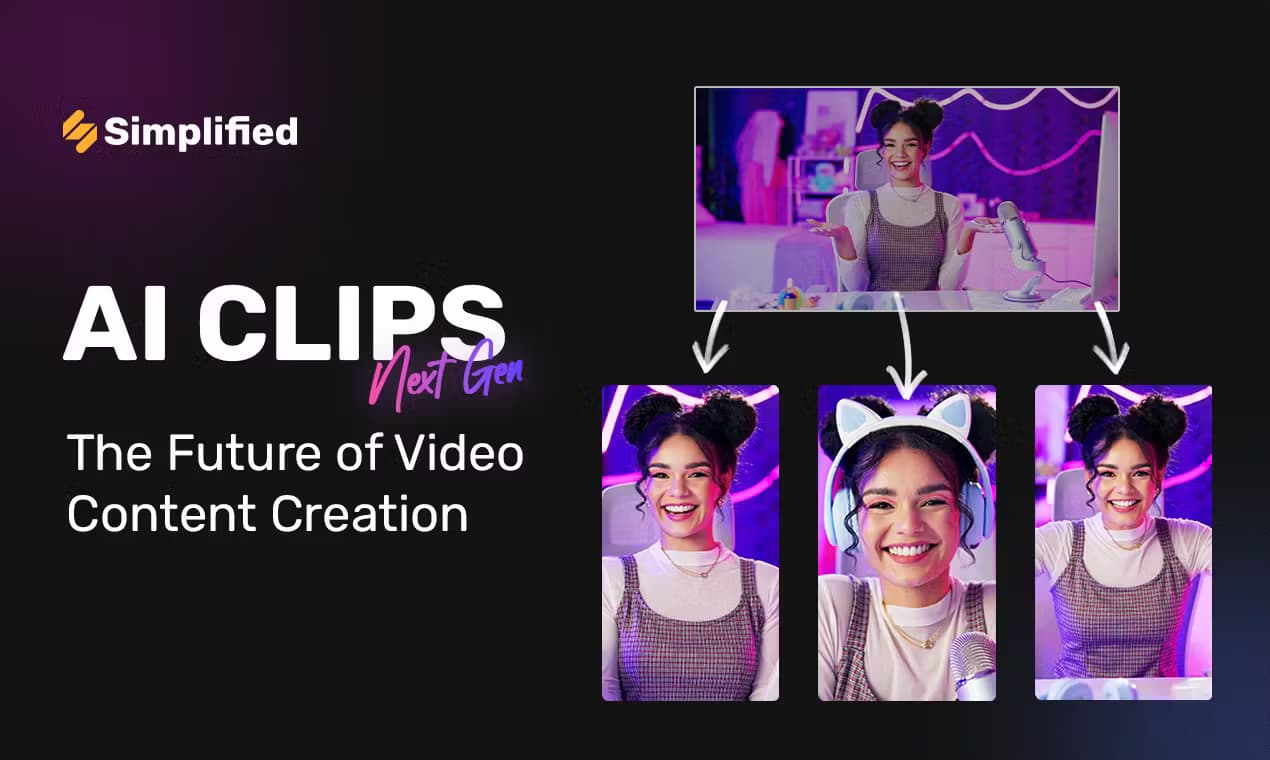
AI Clips - New Gen is Simplified's AI clip generator that turns one long recording into captioned short clips for TikTok, Reels, and Shorts.
About AI Clips - New Gen
What Is AI Clips - New Gen
AI Clips - New Gen is the clip generator inside Simplified, a browser-based video platform used by more than 15 million teams and creators. You hand it a long recording, a YouTube link, or a Google Drive file, and it scans the whole thing to pull out the moments worth posting. Each clip comes back captioned, scored, and sized for the platform you're targeting.
The problem it solves is the editing backlog. A 58-minute podcast can hold a week of short-form content, but finding those moments by hand means scrubbing through hours of footage. AI Clips does the slow part and leaves the final call to you.
It isn't a standalone app. AI Clips lives inside Simplified, so the clips share a workspace with templates, stock assets, brand kits, and social scheduling. If you only want raw clipping and nothing else, that wider bundle is more than you asked for. Files are capped at 500 MB per upload. That cap bites before you'd expect. Known limitation, nothing hidden. It's worth checking your average recording length before you queue a two-hour 4K file.
Getting Started
- Go to Simplified and start AI Clips from the app dashboard, then create or open your workspace.
- Drag in a video file or paste a YouTube or Google Drive link. MP4, MOV, WebM, MP3, and WAV files up to 500 MB are supported.
- Let the AI scan the full recording. It flags the highest-potential moments, adds captions, and returns a ranked list of clips in a few minutes.
- Review the batch, then tune captions, apply a subtitle style, or switch on Speaker Spotlight for interview footage.
- Export in the size each platform wants, or schedule straight to your connected social accounts.
Product Information
A quick look at AI Clips - New Gen's pricing, supported platforms, and performance.
Best for
The users, tasks, and scenarios where this tool fits best.
Users
- Podcasters and interview hosts who record long episodes and need a steady stream of short clips without a dedicated editor.
- Social media managers running several accounts, since clips can be scheduled to connected platforms from the same workspace.
- Solo creators and small teams who want captions, templates, and stock assets in one place rather than stitching four tools together.
Tasks
- Turning a long video into short clips
- Adding auto captions
- Repurposing a webinar or livestream
- Translating subtitles
Scenarios
- A weekly podcast where you want next week's posts ready before the episode goes cold.
- A product webinar that should feed LinkedIn, Shorts, and Reels without a second editing pass.
- A creator channel that needs a consistent posting cadence but has no time to scrub through raw files.
Key features
AI Moment Detection and Viral Scoring
The core of AI Clips is Magic Cut, which reads an entire recording and returns the moments with the most potential. Each clip gets a score, so you see at a glance which ones are worth your attention first. It beats watching from the top and guessing. Why rank them at all? Because a 58-minute recording can hold twenty usable moments, and most of them are fine, not great.
Auto Captions in 40+ Languages
Captions are generated automatically as part of the scan, and you can pick from a library of subtitle styles with their own fonts, colors, and animation. Apply one style across every clip from a single recording and the set looks consistent. Captions matter here because most short-form video gets watched with the sound off, and a clip without subtitles loses the viewer in the first three seconds.
Speaker Spotlight
When several people share the frame, Speaker Spotlight follows whoever's talking and keeps the clip centered on them, which is built for interviews, panels, webinars, and video podcasts and removes the manual reframing that usually eats an afternoon. Manual reframing is tedious.
B-Roll Booster
Talking-head clips lose attention fast. B-Roll Booster drops relevant supplemental footage in at the right beats, so the clip holds without you sourcing and timing every cut yourself, which matters most on longer talking segments where the speaker never leaves the frame and the visual gets stale.
Language Bridge
Your webinar was in English, but your audience is spread across Brazil, Japan, and Germany, and Language Bridge translates the subtitles into the language you need, so a single clip can serve more than one market without a second recording pass or a separate translator on the payroll.
Brand Kit and Platform Templates
Every export can carry your brand kit automatically, and platform templates size clips for TikTok, Reels, Shorts, and LinkedIn before they go live, which keeps a batch of clips from a long recording looking like they came from the same channel instead of scattered one-offs.
Social Scheduling Built In
Once a clip is ready, you can schedule it straight to your connected accounts without leaving the tool. Post copy comes from the same workspace. Fewer tabs, fewer handoffs.
Pros and cons
Pros
- As a short-form video maker, it turns a long video to short clips in minutes, not hours, and ranks every one of them.
- Auto captions cover 40+ languages, with styled templates you can reuse across a whole set.
- Speaker tracking handles multi-person footage, which many clip-only tools handle poorly.
- Clipping, templates, brand kit, and social scheduling sit in one workspace.
- Free stock assets and video templates are included rather than sold separately.
Cons
- Files are capped at 500 MB per upload, so very long or high-resolution recordings may need trimming first.
- There's no public API, which rules it out for teams that want to wire clipping into their own pipeline.
- It's part of the wider Simplified platform, so you pay for a bundle even if you only want the clipper.
Frequently asked questions
It's an AI video clipping tool that turns a long video to short clips for TikTok, Reels, YouTube Shorts, and LinkedIn. You upload a file or paste a link, and it finds the best moments and formats them per platform.
Related content
Explore related tools, skills, and articles for AI Clips - New Gen.
AI Clips - New Gen Alternatives

ngram 2.0
ngram · Video · Marketingngram 2.0 is an AI video generator for teams. It turns a prompt, a screen recording, or a product URL into a narrated explainer, product demo, or AI avatar video, and every scene stays editable.

OpenScreen 2
OpenScreen (open-source project) · Video · ProductivityOpenScreen 2 is a free, open-source screen recorder and demo video editor for Windows, macOS, and Linux, with automatic zooms, styled frames, local captions, and agent edits.

Skreno
Skreno · Video · ProductivitySkreno is a browser screen recorder that captures a tab, a window or your whole display, then attaches AI transcripts, summaries and console logs to one share link.