

AI Polaroid Generator by AI Photoshoot
AI Photoshoot · Image
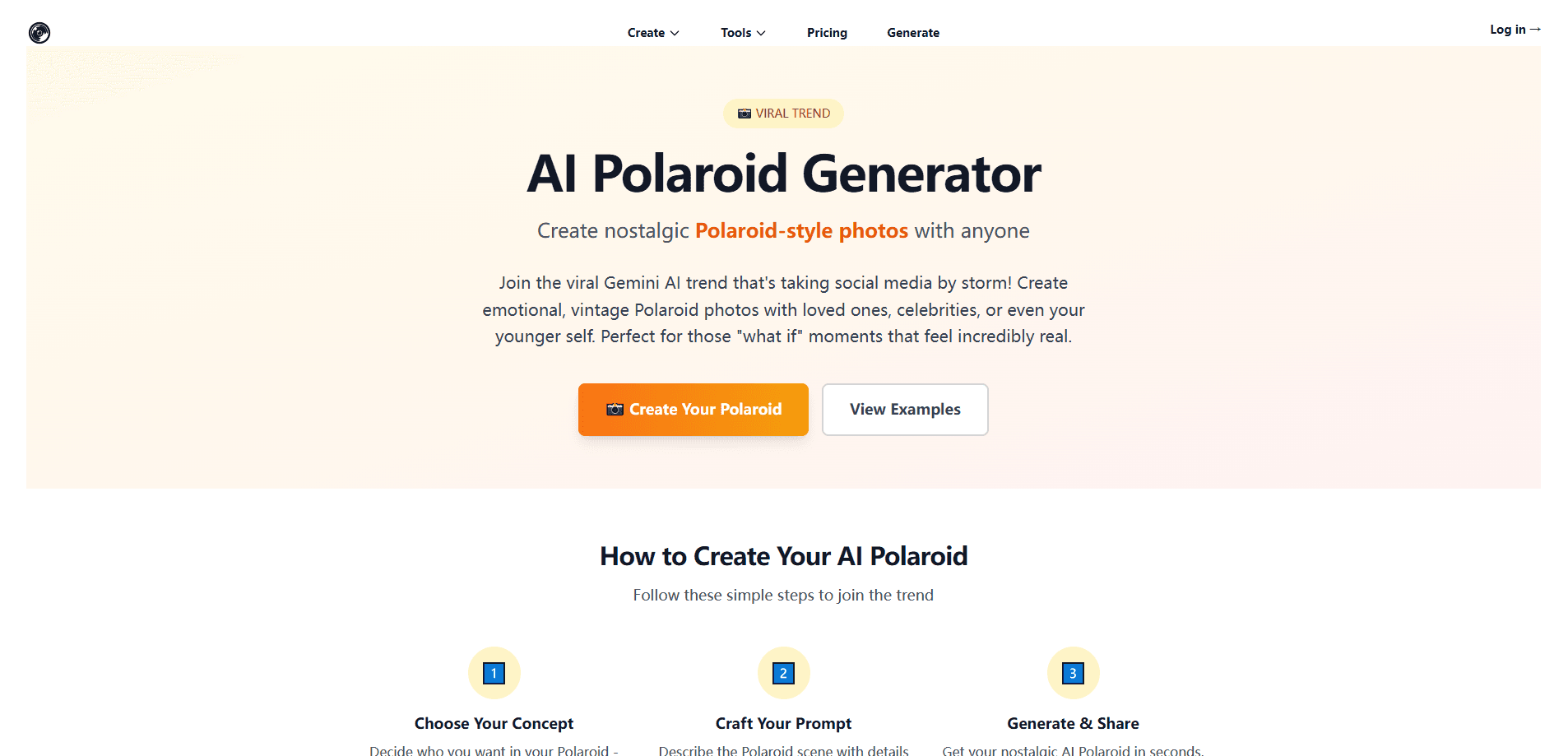
AI Polaroid Generator by AI Photoshoot is a browser-based tool that turns ordinary pictures into vintage instant prints, complete with the white border and faded colors that make a photo read as genuinely old. You describe a scene or upload reference photos, and the AI builds a Polaroid-style image with the classic white border, faded colors, and soft flash look. What powers it? Google's Gemini image model. It runs in the browser, so there's nothing to install. Open the page. Type a prompt. You get a nostalgic photo in seconds.
About AI Polaroid Generator by AI Photoshoot
What Is AI Polaroid Generator by AI Photoshoot
AI Polaroid Generator by AI Photoshoot is one tool inside the wider AI Photoshoot suite, a collection of web apps that generate and edit images. This particular page does one job well: it makes photos that look like they came out of a real instant camera, with the soft focus and warm tones people associate with 1970s and 1980s family albums. You can put yourself next to a younger version of you, stand beside a celebrity, or blend old family snapshots into a single scene.
It's built for the viral Gemini AI Polaroid trend, where people post emotional, vintage-looking photos with loved ones on social media, often tagging friends and family in the results. Google's Gemini image model, often called Nano-Banana, is what powers it. That model is unusually good at keeping faces recognizable. That's the hard part of this kind of image generation. Nothing about the tool is technical. You don't need to understand prompts or models. A little detail in your description still helps.
The main limit is control. The AI interprets your scene rather than following it exactly, so hands, glasses, and group shots can come out odd. Uploading clear, front-facing photos gives much better results than blurry ones. The tool runs in the browser only, so there's no mobile app to install, and heavy use depends on how the site gates its paid credits.
Getting Started
- Open the AI Polaroid Generator page on aiphotoshoot.com in any modern browser.
- Choose a concept, like you with your younger self or you with a grandparent, and describe the scene in the prompt box.
- Optionally upload one or more reference photos so the AI blends real faces into the scene.
- Pick a Polaroid style and, if you want, add border text.
- Generate the image, then download it and share it.
Product Information
A quick look at AI Polaroid Generator by AI Photoshoot's pricing, supported platforms, and performance.
Best for
The users, tasks, and scenarios where this tool fits best.
Users
- Social media creators
- People making tribute or memorial images
- Casual users curious about the trend
Tasks
- Turning a modern selfie into a printable AI instant photo with an authentic white border.
- Blending two photos, like a current portrait and an old family shot, into one nostalgic photo maker scene.
- Making themed content for birthdays, anniversaries, or "then and now" posts.
Scenarios
- Filling a social feed during the Gemini AI Polaroid trend with fresh vintage photo generator content.
- Creating a sentimental keepsake from old family photos you can't reshoot.
- Testing a concept for a client's campaign before spending on a full photoshoot.
Key features
Prompt-Based Polaroid Generation
You type a description and the tool builds the image from scratch. Mention the era, the setting, and the mood, and the model leans into that. Saying "1990s Polaroid" or "vintage 1980s instant photo" pushes the output toward a specific look. It's the fastest way to get a nostalgic photo maker result without uploading anything.
Reference Photo Blending
Instead of describing people, you can upload photos and let the AI merge them into one scene. This is what makes the tool useful for emotional edits, like placing an adult next to their childhood self. Clear images with visible, front-facing faces give the best blend. Blurry photos? Expect weaker likenesses.
Google Gemini Image Model
The generator runs on Google's Gemini (Nano-Banana) image model. That choice matters because the model holds facial features well across a blend, which is where many AI photo makers fall apart. So the promise of realistic results rests on a specific, named engine. Not a vague claim.
Vintage Effects and Border Styling
The output mimics real instant film: soft focus, overexposed flash, faded edges, and the signature white frame, all of which help the image pass as a genuine vintage print rather than a clean digital portrait. You can also add text to the border. These touches are what separate a plain AI portrait from something that reads as an actual Polaroid AI print.
Curated Prompt Templates
The page ships with quick templates and popular combinations like "You + Younger You," "You + Grandparent," and "Friends Then & Now." They lower the barrier for someone who's never written an image prompt. You start from a preset and adjust from there.
Browser-Only Access
There's nothing to install. It runs on the web, so it works the same on Windows, Mac, and mobile browsers without any setup, which keeps the barrier to entry about as low as it gets. That convenience is the trade-off for not having a dedicated app.
Pros and cons
Pros
- No install and no design skills needed; a browser and one photo are enough.
- The Gemini image engine keeps faces recognizable, which is the main reason these edits look convincing.
- Reference photo blending lets you skip long written prompts and work from real images.
- Prompt templates make the first attempt easy for people new to AI photo tools.
- Output includes convincing vintage effects, so results feel like real instant prints.
Cons
- You only get one generation type here; the wider suite is separate, so this isn't a full editor.
- The AI interprets your prompt loosely, so exact compositions and complex group shots often come out wrong.
- Results depend heavily on source photo quality, and blurry or low-light photos waste credits.
- There's no public API, so you can't wire it into your own apps or automate a batch.
Frequently asked questions
It's a viral social media trend where people use AI to make nostalgic, vintage-style instant photos. You can place yourself beside a celebrity, a younger version of you, or a loved one. The look mimics a real instant camera, with faded colors and a white border.
Related content
Explore related tools, skills, and articles for AI Polaroid Generator by AI Photoshoot.
AI Polaroid Generator by AI Photoshoot Alternatives

X Ray Interpreter
X-ray Interpreter · ImageX Ray Interpreter is a web-based AI radiology tool that turns X-rays, CT scans, MRI, ultrasound, and PET images into plain-language reports. You upload a scan, get a preliminary X-ray interpretation in moments, then ask follow-up questions if something needs explaining. It works as a second opinion and a learning aid, not as a medical diagnosis.

Aieasypic
AIEasyPic · ImageAIEasyPic is an AI image generator that turns plain text prompts into finished artwork in seconds. You can also train custom models on your own photos, swap faces in existing images, and create short video clips from text, all from a browser. It suits casual creators who want quick visuals and hobbyists who want to build a personal model without touching any code.

Chargen
Chargen · ImageChargen is an AI character generator and worldbuilding toolkit built for Dungeons & Dragons and other tabletop RPGs. It turns a one-line idea into a painted character portrait, spins up NPCs, monsters, maps and encounters from the same session, and keeps every creature's details close at hand. The tabletop RPG art side runs on a credit system called Gold, while the text generators stay free for everyone.