

AI PRODUCT PHOTO
AI PRODUCT PHOTO · Image · Marketing · Business
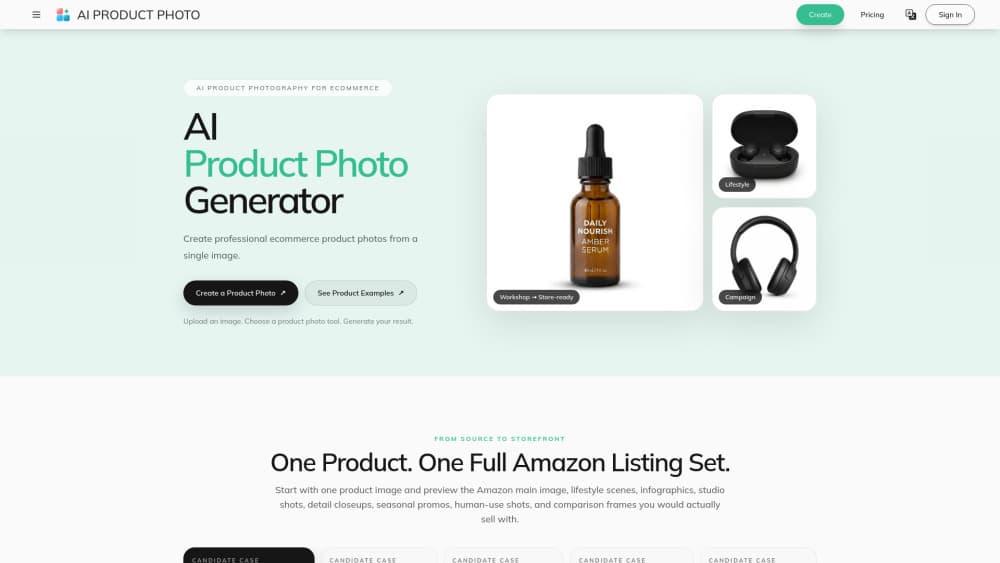
AI PRODUCT PHOTO is a browser-based AI product photography platform that turns a single product image into store-ready ecommerce product photos. Upload a photo, pick a tool like white background, background replacer, or scene generator, and the site returns a new AI product photo without manual masking or retouching. It suits marketplace sellers, online store owners, and marketing teams that need consistent product images at scale. The pitch is simple. Less retouching, faster listings.
About AI PRODUCT PHOTO
What Is AI PRODUCT PHOTO
AI PRODUCT PHOTO is an AI product photography service built for ecommerce work. It creates product photos for marketplace listings, online storefronts, campaigns, and larger catalogs from images you already have. The site leans on an upload-first workflow, so you don't need a studio, a masking pass, or retouching skills to get a usable result.
The platform targets the repetitive parts of product photography. A white background, a styled scene, a shadow, or a lighting fix each has its own focused tool, and a batch workspace handles many SKUs that need the same look. If you sell on Amazon or run a Shopify store, that repetition is the real pain point, not the occasional hero shot. Most ecommerce product photos fail for boring reasons. Consistency is hard to keep. How many hours do you lose to white-background cutouts every week?
The main limit is scope. AI PRODUCT PHOTO edits and generates product imagery. It isn't a full design suite, and the pricing page doesn't publicly list plan tiers, so you'll want to confirm cost and free-credit terms directly with the vendor before committing a large catalog to it. An AI product photo generator is one piece of a store, not the whole thing. The API is referenced on the site for automated pipelines, but exact terms aren't published.
Getting Started
- Create an account on the AI PRODUCT PHOTO site and sign in.
- Upload a clear JPG, PNG, or WebP image of the product you want to edit.
- Pick the tool that matches your goal: white background, background replacer, shadow, or a new scene.
- Generate the product photo, review the result, and download the version you want.
- For repeat work, open the batch workspace or route the same workflow through the API.
Product Information
A quick look at AI PRODUCT PHOTO's pricing, supported platforms, and performance.
Best for
The users, tasks, and scenarios where this tool fits best.
Users
- Marketplace sellers
- Online store owners
- Marketing teams
Tasks
- Creating white background product photos
- Replacing backgrounds and building scenes
- Running batch image jobs
Scenarios
- Launching a new product line
- Refreshing an aging catalog
- Scaling seasonal promotions
Key features
White Background Generator
The white background tool turns a rough product shot into a clean, centered image ready for marketplace listings. It handles the cutout and backdrop in one pass, which matters most on Amazon main images where clarity and consistency drive clicks. You upload once and get a listing-ready frame back. No masking. No manual cleanup.
Background Replacer and Scene Builder
This tool places a product in a new environment, whether that's a simple staged backdrop or a lifestyle setting for a campaign. It's the difference between a catalog photo and a scroll-stopping ad image, and it removes the need for masking work by hand. Describe the scene you want and the platform generates a fresh result. That's real product image editing power for a seller on a deadline.
Batch Workspace for Multi-SKU Runs
The batch workspace runs many image tasks at once with shared prompts, aspect ratios, and resolution settings. That's the feature that separates it from one-off editors: if you manage hundreds of products, you can push the same visual direction across the whole set. It's aimed at repeatable production output rather than single edits. This is where batch photo editing starts to pay off.
Product Shadows and Lighting
Adding a realistic shadow and improving lighting are built in as focused tools. A product floating with no shadow reads as fake, so this step is what makes a generated photo feel physical. You can fix flat phone lighting without a lightbox or a reshoot. Small fix, big difference.
Full Amazon Listing Set Direction
The platform frames its workflow around a complete listing set: the main image, lifestyle scenes, infographics, studio shots, closeups, seasonal promos, and comparison frames. Starting from one product photo, you can preview the whole set you'd actually sell with. For sellers, that shifts the work from individual edits to a repeatable pipeline. Consistency, not one-off wins.
API-Connected Workflows
The site references an API for automation, so the same product photography logic can be routed into a pipeline instead of clicked through by hand. For teams generating images at volume, that's the path to connecting the tool to your own catalog system. Exact API terms aren't published, so confirm them with the vendor. Worth asking first.
Pros and cons
Pros
- Purpose-built for ecommerce, with focused tools for white backgrounds, scenes, shadows, and lighting.
- Batch workspace makes it practical for catalogs with many SKUs, not just single edits.
- Upload-first flow skips manual masking, so you don't need retouching skills.
- API support opens the door to automated, high-volume pipelines.
- Handles common formats (JPG, PNG, WebP) and returns downloadable results.
Cons
- Pricing and free-plan terms aren't publicly listed, so you can't compare cost upfront.
- It covers product imagery only, so you'll still need separate tools for branding and layout.
- API details are thin, which makes scoping an automated integration harder.
- Quality depends heavily on the source image, so weak phone shots limit the result.
Frequently asked questions
It's an AI product photography platform for ecommerce. You upload a product image and generate clean, store-ready photos for marketplace listings, online storefronts, campaigns, and social content.
Related content
Explore related tools, skills, and articles for AI PRODUCT PHOTO.
AI PRODUCT PHOTO Alternatives

X Ray Interpreter
X-ray Interpreter · ImageX Ray Interpreter is a web-based AI radiology tool that turns X-rays, CT scans, MRI, ultrasound, and PET images into plain-language reports. You upload a scan, get a preliminary X-ray interpretation in moments, then ask follow-up questions if something needs explaining. It works as a second opinion and a learning aid, not as a medical diagnosis.

Aieasypic
AIEasyPic · ImageAIEasyPic is an AI image generator that turns plain text prompts into finished artwork in seconds. You can also train custom models on your own photos, swap faces in existing images, and create short video clips from text, all from a browser. It suits casual creators who want quick visuals and hobbyists who want to build a personal model without touching any code.

Chargen
Chargen · ImageChargen is an AI character generator and worldbuilding toolkit built for Dungeons & Dragons and other tabletop RPGs. It turns a one-line idea into a painted character portrait, spins up NPCs, monsters, maps and encounters from the same session, and keeps every creature's details close at hand. The tabletop RPG art side runs on a credit system called Gold, while the text generators stay free for everyone.