

AI Thumbnail
AI Thumbnail · Video
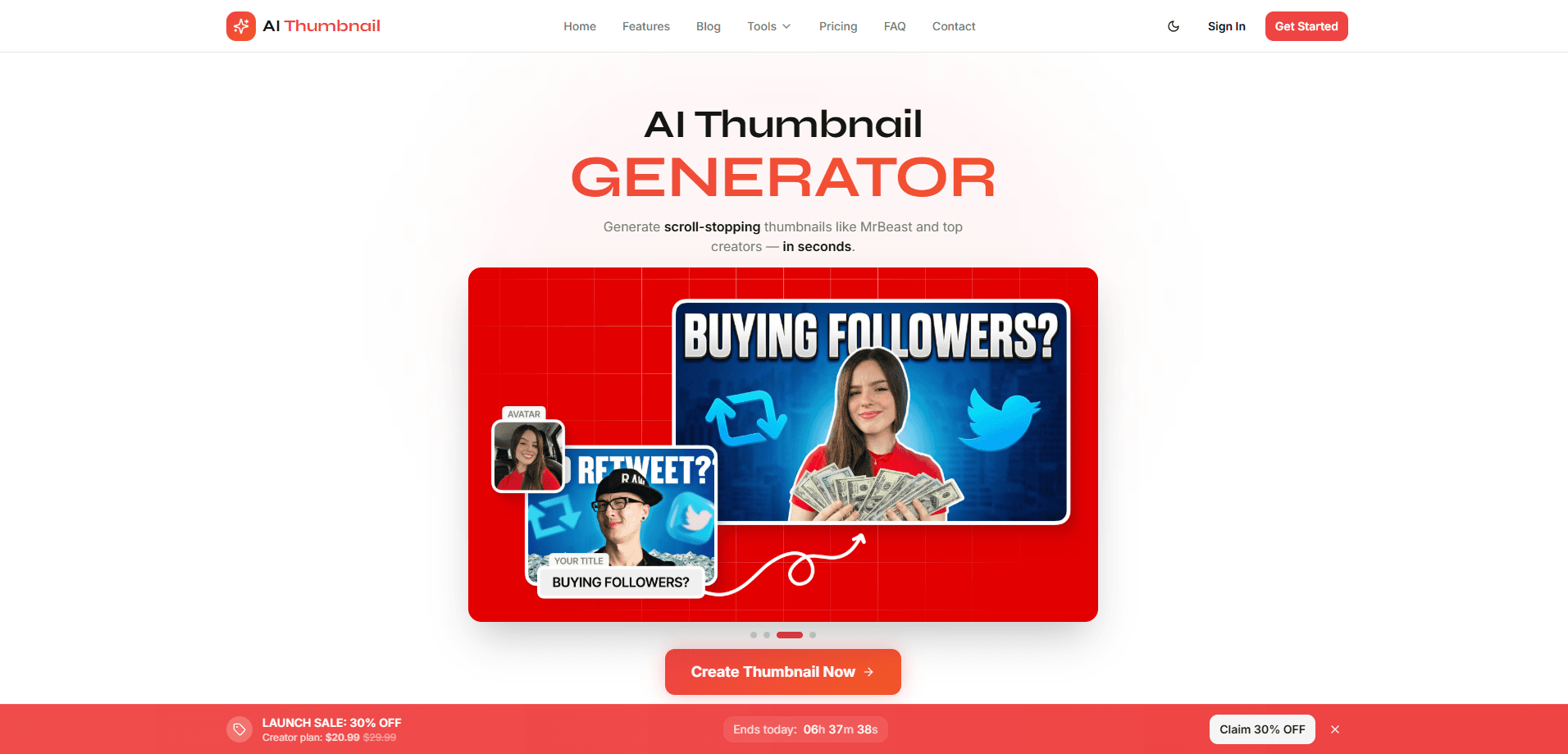
AI Thumbnail is an AI thumbnail generator built for YouTube creators who want click-ready images without opening a design app. You type a video idea, optionally upload a photo of yourself, and it returns two finished thumbnail options in around ten seconds. That's the whole pitch. The tool leans on face integration, brand colors, and proven YouTube layout patterns, so the output looks like it was made by someone who does this for a living.
About AI Thumbnail
What Is AI Thumbnail
AI Thumbnail is a web-based AI thumbnail generator for YouTube. Its core promise is speed: instead of spending half an hour nudging text and cutting out faces in Photoshop or Canva, you describe the video and let the model compose the shot. The point is to generate YouTube thumbnails that hold their own against hand-made ones. Each generation hands back two distinct designs, which gives you something to compare rather than a single take it or leave it result.
The tool matters most for creators who post often and treat thumbnails as a testing variable. Face integration is the headline feature here, since a recognizable expression is usually what earns the click. You can also lock in your brand colors so a channel still looks like one channel, and every generation lands in a history you can revisit.
The honest limit is scope. This is a YouTube thumbnail maker, not a general image editor. If you want fine manual control over layers, fonts, and masking, you'll still want traditional software for the final pass. The pricing is also subscription-based once you outgrow the free tier, and the unlimited plan asks you to bring your own fal.ai API key.
Getting Started
- Open aithumbnail.gg and create a free account, or start a free trial if you want to test the paid tiers first.
- Describe the video: give it a topic, the emotion you want to hit, and a short headline if the thumbnail needs text.
- Upload a clear photo of yourself or your subject if you want a face in the frame. It's optional but it lifts the result.
- Set your brand colors so the generated designs stay consistent with the rest of your channel.
- Review the two thumbnail options, download the one that fits, and publish it to YouTube.
Product Information
A quick look at AI Thumbnail's pricing, supported platforms, and performance.
Best for
The users, tasks, and scenarios where this tool fits best.
Users
- Solo YouTubers posting on a tight schedule
- Faceless and personality-led channels that rely on an expressive face
- Creators managing several channels
Tasks
- Designing a thumbnail from a video title alone
- Keeping a channel's look consistent
- Revisiting past designs
Scenarios
- Publishing weekly videos and needing a thumbnail fast the night before upload
- A/B testing thumbnails by generating several options and swapping them after a few days
- Starting a new channel and needing a professional-looking thumbnail before you've learned design software
Key features
Ten-Second Generation With Two Options
The core loop is built around speed. You describe the video, hit generate, and get two unique thumbnails back in roughly ten seconds. Fast enough to iterate on a whim. That second option matters more than it sounds, since creators rarely nail the click-worthy version on the first try. Having two to compare beats a single output you either accept or redo.
Face Integration
You can upload a photo and have your likeness placed into the generated scene. For YouTube specifically, this is the difference between a generic design and one that stops a scrolling viewer, because faces carry emotion and recognition faster than text or objects. The advanced tier pushes this further with what the company calls advanced face integration, aimed at creators who appear in most of their videos.
Brand Color Consistency
You set your brand colors once, and the generator works within them. That keeps a channel looking deliberate instead of like a grab bag of unrelated styles. Simple idea, big payoff. If you run multiple channels, this is the feature that stops them from bleeding into each other visually.
Generation History
Every thumbnail you make is saved to a history you can browse. It's a small thing until you need to reuse a layout that performed well two months ago, or want to check what a past design looked like before you changed direction. History turns the tool into something closer to a working library than a one-off generator.
Priority Generation
On the Pro Creator plan, generations jump the queue. The free and entry tiers work fine for steady posting, but if you're uploading frequently or handling client work, faster turnaround keeps the rest of your production on schedule.
A Suite of Free YouTube Tools
Beyond the main generator, AI Thumbnail ships a set of free utilities: a thumbnail grabber for pulling HD thumbnails from any YouTube video, a preview tool, a text checker that flags readability problems, plus title, description, tag, hashtag, hook, and channel-name generators. None of these need the paid plan, which makes the site useful even before you subscribe.
Pros and cons
Pros
- Two thumbnails per generation gives you a real comparison instead of one forced result
- Face integration produces thumbnails that feel personal without manual cutout work
- Brand color support keeps a channel's look consistent across every upload
- A free plan plus a full set of free YouTube tools means you can test it before paying
- Generation history lets you revisit and reuse past designs
Cons
- Limited manual control compared with design software, so fine edits still need another tool
- Face integration depends on a clear source photo; a low-quality upload limits the result
- The unlimited-tier workflow requires your own fal.ai API key, which adds a setup step
- Billing runs on a subscription after the free tier, so casual users pay monthly for occasional use
Frequently asked questions
It generates finished YouTube thumbnails from a written prompt, optionally using an uploaded photo for face integration and your saved brand colors. Each run returns two designs.
Related content
Explore related tools, skills, and articles for AI Thumbnail.
AI Thumbnail Alternatives

ngram 2.0
ngram · Video · Marketingngram 2.0 is an AI video generator for teams. It turns a prompt, a screen recording, or a product URL into a narrated explainer, product demo, or AI avatar video, and every scene stays editable.

OpenScreen 2
OpenScreen (open-source project) · Video · ProductivityOpenScreen 2 is a free, open-source screen recorder and demo video editor for Windows, macOS, and Linux, with automatic zooms, styled frames, local captions, and agent edits.

Skreno
Skreno · Video · ProductivitySkreno is a browser screen recorder that captures a tab, a window or your whole display, then attaches AI transcripts, summaries and console logs to one share link.