

AI Video - AI Video Generator
HubX · Video
AI Video - AI Video Generator is an Android app that turns text prompts and photos into short AI videos, dance clips and Reels for social media.
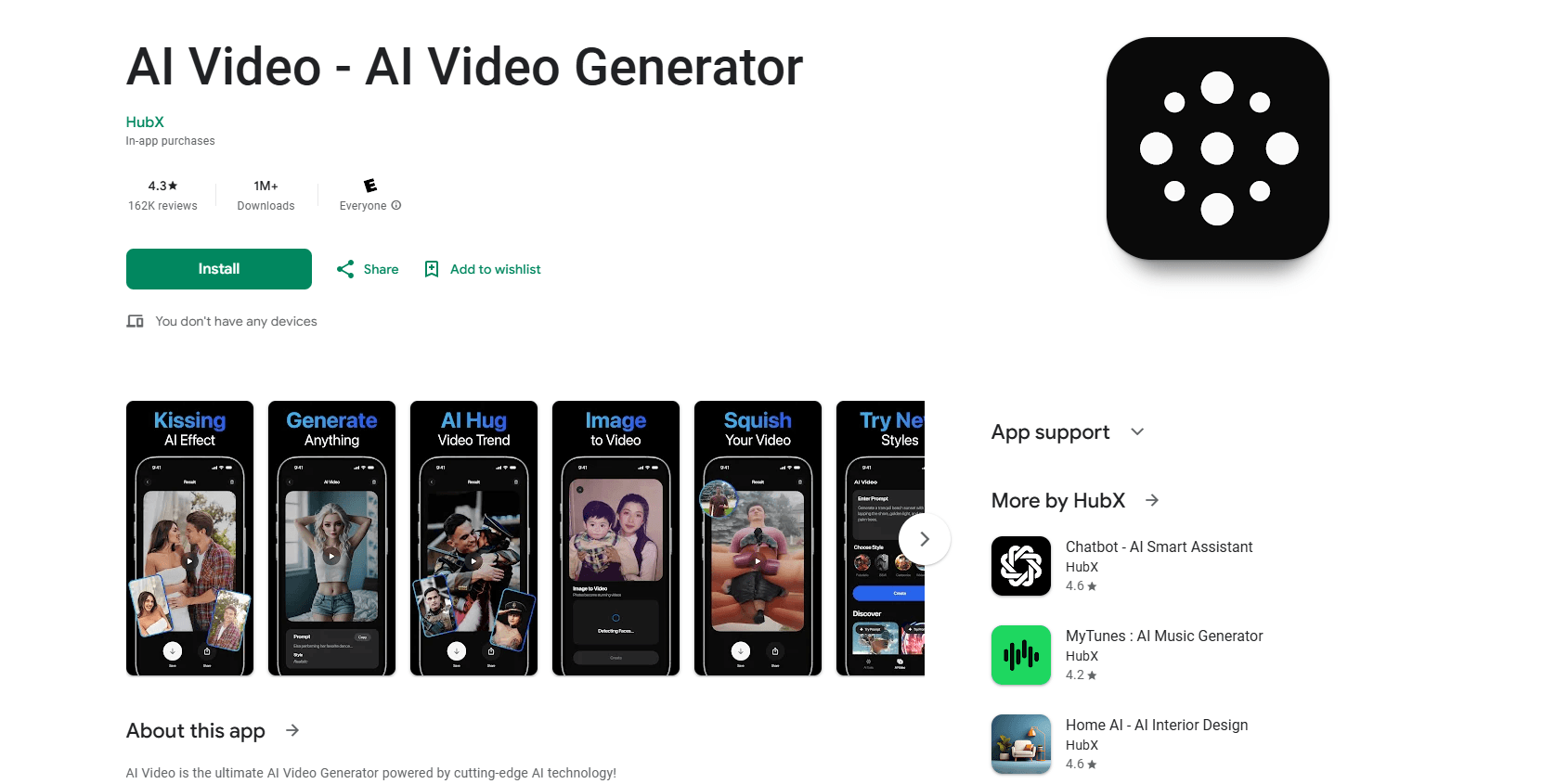
About AI Video - AI Video Generator
What Is AI Video - AI Video Generator
AI Video - AI Video Generator is a mobile app from HubX that turns simple inputs into short videos. You type a scene, upload a photo, or pick a trend, and the app generates a clip you can post. It leans on a set of third-party AI models, including Nano Banana, Seedance, Hailuo, Kling 2.1 Master, Google Veo 3.1 and PixVerse 5, to produce motion, dance and style effects.
The pitch is speed and simplicity. There's no timeline to learn, no keyframes, no editing experience required. Google Play lists more than 10 million downloads and a 4.6-star rating across roughly 796K reviews, so plenty of people have tried it. What actually matters is whether the output fits your goal. That depends on the prompt and the style you choose.
The biggest limitation shows up in the reviews and the price list. Nearly every video costs coins, and coins cost money. Users repeatedly describe paying for a subscription and then paying again for credits. Quality is inconsistent too. Some clips look great. Others come out glitchy or miss the point of the prompt. If you expect free, unlimited, professional-grade video, this isn't it.
Getting Started
- Install AI Video - AI Video Generator from Google Play and open the app.
- Pick a mode: text to video, image to video, or a trending template like AI dance.
- Write a prompt, upload a photo, or choose a style or effect.
- Generate the clip, then review the preview before you export.
- Export in HD and share to TikTok, Instagram Reels or YouTube Shorts.
Product Information
A quick look at AI Video - AI Video Generator's pricing, supported platforms, and performance.
Best for
The users, tasks, and scenarios where this tool fits best.
Users
- Social media creators
- Casual users curious about AI video
- Small businesses and social media managers
Tasks
- Text to video
- Image to video
- Trend recreation
Scenarios
- Posting a daily short video
- Testing a trend before committing
- Making a birthday or event clip
Key features
Text and Script to Video
Describe a scene, write a short script, or enter an idea, and this AI video maker turns the words into a moving clip. It handles social clips, marketing snippets and cinematic shorts. The catch is prompt length. Reviews mention tight text limits that make longer setups hard to fit.
Image and Photo Animation
Upload any image and the app brings it to life with image to video AI and photo animation. Photos can dance, fly, or shift into live effects. How well it works depends on the source photo, so a clear, well-lit shot usually gives a cleaner result.
AI Dance Generator
This is the app's signature feature. You turn photos into dance videos and recreate trending TikTok moves, iconic routines, K-pop and hip hop styles. You can even get a pet dancing. It's built for chasing whatever dance is trending this week.
AI Vlog and Reel Maker
The Reel Maker and vlog tools produce short-form content across cities, eras, festivals and characters. There's also a Movie Maker for more cinematic, storytelling clips. Both aim at creators who post often and need volume, not one polished film.
AI Video Effects and Styles
Effects include underwater, luxury, surreal and ASMR looks, plus birthday, fan-cam, news prank and AI influencer styles. There are transitions, filters and scene customization on top. The range is wide. The style you pick shapes the whole clip.
HD Export for Social Platforms
Finished videos export in HD MP4 and are sized for TikTok, Instagram Reels and YouTube Shorts. The workflow stops at export, so you still upload through each platform yourself. No extra editing tool is needed to get a postable file.
Pros and cons
Pros
- Runs on Android and installs in a minute, with no editing skills needed.
- Wide mix of styles, from AI dance and Reels to vlogs, movies and ASMR.
- Covers both text to video and image to video in one app.
- Fast generation for short clips, with an instant preview before export.
- Output is ready for TikTok, Instagram Reels and YouTube Shorts.
Cons
- No real free plan. Generating a video usually requires coins, and coins cost money.
- You often pay twice: a subscription plus credits for each clip.
- Output quality is inconsistent, and some videos come out glitchy or off-prompt.
- Prompt length is limited, which makes complex scenes hard to describe.
- Credits are consumed even when a result disappoints, and refunds aren't guaranteed.
Frequently asked questions
It creates short AI videos from text prompts or photos. Common uses are Reels, TikTok clips, dance videos and quick promo content. Think of it as a one-tap AI video maker for social posts.
Related content
Explore related tools, skills, and articles for AI Video - AI Video Generator.
AI Video - AI Video Generator Alternatives

ngram 2.0
ngram · Video · Marketingngram 2.0 is an AI video generator for teams. It turns a prompt, a screen recording, or a product URL into a narrated explainer, product demo, or AI avatar video, and every scene stays editable.

OpenScreen 2
OpenScreen (open-source project) · Video · ProductivityOpenScreen 2 is a free, open-source screen recorder and demo video editor for Windows, macOS, and Linux, with automatic zooms, styled frames, local captions, and agent edits.

Skreno
Skreno · Video · ProductivitySkreno is a browser screen recorder that captures a tab, a window or your whole display, then attaches AI transcripts, summaries and console logs to one share link.