

AI Video Face Swap AI Headshot
Face play Photo Editor & Maker · Image
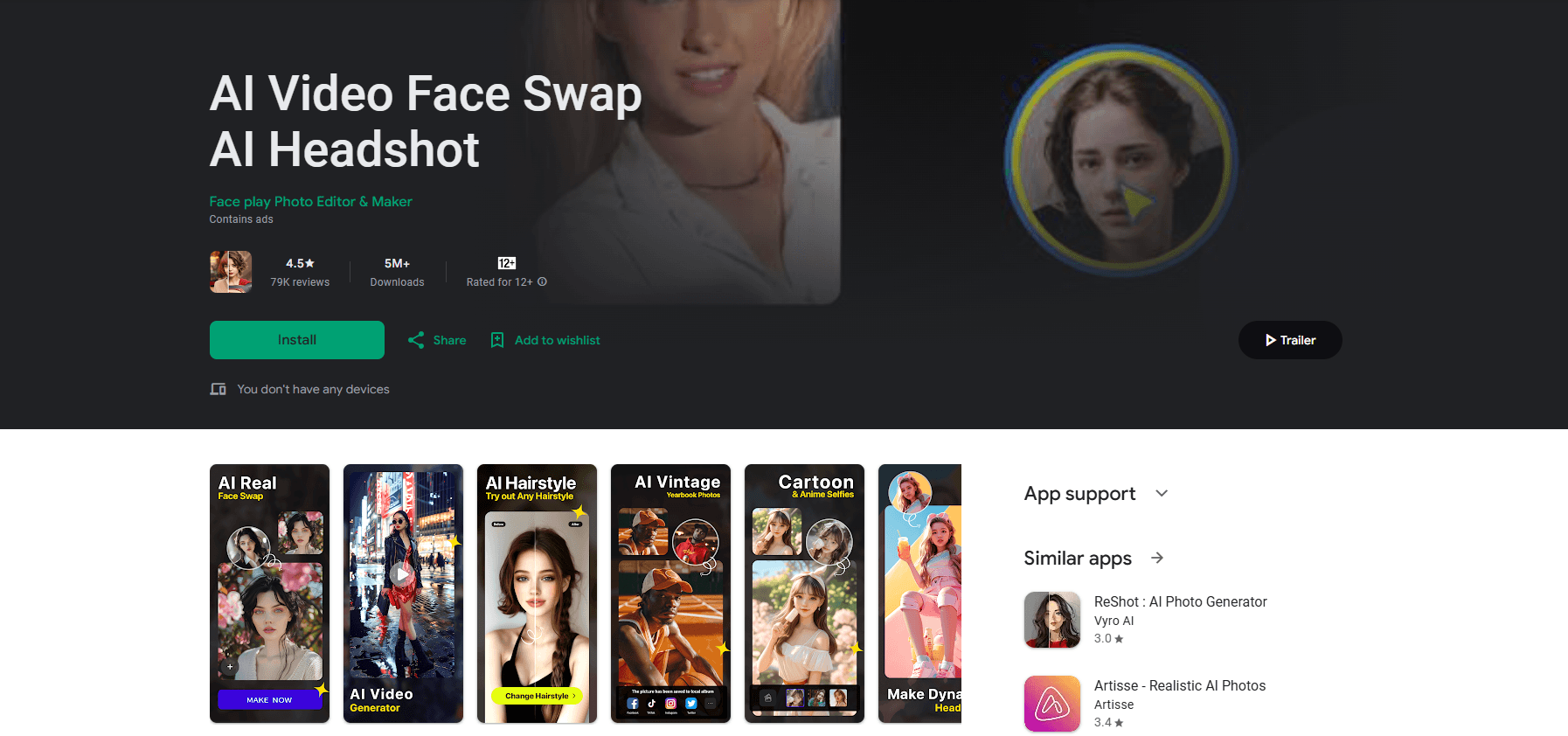
AI Video Face Swap AI Headshot, better known on Google Play as FaceJoy, swaps faces in photos and videos, builds AI headshots and avatars, and tries on hairstyles from a single selfie.
About AI Video Face Swap AI Headshot
What Is AI Video Face Swap AI Headshot
AI Video Face Swap AI Headshot is an Android photo and video editor built around one idea: put your face somewhere else. You upload a selfie, pick a template or a target clip, and the app handles the blending. It also branches into AI headshots for job profiles, AI avatars, hairstyle try-ons and gender swaps, so a single selfie line feeds several different tools.
This kind of deepfake face swap used to need a desktop and hours of training. The app wraps it into a tap, and that ease is the draw.
The app comes from the developer listed on Google Play as Face play Photo Editor & Maker. It has passed 5 million downloads and holds a 4.2-star average across more than 80,000 ratings, which tells you it's aimed at casual creators rather than studios. Most of what it does sits behind a credit system, so the free experience is a taste rather than a full toolkit.
Two limits shape the experience. It runs on Android only, so iPhone owners are out of luck. And the face swap video editor has drawn criticism for how quickly it pushes you toward a paid tier, a common complaint across apps in this category.
Getting Started
- Install the app from Google Play and open it, then allow photo and camera access
- Pick a mode: face swap, AI headshot, avatar, hairstyle or gender swap
- Upload one clear, front-facing selfie and choose a template or a target photo or clip
- Let the app process the swap, then preview the result and save it, spending credits only if you want the clean export
Product Information
A quick look at AI Video Face Swap AI Headshot's pricing, supported platforms, and performance.
Best for
The users, tasks, and scenarios where this tool fits best.
Users
- Casual social media creators
- Job seekers and freelancers
- Selfie fans curious about their own look
- People who share photos with friends and family
Tasks
- Swapping a face into a photo
- Swapping a face into a video
- Generating a professional headshot
- Trying on hairstyles
- Creating an AI avatar
Scenarios
- A user wants a quick laugh for a group chat
- A freelancer needs a headshot by morning
- Someone weighing a haircut
- A creator chasing a trend
- A user in a country where studio photos cost a lot
Key features
AI Face Swap for Photos
This is the core tool, and it does what the name promises. You upload a target image and a face, and the app detects the features and blends the two. Regular and celebrity template modes sit alongside smart face detection and automatic cropping, so you can swap into a friend's photo, a movie still or a preset character without any manual masking. Results keep the pose, clothing and background of the original, which is the part that sells the effect.
Face Swap Video Editor
The face swap video editor takes the same idea and moves it into clips and GIFs. You place your face onto a template video or one you upload yourself, and the app keeps facial motion and identity steady across frames. Movie scenes, reality-show moments and trending clips are the usual targets. Export quality scales with your plan, so the sharper, longer cuts sit behind the paid tier rather than in the free run.
AI Headshot Generator
One selfie is the whole input. The AI headshot generator builds professional portraits for LinkedIn, a CV or a work profile by placing your face into corporate and formal templates. You pick a look, and the app returns a business-ready image without a photographer, a studio or a wardrobe change. For anyone who needs a presentable profile picture on short notice, this is the feature worth the download.
AI Avatar and Animated Photo Maker
The avatar tools turn a still portrait into something with motion. You can generate stylized avatars in different artistic directions and animate a photo so the face moves, blinks and shifts expression. These animated clips and interactive duo formats are aimed at social feeds, where movement gets more attention than a static image. It is the playful half of the app, sitting next to the more practical headshot tools.
AI Hairstyle Changer
The AI hairstyle editor lets you try different cuts and colors on your own photo before you commit at a salon. Upload a picture, pick a style, and the app maps it onto your face while keeping your features intact. It works for both men's and women's styles, so the same tool covers a wide range of looks. This is the feature that saves the most real-world regret, and it needs only one clear image.
Gender Swap and Style Templates
The gender swap filter flips the apparent sex of a portrait in seconds, and it slots into a broader template library that covers clothing changes, formal looks and themed characters. Different dress styles, business outfits and character roles are all reachable from the same menu. The template set is what keeps the app from feeling like a one-trick tool, since the same face can be dropped into very different scenes.
Pros and cons
Pros
- Face swap, headshots, avatars, hairstyles and gender swaps all live in one Android app, so you don't switch tools per effect
- A single selfie is enough to start, which keeps the barrier low for people with no editing background
- The 4.2-star average across more than 80,000 ratings suggests the output is good enough for casual sharing
- Changing clothes and trying styles needs no studio, wardrobe or photographer, which saves both time and money
- Template library keeps growing, so there's usually a fresh trend to try rather than a fixed set of looks
Cons
- Android only, so there's no iPhone or web version for anyone outside Google Play
- The credit system pushes hard toward paid tiers, and free users hit limits quickly on videos
- Ads are part of the free experience, which interrupts the flow between edits
- In-app purchases run from $0.99 to $199.99 per item, so costs can climb if you buy credits often
Frequently asked questions
It's an Android app for swapping faces in photos and videos and for making AI headshots, avatars and hairstyles. You upload one selfie, choose a template or target, and the app blends your face into the result. The same selfie works across every mode, from a funny clip to a professional portrait.
Related content
Explore related tools, skills, and articles for AI Video Face Swap AI Headshot.
AI Video Face Swap AI Headshot Alternatives

Tractionwave
TractionWave · Image · MarketingTractionWave is an AI attention heatmap tool for static ads. Upload a PNG or JPG and it returns predicted attention, ranked hotspots, and fixes before you spend budget.

Imejis.io
Imejis.io · Image · MarketingImejis.io is an AI design studio for agents and marketing teams. Describe an image in plain words, and it writes the copy, builds the layout, reflows it to every size, then exports a finished file.

Layoutr
Van Dijk Ontwikkeling · Image · China AILayoutr is a browser floor plan tool that scales your own plan, places furniture at true size, shows the room in 3D and renders it with AI.