

AI Video Generator - Clips AI
Photo & Video Editors - Instant Solution · Video
AI Video Generator - Clips AI turns text and photos into short animated clips, built for everyday creators making social media content.
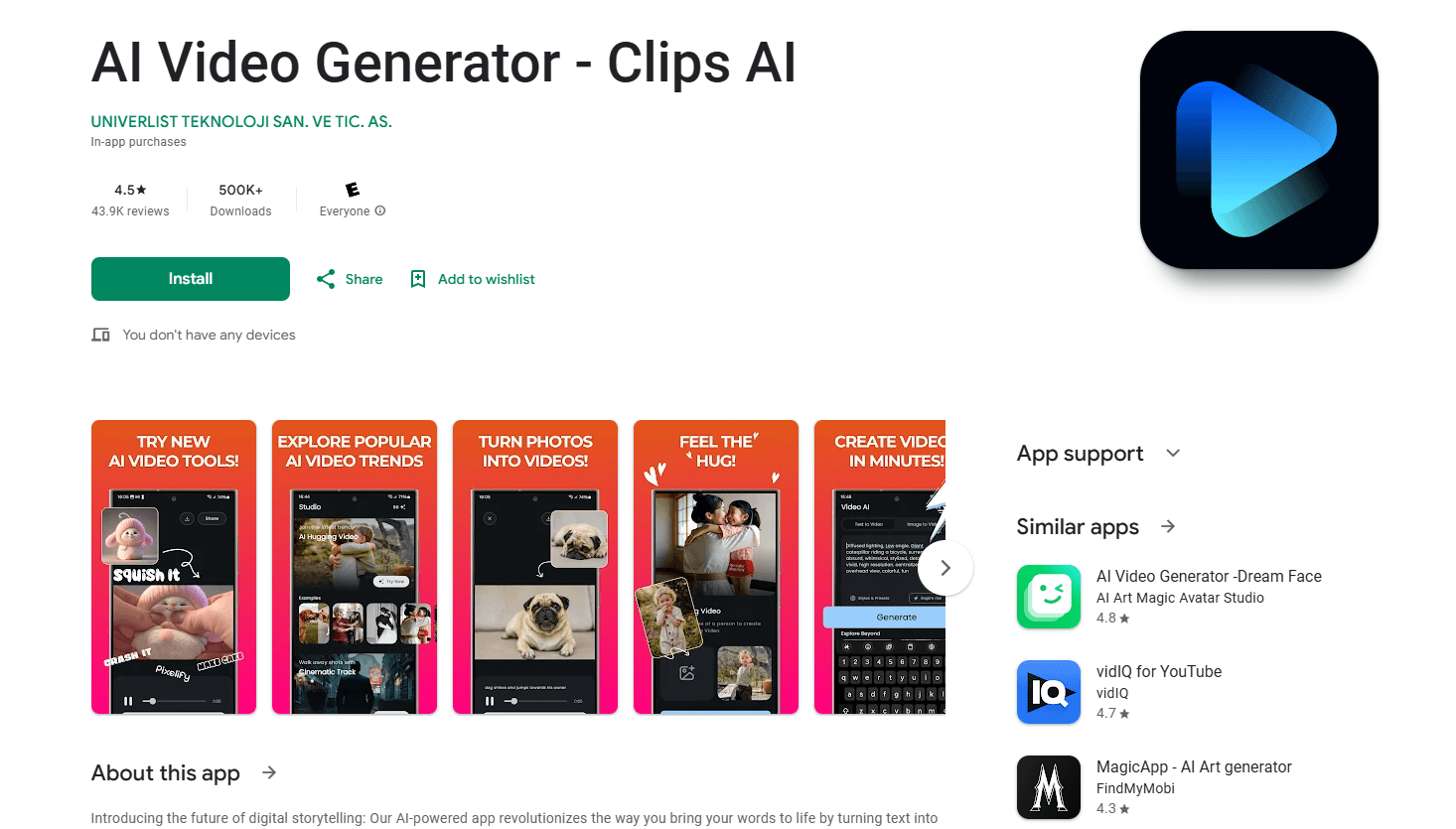
About AI Video Generator - Clips AI
What Is AI Video Generator - Clips AI
AI Video Generator - Clips AI is an Android app that turns a written idea or a single photo into a short animated clip, usually around five seconds. It adds motion, effects, and transitions on its own, so you never touch a timeline editor. The pitch is speed: type, generate, share.
The app targets people who post to social platforms and want motion behind a message without hiring an editor or filming anything. It's a reasonable fit for a small business owner who needs a quick promo clip, or a student turning a quote into something shareable.
The main limit is depth. This is an AI video maker built for short, simple output rather than a full editing suite, and if you need long-form footage, precise cuts, or frame-level control you'll want a desktop editor instead. The app also runs ads and includes in-app purchases, which is worth knowing before you commit to a paid tier.
Getting Started
- Install AI Video Generator - Clips AI from Google Play and open it.
- Pick a starting mode, either text to video AI or image to video AI, then type your idea or choose a photo.
- Choose a visual style, effect, or animation preset that fits the mood you want.
- Tap generate and let the app build the clip, which takes a short wait.
- Review the result, save it, and share it to your social platform.
Product Information
A quick look at AI Video Generator - Clips AI's pricing, supported platforms, and performance.
Best for
The users, tasks, and scenarios where this tool fits best.
Users
- Social media creators
- Small business owners
- Students and hobbyists
Tasks
- Text to video
- Photo to video animation
- Quick social publishing
Scenarios
- Posting daily content on a phone
- Making a quick product teaser
- Turning a photo into a greeting or story clip
Key features
Text To Video AI
Type a written idea and the app builds a short animated clip around it. This is the core draw for anyone who thinks in words rather than shots. You get motion and visuals without sourcing a single frame of footage, which is the whole reason people use a text to video AI in the first place.
Image To Video AI
Upload a single photo and the app animates it with movement and effects. It's useful when you have one good image but no video at all. The result reads as a real clip rather than a slideshow, and for a lot of casual creators that's enough to make a still photo feel alive.
AI Video Maker Tool
The generator handles pacing and effects for you, so you skip manual timing and transitions. Beginners can get a passable result on the first try. The trade-off is less control over exact details.
Photo To Video Animation Presets
Preset styles and effects let you set a mood without designing anything. Pick the one that fits and move on. It keeps decisions low, which matters when you're making a lot of clips fast.
Short Clip Output
Clips run short, usually a few seconds, which suits social feeds and quick messages. You won't get long-form video here. For that, use a different tool and treat this as a fast first step.
Share-Ready Export
Once a clip is generated, you save it and push it straight to the platform you're posting on. There's no separate export pipeline to learn, and nothing sits between the finished clip and the post itself. That keeps the loop tight between idea and published post, which is the whole reason a phone-first workflow beats opening a desktop editor.
Pros and cons
Pros
- Turns text or a single photo into a clip with almost no learning curve.
- Text to video AI and image to video AI both live in one app.
- Preset effects remove the need for manual editing.
- Short generation loop works well for posting daily content.
- Runs on Android and is free to start.
Cons
- Output is limited to short clips, so it's not a fit for long-form video.
- Ads are present, which can interrupt your workflow.
- In-app purchases are needed for some features, so costs add up beyond the free tier.
Frequently asked questions
It's an Android app that turns text or photos into short animated clips for social media and quick storytelling. You use it when you want motion behind an idea but don't have footage or editing skills.
Related content
Explore related tools, skills, and articles for AI Video Generator - Clips AI.
AI Video Generator - Clips AI Alternatives

Vadu AI
Vadu AI · Image · VideoVadu AI is a web-based AI video generator that turns written prompts or still images into short clips, and it can also generate images on its own. You type what you want, pick a model and style, and the platform renders the result in minutes. A free plan covers light testing, while paid tiers run from $9 to $77.40 per month based on how many credits you burn.

Mykaraoke Video
MyKaraoke Video · VideoMykaraoke Video is an online karaoke video maker and lyric video maker that turns any song into a finished, lyrics-synced video right in your browser. It handles the slow part for you. The AI pulls vocals out of the mix and locks the lyrics to the beat, then lets you customize background, fonts, and colors before exporting in 1080p MP4. If you make lyric videos for social media, party nights, or music promotion, it skips the software installs and manual timing work entirely. Want a karaoke video generator that doesn't eat your whole evening? That's the pitch here.

Finalframe
Finalframe · VideoFinalframe is a set of free, browser-based tools for grabbing exact frames out of a video clip. Its best-known feature, the Final Frame Extractor, lets you extract the last frame of any video so you can use it as the starting image for AI video tools like Luma Dream Machine, Runway, or Kling. Want to keep a clip going? That last frame is your starting point. The tool runs locally in your browser, needs no sign-up, and costs nothing. A separate paid AI video-generation app from the same team is currently offline while it's rebuilt.