

AI Video Maker
AI Video Maker · Video
AI Video Maker is a free browser-based AI video generator that turns written prompts and still images into short cinematic clips. It runs in your browser with no install, and it lets you set duration, aspect ratio, resolution, and motion before each render. Instead of locking you into one engine, it routes your request through several modern video models, including Seedance, Kling, Veo, and Runway, so you can match the look to the shot.
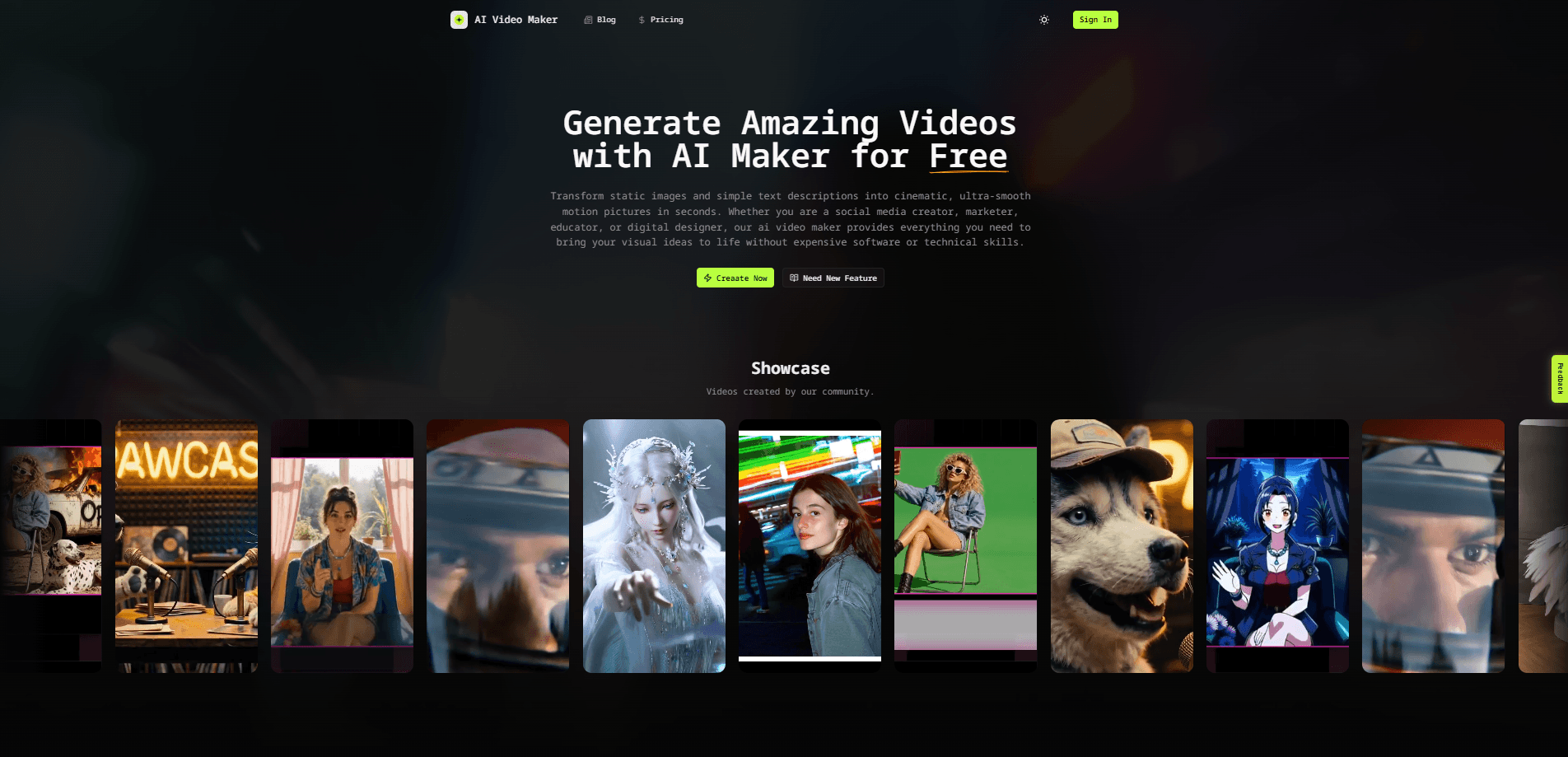
About AI Video Maker
What Is AI Video Maker
AI Video Maker is a web app for generating short videos from text or images without a camera, a crew, or editing software. You describe a scene, pick a model and a few output settings, and it renders a clip you can download and drop into a bigger project. The appeal is speed and range: you get results in the time it takes to write a prompt, and you can test more than one model on the same idea.
It solves a specific problem. Most AI video tools tie you to a single model, so if one struggles with a style, you're stuck. AI Video Maker treats models as interchangeable parts. If Seedance handles your scene well, keep it. If you want a different motion feel, switch to Kling or Runway without leaving the page.
The main limitation is scope. These are short clips, not full productions. You should expect to stitch several generations together for anything longer than a few seconds, and results vary by model, so a prompt that works up close may drift in a wide shot. Prompting is also a real skill here. Vague input gets vague video.
Getting Started
- Open aivideomakers.org in your browser. No download is needed, and you don't have to install anything to try it.
- Sign in or create a free account so your generations are saved to your history.
- Describe your scene in the prompt box, or upload a reference image if you'd rather animate a still.
- Choose a video model (Seedance, Kling, Veo, or Runway), then set duration, aspect ratio, resolution, and motion to match where the clip will be used.
- Generate the video, preview the result, and download the one you want to keep.
Product Information
A quick look at AI Video Maker's pricing, supported platforms, and performance.
Best for
The users, tasks, and scenarios where this tool fits best.
Users
- Social media creators who need short vertical or square clips fast
- Small business owners making product or promo snippets on a budget
- Hobbyists and first-time AI video users testing the waters
Tasks
- Turning a written idea into a moving shot
- Animating a still image into motion
- Roughing out storyboard beats before a real shoot
- Producing background or filler footage for a longer edit
Scenarios
- Testing several models on the same prompt
- Filling a content calendar on a tight deadline
- Prototyping a concept before spending on a studio
Key features
Multiple Video Models in One Place
The strongest reason to use AI Video Maker is the model lineup. Seedance, Kling, Veo, and Runway each have their own strengths, and the tool lets you switch between them without opening a second site. That matters when a scene calls for a particular texture or motion style, because you can compare outputs side by side instead of guessing which engine to pay for.
Text-to-Video Generation
You start with words. Describe the shot, the subject, and the mood, and the tool renders a clip that fits. The quality tracks closely with how specific your wording is, so a prompt that names the action, the lighting, and the camera movement will beat a one-line idea almost every time. It's the fastest path from concept to something watchable.
Image-to-Video Animation
If you already have a still you like, AI Video Maker can animate it. Upload the image, and the tool adds motion to bring it to life. This is handy when you've generated a strong frame in an image model and want to extend it into a clip, or when you want a photo to move without reshooting it.
Configurable Output Settings
Why bother with the settings before you hit generate? Because they decide whether the clip works in your project on the first try. Aspect ratio sets where the clip lands, from widescreen to vertical for phones. Motion controls how much the scene moves. Duration sets the length. Getting the settings right up front saves you from re-rendering. It's the difference between a clip that drops into your edit and one you have to crop.
Free, Browser-Based Access
There's nothing to install. AI Video Maker runs in the browser, so it works on a laptop you already own, and the free tier lets you generate without a credit card upfront. For anyone who wants to see what these models can do before paying, that low barrier is the whole point.
Pros and cons
Pros
- Free to start in the browser, with no install and no card required to try it.
- Several modern video models (Seedance, Kling, Veo, Runway) in one interface, so you can compare looks without switching sites.
- Clear controls for duration, aspect ratio, resolution, and motion, which makes it easy to match a target platform.
- Supports both text-to-video and image-to-video, covering two common starting points.
Cons
- Output is short clips, so longer videos mean stitching several generations together, which adds work.
- Results vary by model, so the same prompt can look different across Seedance, Kling, Veo, and Runway, and you'll need to test to find the right fit.
- Quality depends heavily on your prompt, so beginners may see rough first attempts.
- There's no public API, so you can't wire the generator into your own app or automated workflow.
Frequently asked questions
It turns text prompts and images into short cinematic video clips in your browser. People use it for social media content, product promos, and quick concept drafts when filming isn't practical.
Related content
Explore related tools, skills, and articles for AI Video Maker.
AI Video Maker Alternatives

Vadu AI
Vadu AI · Image · VideoVadu AI is a web-based AI video generator that turns written prompts or still images into short clips, and it can also generate images on its own. You type what you want, pick a model and style, and the platform renders the result in minutes. A free plan covers light testing, while paid tiers run from $9 to $77.40 per month based on how many credits you burn.

Mykaraoke Video
MyKaraoke Video · VideoMykaraoke Video is an online karaoke video maker and lyric video maker that turns any song into a finished, lyrics-synced video right in your browser. It handles the slow part for you. The AI pulls vocals out of the mix and locks the lyrics to the beat, then lets you customize background, fonts, and colors before exporting in 1080p MP4. If you make lyric videos for social media, party nights, or music promotion, it skips the software installs and manual timing work entirely. Want a karaoke video generator that doesn't eat your whole evening? That's the pitch here.

Finalframe
Finalframe · VideoFinalframe is a set of free, browser-based tools for grabbing exact frames out of a video clip. Its best-known feature, the Final Frame Extractor, lets you extract the last frame of any video so you can use it as the starting image for AI video tools like Luma Dream Machine, Runway, or Kling. Want to keep a clip going? That last frame is your starting point. The tool runs locally in your browser, needs no sign-up, and costs nothing. A separate paid AI video-generation app from the same team is currently offline while it's rebuilt.