

AI Video & Photo - AuroraPix
MCDONALD CANDICE PAIGE · Image · Video
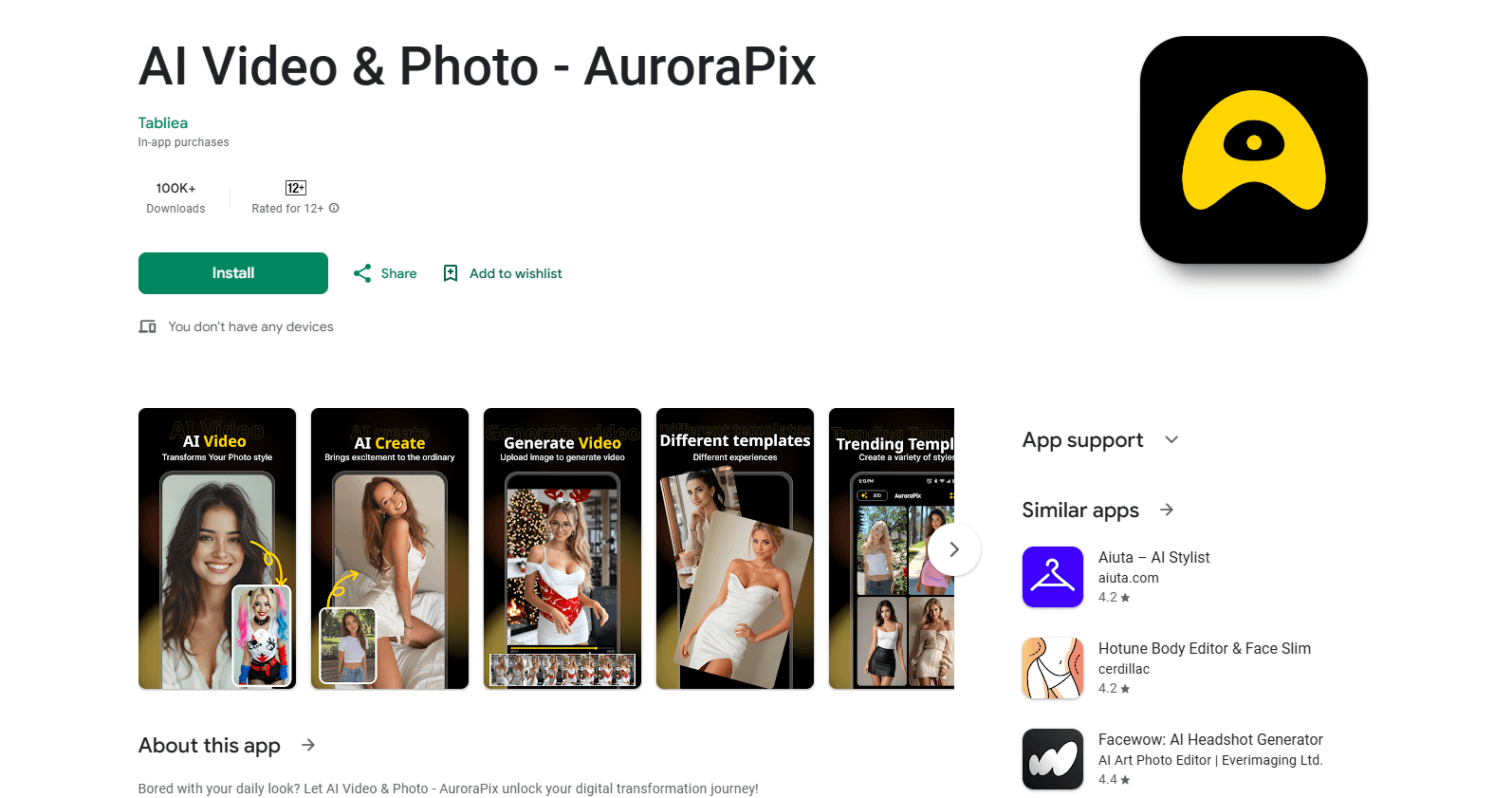
AI Video & Photo - AuroraPix is an Android app for AI face swaps, short video generation and photo transformations, sold through a credit system that starts with a small free trial.
About AI Video & Photo - AuroraPix
What Is AuroraPix
AI Video & Photo - AuroraPix is a mobile app from developer MCDONALD CANDICE PAIGE that runs on Android through Google Play. It bundles three AI jobs into one place: swapping a face onto another photo or clip, generating short videos from templates, and transforming images with AI filters. The pitch is simple. You upload what you already have, pick an effect, and get a shareable result in a short time.
The app works on a credit system. New users get a couple of free credits after signing in, and everything after that is bought through in-app purchases. The Play listing shows purchases from $2.49 up to $93.98, and a pack of 10 credits costs $1.99. A single video generation eats several credits, so the free allowance runs out fast.
The biggest limit is the price per output. Because one video can cost around 9 credits, a single clip can work out to roughly $2. Several user reviews say video results are mixed and that credits are not refunded when a generation fails or comes out blank. The listing also limits the audience to users 12 and older, and warns that the app lets users interact with each other.
Getting Started
- Install AuroraPix from Google Play and open the app.
- Sign in to claim the free starter credits.
- Pick a mode such as face swap or AI video, then upload a photo or clip.
- Choose a template or effect and confirm the generation.
- Save the result to your gallery, or buy more credits to keep creating.
Product Information
A quick look at AI Video & Photo - AuroraPix's pricing, supported platforms, and performance.
Best for
The users, tasks, and scenarios where this tool fits best.
Users
- Casual mobile creators
- People who want face-swap clips
- Social media hobbyists
Tasks
- Face swapping a portrait onto another image
- Making short template videos
- Quick AI photo edits
Scenarios
- Trying an AI trend before paying
- Producing a shareable clip for a social post
Key features
Magic Face Swap
This is the app's headline tool. You feed it a face and a target image or clip, and it blends them into a new result. The app claims its matching algorithm handles lighting, skin tones and small expressions, which is what separates a clean swap from an obvious fake. It works best when both photos are clear and the faces sit at a similar angle.
AI Video Generation
AuroraPix works as an AI video generator that turns a still image into a short video with built-in templates. You pick a style, and the app adds motion and effects without a timeline editor. Results lean toward stylized shareable clips rather than finished footage. Each generation spends multiple credits, so this is the feature that drives most of the app's cost.
AI Photo Transformation
Beyond faces and video, this photo editing app edits images with AI filters and style changes. You can restyle a shot or reshape parts of it for a fresh look. It sits between a simple filter app and a full editor. It covers quick social edits, not precise retouching work.
Credit Based Access
AuroraPix is a credit based AI app with no flat subscription shown on the listing. Instead you buy credits and spend them per generation, with packs from $2.49 to $93.98 and a 10-credit pack at $1.99. Credits are the main way to control spend. Because a video can take around 9 credits, planning ahead matters more here than in apps with a simple monthly cap.
Template Driven Workflow
The app hides its AI behind templates and one-tap effects. You do not write long prompts or tune settings. That lowers the entry bar for casual users. It also means less control for anyone who wants a specific result, since you are working inside the styles the app offers.
Social Ready Output
Results are built to be posted, sized and styled for social sharing on a phone. The workflow stays inside the app from upload to save, so you never need a desktop. For quick posts this is convenient. For polished edits you will likely want a separate editor.
Pros and cons
Pros
- Bundles face swap, video and photo edits in one Android app.
- Simple, template-first flow that needs no editing skill.
- Small free credit allowance lets you test the app before paying.
- Face swap matching handles lighting and skin tones reasonably well in clear photos.
- Everything runs on a phone, with no desktop software required.
Cons
- Video generation costs several credits, so a single clip can run near $2.
- Several reviews report blank or failed outputs, and credits are not refunded.
- Free trial credits are too few for a real evaluation.
- No public API, so it is not built for programmatic or bulk use.
Frequently asked questions
It is an Android app for AI face swaps, short AI video generation and AI photo edits. You upload a photo or clip, pick an effect, and the app produces a shareable result. It targets casual creators rather than professional editors.
Related content
Explore related tools, skills, and articles for AI Video & Photo - AuroraPix.
AI Video & Photo - AuroraPix Alternatives

X Ray Interpreter
X-ray Interpreter · ImageX Ray Interpreter is a web-based AI radiology tool that turns X-rays, CT scans, MRI, ultrasound, and PET images into plain-language reports. You upload a scan, get a preliminary X-ray interpretation in moments, then ask follow-up questions if something needs explaining. It works as a second opinion and a learning aid, not as a medical diagnosis.

Aieasypic
AIEasyPic · ImageAIEasyPic is an AI image generator that turns plain text prompts into finished artwork in seconds. You can also train custom models on your own photos, swap faces in existing images, and create short video clips from text, all from a browser. It suits casual creators who want quick visuals and hobbyists who want to build a personal model without touching any code.

Chargen
Chargen · ImageChargen is an AI character generator and worldbuilding toolkit built for Dungeons & Dragons and other tabletop RPGs. It turns a one-line idea into a painted character portrait, spins up NPCs, monsters, maps and encounters from the same session, and keeps every creature's details close at hand. The tabletop RPG art side runs on a credit system called Gold, while the text generators stay free for everyone.