

aiCode.fail
RT Indianapolis Holdings, LLC · Coding
aiCode.fail is an AI code checker that scans AI-generated code for hallucinations, security issues, and bugs so developers can ship faster.
About aiCode.fail
What Is aiCode.fail
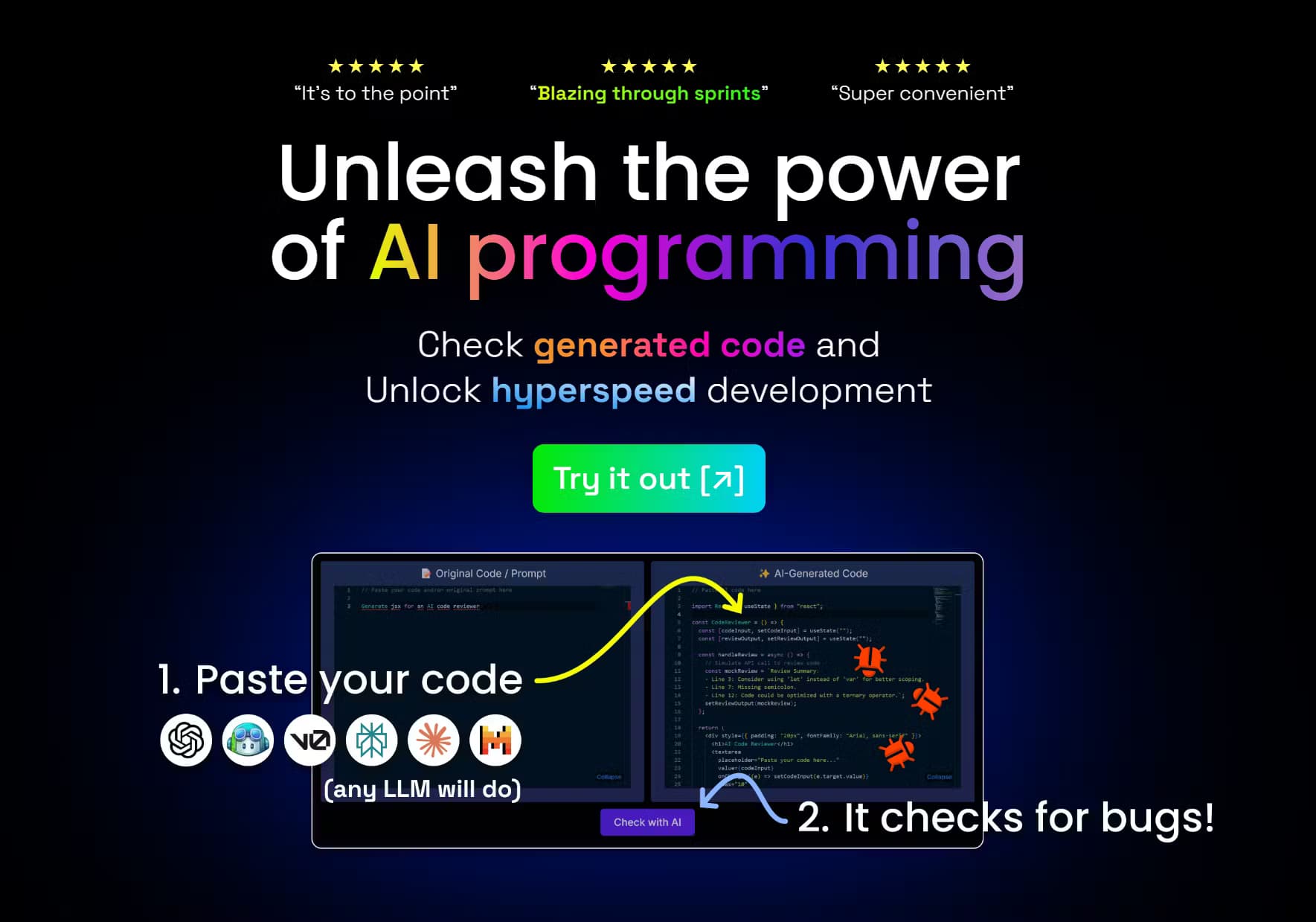
aiCode.fail is a browser-based AI code checker built for developers who write with AI assistants. It reads code that a model produced and looks for the things those models tend to get wrong: invented functions, quiet security holes, sloppy patterns, and logic bugs. Think of it as an AI code review that runs before a human ever opens the file, which matters more now that assistants draft so much of the code that actually ships.
The idea behind it's a second opinion. As the team puts it, GPTs rarely recognize their own mistakes, so the tool runs the code through a refined LLM that analyzes it from a new perspective, outside the context of the original chat. That separation matters. When a model has to defend the very code it just wrote, it tends to skip right past the obvious flaws that a clean, unrelated pass over the same block of source will happily call out.
Two limits are worth knowing up front. First, aiCode.fail only works on AI-generated code, and it asks you to include the original prompt alongside the code. Second, it never compiles or runs what you paste. Analysis is static, so it can't catch runtime behavior, and it's a review aid, not a substitute for testing. Can a static code vulnerability scanner replace your test suite? No, and the team doesn't pretend otherwise. The site itself states there's no guarantee of perfect accuracy or security.
Getting Started
- Create a free account with email or Google Sign-In on the aiCode.fail site.
- Paste the AI-generated code you want checked, along with the prompt that produced it.
- Start a scan and let the checker flag hallucinations, security issues, bad practices, and bugs.
- Read the findings in the results panel and copy what you need back into your editor.
- Review past runs anytime from Prompt History, then upgrade if you hit the monthly scan limit.
Product Information
A quick look at aiCode.fail's pricing, supported platforms, and performance.
Best for
The users, tasks, and scenarios where this tool fits best.
Users
- Developers using AI coding assistants
- Solo builders shipping fast
- Team leads reviewing AI-assisted pull requests
Tasks
- Spotting hallucinated functions
- Finding security issues
- Cleaning up bad practices
- Chasing down bugs
Scenarios
- Right after a long AI coding session
- Before a demo or release
- Learning to trust AI output
Key features
Hallucination and Bug Detection
aiCode.fail checks AI-generated code against hallucinations, vulnerabilities, bad practices, and bugs, the four failure types the site highlights. Hallucination detection is the standout, since invented APIs count is the failure AI coding tools rarely catch on their own. Every scan returns findings you can read and copy.
A Fresh Perspective on Your Code
The checker analyzes code outside the context of the original chat, using a separate model pass rather than asking the same assistant to review itself. That's the whole point of the product. A model reviewing its own work tends to defend it, while a clean second pass is more willing to flag real problems.
Works With Any Language, No Compilation
You can paste code in any programming language, and it's never compiled or executed. That keeps the workflow simple and avoids running untrusted code on your machine. Since nothing actually runs during a scan, bugs that only surface under real load or at a specific edge case stay completely out of reach, and every finding you get back is static analysis and nothing more.
Scan Quotas and Paid Upgrades
Free accounts get a set number of scans before hitting a monthly limit, after which the tool nudges you to upgrade for unlimited scans. Paid plans remove the ceiling for heavy users. The counter in the app shows where you stand so there are no surprises mid-sprint.
Prompt History
Signed-in users get a Prompt History view that keeps past scans, including the original prompt and code for each run. It's handy when you want to revisit an earlier finding or compare how the same prompt performed across attempts. Anonymous users don't get this. Honestly, the history alone is a decent reason to bother making an account instead of just pasting code as a guest and closing the tab the moment you've skimmed the results.
Browser-Based, No Install
Everything runs in the browser, so there's no IDE plugin or local install to manage. You copy code in, read the results, and copy fixes back out. It fits into an existing workflow rather than asking you to rebuild one around it, which is a big deal when you're already juggling three editors, a terminal, and a model that keeps rewriting the same function every time you ask it to fix a typo.
Pros and cons
Pros
- Catches hallucinated functions and security issues that AI assistants often miss in their own output.
- Supports any programming language and never compiles your code, so nothing risky runs locally.
- Free tier with a monthly scan allowance is enough to test the tool on real projects.
- Browser-based with no install and a Prompt History view for revisiting past scans.
- Clear, fast results that fit a copy-in, copy-out review habit.
Cons
- Only accepts AI-generated code and expects the original prompt, so it won't check hand-written code.
- Static analysis only, meaning it can't find runtime bugs or prove that code actually works.
- The free plan caps monthly scans, so heavy users have to pay for unlimited runs.
- No public API, which rules it out for teams wanting to wire checks into CI or an editor.
Frequently asked questions
It scans AI-generated code for hallucinations, security vulnerabilities, bad practices, and bugs. You paste code plus the original prompt, and it returns findings from a separate model pass. It's a review aid, not an automated fixer. Developers reach for it as a debug AI code tool when an assistant keeps insisting its output is correct but something still feels off.
Related content
Explore related tools, skills, and articles for aiCode.fail.
aiCode.fail Alternatives
Forefront
Forefront · CodingForefront is a web platform for building with open-source AI. It lets you fine-tune leading open-source language models on your own data, evaluate how they perform, and run them through an API or export them to host yourself. Developers who want the convenience of a closed-source platform but insist on owning their models and data are the target audience here.

Startkit
StartKit.AI · CodingStartkit is a boilerplate for building AI SaaS and AI wrapper products. Think of it as an AI startup boilerplate with the boring parts already wired up: authentication, Stripe and Lemon Squeezy payments, usage limits, transactional email, and an AI API starter that talks to OpenAI, Anthropic, Groq, or Llama. You clone the repo, set your price, and start on the part of your product that people actually pay for. It's Next.js under React and Tailwind, so most of the boilerplate code already feels familiar.
Testim
Tricentis · CodingTestim is an AI-powered test automation platform for building and running end-to-end tests across web, mobile, and Salesforce applications. It leans on machine learning to keep tests stable when an interface changes, so teams spend less time fixing broken selectors. Not bad for an automated testing tool you can start using today. You create tests by recording actions in a browser, then optionally add JavaScript when you need more control. It's a solid pick for busy QA teams.