

AIDesigner
AIDesigner · Image
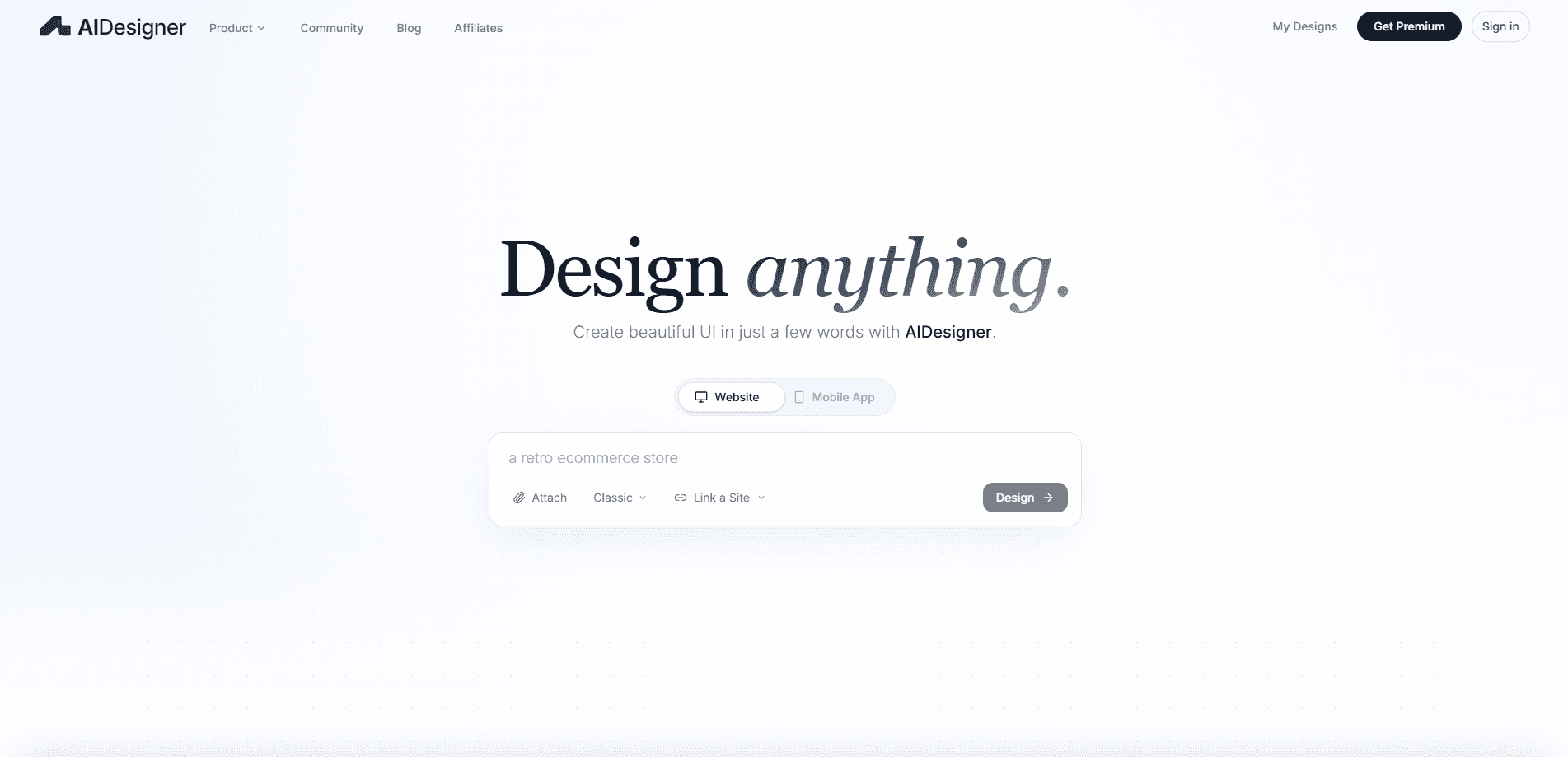
AIDesigner is an AI design tool that turns short text prompts into polished, editable designs for websites, mobile apps, and brand visuals. It works as a website UI generator, an app screen builder, and a brand asset maker in one place. Founders, product teams, and solo creators use it to skip the blank canvas and get a presentable first draft in minutes. Speed is the point. No design degree required.
About AIDesigner
What Is AIDesigner
AIDesigner is an AI design platform for people who need good-looking interfaces and brand assets but don't want to fight a complex editor. You describe what you want, and it generates layouts, screens, and visuals you can actually edit afterward. The tool targets founders, product teams, marketers, and creators who need output fast. The idea is simple: skip the tedious parts.
The pitch is visual quality. AIDesigner combines several design models with a curated creative process, so the results look custom rather than pulled from a template. It works across website UI, mobile app screens, and campaign assets, and it keeps your brand kit, colors, and references in context so new outputs stay consistent. That context is what separates it from tools that forget everything between sessions and hand you a generic layout you then have to rebuild from memory by hand.
The main catch is that it's a web-based tool with a credit system. The free tier is limited, and heavier use quickly pushes you toward the paid plan. There's no native desktop app, and you'll still want a human eye on the final layout for anything customer-facing. Not a dealbreaker. Just plan for it.
Getting Started
- Sign up at aidesigner.ai with an email or Google account.
- Pick a starting point, either a blank prompt or one of the production-ready templates.
- Describe what you need, such as "a SaaS dashboard with a sidebar and a billing page," and generate.
- Edit sections, rewrite copy, and swap imagery until the design matches your direction.
- Export your design, or connect AIDesigner through MCP to hand it to a coding agent.
Product Information
A quick look at AIDesigner's pricing, supported platforms, and performance.
Best for
The users, tasks, and scenarios where this tool fits best.
Users
- Founders and solo builders
- Product teams
- Marketers and creators
Tasks
- Website and product UI
- Mobile app screens
- Brand asset creation
- Design handoff to code
Scenarios
- Validating a startup idea
- Pre-launch marketing
- Early product prototyping
Key features
Prompt-to-UI Generation
Type a description and AIDesigner builds full website or product interfaces, including landing pages, dashboards, and ecommerce layouts. The output arrives editable, so you adjust sections instead of rebuilding from scratch. It's the fastest path to a shareable first draft. That matters early on.
Mobile App Screens
The tool generates mobile app UI too, covering onboarding flows, product screens, and finance dashboards. Designs aim for a native feel rather than a stretched web layout. Teams use it to sketch an app's structure before any real development starts, which means fewer wasted weeks spent building screens nobody actually wanted in the first place, and a much faster path from an idea to something a stakeholder can click through on their phone.
Brand Kit and Logo Concepts
The brand kit generator produces kits, logo concepts, and reusable assets that hold together across channels. AI logo design here means starting from a few concepts rather than a blank grid. AIDesigner remembers your colors, logos, and references, so each new asset feels connected to the last. That consistency matters most once you're producing ads and infographics at volume.
Iterative Editing
Instead of regenerating from zero, you keep improving the same design: edit sections, rewrite copy, replace imagery, and explore variations. The direction you already like stays intact. This is the difference between a one-shot generator and a working design tool. Want to change the hero headline but keep the layout? You can.
Templates and WebGL Effects
AIDesigner ships with production-ready templates and a library of WebGL effects and backgrounds for paid users. Templates cut the cold-start problem, and the effects add motion and depth without custom code. Paid plans remove watermarks and give you unlimited use of those effects, which is a real upgrade once you're publishing several pages a month and don't want a watermark sitting on every single one of them. That adds up fast.
MCP Server for Coding Agents
AIDesigner connects through MCP, letting AI coding assistants read and create designs inside their own workflow. In practice, an agent can pull a design and push toward production code faster. It's aimed at teams already leaning on agent-based development. Handy if that's you.
Pros and cons
Pros
- Turns a plain-text prompt into editable UI and brand assets, so you skip the blank canvas.
- Output is editable, and you can keep refining the same design rather than starting over each time.
- Remembers your brand kit and references, which keeps multi-asset campaigns visually consistent.
- MCP support lets coding agents work directly with your designs.
- Free tier makes it easy to test before committing to the $25/mo Pro plan.
Cons
- Free plan runs on limited credits, so anything beyond light use means paying.
- Web-only, with no native desktop app, which won't suit designers who live inside Figma or Adobe tools.
- Generated layouts still need a human pass for polish and accessibility before they go live to customers.
- Pricing pages and detailed plan comparison are thin, so you may need to contact the team for custom needs.
Frequently asked questions
It's an AI design platform that generates website UI, mobile app screens, images, brand kits, logos, and reusable visual assets from text prompts. You then edit the results and export or hand them off.
Related content
Explore related tools, skills, and articles for AIDesigner.
AIDesigner Alternatives

Tractionwave
TractionWave · Image · MarketingTractionWave is an AI attention heatmap tool for static ads. Upload a PNG or JPG and it returns predicted attention, ranked hotspots, and fixes before you spend budget.

Imejis.io
Imejis.io · Image · MarketingImejis.io is an AI design studio for agents and marketing teams. Describe an image in plain words, and it writes the copy, builds the layout, reflows it to every size, then exports a finished file.

Layoutr
Van Dijk Ontwikkeling · Image · China AILayoutr is a browser floor plan tool that scales your own plan, places furniture at true size, shows the room in 3D and renders it with AI.