
AI Photo Restorer
AI Photo Restorer · Image
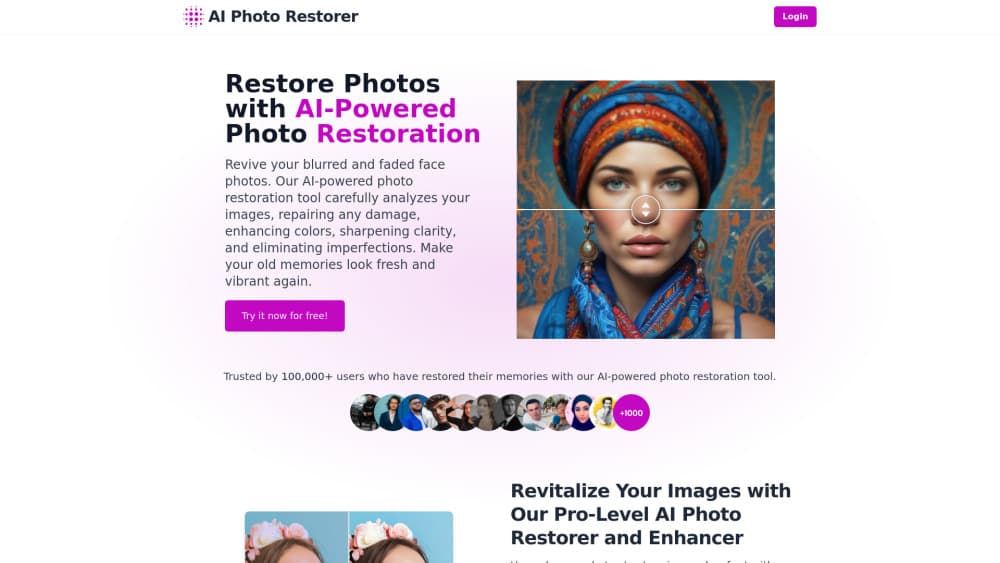
AI Photo Restorer is a browser based tool that repairs scratches, dust and fading in old photos, cleans up faces and upscales the result up to 4x. New accounts get a few free credits.
About AI Photo Restorer
What Is AI Photo Restorer
AI Photo Restorer is a web app for one job: taking a damaged or blurry photograph and giving back a cleaner copy. You upload the file, the service runs it through a restoration model, and you download the result. There's no editor to learn and no layers to manage.
The pitch fits the most common case, which is a family photo that spent thirty years in a shoebox. Scans come back scratched, prints fade to a yellow-brown, and faces lose detail. The tool targets those three problems plus resolution, so a picture that's too small to print can be pushed to a larger size before it goes on a wall or into a frame.
The limits are worth knowing before you upload anything private. AI photo restoration is a guess about pixels that no longer exist, so heavy damage gets a plausible result rather than a true one, and old faces can come back looking smoother and younger than the person actually was. The site also runs on credits: the free allowance covers a few images, and after that you buy more. Everything happens in a browser tab, with no desktop app and no documented public API.
Getting Started
- Open aiphotorestorer.com and go to the restore page. There's no download and no install.
- Create an account so the free credits land on it, or sign in if you already have one.
- Upload the photo you want to fix. A scan or a phone photo of a printed picture both work.
- Pick the job you need, whether that's repairing damage, sharpening a blurry face, or pushing the image to a larger size, then run it.
- Compare the before and after view, download the file at the size you need, and buy a credit pack if you plan to restore old photos by the box.
Product Information
A quick look at AI Photo Restorer's pricing, supported platforms, and performance.
Best for
The users, tasks, and scenarios where this tool fits best.
Users
- Families with a box of old prints
- People who need one photo printed larger
- Casual users with no editing background
Tasks
- Repairing scratches and dust on a scanned print
- Face restoration on blurry portraits
- Restoring color to a faded photo
Scenarios
- Digitizing a family archive on a rainy weekend
- Preparing a picture for a memorial, a birthday card or a framed gift
- Checking what an old photo could look like before paying a studio
Key features
Damage repair on scans and prints
The core job is old photo restoration: scratches, dust, stains and the faded look that comes from decades of light exposure. The model treats those as artifacts and rebuilds the surface underneath, then returns a file you can download. Results hold up best on moderate damage, where the shape of the image is still readable.
Upscaling up to 4x
A photo upscaler is built in, and it goes to four times the original resolution. The site says the method merges data from several low-resolution copies instead of plain interpolation, which is the difference between a bigger file and a sharper one. It's also a serviceable photo enhancer for soft, low-detail images that need contrast as much as size. The stated uses are wallpapers, print work and ad creative, and the feature covers landscapes, portraits and product shots as well as family pictures.
Face restoration for blurry portraits
Portrait work is where the tool is most convincing. Blurry or soft faces get sharper eyes, hair and skin detail, and the site quotes a resolution and detail gain of up to 200% on portraits. The trade is fidelity: the model fills in what it thinks a face should look like, so a likeness can drift slightly toward a generic face, especially on small or badly damaged originals.
Color recovery
Faded prints lose saturation before they lose detail, and the restoration step brings tone back rather than leaving you with a grey copy. You can also colorize black and white photos with the same pipeline, which is the feature people ask about most for ancestor portraits. Treat added color as an interpretation and not a record, since the model has no way to know the real shade of a dress or a wall.
Free credits, then pay per image
The pricing model is credits rather than a subscription tier list. Signing up gives you a limited number of free credits, which is enough to test the tool on two or three photos and judge the output yourself. After that you buy more credits, and the site shows the pack price at checkout rather than on a public pricing page.
Pros and cons
Pros
- No install and no learning curve. Upload, run, download, which is the right shape for someone restoring a handful of photos.
- The 4x upscale is bundled with restoration, so you get a print-ready file in one pass instead of two tools.
- Free credits on signup let you check the output quality on your own photo before spending anything.
- The before and after comparison makes it easy to see what changed and to reject a result that looks unnatural.
Cons
- Credit packs mean the cost scales with the size of your archive, and there's no public price list, so you can't budget a 200 photo project without starting checkout.
- Heavily damaged originals come back with invented detail. Torn corners and missing faces get filled in, and the fill is a guess.
- Faces get smoothed. On older relatives the result can look a decade younger, which is a problem if you want a faithful record.
- There's no documented API and no desktop or mobile app, so the work stays manual and browser bound.
Frequently asked questions
It repairs and enlarges old or damaged photographs in a browser. You upload an image, the service removes scratches and noise, sharpens faces, restores color and can upscale the file up to 4x.
Related content
Explore related tools, skills, and articles for AI Photo Restorer.
AI Photo Restorer Alternatives

Tractionwave
TractionWave · Image · MarketingTractionWave is an AI attention heatmap tool for static ads. Upload a PNG or JPG and it returns predicted attention, ranked hotspots, and fixes before you spend budget.

Imejis.io
Imejis.io · Image · MarketingImejis.io is an AI design studio for agents and marketing teams. Describe an image in plain words, and it writes the copy, builds the layout, reflows it to every size, then exports a finished file.

Layoutr
Van Dijk Ontwikkeling · Image · China AILayoutr is a browser floor plan tool that scales your own plan, places furniture at true size, shows the room in 3D and renders it with AI.