

AIPREP: AI Video Tutor
AIPREP · Video
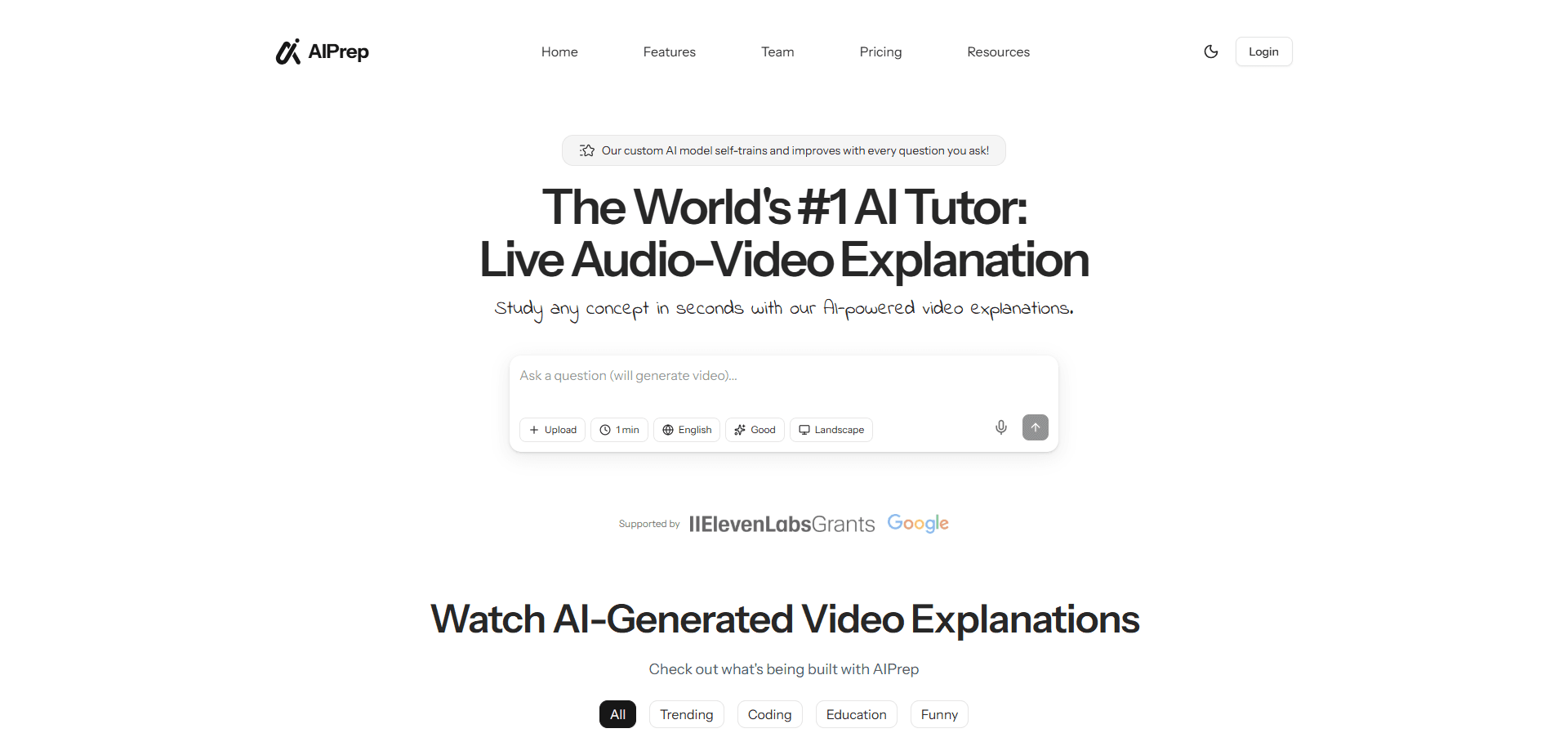
AIPREP: AI Video Tutor is an AI video tutoring tool that turns a question, a photo of a problem, or a short topic into an animated explainer video, usually in about 30 seconds. So it's an AI tutor for students who think in pictures. It's also a video explainer generator for teachers who need a ready-made visual fast. The selling point is speed and language range: the same topic can come back as a spoken, animated video in more than one language, so a single tool covers a study session in your first language or a class you teach in another.
About AIPREP: AI Video Tutor
What Is AIPREP: AI Video Tutor
AIPREP: AI Video Tutor is a web-based AI video tutoring tool that converts plain input into animated video lessons, and it takes whatever you give it and turns it into something you can watch rather than parse. You type a question, upload an image of a problem, or name a topic, and the tool generates a short explainer video with narration and visual steps instead of a text-heavy answer.
The pitch is simple. Most AI tutors hand you paragraphs you still have to read and parse. AIPREP gives you a moving explanation. For a student stuck on a math concept or a teacher prepping a lesson, a 30-second visual walkthrough can land faster than another block of text. What would you rather do: read ten paragraphs or watch one clear clip?
The main limitation is transparency. The public site for the tool is currently offline, so pricing, exact language count, and account details aren't verifiable right now. Treat anything beyond the core workflow as something to confirm on the official site before you commit.
Getting Started
- Open the official AIPREP: AI Video Tutor website and create an account or sign in.
- Enter your input: type a question, upload an image of a problem, or name a topic you want explained.
- Pick the language you want the video explanation delivered in.
- Wait for the tool to render the animated video, which the developer says takes roughly 30 seconds.
- Watch the walkthrough, and download or share it if you need to keep it.
Product Information
A quick look at AIPREP: AI Video Tutor's pricing, supported platforms, and performance.
Best for
The users, tasks, and scenarios where this tool fits best.
Users
- Students
- Teachers and tutors
- Self-learners learning a second language
Tasks
- Turning a photo of a problem into a step-by-step video explanation
- Explaining a concept on demand
- Producing a study video in another language
Scenarios
- Last-minute homework help
- Lesson prep on a tight schedule
- Quick concept review
Key features
Question-to-Video Explanations
Type a question in plain language and AIPREP generates an animated video that walks through the answer rather than dumping text. You get narration plus on-screen steps, which suits learners who absorb a concept better when they see it move. It's the core of the tool. Everything else builds on it.
Image and Screenshot Input
Instead of typing out an equation or a diagram, you can upload an image, such as a photo of a textbook problem, and have the tool build an explanation around it. No retyping. That saves the tedious work of re-typing a complex question, and it fits real study habits, where the problem usually arrives as a picture.
Multilingual Video Output
The tool generates explanations in multiple languages from the same input. That makes it useful for bilingual students and for teachers who need to explain one idea to people who don't share a first language. Confirm the current language list on the official site, since it can change.
Fast Turnaround
The developer puts the render time at around 30 seconds per video. That speed matters when you're mid-study and want an answer now, or when you're prepping a lesson the same morning. It keeps the tool in the "quick lookup" category. Not the "render overnight" one.
Animated, Clear Visuals
Output is animated explainer content rather than a static slide. Visual steps and motion are meant to make abstract ideas easier to follow, which is the gap most text-based AI tutors leave open. Judge that animation quality yourself before relying on it. Trust me on this one.
Pros and cons
Pros
- Turns a question, topic, or image into a short animated video instead of another block of text.
- Roughly 30-second generation keeps it fast enough for on-the-spot study help.
- Multilingual output covers learners and teachers who work across languages.
- Image input lets you start from a photo of a real problem, no manual typing.
- Web-based, so there's nothing to install.
Cons
- The official site is currently unreachable, so pricing and plan details can't be confirmed, which makes it hard to plan costs.
- Language coverage and output quality aren't independently verifiable right now, so check a sample before you depend on it.
- No public API means you can't wire the tool into your own app or workflow.
- Web-only access rules out offline use, so no video on a plane or without a connection.
Frequently asked questions
It converts a question, an image, or a topic into a short animated video explanation. You give it input. It gives you back a narrated visual walkthrough, usually in about 30 seconds.
Related content
Explore related tools, skills, and articles for AIPREP: AI Video Tutor.
AIPREP: AI Video Tutor Alternatives

ngram 2.0
ngram · Video · Marketingngram 2.0 is an AI video generator for teams. It turns a prompt, a screen recording, or a product URL into a narrated explainer, product demo, or AI avatar video, and every scene stays editable.

OpenScreen 2
OpenScreen (open-source project) · Video · ProductivityOpenScreen 2 is a free, open-source screen recorder and demo video editor for Windows, macOS, and Linux, with automatic zooms, styled frames, local captions, and agent edits.

Skreno
Skreno · Video · ProductivitySkreno is a browser screen recorder that captures a tab, a window or your whole display, then attaches AI transcripts, summaries and console logs to one share link.