

AIReel : AI Video Generator
FunCreate Limited · Video
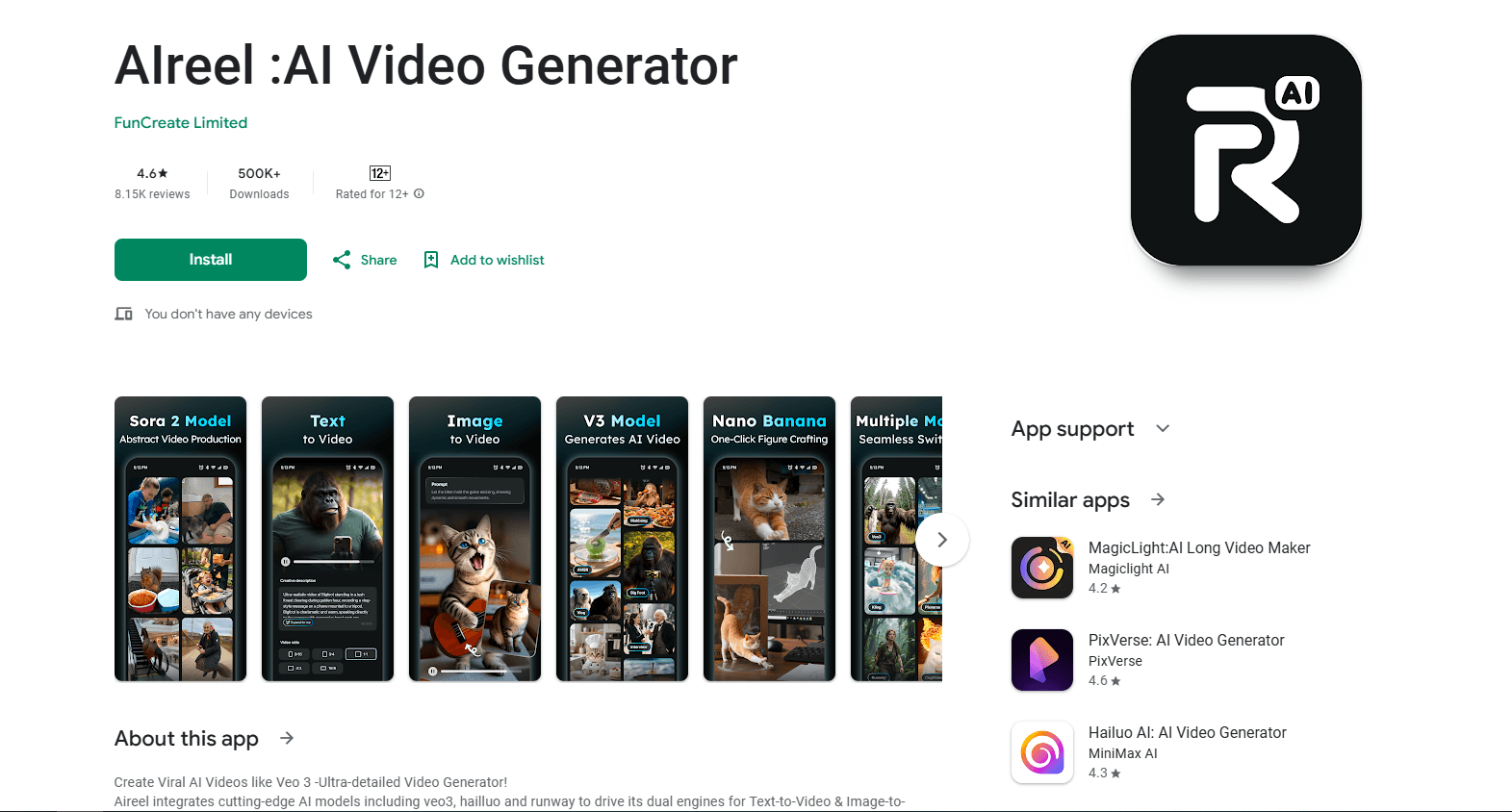
AIReel : AI Video Generator is an Android app that turns a text prompt or a single photo into a short, social-ready video. It runs several big-name AI models under one roof, including Sora, Veo 3, Hailuo, and Seedance 2.0, so you can pick a style without juggling separate accounts. The app leans hard into short-form trends, offering daily-updated templates and exports sized for TikTok, Reels, and Shorts. Think of it as a viral video maker and phone video generator rolled into one download. If you want viral-style clips without learning an editor, this is the pitch.
About AIReel : AI Video Generator
What Is AIReel : AI Video Generator
AIReel is a multi-model AI video maker built for phones. You feed it text or an image, choose how you want the shot to move, and it generates a finished clip in a vertical, square, or widescreen format. The point is speed and convenience: instead of signing up for five different video tools, you get several top models in one app.
The developer, FunCreate Limited, positions AIReel as "one-stop," and the model list backs that up. You can switch between cinematic renders and stylized looks without leaving the app, which means a single session can move from a photoreal product shot to a cartoon gag without you reopening a browser or paying for a second tool. That flexibility is the main reason people pay attention to it over single-model competitors.
The trade-off is that everything runs on credits. Free use is limited, and the better models cost more per render, so heavy creators end up on a subscription. Some users have complained on the Play Store that credit costs feel high for what a monthly plan includes. So who should pay? Only people posting often enough that a single free credit pool runs dry. It's also Android-only, so iPhone owners are out of luck.
Getting Started
- Install AIReel from Google Play and open it. You can start with the free credits included at signup.
- Pick a mode: Text to Video or Image to Video.
- Write a prompt, or upload a photo. Use the Prompt Expander if you want the app to flesh out a rough idea.
- Choose a model and a format (9:16, 16:9, or 1:1), then hit generate.
- Review the result, redo it if you don't like the motion, and export or share straight to social.
Product Information
A quick look at AIReel : AI Video Generator's pricing, supported platforms, and performance.
Best for
The users, tasks, and scenarios where this tool fits best.
Users
- Short-form creators
- Beginners with no editing background
- Small business owners making promo clips
Tasks
- Turning a static photo into a moving shot
- Brainstorming script-to-video ideas
- Producing trend-style videos fast
Scenarios
- Weekend content batching
- Testing a concept before committing
- Quick social replies and memes
Key features
Multi-Model Engine
AIReel runs more than one generation model, and the list is the selling point. You get Sora, Veo 3, Hailuo, Seedance 2.0, and others, each with its own look and strengths. The practical win is choice. A realistic render for one clip, a stylized one for the next, all in the same app, without the hassle of exporting your source between tools that each charge their own monthly fee. New models land as they launch. That keeps AIReel roughly in step with a field that moves every few weeks.
AI Camera Control
This is the feature AIReel pushes hardest. Upload an image, adjust a virtual camera interface, and the app generates multi-angle shots of the same scene, letting a single still photo stand in for what would normally require a full camera rig and a second person to operate it. That's the pitch. In plain terms, you can fake a moving camera without filming anything, which matters if you shoot alone and have no second pair of hands for camera moves. It's aimed at people who want a director-style result but have no gear. The output quality will vary, so treat it as a creative shortcut, not a replacement for a real shoot.
Text to Video
Type a description and AIReel builds scenes and a short narrative around it. Short prompts work, but specific ones give better results, so the more detail you can pack into a single sentence about lighting, subject, and mood, the closer the output lands to what you pictured in your head. This is the entry point most people start with, and it's the most forgiving mode for beginners. Think of it as a first draft you refine rather than a one-shot perfect take.
Image to Video
Feed the app a portrait, an anime character, or a pet photo, and it animates the subject with motion. This mode fits a common need: you already have an image you like and just want to bring it to life. Results depend on how clean the source photo is, and a blurry or cluttered image with several subjects will usually give you messier, less predictable motion than a single clear one.
Prompt Expander
Rough ideas usually make weak videos. The Prompt Expander rewrites a simple sentence into a fuller, more detailed prompt, which often lifts the result. It removes some of the guesswork for newcomers who don't yet know how to describe a shot. You still pick the model and format yourself.
Viral Templates
AIReel keeps a library of daily-updated templates tied to social trends, over a hundred at any given time. Templates handle the structure, so you supply the content, and if your goal is to match a format that's already working on TikTok or Reels you skip most of the trial and error that would otherwise eat your afternoon. The obvious catch is that trend-chasing is short-lived by nature.
Multi-Format Export
Clips export in 9:16 for vertical feeds, 16:9 for YouTube and widescreen, or 1:1 for square posts. One project, three destinations, no re-shooting. If you repurpose the same content across several platforms, that alone removes a step a separate editor would normally handle for you.
Pros and cons
Pros
- Several leading AI video models in one app, so you don't manage separate subscriptions.
- Text-to-video and image-to-video both supported in a single workflow.
- Templates and aspect ratios are built around short-form platforms.
- Fast generation compared with assembling clips manually in an editor.
- Simple enough that people with no editing experience can get a usable clip.
Cons
- Credit-based pricing. The better models burn credits faster, and some reviewers say the allowance feels small for the monthly cost.
- Android only. There's no iOS app, which rules out iPhone users.
- Output quality varies by model and prompt. Results are inconsistent, especially from low-quality source images.
- No public API. If you want to automate generation inside your own product, you can't.
Frequently asked questions
You can create short AI videos from text prompts or photos, in vertical, square, or widescreen formats. The app is built for social clips rather than long videos, so expect seconds-long results, not full productions.
Related content
Explore related tools, skills, and articles for AIReel : AI Video Generator.
AIReel : AI Video Generator Alternatives

Vadu AI
Vadu AI · Image · VideoVadu AI is a web-based AI video generator that turns written prompts or still images into short clips, and it can also generate images on its own. You type what you want, pick a model and style, and the platform renders the result in minutes. A free plan covers light testing, while paid tiers run from $9 to $77.40 per month based on how many credits you burn.

Mykaraoke Video
MyKaraoke Video · VideoMykaraoke Video is an online karaoke video maker and lyric video maker that turns any song into a finished, lyrics-synced video right in your browser. It handles the slow part for you. The AI pulls vocals out of the mix and locks the lyrics to the beat, then lets you customize background, fonts, and colors before exporting in 1080p MP4. If you make lyric videos for social media, party nights, or music promotion, it skips the software installs and manual timing work entirely. Want a karaoke video generator that doesn't eat your whole evening? That's the pitch here.

Finalframe
Finalframe · VideoFinalframe is a set of free, browser-based tools for grabbing exact frames out of a video clip. Its best-known feature, the Final Frame Extractor, lets you extract the last frame of any video so you can use it as the starting image for AI video tools like Luma Dream Machine, Runway, or Kling. Want to keep a clip going? That last frame is your starting point. The tool runs locally in your browser, needs no sign-up, and costs nothing. A separate paid AI video-generation app from the same team is currently offline while it's rebuilt.