

Alfred
Treblle · Coding
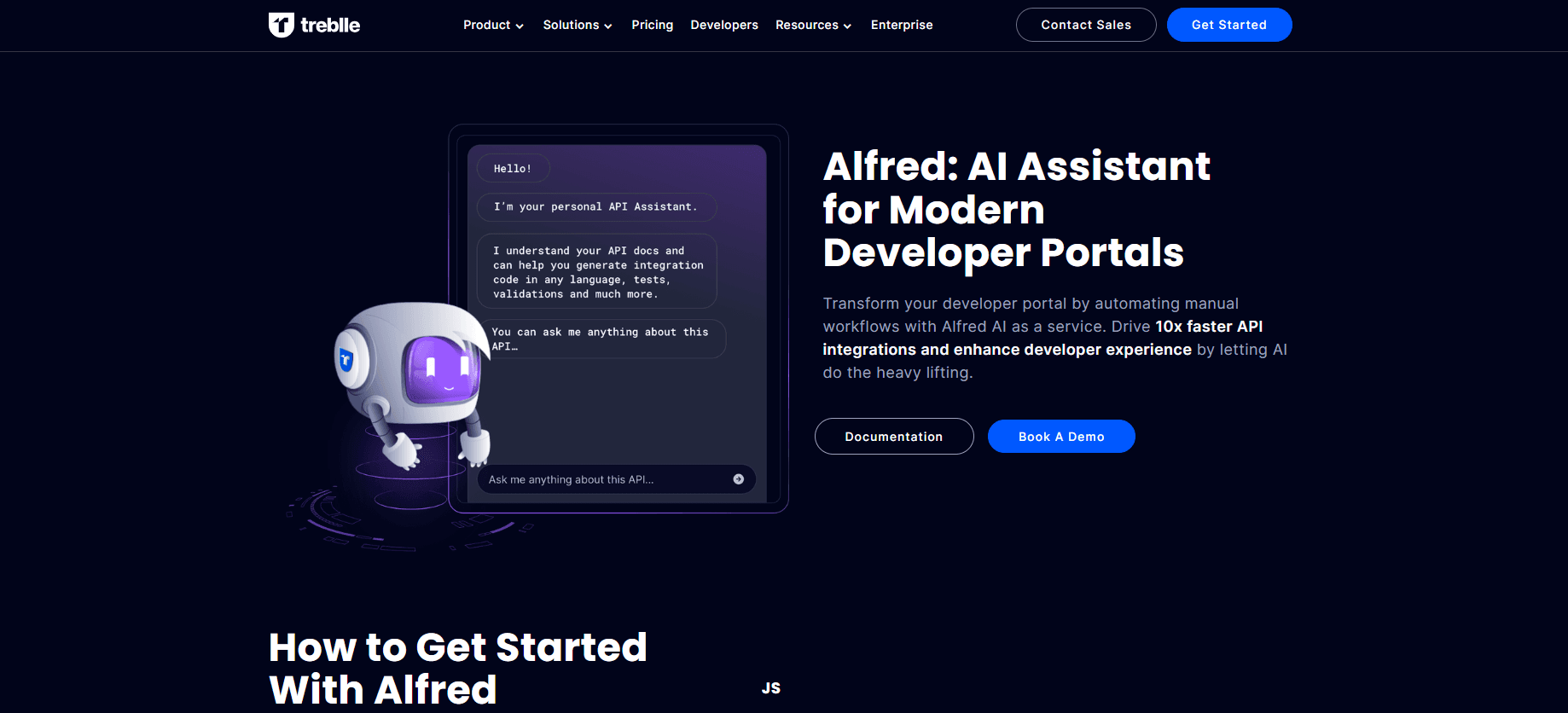
Alfred is Treblle's AI assistant for developer portals. It answers questions about your API docs and generates code samples, data models and tests, so partners and internal teams integrate faster.
About Alfred
What Is Alfred
Alfred is an AI assistant that lives inside a developer portal. It reads the API documentation you already publish, usually an OpenAPI spec, and answers plain language questions about it. Developers ask how to call an endpoint, where the API key sits or which spec format the docs use, and Alfred replies with the answer plus the code they need.
The product grew out of a narrow task. Treblle's team wanted to auto-generate SwiftUI models from API docs, then widened it to code samples, data models and tests in other languages. Today it ships in two shapes: inside the Treblle workspace, where docs are generated by a Treblle SDK, and as Alfred as a Service, which you embed in your own portal with one line of JavaScript and one line of HTML.
The limits matter before you commit. Alfred answers from the documentation it can see, so thin or outdated specs produce thin or outdated answers. It also stays on API topics and turns down unrelated requests. Anything beyond that needs a human.
Getting Started
- Put your documentation in order. An OpenAPI 3.x spec is the usual starting point, and a Treblle SDK can generate docs from live traffic if you have none.
- Embed the assistant. For Alfred as a Service, add one script line and one HTML line to your portal page. No Treblle workspace is required for this route.
- Ask a question in the chat. Start with something small, such as whether your docs use Swagger or OpenAPI 3.0.x, then move to a real endpoint.
- Generate what you need. Ask for a request example, a data model or a test in the language your team uses.
Product Information
A quick look at Alfred's pricing, supported platforms, and performance.
Best for
The users, tasks, and scenarios where this tool fits best.
Users
- API platform teams
- Partner and solutions engineers
- Mobile developers
Tasks
- Answering documentation questions
- Generating integration code
- Building data models and tests
- Checking API quality
Scenarios
- A public developer portal with steady signups
- An internal API catalog
- A partner onboarding sprint
- Doc-driven development
Key features
Answers questions about your API docs
Alfred reads the published documentation and answers in plain language. It can tell whether the docs use Swagger or OpenAPI 3.0.x, show how to send a POST request to a given endpoint, confirm whether a PUT route exists and point to the API key. Answers stay tied to your spec, so it does not invent endpoints.
Generates code in the language you ask for
The assistant started with SwiftUI models and now returns code samples in other languages too. A developer picks the language and the endpoint, then gets a request example with headers, auth and body. The output is a starting point, not a finished client, so a review step still matters.
Builds data models and tests
Alfred turns documented fields into data models and writes tests against the documented responses. This saves the dull part of integration work, where a developer copies field names by hand and hopes the types match. Models follow the spec, so a spec change shows up as a diff rather than a runtime surprise.
Reports API quality through API Insights
Treblle's API Insights checks the spec and an actual request against industry rules for design, performance and security. Alfred surfaces those findings in chat, so a developer can ask how healthy an API is and get a scored answer with the weak points named.
Embeds in your own portal with two lines
Alfred as a Service does not require the Treblle platform. You add one JavaScript line and one HTML line, and the assistant appears inside your existing portal with your brand around it. That keeps the portal you already built and skips a migration.
Works from live requests in Aspen
Aspen is Treblle's macOS API client. It runs without a login and stores data locally. Alfred sits inside it, so a developer can send a request, read the response and generate a model or integration snippet from that real traffic instead of the spec alone.
Pros and cons
Pros
- Answers come from your own documentation, so they match the API you actually ship.
- The embed is a two line change, which keeps your current portal and design.
- Code samples, models and tests come from one chat, so a developer does not switch tools mid task.
- The API Insights tie-in turns a vague quality question into a scored list of fixes.
Cons
- Answer quality rises and falls with your docs. A stale spec produces stale code, and the assistant will not flag every gap.
- Alfred as a Service is quote-based, so a small team cannot price it from the website.
- The assistant stays on API topics, which is deliberate but limits it as a general developer helper.
Frequently asked questions
It answers questions about your API documentation and generates code samples, data models and tests. Think of it as a chat layer over your OpenAPI spec, placed where developers already read the docs.
Related content
Explore related tools, skills, and articles for Alfred.
Alfred Alternatives
Forefront
Forefront · CodingForefront is a web platform for building with open-source AI. It lets you fine-tune leading open-source language models on your own data, evaluate how they perform, and run them through an API or export them to host yourself. Developers who want the convenience of a closed-source platform but insist on owning their models and data are the target audience here.

Startkit
StartKit.AI · CodingStartkit is a boilerplate for building AI SaaS and AI wrapper products. Think of it as an AI startup boilerplate with the boring parts already wired up: authentication, Stripe and Lemon Squeezy payments, usage limits, transactional email, and an AI API starter that talks to OpenAI, Anthropic, Groq, or Llama. You clone the repo, set your price, and start on the part of your product that people actually pay for. It's Next.js under React and Tailwind, so most of the boilerplate code already feels familiar.
Testim
Tricentis · CodingTestim is an AI-powered test automation platform for building and running end-to-end tests across web, mobile, and Salesforce applications. It leans on machine learning to keep tests stable when an interface changes, so teams spend less time fixing broken selectors. Not bad for an automated testing tool you can start using today. You create tests by recording actions in a browser, then optionally add JavaScript when you need more control. It's a solid pick for busy QA teams.