

AlphaClaw Apex
Chrys Bader · Coding
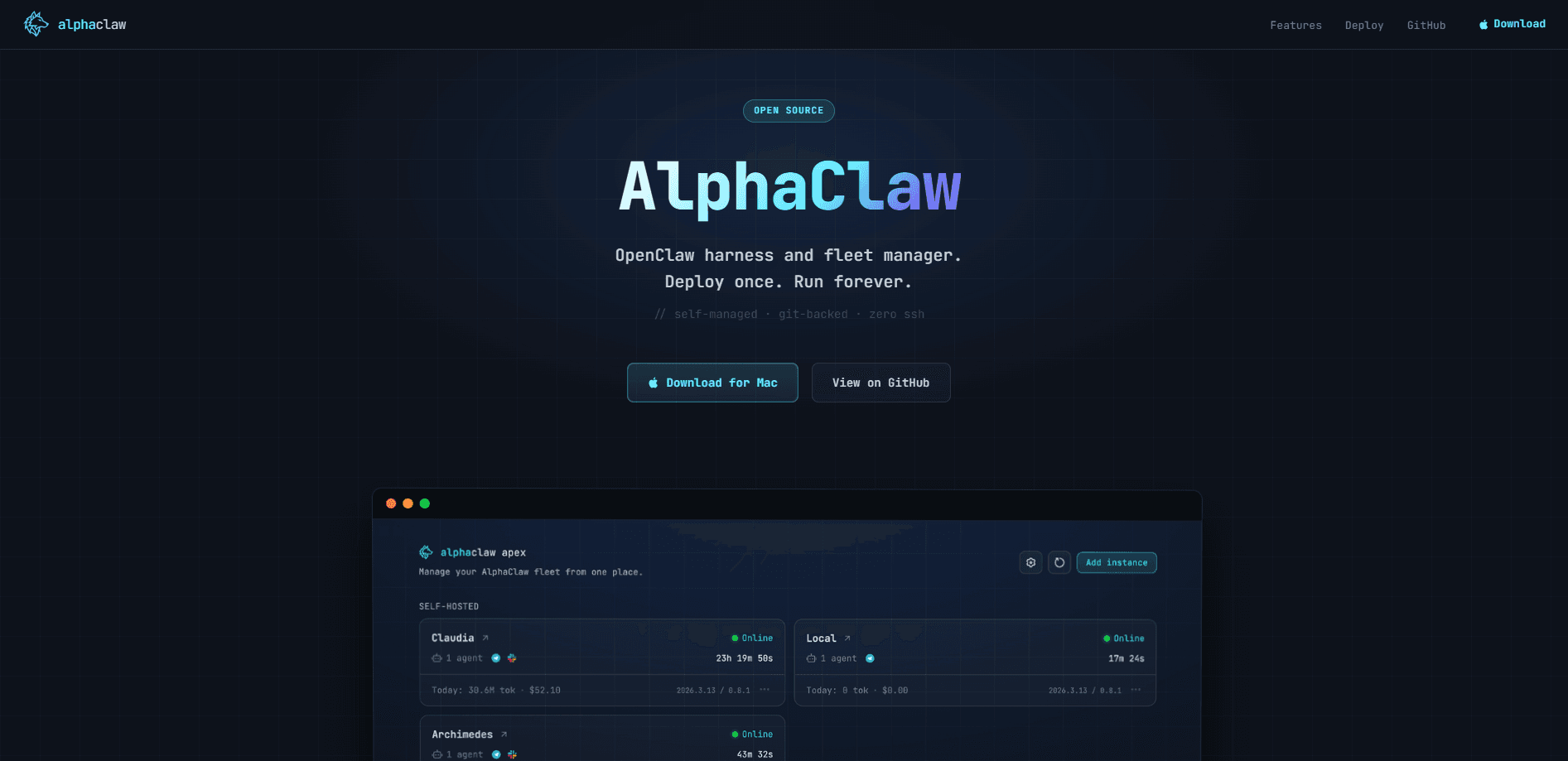
AlphaClaw Apex is a native Mac app that turns a messy pile of OpenClaw VPS instances into one managed dashboard. It watches each server, restarts agents that crash, commits your workspace to GitHub every hour, and lets you handle setup, config, and channels from a browser instead of an SSH session. Wondering what an OpenClaw fleet manager actually saves you? If you run more than one OpenClaw deployment and you're tired of babysitting each server by hand, it's built for exactly that job.
About AlphaClaw Apex
What Is AlphaClaw Apex
AlphaClaw Apex is a management layer for OpenClaw, the open-source agent runtime. Where OpenClaw gives you a single agent, AlphaClaw gives you a fleet. You point it at your servers, and it handles the boring operational work, from starting the gateway and watching for crashes to keeping backups and exposing everything through a password-protected web UI.
The multi-agent management tool targets people who moved past "one agent on a laptop" and now run several OpenClaw instances for real work. The website markets it as an OpenClaw fleet manager, and that's accurate. It doesn't replace OpenClaw or add new AI models. It wraps what you already have so the servers stop dying at 2am while you're asleep.
The biggest limitation is platform scope. AlphaClaw currently targets Docker and Linux deployments, and macOS local development isn't supported yet. The companion desktop app runs on Mac, but the actual agents live on Linux VPS boxes. Windows users are out of luck for now.
Getting Started
- Download the Mac app from the official site or grab the Linux/Docker deployment from GitHub.
- Deploy to a VPS through the one-click Railway or Render template, or your own Docker host.
- Open the password-protected dashboard and run the guided onboarding wizard: pick a model, add provider credentials, and connect your GitHub repo.
- Pair your channels (Telegram, Discord, or Slack) and bind them to specific agents.
- Send your first message. The watchdog and hourly Git commits start running on their own.
Product Information
A quick look at AlphaClaw Apex's pricing, supported platforms, and performance.
Best for
The users, tasks, and scenarios where this tool fits best.
Users
- OpenClaw power users
- Small teams sharing agents
- Solo builders with a fleet
Tasks
- Recovering crashed agents
- Versioning agent work
- Setting up channels and integrations
- Auditing what agents did
Scenarios
- Running multiple production agents overnight while you sleep, with crash notifications landing in Telegram, Discord, or Slack.
- Handing a working agent to a teammate without walking them through terminal commands, since setup and monitoring live in the browser.
- Recovering from a bad prompt change by reverting to the last good Git commit.
- Onboarding a second or third VPS in minutes instead of spending a day repeating manual configuration.
Key features
Self-Healing Watchdog
The watchdog keeps an eye on each gateway process and steps in when something breaks. It detects crashes, catches crash loops, and runs openclaw doctor --fix to repair common faults automatically. When it can't fix things alone, you get a notification in Telegram, Discord, or Slack, so the failure reaches you instead of sitting silent on a server.
Auto Git Backup
Every hour, AlphaClaw commits your workspace to GitHub. Every agent action gets versioned and stays auditable, which matters when you're changing prompts and configs and need to know what shifted. Rolling back a mistake becomes a Git operation instead of a manual rebuild, so a Git-backed backup is always a commit away.
Browser Setup UI
Setup, configuration, provider credentials, and channel pairing all live in a password-protected web dashboard. There's no SSH and no hand-editing config files. The guided onboarding walks you through model selection, adding credentials, connecting a repo, and pairing channels in one flow.
Multi-Agent Management
You create, rename, and delete agents from a sidebar, and each one gets an overview card, channel bindings, and an isolated workspace. URL-driven selection means you can bookmark a specific agent's view. Fleet visibility is the whole point, so keeping instances separate stays simple.
Web Terminal and Observability
A live interactive terminal streams gateway output straight to your browser, and you can run commands without leaving the page. The cron view adds an interactive calendar, run-history drilldowns, trend analytics, and per-run usage breakdowns, which together answer the question every fleet owner eventually asks about what each agent actually did while they weren't watching.
Drift Doctor
AlphaClaw injects anti-drift prompt hardening into every message the agent sees, reinforcing safe practices and commit discipline. It's a quiet safeguard rather than a feature you configure. Over weeks of unattended runs, that nudge helps keep an agent from wandering off-script.
Integrations and Local Nodes
Google Workspace OAuth covers Gmail, Calendar, Drive, Docs, Sheets, Tasks, Contacts, and Meet, with guided Pub/Sub setup for Gmail watches. Named webhooks handle transform modules and OAuth callbacks. Local nodes let you control a Mac's browser from the cloud, with per-node attach checks and routing controls.
One-Click Deployment
Railway and Render templates get you from zero to a live agent in about five minutes, with persistent storage and auto-scaling handled for you. Render even sponsors the project with $50 in credits via the code RENDER-ALPHACLAW. The desktop app installs from a single DMG.
Pros and cons
Pros
- Real crash recovery, not just alerting: the watchdog repairs common faults on its own before it pings you.
- Hourly Git commits make every workspace change reversible and auditable.
- The browser dashboard removes SSH from day-to-day management, which matters if you're not a devops person.
- One-click Railway and Render templates shorten first deploy to a few minutes.
- Open source and free to run, so the only cost is your own hosting.
Cons
- macOS local development isn't supported, so the agents themselves must run on Linux or Docker. Windows users can't use it at all.
- The management app is Mac-only, which locks out anyone on Windows or Linux desktops.
- There's no public API, so anything beyond the dashboard means working through the underlying OpenClaw setup.
- You still own the servers. AlphaClaw manages them but doesn't host them.
Frequently asked questions
It's a control layer that manages multiple OpenClaw instances from one place, and the question of whether you need it usually comes down to how many agents you run. You get a browser dashboard for setup and monitoring, a watchdog that repairs crashed agents, hourly Git backups, and channel pairing wizards. It manages OpenClaw, it doesn't replace it.
Related content
Explore related tools, skills, and articles for AlphaClaw Apex.
AlphaClaw Apex Alternatives
Forefront
Forefront · CodingForefront is a web platform for building with open-source AI. It lets you fine-tune leading open-source language models on your own data, evaluate how they perform, and run them through an API or export them to host yourself. Developers who want the convenience of a closed-source platform but insist on owning their models and data are the target audience here.

Startkit
StartKit.AI · CodingStartkit is a boilerplate for building AI SaaS and AI wrapper products. Think of it as an AI startup boilerplate with the boring parts already wired up: authentication, Stripe and Lemon Squeezy payments, usage limits, transactional email, and an AI API starter that talks to OpenAI, Anthropic, Groq, or Llama. You clone the repo, set your price, and start on the part of your product that people actually pay for. It's Next.js under React and Tailwind, so most of the boilerplate code already feels familiar.
Testim
Tricentis · CodingTestim is an AI-powered test automation platform for building and running end-to-end tests across web, mobile, and Salesforce applications. It leans on machine learning to keep tests stable when an interface changes, so teams spend less time fixing broken selectors. Not bad for an automated testing tool you can start using today. You create tests by recording actions in a browser, then optionally add JavaScript when you need more control. It's a solid pick for busy QA teams.