

AlphaCTR
AlphaCTR · Video · Marketing
AlphaCTR is an AI creative generator that turns a prompt or reference image into thumbnail and ad options built for click-through rate, sold through monthly credits.
About AlphaCTR
What Is AlphaCTR
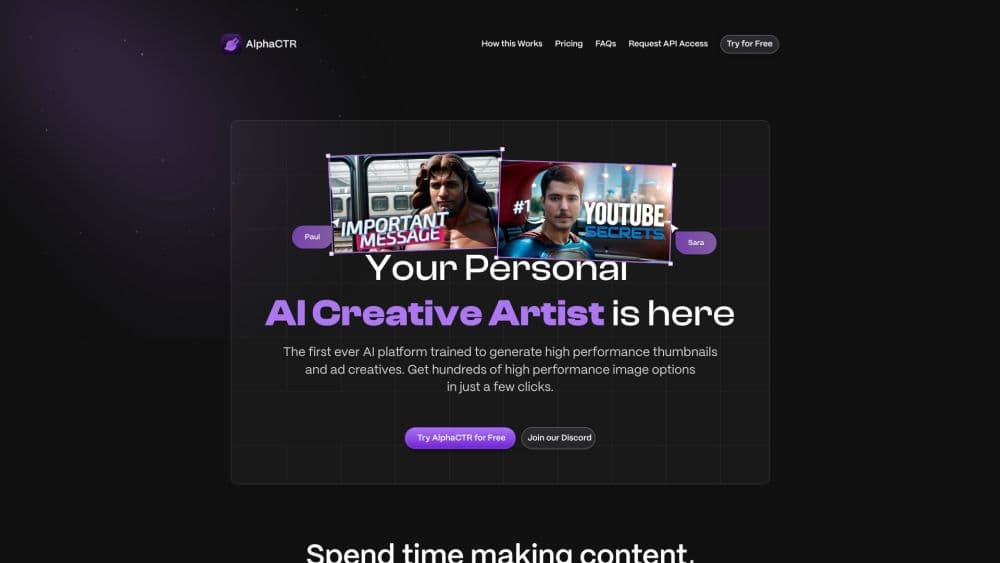
AlphaCTR is a web app that works as a YouTube thumbnail maker and ad creative generator. You type what you want or upload a picture you like, and it returns sets of finished images. The pitch is narrow on purpose: not general design, not image editing for its own sake, but visuals whose job is to win a click on YouTube, a social feed, or a display placement.
That narrowness shows in how it works. Each credit produces four variations of one idea, so a single prompt fills a small grid you can compare side by side. A thumbnail editor sits on top for moving text, restyling it, and dropping in a face. Recent builds have added a titles studio for YouTube packaging, which pushes the tool further into the part of the job that happens before the artwork exists.
The limit is scope. It handles packaging visuals, not brand systems or long-form layout, and the free allowance is small enough that serious use means paying. If you need a deck, a landing page, or a library of templates your team shares, this isn't that product.
Getting Started
- Create an account at alphactr.com. Signing up doesn't ask for a card, and the free allowance gives you a first set of creatives to look at.
- Describe the visual you want in the prompt field, or upload a reference image if you already have a style in mind.
- Add a face if the design needs one. Upload the photo you want to use and let the generator place it into the scene.
- Generate and compare. Each credit returns four variations, so you get a grid to judge before you commit to a direction.
- Open your pick in the editor, adjust the text style and layout, then export as PNG or JPG.
Product Information
A quick look at AlphaCTR's pricing, supported platforms, and performance.
Best for
The users, tasks, and scenarios where this tool fits best.
Users
- YouTube creators
- Performance marketers and media buyers
- Freelancers and small agencies
Tasks
- Making YouTube thumbnails
- Testing ad angles
- Dropping a real face into a scene
- Packaging a video end to end
Scenarios
- A channel uploads three times a week and needs a fresh thumbnail each time without a design retainer.
- A campaign needs ten creative variants for a small budget test, and a full studio shoot isn't worth the cost.
- A freelancer gets a rush request for a banner set and needs something presentable the same afternoon.
Key features
Start From a Prompt or a Reference Image
You can start from text or from an image. Typing a description works when you know what you want. Uploading a reference works better when you have a style in mind but can't put it into words, which is most of the time with visual work. Either route returns a set rather than a single image, so the first step is comparison instead of acceptance.
Four Variations From Every Credit
One credit doesn't buy one image. It buys four takes on the same brief, which changes how you work: you judge a grid, keep the strongest, and discard the rest. Credit-based pricing puts the Basic plan at $5 for 25 credits a month, which is roughly a hundred images to sort through. The cost per usable image ends up far lower than the sticker price suggests, provided you're willing to pick rather than polish.
Facial Reconstruction Built Into the Scene
Creatives with faces tend to earn more clicks, and AlphaCTR builds AI face generation into the flow. Upload a photo and the tool reconstructs the face into the generated scene instead of pasting a cutout on top. The company puts the accuracy at 99%, a vendor figure worth checking against your own material before you rely on it for a client's likeness.
Thumbnail Editor and Text Styles
The editor is where a generated image becomes a usable thumbnail. You move text, change its size and treatment, and apply style presets that are built to stay readable at small sizes. This matters more than it sounds: a thumbnail that looks good at full resolution and turns to mush in a feed is a wasted credit.
AI Picker That Learns Your Taste
The picker watches which variations you keep and adjusts toward those. Over a few sessions it should produce grids that need less filtering. Treat it as a convenience rather than a trained model of your channel, since it learns from your picks inside one account and nothing else.
Titles Studio for YouTube Packaging
Recent versions add a place to build the title alongside the thumbnail. Titles and thumbnails compete for the same attention in a feed, so building them together beats finishing one and forcing the other to fit. This is the feature that moves AlphaCTR from a thumbnail generator toward a packaging tool.
Exports and API Access
Finished work comes out as PNG or JPG with no cap on downloads on paid plans, which matters when a single campaign needs the same creative in several sizes. API access is listed on the enterprise plan alongside custom model training, so teams that need creatives generated programmatically have a route. Pricing for it isn't published.
Pros and cons
Pros
- Four variations per credit means one prompt gives you a real choice, not a single take you have to accept or discard.
- The entry price is low at $5 a month, and the per-credit cost drops as you move up, so heavy use gets cheaper rather than more expensive.
- Face generation and text styling live in the same flow, which removes the usual step of exporting to another editor.
- The titles studio and thumbnail editor together cover packaging rather than just the image, which is where most of the hours actually go.
Cons
- The free allowance is small. You'll see what the tool can do, but you won't finish a real project on it, so budget for a paid plan from the start.
- Accuracy figures for face generation come from the vendor. How well likenesses hold up on your own photos still needs testing before you use them commercially.
- It's built for thumbnails and ad creatives. Anything resembling a full design system, multi-page layout, or team template library sits outside what it does.
- API access and custom model training are enterprise-only, and neither has published pricing, so smaller teams can't plan around them.
Frequently asked questions
AlphaCTR makes thumbnails and ad creatives. You describe the visual you want or upload a reference image, and it generates sets of finished options aimed at earning clicks. A thumbnail editor and a titles studio handle the rest of the packaging work.
Related content
Explore related tools, skills, and articles for AlphaCTR.
AlphaCTR Alternatives

ngram 2.0
ngram · Video · Marketingngram 2.0 is an AI video generator for teams. It turns a prompt, a screen recording, or a product URL into a narrated explainer, product demo, or AI avatar video, and every scene stays editable.

OpenScreen 2
OpenScreen (open-source project) · Video · ProductivityOpenScreen 2 is a free, open-source screen recorder and demo video editor for Windows, macOS, and Linux, with automatic zooms, styled frames, local captions, and agent edits.

Skreno
Skreno · Video · ProductivitySkreno is a browser screen recorder that captures a tab, a window or your whole display, then attaches AI transcripts, summaries and console logs to one share link.