

Alphasense
AlphaSense, Inc. · Productivity · Business
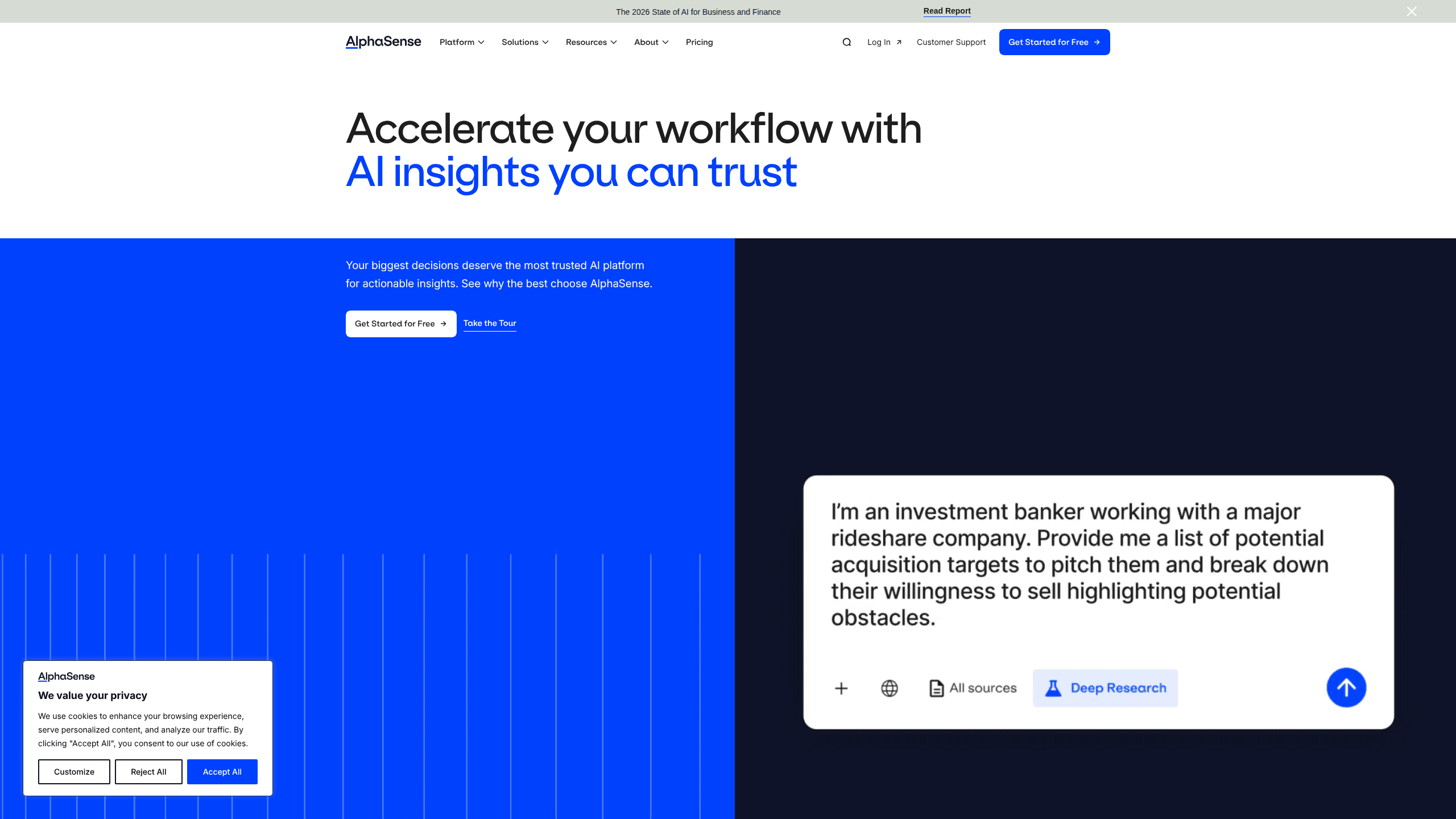
AlphaSense is an AI market intelligence platform that puts over 500 million premium business and financial documents behind a single search box. Analysts, investors, and strategy teams use it to find company filings, broker research, expert call transcripts, news, and their own internal files in one place, then ask questions and get answers with sentence-level citations. This is market intelligence software built for people who make high-stakes decisions. They can't afford to guess.
About Alphasense
What Is AlphaSense
AlphaSense started as a fix for a very specific headache. Its founders, Jack Kokko and Raj Neervannan, launched the company in 2011 after Kokko spent years as an investment banker watching smart people burn days on manual research that should've taken minutes.
The platform pulls from a content library most competitors can't match: broker and independent research from over 1,000 firms, expert transcripts, regulatory filings, global news, and private financial data, all searchable alongside your own company documents. On top of that sits a multi-agent AI layer that reasons across qualitative notes, structured financials, and internal knowledge to produce audit-ready answers.
The catch is that AlphaSense is an enterprise tool. There's no self-serve checkout, no free tier, and no public price list. You request a demo, and a sales team scopes a plan for your company size and content needs. That means smaller teams and solo researchers are effectively priced out.
Getting Started
- Request a demo through the official AlphaSense website and describe your industry, team size, and the content sources you rely on.
- Work with the sales team to pick a plan: Market Intelligence or Enterprise Intelligence, plus any add-on modules you need.
- Get onboarding and training, then connect your internal shared drives so your own memos and decks become searchable.
- Run your first search or prompt in Generative Search, filter by source type and date, and save the query as a monitored dashboard.
- Install the Excel and PowerPoint add-ins so you can pull insights straight into the models and decks you already build.
Product Information
A quick look at Alphasense's pricing, supported platforms, and performance.
Best for
The users, tasks, and scenarios where this tool fits best.
Users
- Investment analysts
- Corporate strategy teams
- Consultants
Tasks
- Company due diligence
- Competitive intelligence tool use
- Building research briefings
Scenarios
- Pre-meeting prep
- Monitoring a portfolio
- Early-stage market mapping
Key features
Generative Search
Generative Search is the core of the platform. It doesn't return a list of links. Instead, it answers your question by reasoning across qualitative insights, structured financial data, and your internal knowledge. Every claim comes with sentence-level citations, which matters when you have to defend a decision to a committee. Miss a number, and the whole memo falls apart.
Deep Research
Deep Research is an AI agent that acts like a small analyst team working in parallel. It autonomously assembles full reports and investment-grade briefings. Weeks of reading become minutes of review. You still check the output, but the heavy lifting is done for you.
Expert Transcript Library
AlphaSense owns Tegus, which gives it a deep pool of expert call transcripts on top of broker research. These transcripts capture what industry insiders actually say about a company or market, often months before it shows up in published reports.
Connected Internal Content
Enterprise Intelligence lets you connect your own shared drives, so memos, meeting notes, and slide decks become as searchable as the premium library. That closes a gap most research tools leave open. Half your institutional knowledge usually lives in files nobody can find.
Financial Data and Excel Integration
Built-in screening tools, comparables, M&A transactions, funding rounds, and valuation metrics sit next to the text content. Excel add-ins and pre-built models let you pull that data straight into your own analysis without copy-pasting between windows.
Workflow Agents and Monitoring
Custom and scheduled agents shift research from a manual pull to an automated push. You build an agent, point it at the topics you care about, and it reports back. No more manual sweeps. Customized dashboards and regular alerts keep competitors, industry trends, and macro topics in one view.
Desktop and Mobile Apps
Native add-ins for PowerPoint and Excel mean you can iterate on work products inside the tools you already use. The mobile app lets you track insights and monitor dashboards when you're away from your desk.
Pros and cons
Pros
- Enormous content library of 500M+ documents, including proprietary expert transcripts through Tegus.
- Sentence-level citations on AI answers make outputs auditable and help you avoid acting on a hallucinated number.
- Genuine workflow integration through Excel and PowerPoint add-ins, not just a separate web app.
- Monitoring and scheduled agents automate the repetitive parts of research and competitive tracking.
Cons
- No public pricing and no free plan, so you can't evaluate cost without a sales conversation, which is a real barrier for small teams.
- It's an enterprise product, meaning onboarding and setup take longer than clicking a signup button.
- API availability isn't publicly documented, so teams planning custom integrations should confirm this with the vendor first.
Frequently asked questions
It's an AI-powered market intelligence platform that searches a huge library of financial and business documents and answers your research questions with cited, analysis-ready output. Think of it as a research assistant that has already read the filings, transcripts, and news you don't have time to read.
Related content
Explore related tools, skills, and articles for Alphasense.
Alphasense Alternatives

Swms
Swms AI · Writing · Productivity · BusinessSwms is an AI safety compliance tool that turns a plain description of a job into ready-to-use safety documents. Describe your project, trade, and known hazards, and it writes a safe work method statement, job hazard analysis, safe work procedure, RAMS, or safety data sheet in seconds. It also ships with Oscar, a chat assistant that answers workplace safety questions in any language. Teams in construction, mining, transport, and warehousing use it to cut the paperwork that usually eats into a workday.

Wordly AI Translation
Wordly · Voice & Language · ProductivityWordly AI Translation is a real-time AI translation and captioning platform built for meetings, conferences, and events. It delivers live translation, captions, transcripts, and summaries in more than 60 languages, and attendees join by scanning a QR code or opening a link instead of using dedicated headsets. The platform works with Zoom, Microsoft Teams, Google Meet, and Webex, and it's designed for organizations that want multilingual access without hiring human interpreters for every session. Simple as that.

Rows
Rows (Superhuman) · Productivity · BusinessRows is an AI spreadsheet and data analysis tool that imports live data from more than 50 sources, then lets you work with it using plain language instead of SQL queries or nested formulas. You can pull numbers out of PDFs, connect ad platforms, databases, and bank accounts, and ask the AI to build reports, merge datasets, or set up models that recalculate themselves. It runs in the browser, works like a spreadsheet, and now sits under the Superhuman umbrella.