

Am I Getting Fatter Quiz
Am I Getting Fatter Quiz · Productivity
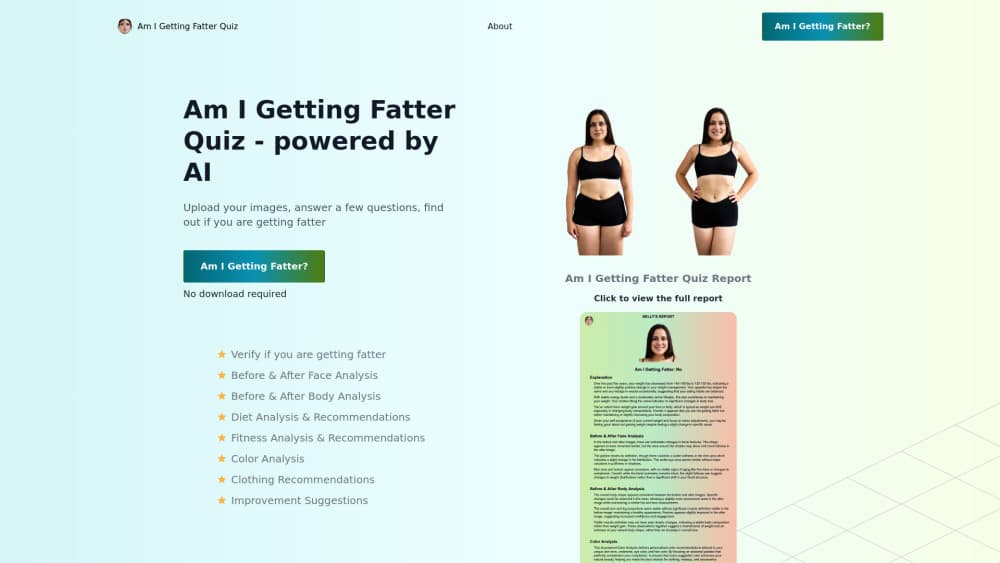
Am I Getting Fatter Quiz is an AI photo quiz that reads your pictures and habits to show if you're gaining weight. It works as a fast weight gain test.
About Am I Getting Fatter Quiz
What Is Am I Getting Fatter Quiz
Am I Getting Fatter Quiz is an online weight quiz built around a single, blunt question most people ask themselves in private: am I actually getting fatter, or does it just feel that way? You answer a short set of questions and, in some versions, upload photos. The system then runs your answers and images through AI models that look for signals of weight gain and hands back a plain-language read on your direction of travel.
The appeal isn't medical precision. It's speed and honesty. Stepping on a scale gives you one number, and that number swings with water, salt, and time of day. A quiz like this tries to pull in a wider picture: photos over time, eating patterns, activity, sleep. For someone who wants a rough body change check before committing to a diet or a doctor's visit, that's a low-effort starting point.
Worth being clear about the limits. This is a quiz, not a diagnosis. It can't measure body fat, it can't see a thyroid problem, and it can't tell you why your weight is moving. Treat the result as a nudge, not a verdict. If the answer worries you, the real next step is a professional, not another quiz.
Getting Started
- Open the quiz in your browser. There's nothing to install, and you don't need an account to start.
- Answer the lifestyle questions honestly. Height, weight history, eating habits, activity, and sleep all shape the result.
- Upload photos if the version you're using asks for them. Clear, recent, similar-angle shots give the AI more to work with.
- Read the result and the recommendations it hands back. Use them as a starting point, not a final word.
- If the result raises a real concern, take it to a doctor rather than acting on the quiz alone.
Product Information
A quick look at Am I Getting Fatter Quiz's pricing, supported platforms, and performance.
Best for
The users, tasks, and scenarios where this tool fits best.
Users
- People who want a quick, private gut-check on their weight direction without booking an appointment
- Anyone tracking a new diet or workout plan who wants a rough baseline before they start
- Users who find the scale discouraging and want a broader picture than a single number
Tasks
- Running a fast self-assessment of whether recent weight changes are heading up or holding steady
- Spotting patterns in eating, activity, and sleep that line up with weight gain
- Getting a starting point before a real conversation with a doctor or nutritionist
Scenarios
- You've noticed clothes fitting tighter and want a sanity check before you overreact
- You're a month into a diet and want a rough sense of whether it's moving the needle
- You want to log how your body looks over time using photos instead of a scale
Key features
AI Photo Analysis
The quiz can read the photos you upload and compare them against the details you provide. It looks for visual cues that tend to track with weight gain, like changes around the face, waist, and overall build. This is the part that separates it from a plain questionnaire. The accuracy, however, depends heavily on how clear and consistent your photos are.
Lifestyle Questionnaire
A set of questions covers the things that actually move weight: what you eat, how much you move, how you sleep, and how your weight has changed. Your answers feed into the same score as your photos. Answer honestly here, because a flattering answer just skews your result.
Plain-Language Results
The output isn't a chart or a medical report. It's written the way a friend would tell you: here's which way you seem to be trending, and here's what might be nudging it. That readability is the whole point. If you can't understand the result, you can't act on it.
Personalized Recommendations
Along with the verdict, the quiz suggests next steps. These tend to be the usual levers: adjust portion sizes, move more, tighten up sleep. They're generic by nature, since the tool can't know your medical history, so treat them as prompts rather than a plan.
No-Install Web Access
Everything runs in the browser. There's no app to download and no account to create before you can see a result, which keeps the barrier to trying it low. You can run it on a phone or a laptop, wherever you happen to be.
Photo-Based Progress Tracking
If you use it over time, the photo angle lets you track how your body looks rather than only what the scale says. For people whose weight fluctuates daily, watching the visual trend can be steadier and less discouraging than a number that jumps around.
Pros and cons
Pros
- No download or sign-up needed, so trying it costs you nothing but a few minutes
- Combines photos and lifestyle answers instead of leaning on one signal
- Results are written in plain language anyone can follow
- Works on both phone and desktop through the browser
- Low-pressure starting point if you're not ready to see a professional
Cons
- It's a quiz, not a medical tool, so it can't diagnose anything or explain why your weight is changing
- Photo-based readings vary a lot with lighting, angle, and clothing, so results aren't consistent
- Recommendations are generic and won't fit anyone with specific health conditions
- There's no published pricing or API detail, so anything beyond the basic quiz is unclear
Frequently asked questions
It takes your answers and, in some versions, your photos, then uses AI to give you a rough read on whether you seem to be gaining weight. Think of it as a fast self-check, not a diagnosis.
Related content
Explore related tools, skills, and articles for Am I Getting Fatter Quiz.
Am I Getting Fatter Quiz Alternatives

Swms
Swms AI · Writing · Productivity · BusinessSwms is an AI safety compliance tool that turns a plain description of a job into ready-to-use safety documents. Describe your project, trade, and known hazards, and it writes a safe work method statement, job hazard analysis, safe work procedure, RAMS, or safety data sheet in seconds. It also ships with Oscar, a chat assistant that answers workplace safety questions in any language. Teams in construction, mining, transport, and warehousing use it to cut the paperwork that usually eats into a workday.

Wordly AI Translation
Wordly · Voice & Language · ProductivityWordly AI Translation is a real-time AI translation and captioning platform built for meetings, conferences, and events. It delivers live translation, captions, transcripts, and summaries in more than 60 languages, and attendees join by scanning a QR code or opening a link instead of using dedicated headsets. The platform works with Zoom, Microsoft Teams, Google Meet, and Webex, and it's designed for organizations that want multilingual access without hiring human interpreters for every session. Simple as that.

Rows
Rows (Superhuman) · Productivity · BusinessRows is an AI spreadsheet and data analysis tool that imports live data from more than 50 sources, then lets you work with it using plain language instead of SQL queries or nested formulas. You can pull numbers out of PDFs, connect ad platforms, databases, and bank accounts, and ask the AI to build reports, merge datasets, or set up models that recalculate themselves. It runs in the browser, works like a spreadsheet, and now sits under the Superhuman umbrella.