
Anijam AI
Anijam · Video
Anijam AI is an all-in-one AI animation platform that takes you from a rough idea to a finished animated video inside one workspace. Instead of animating frame by frame, you describe a scene or upload assets, and its AI agent breaks the idea into scenes, plans character motion, picks camera angles, and syncs dialogue to lip movements. It's text to animation with a director built in. It suits creators who want animation-grade results without learning Blender, After Effects, or a separate lip-sync tool.
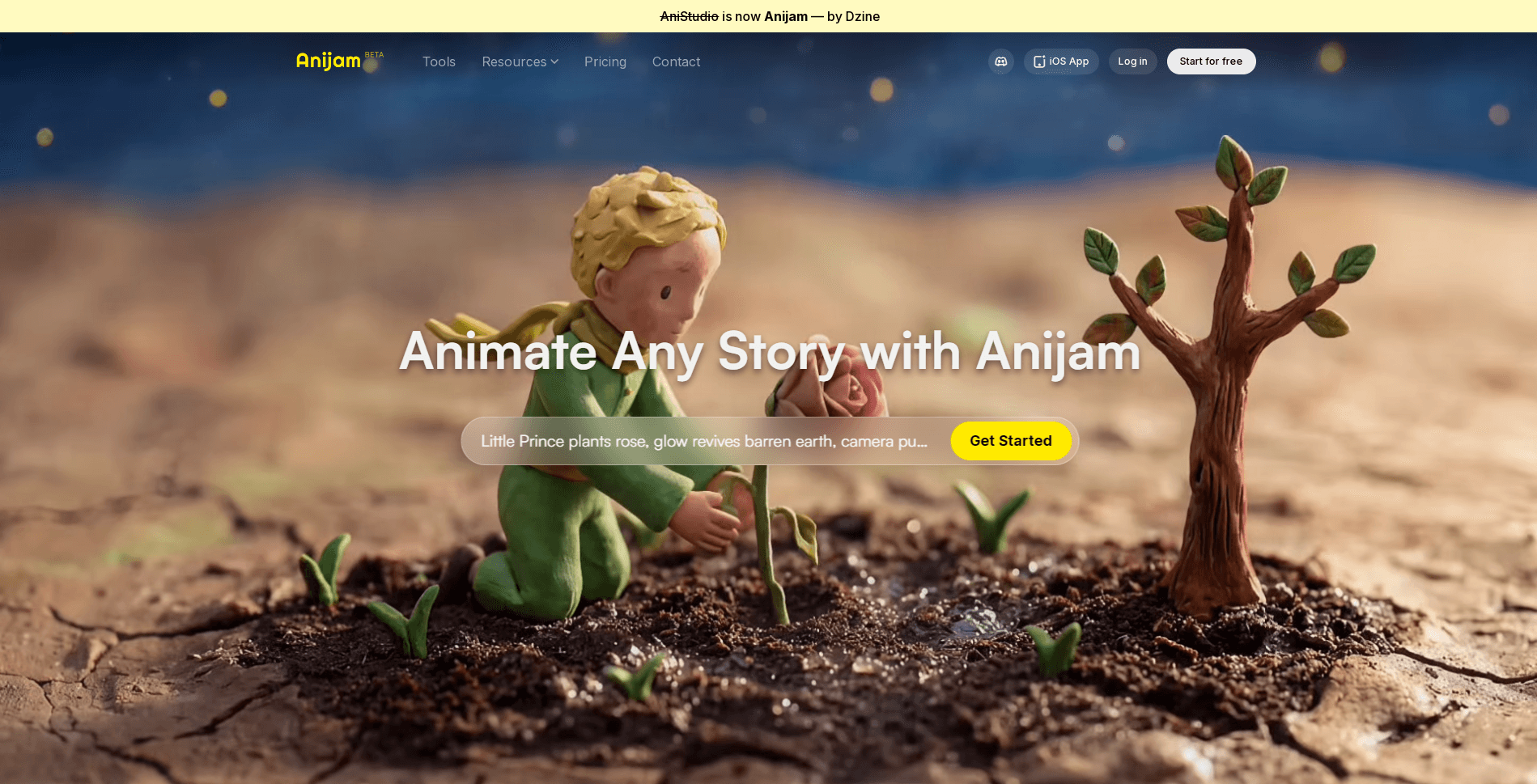
About Anijam AI
What Is Anijam AI
Anijam AI is a browser-based AI animation generator built for people who think in stories, not keyframes. The pitch is blunt. Type an idea, and the AI agent directs the production for you. It handles scene breakdown, character motion, camera work, and dialogue sync on a single canvas, so you spend time on the story rather than the software.
Most animation workflows are a chain of handoffs. You rig in one program, composite in another, and hunt down a third tool just to make a mouth move. Exhausting, right? Anijam removes those handoffs by keeping design, motion, voice, lip-sync, and timeline editing in one place. That's the main selling point, and after looking at the feature set, it holds up.
The catch is cost and control. Plans start at $16 a month and climb to $166 for the top tier. Heavy video generation burns credits fast. If you need frame-accurate manual control over every motion, this won't replace a traditional animation suite. It's built for speed and accessibility, not for animators who want to place every keyframe by hand.
Getting Started
- Create a free account on the Anijam AI website and sign in to the browser canvas.
- Describe your idea in text, or upload a script, image, or reference asset to seed the project.
- Design or upload your character, then pick an animation style such as anime, cartoon, 3D cinematic, or pixel art.
- Add motion prompts or a reference video, choose a voice, and let the AI agent generate scenes and lip-sync.
- Fine-tune timing and individual scenes in the timeline editor, then export watermark-free in up to 1080p.
Product Information
A quick look at Anijam AI's pricing, supported platforms, and performance.
Best for
The users, tasks, and scenarios where this tool fits best.
Users
- Anime and fan-content creators
- Solo content marketers
- Indie game and app teams
- Total beginners
Tasks
- Turning a script into a storyboard of animated scenes
- Making characters speak
- Keeping a character on-model across a long video
- Producing social clips fast
Scenarios
- You have a story idea but zero animation software skills, and you want a finished clip today rather than after weeks of tutorials.
- You're running a small channel and need a steady output of animated shorts, so speed matters more than hand-placed detail.
- You're pitching a game or app and need character motion in a promo, without a full studio pipeline.
- You're testing several visual styles for a project and want to swap anime, cartoon, and 3D looks without rebuilding the animation.
Key features
Script-to-Scenes AI Agent
The AI agent takes your idea, or an uploaded script, and breaks it into individual scenes. Then it plans character motion, selects camera angles, and assembles the shots on a single canvas. You don't direct each frame. You describe intent and refine the result, which is the fastest path from a rough concept to a watchable cut.
Animation-Grade Lip Sync
Every workflow includes a lip-sync engine that maps speech to mouth movement automatically. You can pick from a multilingual voice library, upload your own recording, or generate text-to-speech on the canvas. The character's mouth stays in time without manual frame matching. For talking-character videos, this alone removes a lot of tedious cleanup.
Character Consistency Engine
Anijam keeps a character looking the same from the opening scene to the closing one: same face, same proportions, same style. This is AI character animation done properly. You can upload a design or generate one from text, and the AI holds it locked across every scene. Visual drift is one of the biggest headaches in AI video, so this is a meaningful feature, not a marketing line.
Motion Control by Prompt or Reference Video
You can guide actions, camera angles, and transitions in plain language, chaining moves like "walk forward, pause, then look back." If you'd rather show than tell, upload a reference video and the AI extracts the motion pattern and applies it to your character. Both routes give you fluid motion. No timeline needed for the first pass.
Style Library and Custom Styles
Anijam AI ships with a growing style library. It includes anime, cartoon, 3D cinematic, pixel art, and flat design looks. You can test multiple looks and switch between them without rebuilding your animation. Need something on-brand? Train a custom style from your own reference images.
Timeline Editor and Export
A built-in timeline editor lets you adjust timing, swap voices, or re-shoot individual scenes after generation. You can export watermark-free in up to 1080p, with a 4K upscale on premium plans, and publish straight to your platform. This is the part that turns rough AI output into something you'd actually post.
Web and App Continuity
Start a project on the web, then keep editing in the Anijam app where you left off. For creators who work across devices, that continuity matters. A project isn't stuck on the laptop you started it on.
Pros and cons
Pros
- One workspace covers scripting, character design, motion, voice, lip-sync, and editing, so you skip the usual tool-hopping.
- Lip-sync and character consistency work out of the box, which removes two of the hardest parts of AI video.
- No rigging or keyframing is required, making it accessible to people with no animation background.
- Style switching and custom style training let you keep a consistent visual identity across a series.
- The free plan and a $16 entry tier make it cheap to test before committing.
Cons
- Video generation runs on credits. Higher-quality models burn through them fast. Real usage can cost well above the base plan.
- There's no confirmed public API, which blocks teams that want to automate generation through their own pipeline.
- The prompt-driven approach trades fine control for speed, so animators who want to hand-place every motion will find it limiting.
- Top-up credits are available to subscribers only, so you can't buy extra capacity on a free account.
Frequently asked questions
It's used to create animated videos from text, images, or scripts. The AI agent handles scene breakdown, character motion, voice, and lip-sync, so it fits short-form storytelling, promos, and character-driven clips rather than long-form cinematic production.
Related content
Explore related tools, skills, and articles for Anijam AI.
Anijam AI Alternatives

ngram 2.0
ngram · Video · Marketingngram 2.0 is an AI video generator for teams. It turns a prompt, a screen recording, or a product URL into a narrated explainer, product demo, or AI avatar video, and every scene stays editable.

OpenScreen 2
OpenScreen (open-source project) · Video · ProductivityOpenScreen 2 is a free, open-source screen recorder and demo video editor for Windows, macOS, and Linux, with automatic zooms, styled frames, local captions, and agent edits.

Skreno
Skreno · Video · ProductivitySkreno is a browser screen recorder that captures a tab, a window or your whole display, then attaches AI transcripts, summaries and console logs to one share link.