
Anima App
Anima · Image · Coding
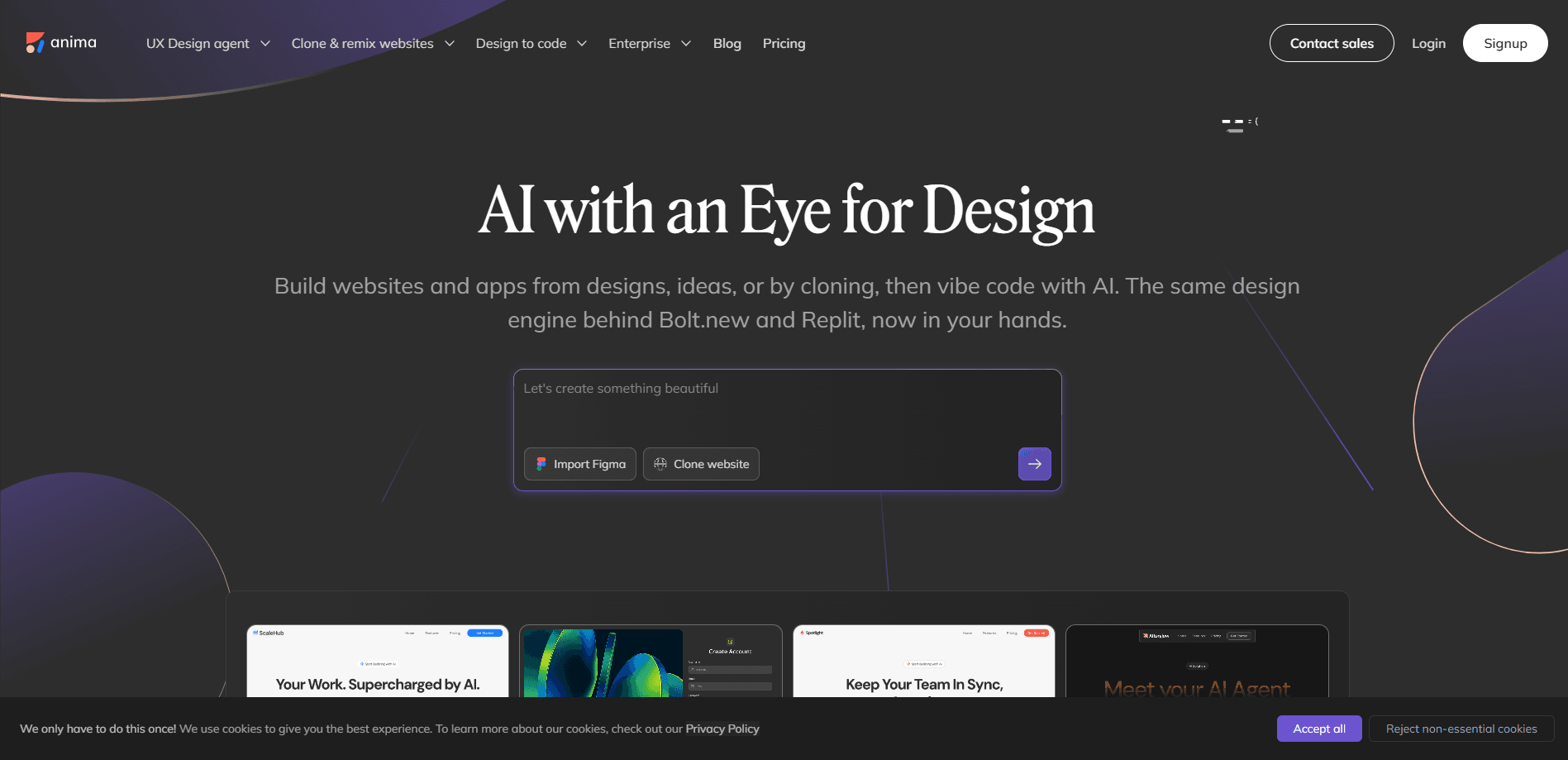
Anima App is an AI design-to-code platform that turns Figma files, live websites, images, and plain text prompts into working web apps. Teams use it to generate editable HTML or React output while keeping their brand system intact, then publish, export, or hand the code to developers. It sits between design tools such as Figma and the AI coding agents developers already run.
About Anima App
What Is Anima App
Anima App started as a Figma-to-code plugin and grew into a full build environment where designers and developers work in the same loop. The pitch is simple. Your design shouldn't be thrown away the moment someone starts writing a frontend. Anima reads the structure, assets, and styling you already defined, then produces responsive HTML or React that still looks like what you drew.
The platform now covers more than export. You can prompt a new app from scratch, clone a live website into an editable project, import a screenshot and turn it into an interface, or pull code out of Claude and keep building on it visually. So what does the output look like? It comes as HTML with clean CSS, Tailwind, or inline styles, or as React with TypeScript or JavaScript. It also ships an MCP server and an API, so AI coding agents can create and inspect Anima projects directly. That last part is new territory for design tools.
The main limit is scope. Anima is strongest when you already have a design, a brand, or a reference to work from. It isn't a general-purpose backend. Running a production product still means adding databases, authentication, and hosting elsewhere. The free plan is generous enough to test, but it caps daily usage, so heavy users will hit the paid tiers quickly.
Getting Started
- Create an account at animaapp.com and open the Anima playground, or install the Figma plugin if you plan to export from a design file.
- Bring in your starting point: prompt a new app, import a Figma frame, paste a live URL to clone, or upload a screenshot.
- Attach your brand context, such as design system components, a Design.md file, or a reference URL, so the generated build matches your style.
- Choose your output stack (HTML or React, plus your CSS approach) and generate the app, then refine the layout and flow visually in the browser.
- Export the code, publish it, or connect the Anima MCP server so an AI agent can keep building on the same project.
Product Information
A quick look at Anima App's pricing, supported platforms, and performance.
Best for
The users, tasks, and scenarios where this tool fits best.
Users
- Product designers
- Frontend developers
- Startup founders and solo builders
Tasks
- Converting Figma designs to code
- Cloning a website
- Turning a screenshot into an app
Scenarios
- Shipping a landing page before a launch
- Building an internal dashboard
- Handing work to an AI coding agent
Key features
Figma to Code
This is the feature Anima built its reputation on. Import a Figma design and Anima generates responsive HTML or React that carries over the structure, assets, and visual details, not just a flat screenshot. No rebuild from scratch. You can copy the result back into Figma as you iterate, which keeps the design and the build in sync instead of drifting apart.
Prompt-to-App and Website Cloning
Start from nothing but an idea. Describe what you want, then keep refining the design, features, and flow visually. A second option imports multiple pages from any live website into one editable app, with routes and navigation already wired up. Between the two, you can go from a blank prompt or an existing reference to something workable in one sitting.
Brand and Design System Context
Anima lets you bring your brand, visual references, Figma files, and design system components into the build, or match a brand straight from a URL. A Design.md file holds your styling rules so every result stays closer to your product. This matters for teams that can't afford output that looks generic or off-brand.
HTML and React Output
Anima produces HTML for websites, landing pages, email templates, and marketing pages, or React for products, dashboards, and prototypes. You pick clean CSS, Tailwind, or inline styles. For React, you choose TypeScript or JavaScript plus your preferred UI library. That range means the output can slot into different team stacks without a rewrite.
Anima MCP and API
The MCP server connects AI coding agents to Anima's build environment, giving them access to Figma-to-code, design systems, and project context so they can create and continue live applications. The Anima API and SDK automate code generation from designs, clones, or prompts, and the engine already runs inside tools such as Bolt.new and Replit. For teams wiring agents into their workflow, this is the piece that makes Anima more than a one-off exporter.
Pros and cons
Pros
- The Figma-to-code output keeps real structure and assets rather than flattening a design into an image, which is why it earns praise from design engineers.
- Both HTML and React output, with TypeScript, Tailwind, and UI library choices, fit different team stacks instead of forcing one.
- The MCP server and API let AI coding agents build directly on your project context, which is rare among design-to-code tools.
- A free plan with daily limits lets you test the workflow before paying.
Cons
- The free plan caps usage at 5 chat messages, 5 imports or clones, and 5 code generations per day, so anything beyond light testing runs out fast.
- Pricing above the free tier isn't published on the main page as a simple list, so you'll need to check current plans in-app before budgeting.
- It's built for frontend output. You'll still need your own database, authentication, and hosting for a real product, so it isn't a complete app platform on its own.
Frequently asked questions
Anima App is an AI app builder that converts Figma designs, live websites, images, and text prompts into editable HTML or React apps. It began as a Figma-to-code plugin and has expanded into a full build environment with an MCP server and API for AI coding agents.
Related content
Explore related tools, skills, and articles for Anima App.
Anima App Alternatives

X Ray Interpreter
X-ray Interpreter · ImageX Ray Interpreter is a web-based AI radiology tool that turns X-rays, CT scans, MRI, ultrasound, and PET images into plain-language reports. You upload a scan, get a preliminary X-ray interpretation in moments, then ask follow-up questions if something needs explaining. It works as a second opinion and a learning aid, not as a medical diagnosis.

Aieasypic
AIEasyPic · ImageAIEasyPic is an AI image generator that turns plain text prompts into finished artwork in seconds. You can also train custom models on your own photos, swap faces in existing images, and create short video clips from text, all from a browser. It suits casual creators who want quick visuals and hobbyists who want to build a personal model without touching any code.

Chargen
Chargen · ImageChargen is an AI character generator and worldbuilding toolkit built for Dungeons & Dragons and other tabletop RPGs. It turns a one-line idea into a painted character portrait, spins up NPCs, monsters, maps and encounters from the same session, and keeps every creature's details close at hand. The tabletop RPG art side runs on a credit system called Gold, while the text generators stay free for everyone.