

Animaker AI Video Maker
Animaker · Video
Animaker is an AI animation video maker that turns a text prompt into a studio-quality animated video with characters, voiceovers, subtitles, and one-click translation.
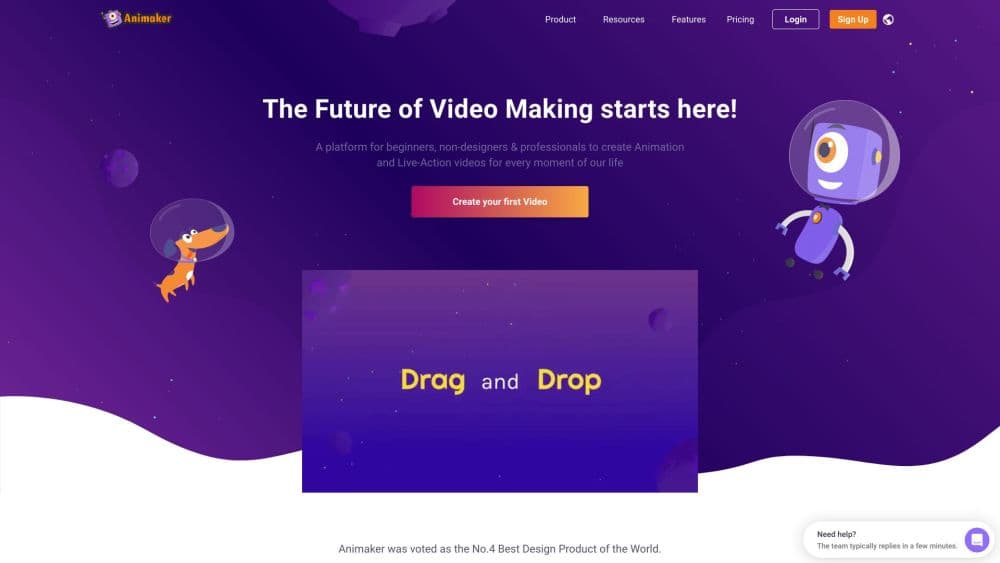
About Animaker AI Video Maker
What Is Animaker
Animaker is a browser-based animation and video creation platform. You describe an idea in plain language, and its AI builds a full animated clip with scenes, characters, lip sync, voiceover, and transitions. The company says more than 35 million people have used it, and it pitches itself as a tool that takes anyone from a rough concept to a shareable video in a few minutes.
It started as a drag-and-drop character animation studio and has since added a generative layer on top. You can still hand-build scenes frame by frame, but the faster route is to prompt the AI, answer a few follow-up questions, and let it assemble a first draft. That blend of automatic generation and manual editing is the core pitch for teams that produce training, marketing, and explainer videos on a schedule.
The tradeoff is polish versus speed. AI-drafted animations land fast, yet custom work still depends on the editor, and the free tier caps you with a watermark and a smaller asset pool.
Getting Started
- Sign up for a free Animaker account with an email address or a Google login.
- Pick a video category such as explainer, educational, intro, or product demo.
- Type your idea as a prompt, or answer the AI's follow-up questions to sharpen the vision.
- Review the generated draft with scenes, characters, and voiceover, then open Advanced Edit to fine-tune timing, text, and audio.
- Export as MP4, GIF, or WebM from SD up to 4K, or publish straight to a social channel.
Product Information
A quick look at Animaker AI Video Maker's pricing, supported platforms, and performance.
Best for
The users, tasks, and scenarios where this tool fits best.
Users
- Learning and development teams
- HR and internal communications staff
- Marketers and small business owners
- Solo creators and hobbyists
Tasks
- Making an animated video from a text prompt
- Adding an AI voiceover
- Translating a finished video
- Generating subtitles
- Building a custom animated character
Scenarios
- Producing an employee onboarding series
- Promoting a product launch
- Teaching a complex topic
- Sending a personal greeting
Key features
Prompt to Animation
This is the headline feature. You enter a video idea or prompt, choose a category, and Animaker generates a complete animated draft with scenes, characters, lip sync, voiceover, and transitions. The company says it can produce the first cut in seconds, and you refine it afterward in the editor rather than building it from scratch.
AI Character and Avatar Builder
The character builder lets you assemble billions of unique animated characters, adjusting features to match a brand mascot or a recognizable person. Paid plans and the trial add AI avatar video, so a presenter can deliver a script without anyone on camera.
AI Voices and Text to Speech
A neural text to speech engine turns written script into human-like narration, and the company says it offers more than 1,800 voices across 200+ languages and accents. That covers explainers, ads, and dubbing without hiring a voice actor.
Subtitles and Video Translation
The subtitle tool adds timed captions, and the company claims around 99% accuracy across 130+ languages. A separate one-click video translation feature re-dubs a finished animation into 100+ languages, which suits creators who want one clip to travel across markets.
Template and Asset Library
Animaker bundles 100 million+ stock media files, 70,000+ icons, and 30,000+ music tracks and stickers, plus thousands of ready templates. A template library speeds up common formats such as explainers, intros, ads, and social clips so you are not starting from an empty timeline.
Timeline and Advanced Editing
Under the AI layer sits a full timeline editor. Advanced Edit gives frame-level control over scenes, text, audio, and pacing, and the canvas supports 2D animation, live-action, whiteboard, and infographic styles in one workspace.
Pros and cons
Pros
- Generates a full animated video from a text prompt, including characters and voiceover, so beginners can publish without animation skills.
- Voice and subtitle tools cover a wide language range, which makes one clip usable across several markets.
- A large stock and template library cuts the time spent sourcing assets for common video formats.
- Advanced Edit sits on top of the AI output, so you can fine-tune a draft instead of rebuilding it.
- A free plan and a 7-day trial let people test paid features before committing.
Cons
- The free plan adds an Animaker watermark and limits premium assets, so public-facing work needs a paid tier.
- AI-generated animation can look generic, which means high-stakes videos still need manual polish.
- The breadth of tools and settings can overwhelm first-time users, and the learning curve is steeper than a single-purpose editor.
- There is no clearly published public API, so wiring Animaker into automated pipelines is not a supported route.
Frequently asked questions
Animaker turns a text prompt or a script into an animated video. Its AI drafts scenes, characters, voiceover, and subtitles, and you refine the result in a timeline editor before exporting.
Related content
Explore related tools, skills, and articles for Animaker AI Video Maker.
Animaker AI Video Maker Alternatives

ngram 2.0
ngram · Video · Marketingngram 2.0 is an AI video generator for teams. It turns a prompt, a screen recording, or a product URL into a narrated explainer, product demo, or AI avatar video, and every scene stays editable.

OpenScreen 2
OpenScreen (open-source project) · Video · ProductivityOpenScreen 2 is a free, open-source screen recorder and demo video editor for Windows, macOS, and Linux, with automatic zooms, styled frames, local captions, and agent edits.

Skreno
Skreno · Video · ProductivitySkreno is a browser screen recorder that captures a tab, a window or your whole display, then attaches AI transcripts, summaries and console logs to one share link.