

Animate AI
Animate AI · Video
Animate AI is an all-in-one AI video generator that turns scripts into animated video series with consistent characters.
About Animate AI
What Is Animate AI
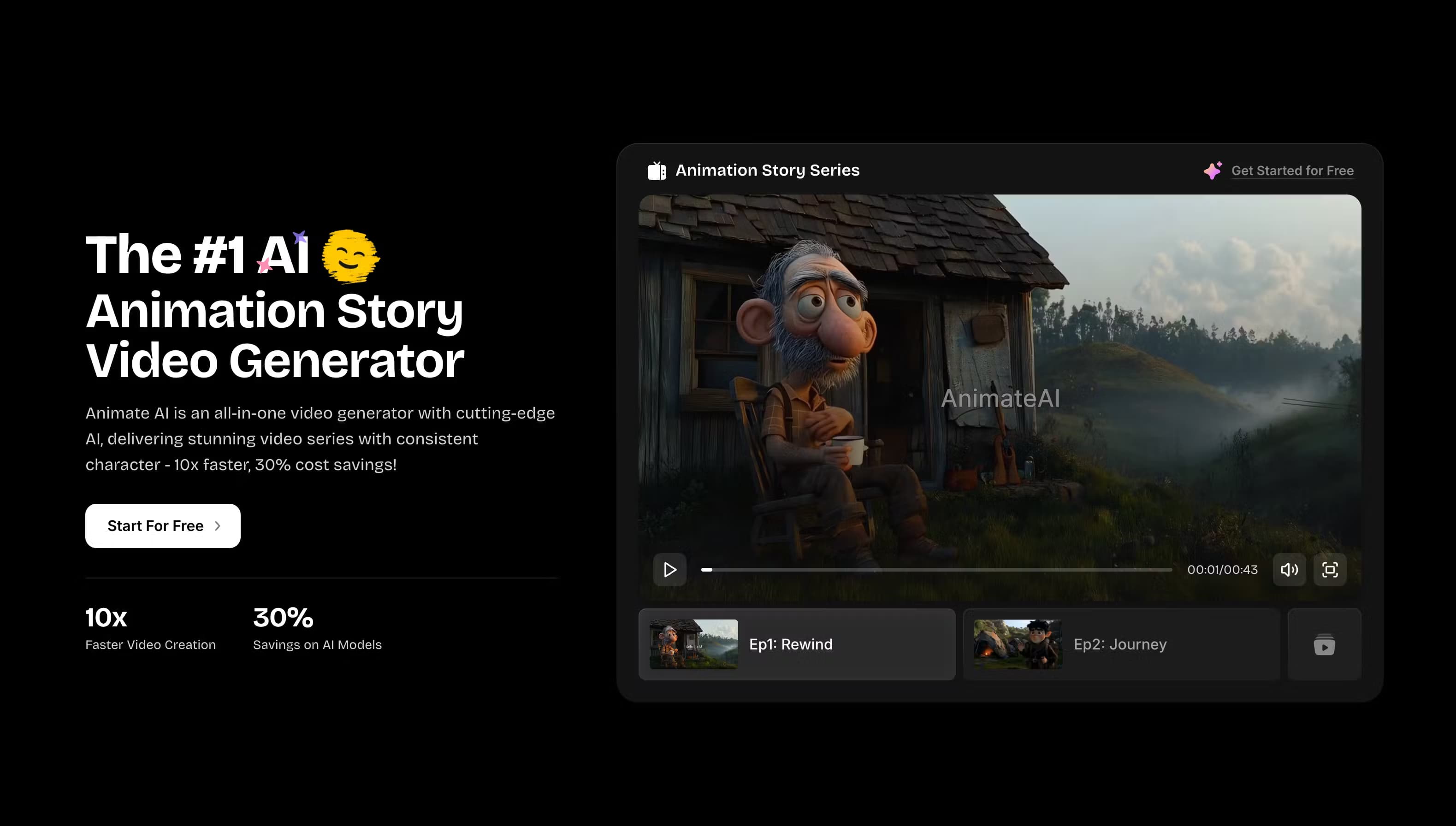
Animate AI is a browser-based video generator built for people who want to make animated series without a production team. You give it a story idea or a script, and it handles the parts that usually eat up the most time: casting characters, building storyboards, and rendering scenes into finished clips.
The pitch is speed and cost, and the marketing leans on both. According to Animate AI, its workflow runs about 10x faster than traditional animation and cuts model costs by roughly 30%. Treat those numbers as vendor claims, not measured results.
The bigger idea is character consistency. Animated series fall apart when a character's face or outfit changes between episodes, and Animate AI addresses that by letting you save a character once and reuse it in every scene. That's the feature which sets it apart. It's also the reason an animated video maker built around series feels different here.
The main limit is control. Autopilot mode and prompt enhancement are convenient, but they also mean less frame-level say over the result compared to a traditional editing pipeline. Fine-grained animation work? Still a specialist job.
Getting Started
- Create an account and start the 7-day trial, which runs $5.99 for the first week and includes 200 credits.
- Generate or pick a main character and any background characters, then save them for reuse.
- Paste a script or describe your story to generate an editable storyboard with scenes and narration.
- Choose a video model, adjust scenes, and render your clips.
- Concatenate the scenes into a full-length video and export without a watermark.
Product Information
A quick look at Animate AI's pricing, supported platforms, and performance.
Best for
The users, tasks, and scenarios where this tool fits best.
Users
- Independent animators who want to ship episodic content without hiring a studio.
- Creators who treat an AI video generator for creators as a weekly publishing habit.
- Content creators making kids' bedtime stories, lofi music videos, or comedy skits for social platforms.
- Marketers who need short animated trailers or explainer clips on a tight deadline.
Tasks
- Turning a written script into an editable storyboard with scene descriptions and narration.
- Keeping a character's look, outfit, and voice consistent across a multi-episode series.
- Generating a 30-second animated clip from a single text prompt.
Scenarios
- Building an animated story series episode by episode on a monthly credit budget.
- Drafting a quick trailer for a product or channel before committing to full production.
- Repurposing a written story into video for YouTube or social feeds without learning editing software.
Key features
AI Character Generation
You share a story idea and Animate AI generates characters matched to it, with customizable styles, outfits, and voices. Saved characters can be reused across episodes, which is the core fix for the inconsistency problem that makes AI series look amateurish. If you're running a recurring show, this alone saves hours of re-setup. Real hours.
AI Storyboard Generation
Paste a script and the tool converts it into an editable storyboard with scene descriptions, visuals, narration, and voiceovers in one view. You can edit stories, refine scenes, and swap images before committing to a render, so mistakes get caught early instead of after a full generation. Anyone who has burned credits on a render they hated will appreciate that the storyboard step lets you catch a wrong scene, a flat narration line, or a mismatched character before a single frame gets locked into the final export.
AI Video Generation
A single text prompt produces a fully rendered 30-second video. Outputs span animation stories, trailers, motivational clips, bedtime stories, and lofi videos. The workflow supports up to 10 scenes in a full-length video, then lets you concatenate them into one file.
AI Model Integration
Rather than locking you into one engine, Animate AI pulls in models across categories: GPT-4, Claude, and Gemini for text, FLUX and MidJourney for visuals, ElevenLabs for voice, Suno for music, and Runway, Kling, Minimax, and Luma for video. Paid tiers open up higher-end options, including Kling 2.0 Master and Kling V2.5 Turbo Pro on the Pro plan. The pitch is simple: one subscription instead of five.
AI Video Enhancement
A built-in prompt enhancer rewrites your text, image, and video prompts for better output, so you don't need prompt engineering experience to get decent results. It's a practical shortcut for beginners. Experienced users will likely prefer writing their own prompts for tighter control.
AI Video Generation on Autopilot
Autopilot mode analyzes your request, improves the prompts, and generates videos end to end without manual step-by-step input. It's pitched at users who want a finished draft fast, and the trade-off is less control over every individual choice along the way. Convenient, but not precise.
Free AI Video Templates
A template library lets you start from community-made styles, genres, and character designs with one click, then personalize and regenerate in that style. Templates credit the original creators, giving newcomers a lower-stakes way to see what the tool can do.
Pros and cons
Pros
- Consistent characters carry across episodes, which is hard to get from generic text-to-video tools.
- Multiple third-party models are bundled in, so you don't juggle separate subscriptions for video, voice, and music.
- The storyboard step lets you fix scene problems before paying for a render.
- No watermarks and up to 10 scenes per full-length video on paid plans.
- A 7-day trial at $5.99 makes it cheap to test before committing.
Cons
- No free plan at all. The entry point is the $5.99 trial, so there's no way to try the tool without a card.
- Credits expire after 30 days on one-time purchases, and failed generations reportedly still consume them.
- Autopilot and prompt enhancement trade control for convenience, which will frustrate users who want frame-level say.
- The best video models sit behind the $99.99/month Pro tier, so the real cost of top-tier output is high, and anyone producing serious volume will find the Standard tier's model list limiting once they compare the two side by side.
Frequently asked questions
It's an AI video generator for creating animated series, trailers, kids' stories, lofi clips, and similar short videos from text. The focus is episodic content with characters that stay consistent between scenes.
Related content
Explore related tools, skills, and articles for Animate AI.
Animate AI Alternatives
Griffin by Tavus
Tavus · Voice & Language · Video · ChatbotGriffin by Tavus is the first Human Interaction Model: a full-duplex, video-to-video system that watches, listens, and answers during a live video call in real time.

Syllaby AI Avatar 2.0
Syllaby · Video · MarketingSyllaby AI Avatar 2.0 turns a script into a presenter-led video with a reusable AI avatar, natural voice, B-roll and automatic subtitles, all in one browser workflow.

Vitra.ai
Vitra.ai · Voice & Language · Video · MarketingVitra.ai is an agentic content platform that creates, translates, reviews, and publishes video, images, documents, and app content in 120 languages from one shared brief.