

AnnotateAI
AnnotateAI · Coding
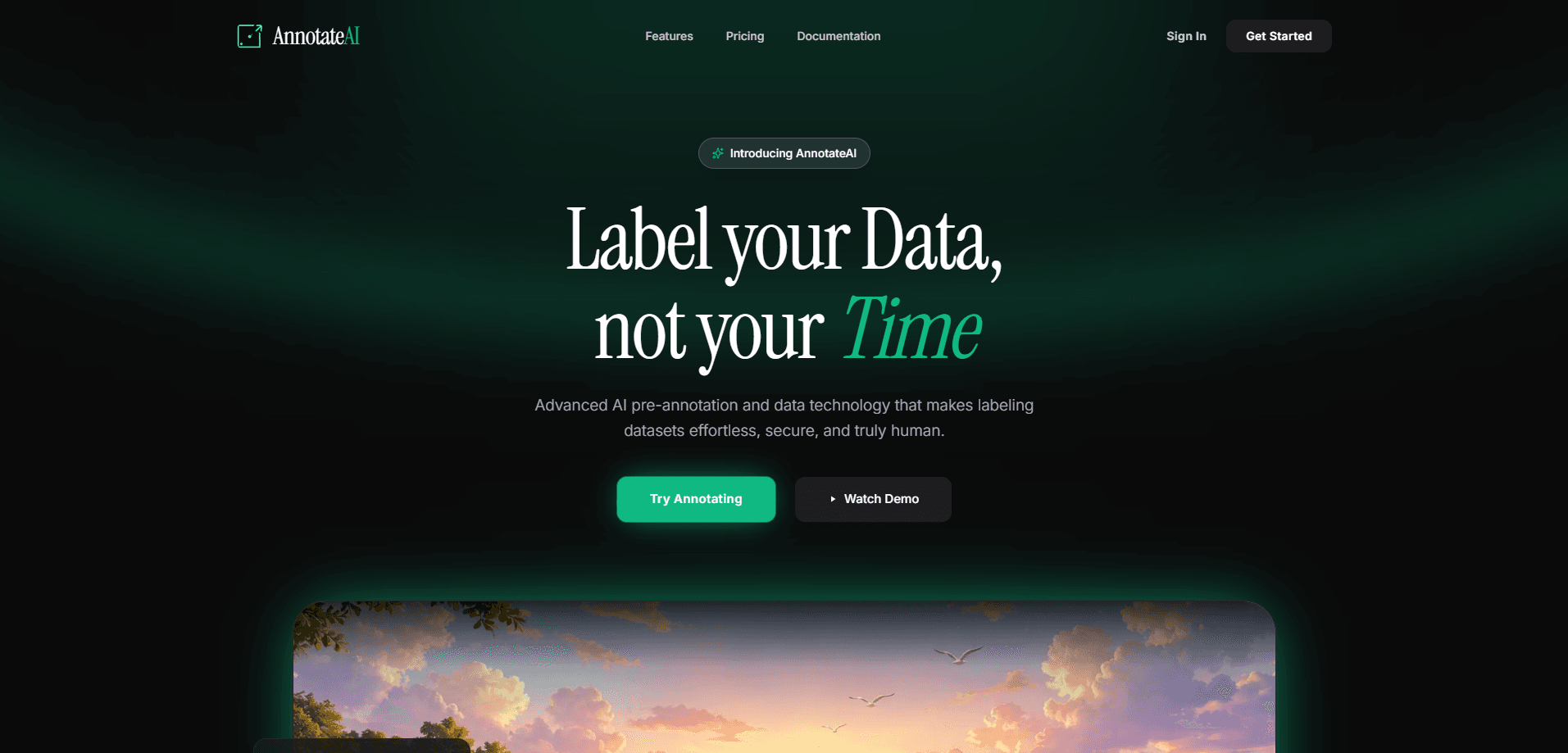
AnnotateAI is an AI data annotation tool that speeds up dataset labeling for computer vision and machine learning work. It works as an image annotation tool, but it also handles video frames and document layouts. Upload a ZIP and its AI agents take a first pass at the labels, then you correct the tricky edge cases by hand. Everything runs in your browser, so your training data stays on your machine unless you decide otherwise.
About AnnotateAI
What Is AnnotateAI
AnnotateAI is a browser-based platform that pairs AI pre-annotation with manual review. The idea is simple. Instead of drawing every bounding box or polygon from scratch, you let the agents label the obvious cases and spend your time only on the ones that need a human eye. That split is where most of the time savings come from, and it's the reason teams that tried fully manual labeling tend to switch once they've seen the difference on a real batch.
The tool targets people building computer vision datasets. It handles image segmentation, bounding boxes, and document layouts, and it accepts a ZIP of mixed formats without asking you to convert anything first. The pricing starts with a free tier and a paid Pro tier if you need bigger jobs and priority processing, and the gap between the two tiers is mostly about scale rather than features.
The biggest selling point is privacy. AnnotateAI can process your files client-side through IndexedDB, which means sensitive data never has to leave your local machine. That matters if you work with medical images, licensed footage, or anything under an NDA. The catch is that heavy jobs still depend on your browser and your connection, so very large datasets will feel slower than a fully hosted pipeline where the compute sits on someone else's servers and your laptop only has to render the results.
Getting Started
- Create an account on the AnnotateAI site and open the dashboard.
- Package your data as a ZIP (up to 100MB on Free, up to 2GB on Pro) and drop it into the pipeline.
- Let the AI agents run the first pass of pre-annotation on your images, video frames, or document layouts.
- Review the labels, fix boundaries, and correct false positives in the feedback loop.
- Export your finished dataset as YOLO, COCO, VOC, or custom JSON.
Product Information
A quick look at AnnotateAI's pricing, supported platforms, and performance.
Best for
The users, tasks, and scenarios where this tool fits best.
Users
- Computer vision engineers
- Small ML teams without a dedicated labeling crew
- Privacy-conscious projects
Tasks
- Image segmentation
- Object detection datasets
- Document layout labeling
Scenarios
- Kickstarting a new dataset
- Fixing an existing dataset
- Prepping training data before a deadline
Key features
AI-Agent Pre-Annotation
The core of the platform. You upload raw data and its agents take the first pass at labeling entirely in your browser. For anyone who's spent an afternoon placing boxes by hand, this is the part that changes the math. No more blank canvas. You still review the output, but you're correcting instead of creating.
Human Feedback Loop
After the agents finish, you adjust labels, tweak boundaries, and fix false positives. The flow is built around teaching the system what correctness looks like rather than starting from a blank canvas. In practice, this is where most of the actual quality comes from, because AI pre-annotation reliably handles the common cases but tends to miss the unusual ones that decide whether your model performs well outside the test set.
Universal Export
Finished datasets download as YOLO, COCO, VOC, or custom JSON. That covers the formats most training pipelines expect, so you don't need a conversion script sitting between AnnotateAI and your framework. Free exports carry a watermark; Pro removes it, and Pro also unlocks the API access you'd need to trigger exports from your own code.
Client-Side Privacy
AnnotateAI processes data through IndexedDB in the browser, so sensitive training data never has to leave your local machine unless you explicitly choose to upload it for hosted processing. For teams handling medical images or licensed content, that removes a big compliance headache. It's a real differentiator against cloud-only annotation services.
Data-Agnostic Pipeline
Drop in a ZIP and the pipeline handles images, video frames, or document layouts on its own. Why does that matter? Because most labeling tools assume one data type, and switching between them usually means switching tools too. You're not locked into one format before you start. Mixed-format projects are the intended case, not an afterthought.
Priority Queue and Concurrency
The Pro plan runs up to 5 concurrent jobs and uses a priority queue that starts about 5x faster. Large datasets are mostly a waiting game, so the queue is what keeps a real production pipeline moving when several jobs are stacked up behind each other. Free accounts sit in a shared community queue with 1 job at a time. That's fine for a test run. It's painful for a deadline.
Pros and cons
Pros
- AI pre-annotation cuts the tedious first pass, so you spend time on review instead of drawing boxes.
- Client-side processing keeps sensitive datasets on your machine.
- Exports directly to YOLO, COCO, VOC, or custom JSON with no conversion step.
- Handles images, video frames, and document layouts from a single ZIP upload.
- Free tier is genuinely usable for small experiments, so you can test it before paying.
Cons
- Pricing is listed in Indian rupees (₹), which adds a currency step for users paying in other regions.
- Free plan caps you at 200 images, 1 concurrent job, and 100MB uploads, so serious datasets require Pro.
- Free exports are watermarked, which rules them out for anything you'd ship or share.
- Client-side processing means very large jobs run as fast as your browser and connection allow.
Frequently asked questions
AnnotateAI is built for creating labeled datasets for computer vision and machine learning. You upload raw images, video frames, or document layouts, let its AI agents pre-annotate them, then correct the labels before export.
Related content
Explore related tools, skills, and articles for AnnotateAI.
AnnotateAI Alternatives
Forefront
Forefront · CodingForefront is a web platform for building with open-source AI. It lets you fine-tune leading open-source language models on your own data, evaluate how they perform, and run them through an API or export them to host yourself. Developers who want the convenience of a closed-source platform but insist on owning their models and data are the target audience here.

Startkit
StartKit.AI · CodingStartkit is a boilerplate for building AI SaaS and AI wrapper products. Think of it as an AI startup boilerplate with the boring parts already wired up: authentication, Stripe and Lemon Squeezy payments, usage limits, transactional email, and an AI API starter that talks to OpenAI, Anthropic, Groq, or Llama. You clone the repo, set your price, and start on the part of your product that people actually pay for. It's Next.js under React and Tailwind, so most of the boilerplate code already feels familiar.
Testim
Tricentis · CodingTestim is an AI-powered test automation platform for building and running end-to-end tests across web, mobile, and Salesforce applications. It leans on machine learning to keep tests stable when an interface changes, so teams spend less time fixing broken selectors. Not bad for an automated testing tool you can start using today. You create tests by recording actions in a browser, then optionally add JavaScript when you need more control. It's a solid pick for busy QA teams.