

AnyClip
AnyClip Ltd. (acquired by Edge226) · Video
AnyClip Genius Platform is an AI video management platform that turns a video library into searchable, measurable, and interactive content for publishers, broadcasters, and media teams.
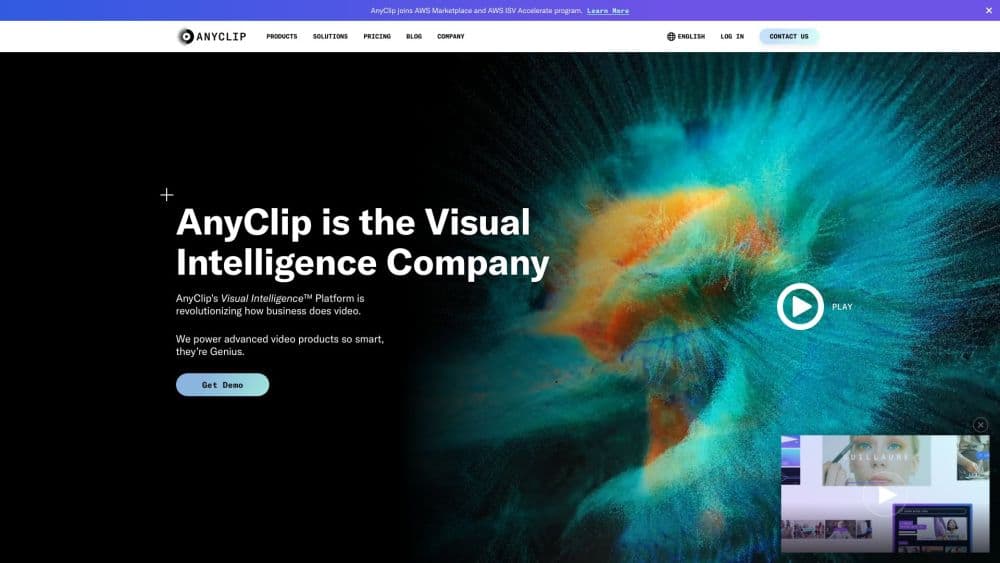
About AnyClip
What Is AnyClip Genius Platform
AnyClip Genius Platform is a cloud platform that watches your video library with AI and pulls out what is inside each frame: people, objects, brands, spoken words, on-screen text, actions, and locations. It turns a pile of files into an indexed library you can search, tag, clip, and monetize from a single dashboard. The company behind it, AnyClip, calls the approach Visual Intelligence, and it targets media companies, publishers, broadcasters, and enterprise video teams rather than individual creators.
The draw is what the machine indexing unlocks. Editors stop scrubbing through hours of footage, because a keyword search returns the exact moment. Marketing teams get automatic highlights, chapters, and descriptions without a manual pass. Publishers can pair relevant ads with relevant scenes and place clickable links inside the player. The result is a library that keeps working after upload instead of sitting idle.
The limits are worth knowing before you commit. AnyClip does not publish pricing, so you move through a demo and a sales conversation rather than a sign-up page, and that makes it a poor fit for someone who wants to test the tool this afternoon. It is also built for organizations with real video volume; the value shows up on large archives and busy publishing schedules, not on a handful of clips. As of July 2026, Edge226 acquired AnyClip, so the roadmap now sits under new ownership.
Getting Started
- Request a demo through the AnyClip site and walk the sales team through your video volume and the workflows you want to automate.
- Connect your video sources and let the platform ingest the library, analyzing each asset frame by frame to build metadata.
- Review the generated tags, chapters, descriptions, and highlights, and adjust the taxonomies so the AI matches how your team talks about content.
- Set up the players, search, and recommendations your audience will see, and wire in ad or monetization rules if you sell inventory.
- Publish to your sites and apps, then track engagement and revenue from the analytics dashboard to see which scenes and topics perform.
Product Information
A quick look at AnyClip's pricing, supported platforms, and performance.
Best for
The users, tasks, and scenarios where this tool fits best.
Users
- Media and publishing teams
- Sports and broadcasting operations
- Corporate video and internal comms teams
- Monetization and ad ops teams
Tasks
- Searching inside video
- Cutting highlights and chapters automatically
- Generating descriptions and summaries
- Making video interactive and shoppable
- Personalizing what each viewer sees
- Monopolizing on ads
Scenarios
- A broadcaster wants to repackage decades of game footage
- A news site needs every archived interview to earn again
- A large company runs an internal video library of training sessions
Key features
AI Video Search
Search runs on the content inside the video, not just the filename. The platform analyzes each frame for actions, objects, people, spoken words, and on-screen text, so a keyword returns the moment you need. Editors stop hunting through a timeline, and publishers expose the same search to their own site visitors.
Automatic Highlights and Chapters
The AI finds the key moments in a video and breaks long recordings into chapters on its own, which is what the Watch+ toolset is built around. Recaps, highlight reels, and event compilations come together without a manual cut, and the scene detection keeps working across a large archive instead of one clip at a time.
Auto Descriptions and Summaries
The platform writes titles, descriptions, and summaries for each asset using generative models, so a catalog can be labeled without someone writing copy asset by asset. It is aimed at teams drowning in metadata work, but the output still needs a review pass to match a brand voice.
Interactive and Shoppable Video
Engage+ adds clickable touch points and context-aware links inside the player, so a viewer can act on a product, a story, or a poll without leaving the video. It is the kind of feature a publisher uses to turn passive viewing into a click, and it is aimed at commerce and engagement goals rather than simple playback.
Personalization and Recommendations
A recommendation engine and dynamic playlists decide which clips surface for which viewer, using context and behavior rather than a fixed lineup. That is what lets one library serve different audiences, and it is most useful for publishers running many pieces of content against the same player.
Contextual Ads and Monetization
The metadata feeds an ad layer that matches ads to the scene on screen, and the marketplace handles contextual, display, and interactive ad formats. Publishers sell inventory against moments that fit the ad, which is the monetization half of the pitch. It assumes you already run an ad operation.
Players and Live Video Tools
The Players+ and Live+ tools cover the delivery side: web-context playlists, ever-present floating players, interactive story players, and real-time captions for live events with post-live activation. This is the piece that connects the AI index to what a viewer actually sees on a page or app.
Visual Intelligence API
The Visual Intelligence API exposes the same detection and data-enrichment models to developers, so the analysis can run inside your own workflows and products rather than only through the dashboard. It is the route for teams that want to build video intelligence into a larger system, and it sits alongside the ready-made platform.
Pros and cons
Pros
- Turns a static video library into searchable, tagged content, which is the main reason media teams adopt it.
- Automates highlights, chapters, and descriptions, cutting the manual editing and metadata work on large catalogs.
- Pairs content with contextual ads and interactive placements, so the same library can carry monetization.
- Covers the delivery side too, from personalization to players and live captions, in one platform.
- Exposes the detection models through an API, so the intelligence can plug into existing systems.
Cons
- Pricing is not published, so you go through a demo and a sales conversation before you know the cost, which rules out a quick self-serve trial.
- It is built for organizations with real video volume; a small library or a solo creator gets little from the AI index that a manual tag cannot do.
- The auto-generated descriptions and metadata still need a human review pass to sound like your brand.
- The platform now sits under Edge226 after the July 2026 acquisition, so the product roadmap and positioning are still settling.
Frequently asked questions
AnyClip Genius Platform is an AI video management platform that analyzes the content inside a video library so teams can search it, clip it, personalize it, and monetize it. Publishers, broadcasters, and enterprise video teams use it to resurface old footage, automate highlights and descriptions, and match ads to on-screen scenes, all from one cloud dashboard.
Related content
Explore related tools, skills, and articles for AnyClip.
AnyClip Alternatives

ngram 2.0
ngram · Video · Marketingngram 2.0 is an AI video generator for teams. It turns a prompt, a screen recording, or a product URL into a narrated explainer, product demo, or AI avatar video, and every scene stays editable.

OpenScreen 2
OpenScreen (open-source project) · Video · ProductivityOpenScreen 2 is a free, open-source screen recorder and demo video editor for Windows, macOS, and Linux, with automatic zooms, styled frames, local captions, and agent edits.

Skreno
Skreno · Video · ProductivitySkreno is a browser screen recorder that captures a tab, a window or your whole display, then attaches AI transcripts, summaries and console logs to one share link.