
Appflowy Open Source Notion Alternative
AppFlowy · Productivity · Business
AppFlowy is an open source Notion alternative built for people who want the block-based editing, databases, and kanban boards of a modern workspace without handing their documents to someone else's servers. It runs on Windows, macOS, Linux, iOS, and Android, stores files locally by default, and lets you self-host the sync layer through AppFlowy Cloud. That mix of a Notion-style editor and real data ownership is the reason it's pulled in tens of thousands of GitHub stars and keeps showing up in "Notion alternative" searches.
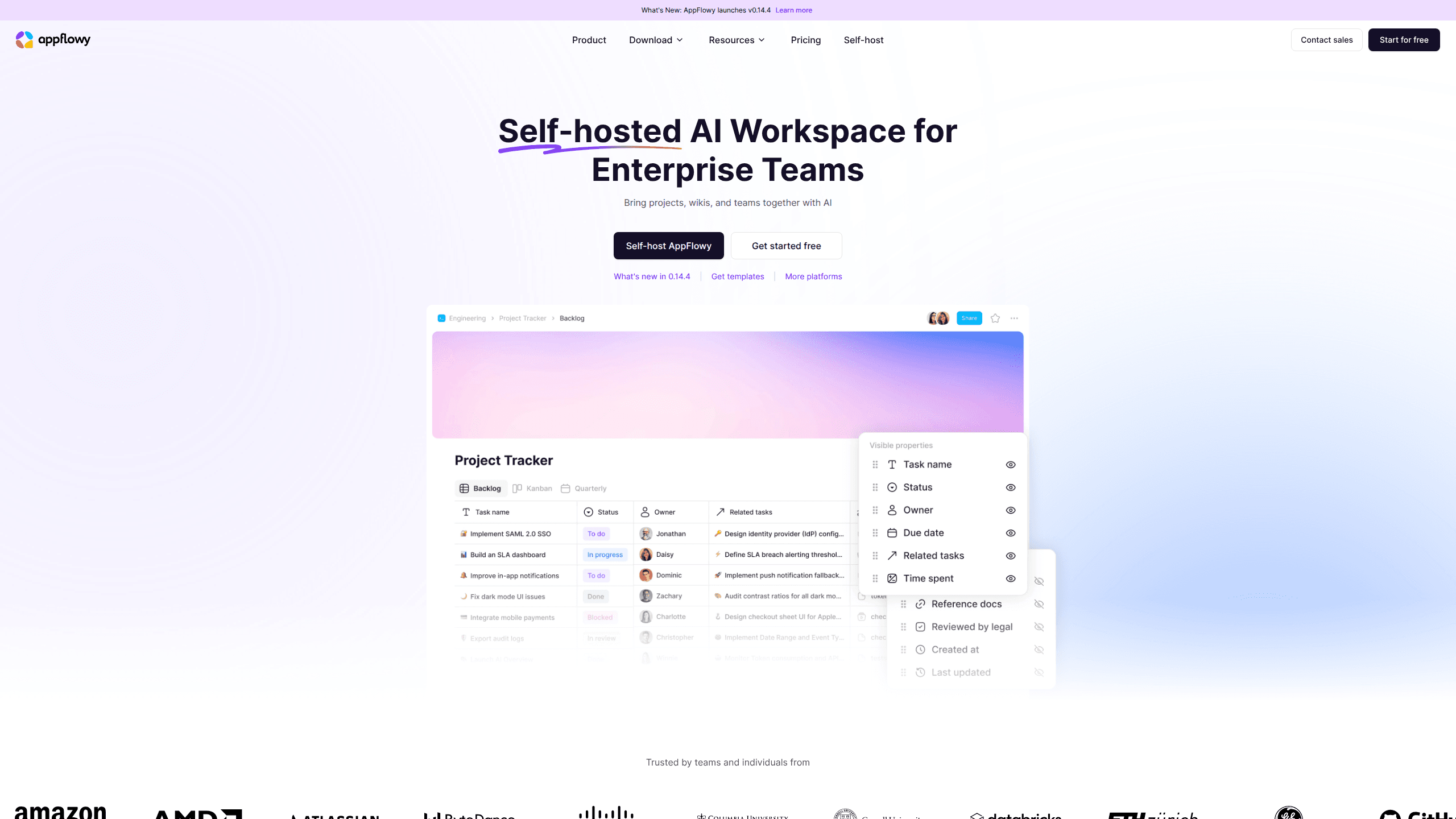
About Appflowy Open Source Notion Alternative
What Is AppFlowy
AppFlowy is a collaborative workspace that looks and feels a lot like Notion: pages made of blocks, nested documents, kanban and grid views, and an AI assistant that can write and summarize for you. The difference is the foundation. The editor is written in Rust and Flutter, the code is licensed under AGPL-3.0, and the default storage model is local-first. Your notes live on the device in front of you, not only in a vendor's cloud. It's a local-first workspace by design.
It's aimed at individuals and small teams who like Notion's flexibility but dislike its lock-in. If your documents hold client info, internal plans, or anything a compliance officer asks about, running your own sync server matters. The trade-off is real. You take on setup work. Self-hosting isn't a one-click install, and features like real-time multiplayer editing matured later than in the SaaS tools it competes with.
Getting Started
- Download the desktop client for Windows, macOS, or Linux, or grab the mobile app, and pick the local mode if you want to try it before connecting anything.
- Create your first workspace and add a page, then drag blocks in to build out notes, a to-do list, or a wiki outline.
- Switch to a grid or kanban view when you want to turn that page into a task board or a simple database.
- Sign in to AppFlowy Cloud or deploy your own instance if you need sync across devices or want to invite teammates.
- Open the AI assistant panel and point it at a document to draft, summarize, or reorganize text inside the page.
Product Information
A quick look at Appflowy Open Source Notion Alternative's pricing, supported platforms, and performance.
Best for
The users, tasks, and scenarios where this tool fits best.
Users
- Privacy-conscious individuals
- Small teams and startups
- Developers and tinkerers
Tasks
- Building a team wiki
- Tracking projects
- Drafting and reshaping text
Scenarios
- A team that can't put internal docs on a third-party cloud
- Working offline on a plane or with flaky Wi-Fi
- Evaluating a Notion migration without committing
Key features
Notion-Style Block Editor With Local Storage
The editor works the way Notion users expect. You type a slash and pick a block: heading, checklist, table, image, toggle. Pages nest inside pages, so a sprawling wiki stays navigable. What sets it apart is where the data sits. In local mode, everything is written to your own disk first, and sync is an opt-in layer on top. That ordering means the app never stalls waiting on a server. It also means a cancelled subscription doesn't take your notes with it.
Databases, Grids, and Kanban Boards
A page can hold more than prose. AppFlowy turns the same content into grid views with typed columns, or kanban boards grouped by a status field. You use this when a doc stops being a doc and starts being a place to run work, like tracking bugs, content calendars, or hiring pipelines. So what's the catch? It's lighter than a dedicated project tool. That's either a feature or a limitation, depending on how much structure you need.
Self-Hosting Through AppFlowy Cloud
This is the part Notion can't offer. You can run AppFlowy Cloud on your own machine or a rented server and point all your clients at it, which keeps sync, accounts, and file storage under your control. Setup involves Docker and some patience. The self-hosted path also gets less polish than the hosted product. For teams with data-residency rules, that trade is often the whole point.
Built-In AI Assistant
AppFlowy ships an AI panel that drafts text, summarizes long pages, and rewrites what you select. It's the kind of helper you reach for mid-draft when a paragraph isn't landing, or when you want a five-bullet summary of a document you wrote weeks ago. It won't replace a dedicated writing model. Quality depends on which provider you connect. Still, having it inside the workspace saves the copy-paste round trip.
Cross-Platform Apps and Offline Access
The same workspace opens on Windows, macOS, Linux, iOS, and Android. You install the desktop build for focused writing and the mobile app for capture on the go, and both read from the same synced store. Because the core is local-first, the mobile experience stays usable when you're underground or on a plane. Then it reconciles when a connection returns.
Open Source Codebase
AppFlowy is licensed under AGPL-3.0, which means the full source is public. You can audit how your data is handled, report bugs directly, or build internal variants. It also means the roadmap is visible. The community can push fixes faster than a closed product might. The flip side is rough edges. Open code and evolving features sometimes mean quirks that a polished SaaS hides.
Templates and Community Additions
The project ships with starter templates for meetings, sprints, and personal planning, and the community publishes more. If you're moving from Notion, this softens the blank-page problem. You pick a structure close to what you had, adjust it, and keep going. Coverage isn't as deep as Notion's template gallery, so unusual workflows may need building from scratch.
Pros and cons
Pros
- Your data stays on your own hardware or server, which is a real answer to compliance and privacy questions.
- The Notion-style editor and database views feel familiar, so switching costs stay low.
- Self-hosting removes per-seat pricing entirely once you're running your own instance.
- It's open source under AGPL-3.0, so the code and roadmap are open to inspection.
- Desktop and mobile apps cover Windows, macOS, Linux, iOS, and Android.
Cons
- Self-hosting means Docker, configuration, and upgrades are on you, not a support team.
- Real-time collaboration matured later than in Notion, so live multi-user editing can feel less smooth.
- The template library and third-party integrations are thinner than Notion's, which matters if you rely on a specific plugin.
- Some AI features depend on connecting an external model provider, adding another account to manage.
Frequently asked questions
Yes. The desktop and mobile apps are free, and self-hosting the sync backend costs nothing beyond your own server. The paid plans apply to the managed AppFlowy Cloud service if you'd rather not run the backend yourself.
Related content
Explore related tools, skills, and articles for Appflowy Open Source Notion Alternative.
Appflowy Open Source Notion Alternative Alternatives

Swms
Swms AI · Writing · Productivity · BusinessSwms is an AI safety compliance tool that turns a plain description of a job into ready-to-use safety documents. Describe your project, trade, and known hazards, and it writes a safe work method statement, job hazard analysis, safe work procedure, RAMS, or safety data sheet in seconds. It also ships with Oscar, a chat assistant that answers workplace safety questions in any language. Teams in construction, mining, transport, and warehousing use it to cut the paperwork that usually eats into a workday.

Wordly AI Translation
Wordly · Voice & Language · ProductivityWordly AI Translation is a real-time AI translation and captioning platform built for meetings, conferences, and events. It delivers live translation, captions, transcripts, and summaries in more than 60 languages, and attendees join by scanning a QR code or opening a link instead of using dedicated headsets. The platform works with Zoom, Microsoft Teams, Google Meet, and Webex, and it's designed for organizations that want multilingual access without hiring human interpreters for every session. Simple as that.

Rows
Rows (Superhuman) · Productivity · BusinessRows is an AI spreadsheet and data analysis tool that imports live data from more than 50 sources, then lets you work with it using plain language instead of SQL queries or nested formulas. You can pull numbers out of PDFs, connect ad platforms, databases, and bank accounts, and ask the AI to build reports, merge datasets, or set up models that recalculate themselves. It runs in the browser, works like a spreadsheet, and now sits under the Superhuman umbrella.