

Arch
Katanemo · Chatbot · Prompts
Arch, now branded Plano, is an open-source AI gateway and data plane for developers building agentic apps. It routes LLM traffic, orchestrates agents, and adds guardrails.
About Arch
What Is Arch
Arch is an AI-native proxy server built on Envoy that sits between your application and the LLM providers it calls. It started life as an intelligent Layer 7 gateway for prompting and API integration, then grew into a full data plane for agentic apps. The project now ships under the name Plano, from the same team at Katanemo, and the old Arch repo redirects there.
The idea is simple. When you move an agent demo into production, you end up writing a pile of plumbing that has nothing to do with your product logic: intent classifiers to pick the right agent, provider adapters to smooth over API quirks, and tracing hooks on every service that you'll maintain forever. Arch pulls that work out of your codebase and into one out-of-process layer you configure with a YAML file. One file.
It isn't a hosted SaaS you sign up for. You install a CLI, run it on your own machine or servers, and supply your own API keys. Want the model routing layer hosted for free during testing? The Plano family of models runs in a shared US-central region, but production traffic is yours to host.
Getting Started
- Make sure you have Python 3.10 or newer. Arch runs natively on Linux (x86_64, aarch64) and macOS Apple Silicon; Docker is optional.
- Install the CLI with
uv tool install planoaiorpip install planoai, then confirm it runs. - Write a
plano_config.yamlfile listing your model providers, agents, and listeners. - Export your provider keys, such as
OPENAI_API_KEYandANTHROPIC_API_KEY, or place them in a.envfile. - Run
planoai up plano_config.yamlto start the gateway, then send requests to the local port it exposes.
Product Information
A quick look at Arch's pricing, supported platforms, and performance.
Best for
The users, tasks, and scenarios where this tool fits best.
Users
- Backend and platform engineers
- AI startup teams shipping fast
- Teams already on Envoy
Tasks
- Routing prompts to the right agent
- Standardizing LLM access
- Adding safety and moderation
- Capturing traces for evaluation
Scenarios
- Multi-agent assistants
- Model cost and latency tuning
- Early prototyping on a shared pool
Key features
Built on Envoy
Arch is an Envoy AI gateway at heart. The data plane runs on Envoy, the proxy behind a large share of modern cloud infrastructure. That matters. For teams that already operate Envoy, the operational model and extension points feel familiar. For everyone else, it means the routing and proxy layer is battle-tested rather than homegrown.
Smart LLM routing as an LLM router
Arch exposes an OpenAI-compatible endpoint that fronts many providers at once. You can route by exact model name, by a semantic alias, or let the gateway pick automatically based on your stated preferences. It acts as a lightweight LLM router you configure, not one you code. Switching providers is a config change. No rewrite. Not a single line of app code moves.
Agent orchestration
Stop writing intent classifiers by hand. You describe what each agent does in natural language and let Arch's orchestrator decide where a prompt goes, which is the part most teams underestimate because hand-rolled routing breaks the moment you add an agent nobody planned for. Adding a new agent is a matter of adding a line to the config and restarting, with no change to your routing code. No routing rewrite. Just a new entry.
Built on Envoy
The data plane runs on Envoy, the proxy behind a large share of modern cloud infrastructure. For teams that already operate Envoy, the operational model and extension points feel familiar. For everyone else, it means the routing and proxy layer is battle-tested rather than homegrown.
Guardrails and filter chains
Filter chains let you attach moderation policies, jailbreak protection, and memory hooks in one consistent place that every agent inherits automatically. You write the policy once and it applies across agents, which beats scattering safety checks through each service. Safety lives in one spot. That's the point.
Zero-code observability
Arch captures agentic signals and OpenTelemetry traces and metrics without you adding instrumentation. Watch live traffic through planoai obs, or drill into a single slow request with planoai trace to see which hop consumed the time. Slow request? One command tells you why.
Model agility and prompt targets
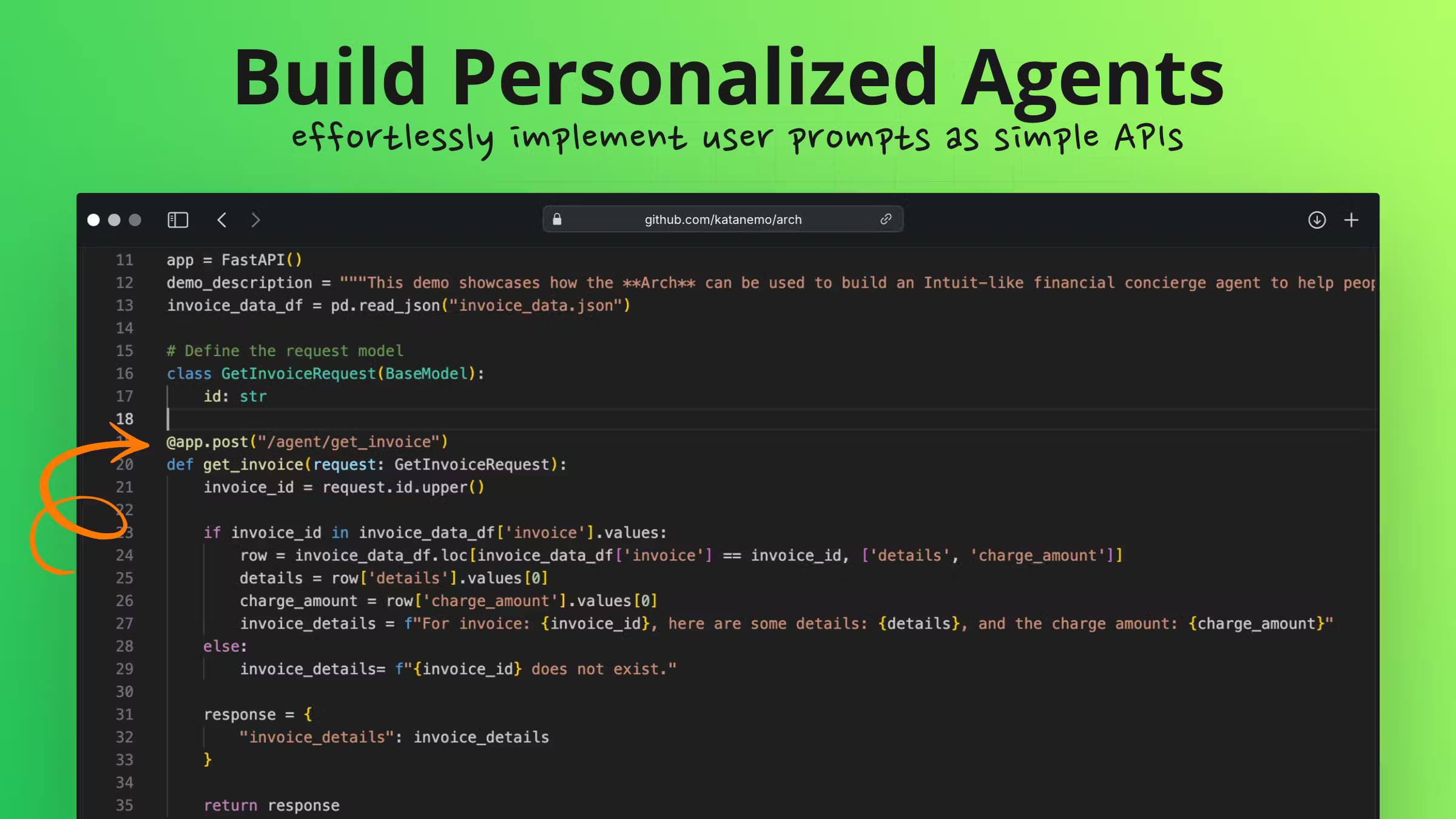
Beyond routing, Arch can turn a natural-language prompt into a structured, validated API call through prompt targets. That support is deprecated as of v0.4.22 in favor of agents, so new projects should lean on the agent path, while existing configs that already depend on prompt targets for deterministic API calls keep working for now.
Language and framework freedom
Your agents stay as plain HTTP services that implement the OpenAI chat completions endpoint. Write them in Python, JavaScript, or any stack you like, and Arch handles the outer loop of routing, sequencing, and model access around them, which means you never have to rewrite an agent just because the framework underneath it changed its mind.
Pros and cons
Pros
- Open source under Apache 2.0, with no license fee and full access to the source.
- One config file replaces hand-written intent classifiers, provider adapters, and tracing glue.
- Provider-agnostic routing means you can move between models without touching app code.
- Automatic OpenTelemetry traces cut a real chunk of manual instrumentation work.
- Runs natively without Docker or a Rust toolchain. Fast setup.
Cons
- Native platforms are limited to Linux and macOS Apple Silicon, so Windows users are pushed toward the Docker path.
- There's no hosted production offering, which means you're responsible for running and scaling the gateway yourself.
- Prompt targets are deprecated, so anyone following older tutorials will hit a dead end.
- The free hosted orchestrator models run in a shared US-central region, so latency-sensitive or data-sensitive teams need to self-host sooner.
Frequently asked questions
Arch is an AI gateway that sits between your app and the LLM providers it calls, handling model routing, multi-agent orchestration, guardrails, and tracing so that your own code stays focused on product logic instead of the recycled plumbing every agent team ends up rebuilding from scratch. It's aimed at developers building agentic applications, not at end users.
Related content
Explore related tools, skills, and articles for Arch.
Arch Alternatives

Knocket
Knocket (Tencent RTC team) · Productivity · Business · ChatbotKnocket is a free live chat and contact page tool that lets visitors message you from your website, app, or a shareable link, with every reply handled from Telegram or one inbox.
Agibot
Agibot · Productivity · AI Assistant · ChatbotAgibot is a personal AI agent for Mac that keeps running after you close the window, runs routines on a schedule, and works from Telegram or Slack with your own API keys.

Melete
Melete · Productivity · AI Assistant · ChatbotMelete is an AI workspace for teams where agents research, draft, and act in Slack, Notion, Linear, and GitHub. Shared memory and approval gates keep people in control.