

Artbreeder
Artbreeder · Image
Artbreeder is a collaborative AI art platform that blends and breeds images with gene sliders, helping artists, writers, and worldbuilders shape faces, characters, and scenes.
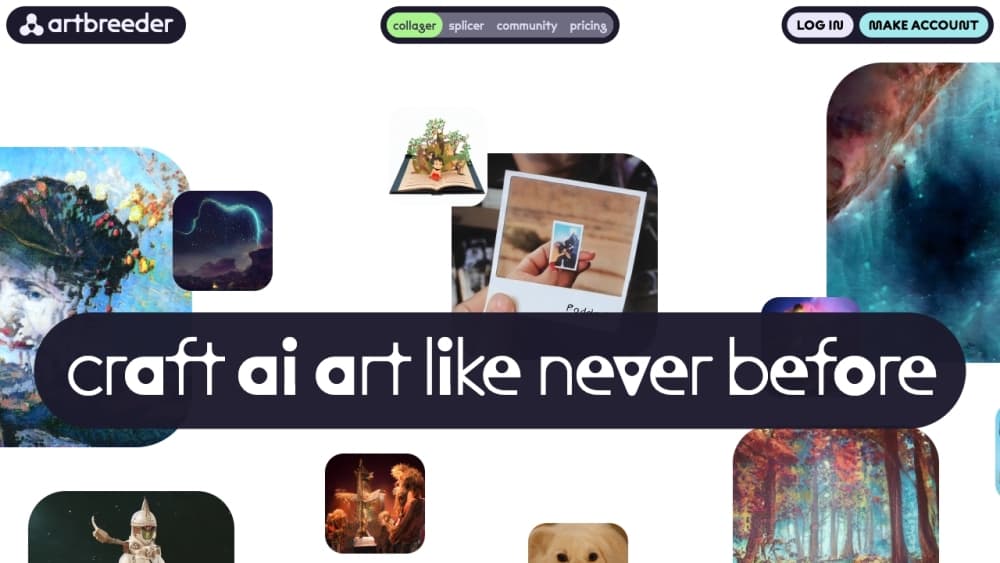
About Artbreeder
What Is Artbreeder
Artbreeder is a collaborative AI art platform built around blending rather than typing. Instead of writing a prompt and hoping, you mix existing images together, then nudge the result with sliders that control age, expression, lighting, and style. Image breeding is the whole idea behind the name, and creator Joel Simon launched the site as Ganbreeder in 2018. It runs on generative models including StyleGAN and BigGAN, and newer tools layer diffusion models such as SDXL on top.
The problem it solves is control. Most AI image tools hand you one result per prompt and leave you rerolling. Artbreeder lets you take two reference faces and move smoothly between them, so you can land on the exact look you pictured. That is why character artists, novelists, and tabletop players keep coming back.
The main limits are scope and credits. Artbreeder is best at portraits, characters, and painterly scenes, not photorealistic product shots or text-heavy graphics. Free accounts also run on a small monthly credit allowance, and heavy iteration drains it quickly.
Getting Started
- Sign up on the Artbreeder website with an email address. The free tier needs no card.
- Browse the public gallery or upload your own references, then pick two or more images to blend.
- Open the Splicer, set a weight for each source, and start moving the gene sliders to steer age, expression, and style.
- Branch from a result you like, then mix in another image or add a text prompt in the Composer to shape the scene.
- Download your favorite at the resolution your plan allows, or publish it to the community for others to breed from.
Product Information
A quick look at Artbreeder's pricing, supported platforms, and performance.
Best for
The users, tasks, and scenarios where this tool fits best.
Users
- Character artists and concept designers
- Fiction writers and worldbuilders
- Digital artists exploring AI
- Hobbyists and tabletop players
Tasks
- Blending two portrait references
- Tuning a character's details
- Expanding an image outward
- Mixing text and images
- Building a scene from shapes
Scenarios
- Drafting a novel's cast
- A game jam on a deadline
- A tabletop campaign night
- Exploring a visual idea
Key features
Splicer Image Blending
AI image blending is what the Splicer was built for, and it remains Artbreeder's signature tool. You bring in two or more images, give each a weight, and the model blends them into something new. On portraits you also get gene sliders for age, expression, gender presentation, and lighting, so you steer the face instead of accepting whatever comes out. It is the quickest path from a vague idea to a concrete character.
Composer for Mixed Prompts
The Composer lets you combine text, reference images, and drawn shapes on one canvas, then generate. You set the layout with simple blocks, point at a mood or sky reference, add a short description, and the diffusion model fills in the detail. It suits concept artists who want to decide the composition before committing to finish.
Mixer Text-to-Image
The Mixer is the standard text-to-image mode, added so this AI art generator could keep pace with newer rivals. Type a prompt, optionally pair it with a reference image, and generate. Output leans painterly rather than photoreal, which is a feature if that is the look you want and a drawback if you need a crisp product shot.
Outpainter Image Extension
The Outpainter grows an image past its borders. It can turn a head-and-shoulders portrait into a full figure or stretch a scenic shot wider, inferring what should continue off-frame. It works best on images that already share Artbreeder's aesthetic, and detailed photos can pick up artifacts at the edges.
Community Gallery and Remixing
Artbreeder hosts one of the largest public libraries of community-made AI images. Any public image can serve as a blend source, which gives you endless reference material for free. Finding a face close to your character and breeding from it is a fast, intended workflow, not a workaround.
Collager and Animator Tools
The Collager assembles shapes, images, and text into a composition you can then refine. The Animator, a Pro feature, brings stills and text to life with motion. Together they push Artbreeder past single images toward short scenes and simple animation. The animator itself sits behind the paid wall.
Pros and cons
Pros
- The Splicer does something few rivals match: smooth, slider-driven blending between real reference faces.
- Gene sliders give you fine control over a portrait's age, expression, and lighting without rerolling.
- The public gallery is a huge free source of reference images you can legally remix.
- The free tier unlocks the core tools, so you can test the workflow before paying.
- Paid plans include commercial use and privacy controls, which matters for client and personal work.
Cons
- The credit system runs dry fast during heavy iteration, so serious character work usually needs a paid plan.
- Text-to-image quality trails top-tier generators on photorealism and prompt accuracy, so it is a poor fit for product shots.
- The interface feels dated next to newer AI art tools, which slows newcomers down.
- Batch generation is not available on lower plans, so large rosters take more manual work.
- The Outpainter can produce artifacts on detailed photorealistic sources, so results need a second look.
Frequently asked questions
Artbreeder is used to blend and breed images rather than generate them from a blank prompt. You mix reference faces or scenes, then steer the result with gene sliders. Artists use it for character and concept work, while writers and worldbuilders use it to picture a cast.
Related content
Explore related tools, skills, and articles for Artbreeder.
Artbreeder Alternatives

Tractionwave
TractionWave · Image · MarketingTractionWave is an AI attention heatmap tool for static ads. Upload a PNG or JPG and it returns predicted attention, ranked hotspots, and fixes before you spend budget.

Imejis.io
Imejis.io · Image · MarketingImejis.io is an AI design studio for agents and marketing teams. Describe an image in plain words, and it writes the copy, builds the layout, reflows it to every size, then exports a finished file.

Layoutr
Van Dijk Ontwikkeling · Image · China AILayoutr is a browser floor plan tool that scales your own plan, places furniture at true size, shows the room in 3D and renders it with AI.